
Setup: Aiwa Prodigy Clear Plus Earphones User Manual
Content
Aiwa Prodigy Clear Plus Earphones
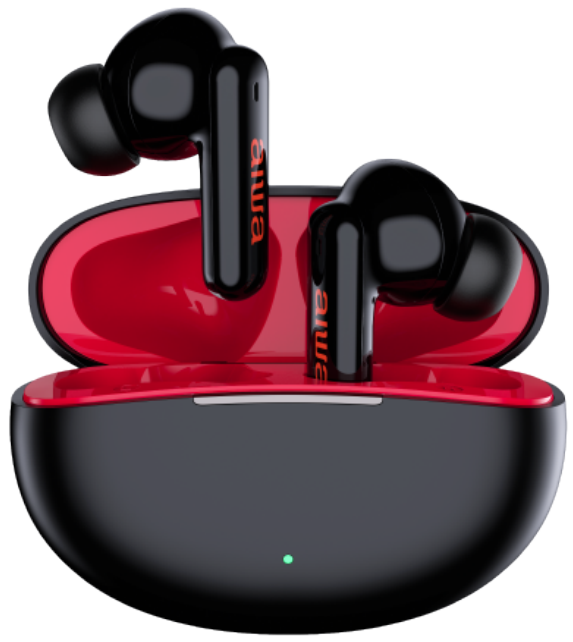
Introduction
The Aiwa Prodigy Clear Plus Earphones are premium true wireless earbuds designed for users seeking high-quality sound with advanced features. These earbuds combine industry-leading Active Noise Cancellation (ANC) technology with a sweatproof IPX4 rating, making them ideal for both everyday use and active lifestyles. With up to 7 hours of continuous playtime and an additional 21 hours provided by the compact charging case, the Prodigy Clear Plus ensures uninterrupted music and calls throughout your day.
Featuring Bluetooth 5.0, these earphones offer super low latency and a reliable 50-foot wireless range, perfect for streaming, gaming, and hands-free communication. Fast charging capability means just 5 minutes of charging delivers up to 1 hour of playback, reducing downtime significantly. The earbuds come with multiple ear tip sizes to ensure a secure, comfortable fit for different users.
Targeted at commuters, fitness enthusiasts, and audiophiles who value clear sound and noise isolation, the aiwa Prodigy Clear Plus also supports transparency mode for situational awareness. These earbuds retail in the mid-price range, typically between $70 to $90, and are available globally through online retailers and official Aiwa distributors.
WHAT’S INCLUDED

SPECIFICATIONS
- BLUETOOTH VERSION: 5.0
- BATTERY CAPACITY (EARPHONES): 40 mAH
- PLAY TIME (ANC ON): UP TO 4.5 HOURS
- PLAY TIME (ANC OFF): UP TO 6.5 HOURS
- CHARGE TIME (EARPHONES): ~30 MINS
- CHARGING CASE CHARGE TIME (via cable): ~AROUND 2 HOURS
- CHARGING CASE CHARGE TIME (via wireless pad): ~AROUND 2.5 HOURS
- FAST CHARGING: 5 MINUTES = 1 HOUR PLAYTIME
- CHARGES IN CASE: 3
- CHARGING PORT: USB-C
Charging Case
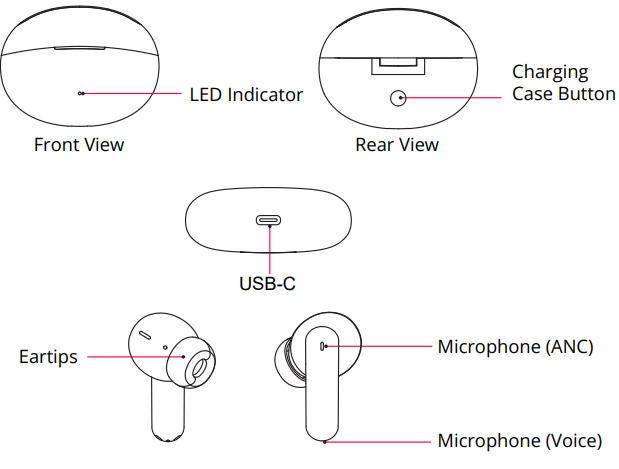
CHARGING
Charging the Earphones
Place the earphones in the charging case to charge. Make sure the charging contacts of the earphones are touching the charging contacts inside the case. Charge your earphones before using. Charging takes approximately 30 minutes to complete.
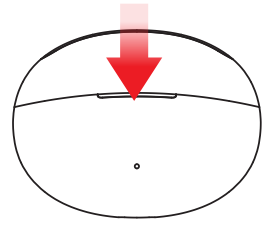
Charging the Case
Connect one end of the included USB-C cable to the Type-C port on the case. Plug the other end into a suitable 5V/1A USB charging adapter.
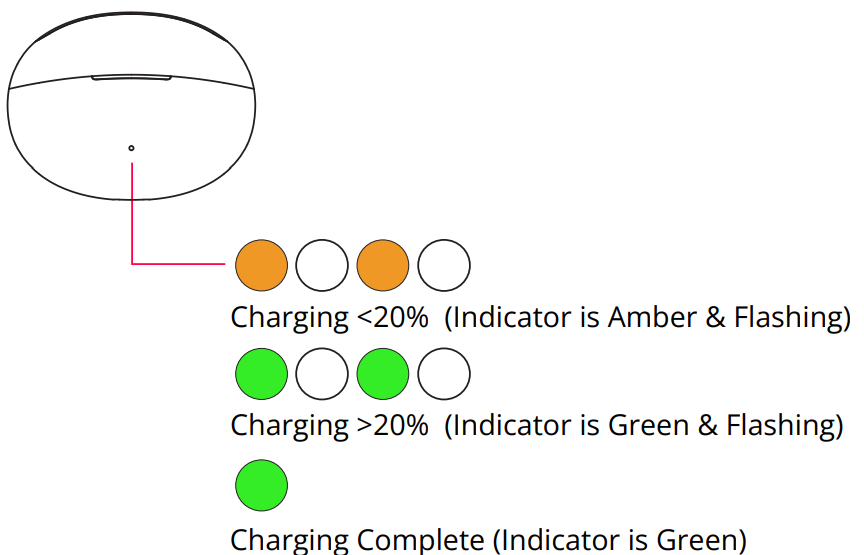
Qi Charging: You can also charge your case by placing it on a Qi wireless charging pad. For best results, place the case in the center of the pad, with the back of the case lying flat on the pad’s surface.
POWERING ON/OFF
When first using your earphones, place them into the case. Remove them from the case and they will automatically turn on. Place them back into the case and close the lid,d and they will automatically turn off.
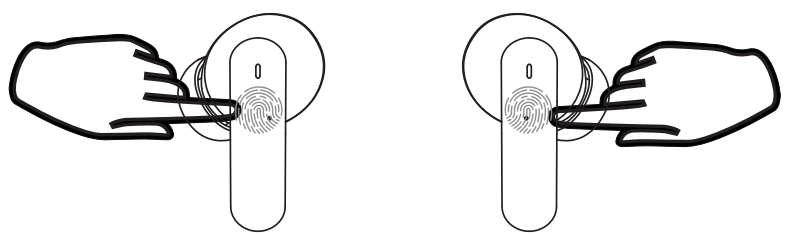
- Press and hold the touch button on both earphones for 8 seconds to power on.
- Press and hold the touch button on both earphones for 8 seconds to power off.
BLUETOOTH PAIRING
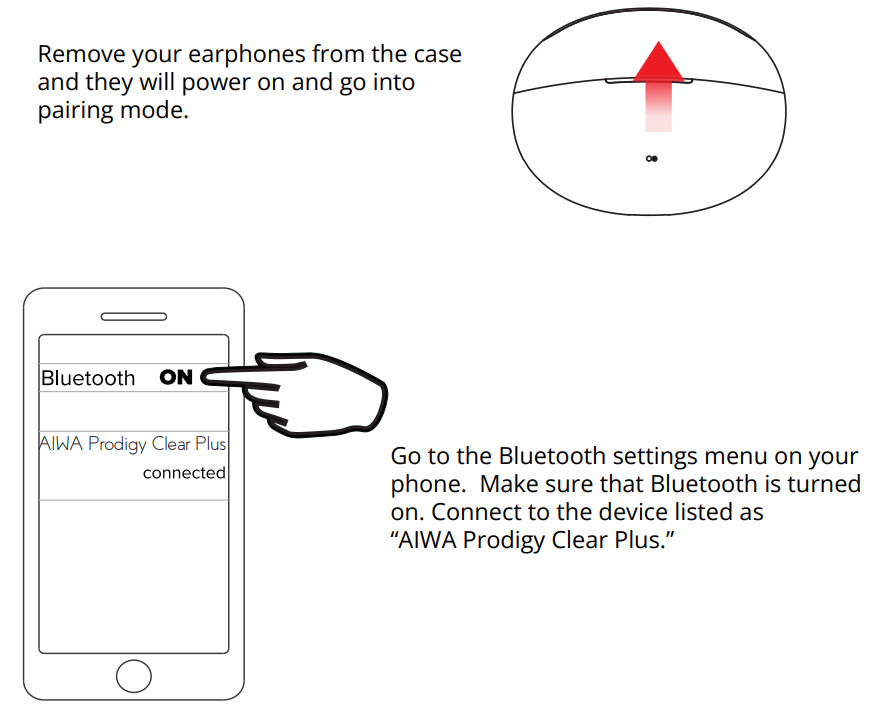
- Remove your earphones from the case,se and they will power on and go into pairing mode.
- Go to the Bluetooth settings menu on your phone. Make sure that Bluetooth is turned on. Connect to the device listed as “AIWA Prodigy Clear Plus.”
USING YOUR EARPHONES
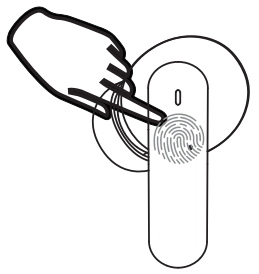
LEFT EARPHONE
- Decrease Volume: Press
- Previous Track: Double Press
- Voice Assistant: Press and Hold for 2-3 Seconds Answer Call: Press
- Low Latency ON/Off: Triple Press
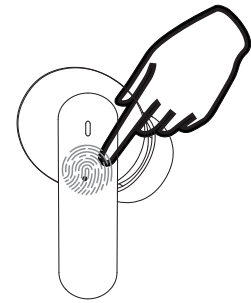
RIGHT EARPHONE
- Increase Volume: Press
- Next Track: Double Press
- Play/Pause: Press and Hold for 2-3 Seconds
- ANC ON/Ambient ON/ Sound Modes OFF: Triple Press
ANC (Active Noise Canceling)
ANC actively cancels noise around you so that you hear more clearly with less distraction.
Ambient Mode
Ambient Mode turns off ANC and instead amplifies sound around you to counteract the passive noise reduction of the earphones. This is best for situations where you want to hear speech or traffic noise or other ambient sounds.
Clear Calling
The Clear Calling feature uses two microphones to cancel noise pickup in your microphone channel on calls. Clear calling is always enabled when a call is made and can be used with ANC.
Low Latency Mode
This mode reduces the latency (time delay) inherent in Bluetooth connections to less than 60ms. This mode provides the fastest sound feedback for mobile gaming.
Reset
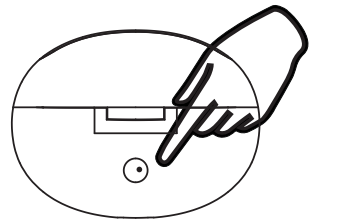
To reset your earphones and return them to their o original default factory settings, open the charging cover case, and press and hold the charging case button for approximately 8 seconds.
SAFETY PRECAUTIONS
When using your earphones, basic safety precautions should always be followed, including:
- READ ALL INSTRUCTIONS BEFORE USING YOUR EARPHONES AND CHARGING CASE.
- Do not use the product near water. Do not put on wet surfaces.
- Only clean using a clean cloth.
- Do not allow children to play with this product. This product contains small pieces that can be a choking hazard. Parental supervision is advised.
- Do not expose this product to excessive heat or fire.
- Do not expose this product to temperatures above 100°F. Keep out of direct sunlight.
- Do not attempt to repair this product yourself. Contact a qualified service center if the product is in need of service.
- Do not drop, crush, or expose this product to excessive physical force.
- This product is not intended for commercial use.
- When charging, keep all charging cables well ventilated. Do not keep your charging cable in contact with flammable materials such as bedding, linen,s or synthetic fabrics.
Maintenance and Care
- Use a soft cloth or paper towel to clean your earphones. Never use any harsh chemicals or detergents for cleaning. Make sure your earphones are dry before charging.
- When your earphones are not in use, they should be stored in a cool, dry place.
- Never tug or yank on a cable while it is connected to your charging case. Connect and disconnect cables as carefully as possible.
- Never expose your earphones to high temperatures, extreme cold.
- Please recycle or dispose of your earphones properly based on the laws and rules of your municipality. Contact local recycling facilities and/or the manufacturer of your earphones for further information.
Troubleshooting Aiwa Prodigy Clear Plus Earphones: Common Issues & Solutions
Users may occasionally encounter pairing difficulties, audio dropouts, or ANC mode toggling issues with the aiwa Prodigy Clear Plus Earphones. Common troubleshooting steps include:
- Pairing Problems: Ensure Bluetooth 5.0 is enabled on your device, reset the earbuds by placing them in the charging case and holding the touch controls for 8 seconds, then re-pair the earbuds.
- Low or No Sound: Check the battery level on both earbuds and the charging case. Fully charge the earbuds (about 40 minutes) using the included USB-C cable.
- ANC Not Activating: Long-press the touch controls on either earbud to cycle through ANC On, Transparency Mode, and ANC Off. Confirm mode change with LED indicators.
- Latency or Audio Sync Issues: Activate low latency mode by triple pressing the left earbud to improve lip-sync performance for gaming or videos.
Preventive measures include regular cleaning of ear tips, avoiding exposure to extreme moisture despite IPX4 sweat resistance, and storing earbuds in the charging case when not in use to preserve battery health.
The Prodigy Clear Plus comes with a manufacturer's warranty; customers can seek support via support@sakar.com or call (877) 397-8200 for assistance.
WARRANTY
This warranty covers the original consumer purchaser only and is not transferable.
This warranty covers products that fail to function properly UNDER NORMAL USAGE, due to defects in material or workmanship. Your product will be repaired or replaced at no charge for parts or labor for a period of one year.
What Is Not Covered By Warranty
Damages or malfunctions not resulting from defects in material or workmanship and damages or malfunctions from other than normal use, including but not limited to, repair by unauthorized parties, tampering, modification, or accident.
- To Obtain Warranty Service and Troubleshooting Information: Call (877) 397-8200 or visit our website at www.aiwa.co.
To receive Warranty service along with the name and address of an authorized product service center, the original consumer purchaser must contact us for problem determination and service procedures. Proof of purchase in the form of a bill of sale or receipted invoice, evidencing that the product is within the applicable Warranty period(s), MUST be presented to obtain the requested service. It is your responsibility to properly package and send any defective products along with a dated copy of proof of purchase, a written explanation of the problem, and a valid return address of the authorized service center at your expense. Do not include any other items or accessories with the defective product. Any products received by the authorized service center that are not covered by warranty will be returned unrepaired.
Pros & Cons of Aiwa Prodigy Clear Plus Earphones
Pros
- Effective Active Noise Cancellation: Industry-leading ANC reduces background noise effectively for immersive listening.
- Long Battery Life: Up to 7 hours of playback without ANC and 4.5 hours with ANC enabled, extended by the charging case to a total of around 28 hours.
- Fast Charging: 5 minutes of charging offers approximately 1 hour of playtime, minimizing wait time.
- Comfort & Fit: Multiple ear tip sizes ensure a secure and comfortable fit for different ear shapes.
- Bluetooth 5.0 & Low Latency: Stable wireless connection and reduced audio delay, ideal for gaming and video streaming.
Cons
- Limited IPX4 Rating: Protects against sweat but not fully waterproof, limiting use in heavy rain or water sports.
- Touch Controls Sensitivity: Some users report accidental touches or difficulty mastering all touch gestures initially.
- Voice Assistant Activation: May vary in responsiveness depending on smartphone OS.
- Charging Case Size: Slightly bulkier compared to some ultra-compact alternatives.
Compared with alternatives like the Apple AirPods Pro or Sony WF-1000XM4, the aiwa Prodigy Clear Plus offers competitive ANC and battery life at a more accessible price, though with fewer premium features and app customization.
Customer Reviews and Ratings for Aiwa Prodigy Clear Plus Earphones
Users generally praise the Aiwa Prodigy Clear Plus Earphones for their clear, balanced sound quality and effective noise cancellation. Common positive feedback highlights the long battery life, comfortable fit, and reliable Bluetooth connectivity. Many users appreciate the fast charging feature, especially for on-the-go use.
Typical complaints include occasional touch control misfires and a learning curve for mode toggling. Some users mention that the earbuds' ANC performance, while strong, does not fully match higher-end brands but remains excellent for the price point.
Overall, the Prodigy Clear Plus earns an average rating of 4.2 out of 5 stars among verified purchasers, with recommendations for anyone seeking a robust, affordable ANC earbud solution for commuting, workouts, or casual listening.
Faqs
How do I set up aiwa Prodigy Clear Plus Earphones for the first time?
What is the battery life of aiwa Prodigy Clear Plus Earphones with ANC on?
Can I use aiwa Prodigy Clear Plus Earphones with devices that only support Bluetooth 4.0?
How do I optimize the sound quality of aiwa Prodigy Clear Plus Earphones?
What should I do if aiwa Prodigy Clear Plus Earphones are not pairing properly?
Can I use aiwa Prodigy Clear Plus Earphones in the rain or during heavy exercise?
How often should I clean and maintain aiwa Prodigy Clear Plus Earphones?
What are the key features that make aiwa Prodigy Clear Plus Earphones different?
More aiwa manuals
- Setup & Pairing: Aiwa Exos-5 Wireless Speaker User Manual
- Setup & Usage: Aiwa BB-X50 Wireless Boombox AI7002-BLK User Manual
- Setup: Aiwa Portable CD Player AI7003 User Manual
- Setup & Usage: Aiwa Toaster Oven WTO1-1004-BLK User Manual
- Setup & Pairing: Aiwa Exos Go Wireless Speaker User Manual
- Setup & Pairing: Aiwa Get Fit Wireless Earphones User Manual
Leave a Comment