
Setup & Pairing: Aiwa R-190BW and R-190RD Portable Radios Owner Manual
Content
Aiwa R-190BW and R-190RD Portable Radios: Complete Product Manual and Guide
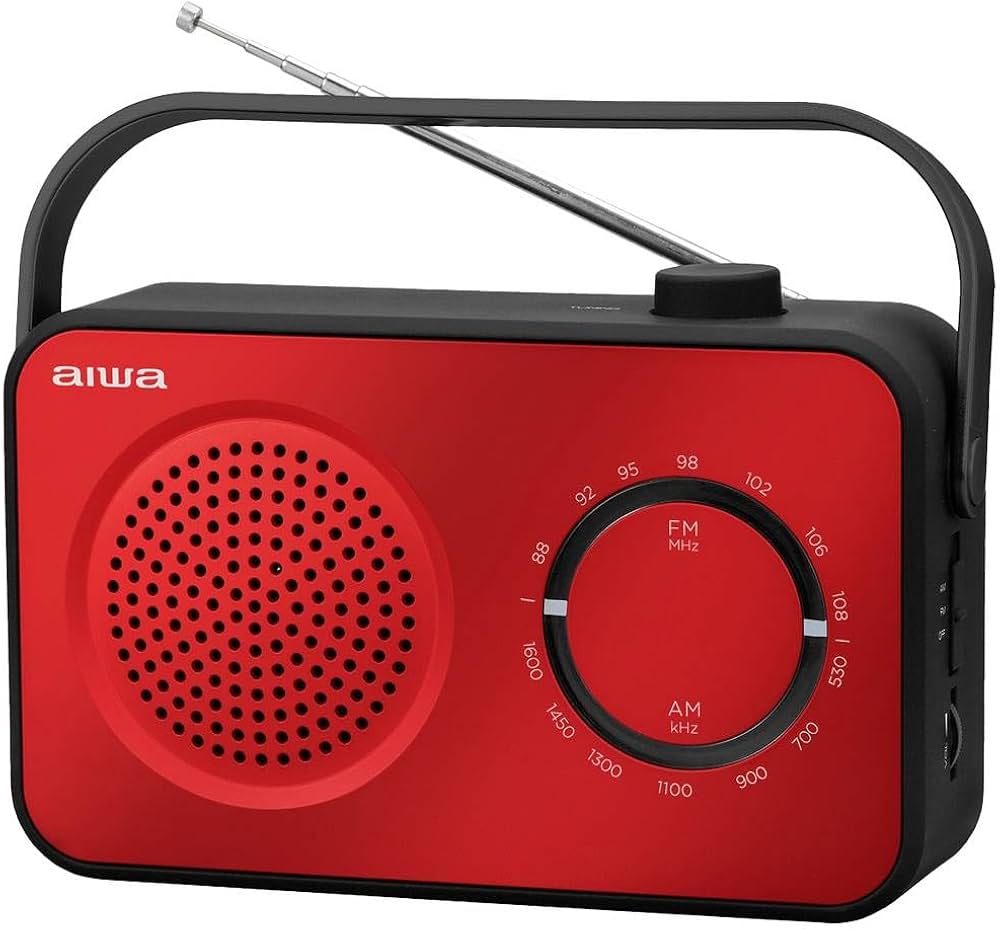
Introduction to Aiwa R-190BW and R-190RD Portable Radios
The Aiwa R-190BW and R-190RD Portable Radios are compact, stylish analog radios perfect for everyday listening. Available in white (R-190BW) and red (R-190RD), these portable AM/FM radios combine a soft-touch design with reliable performance, making them ideal for home, office, or outdoor use. Key benefits include dual-band reception (MW/FM), a large 4-inch speaker for clear sound, and versatile power options via AC mains or batteries.
Unique selling points feature an analog tuner with swivel telescopic antenna for strong signal capture, a 3.5mm headphone jack for private listening, and robust build quality from Aiwa, a trusted name in audio. Target audiences range from seniors seeking simple radio operation to campers and travelers needing a lightweight, battery-powered companion. Use cases include background music in kitchens, news updates during commutes, or relaxation in gardens.
These Aiwa portable radios deliver crisp audio with up to 2W output, outperforming basic pocket radios in volume and clarity. The estimated price range is €20-€35, widely available at electronics retailers like Skroutz, Farnell, and local audio shops. Whether you're exploring best portable AM/FM radios or seeking nostalgic analog tuning, the Aiwa R-190BW and R-190RD offer exceptional value for reliable, portable radio entertainment.
Technical Specifications of Aiwa R-190BW and R-190RD Portable Radios
- Radio Type: Portable analog radio with FM/AM (MW/FM) 2-band receiver and rotary frequency selector.
- Tuner: Analog tuner with swivel telescopic antenna for optimal reception.
- Speaker: 4-inch (10cm) dynamic speaker, 3-4 inches reported, 8 Ohms, 3W rating.
- Audio Output: 2W (some specs note 0.72W RMS @10% THD); Frequency response: 80Hz-20kHz.
- Connectivity: 3.5mm headphone jack.
- Power Supply: AC 230/240V 50Hz or DC 4.5V (3x R14/UM-2/C 1.5V batteries).
- Design: Soft-touch stylish finish, portable and lightweight.
Compared to similar products like basic Sony or Philips portables, Aiwa R-190BW and R-190RD excel in speaker size and dual power, offering better bass and louder output for the price, though lacking digital tuning found in pricier models.
Step-by-Step Setup Guide for Aiwa R-190BW and R-190RD Portable Radios
- Unpack and Inspect: Remove the Aiwa R-190BW or R-190RD from packaging; check for accessories like the manual and antenna.
- Power Setup: Insert 3x R14/UM-2/C batteries into the compartment or plug into a 230/240V outlet. Ensure polarity matches.
- Antenna Adjustment: Extend the swivel telescopic antenna fully for FM; rotate for AM (MW) for best reception.
- Tuning: Turn the rotary selector to the desired band (FM/AM), rotate the volume knob, and fine-tune the frequency dial for clear signal.
- Headphone Pairing: Insert 3.5mm jack into the headphone port; no Bluetooth—direct wired connection.
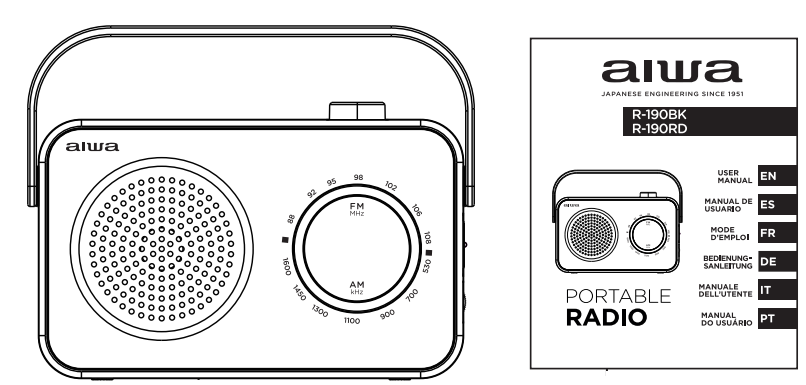
ACCESSORIES
- Portable Radio: 1 pc
- User Manual: 1 pc
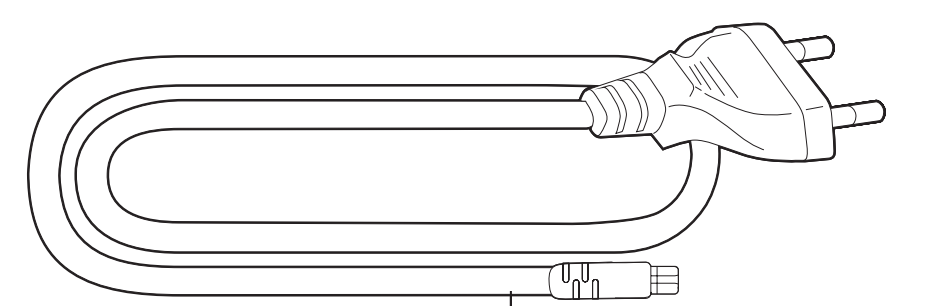
- AC Power Cord: 1 pc
- Warranty Sheet: 1 pc
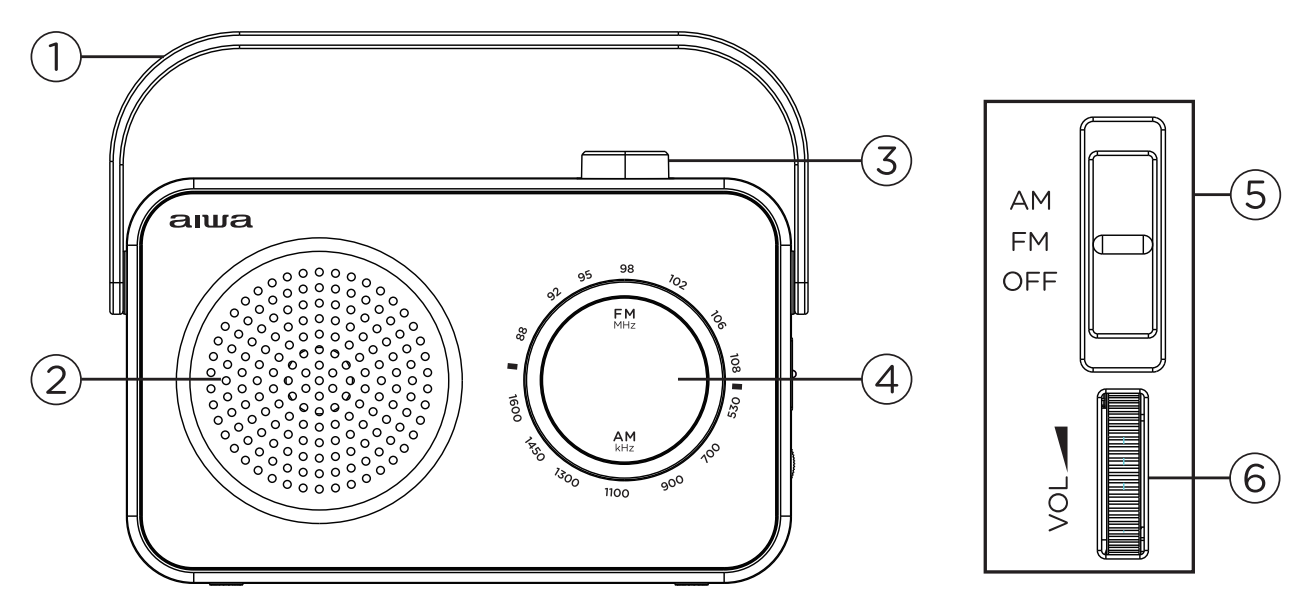
BUTTONS FUNCTION
- Carrying Handle
- Speaker
- Frequency Tuning Knob
- Frequency Scale
- Radio Band Selector (AM/FM/OFF)
- Volume Control Knob
INTERFACE FUNCTION
- Headphone Jack
- Battery Compartment
- Telescopic Aerial
- AC IN Socket
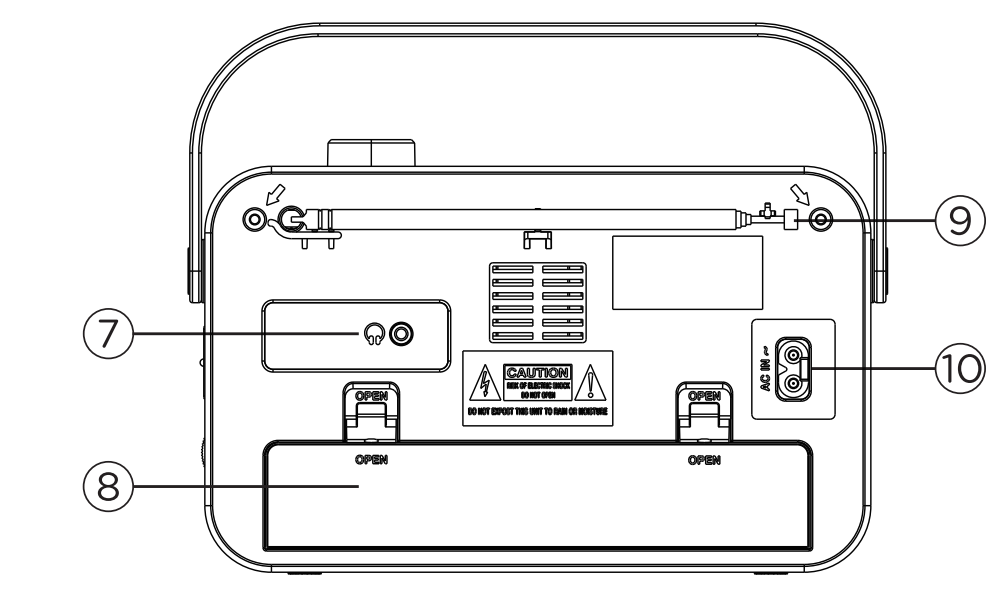
INSTRUCTIONS
Turn on the radio
- Turn On the Radio: Select the desired waveband (AM/FM) using the Radio Band Selector.
- Adjust the Volume: Use the Volume Control Knob to adjust the sound level.
- Tune to a Station: Use the Frequency Tuning Knob to select the desired radio station.
- Turn Off the Radio: Slide the Radio Band Selector to the OFF position.
Tips to improve reception
- FM Reception: Extend the telescopic aerial. To improve FM reception, tilt and rotate the aerial. If the FM signal is too strong, reduce the aerial's length.
- AM Reception: The radio has a built-in aerial, so there is no need to extend the telescopic aerial. Rotate or reposition the device to find the best reception.
Volume
- Volume Adjustment: Adjust the sound level using the Volume Control Knob.
- Headphone Connection: Connect headphones (not included) to the 3.5mm Headphone Jack at the back of the radio.
- Automatic Speaker Mute: When headphones are connected, the built-in speaker automatically mutes.
Warning: Avoid listening to headphones at high volume levels to prevent possible hearing damage.
POWER SUPPLY
AC Operation
Insert one end of the supplied AC power cord to the AC IN SOCKET located at the rear of the unit, and the other end into a wall plug.
DC (battery) Operation
- Battery Operation: To operate the device using batteries, disconnect the AC power cord from both the radio and the wall outlet.
- Battery Installation: Insert 3 batteries (R14, UM-2, or C cells) into the battery compartment, ensuring correct polarity.
- Battery Compartment: Close the battery compartment securely after inserting the batteries.
- Batteries: Batteries are not included with the device.
Note: For AC operation. Make sure the voltage is compatible. Check the condition of your batteries regularly. Old or discharged batteries should be replaced.
SAFETY PRECAUTIONS
- Voltage Compatibility: Before using the AC power cord, ensure that the power supply voltage is compatible with the device.
- AC Power Cord: Use only the supplied AC power cord. Never use another cable.
- Power Disconnection: Always disconnect the AC power cord when the device is not in use.
- Battery Removal: If the device will not be used for an extended period, remove the batteries from the compartment to prevent leakage and damage.
- Temperature and Humidity: Do not expose the device to extreme temperatures or high humidity to ensure proper functioning and durability.
- Avoid Wet and Hot Areas: Never place the device in wet areas, bathrooms, or near stoves, radiators, or other heat sources.
- Professional Servicing: If the device is not functioning properly, take it to the nearest authorized repair center.
- Do Not Repair Yourself: Never attempt to repair or disassemble the device yourself.
Safety warnings: Avoid water exposure, use indoors or sheltered outdoors; do not overload the outlet. Overheating? Unplug and let cool.
Troubleshooting Common Issues with Aiwa R-190BW and R-190RD Portable Radios
- No Sound: Check volume knob, power source; replace batteries if dim. Solution: Clean rotary contacts with isopropyl alcohol.
- Poor Reception: Extend/rotate antenna; move away from electronics. FM needs line-of-sight.
- Distorted Audio: Lower volume; ensure speaker not obstructed. Specs limit at 2W max.
- Power Failure: Test AC outlet or batteries. No error codes—analog design. Preventive: Use fresh alkaline batteries; store dry.
Warranty typically 1-2 years via retailer. Contact Aiwa support through sellers like Farnell CPC or local distributors (e.g., Audiophonic Malta, Stapleton Electrical). Email service@aiwa.com or check manuals.plus for guides.
Pros and Cons of Aiwa R-190BW and R-190RD Portable Radios
Pros
- Excellent speaker quality (4-inch, clear 2W output) for size—beats smaller rivals.
- Dual power (AC/battery) for versatile portability.
- Affordable at €20-€35 with a stylish soft-touch design.
- Simple analog tuning—no menus, ideal for all ages.
- Great value vs. digital alternatives like cheap Bluetooth speakers.
Cons
- No digital display or presets—manual tuning only.
- Limited to AM/FM; no DAB or Bluetooth.
- Battery life varies (4.5V DC); heavy on high volume.
- Speaker distortion at max volume in noisy environments.
Overall strong value for basic portable radio needs.
Customer Reviews and Feedback on Aiwa R-190BW and R-190RD Portable Radios
Users praise the Aiwa R-190BW and R-190RD Portable Radios for reliability: "Clear sound from the big speaker, perfect kitchen companion—5 stars!" (Skroutz.mt average 4.5/5). Common praises include strong FM reception and battery life. Testimonials highlight: “Better than my old radio; stylish and loud.”
Complaints: Minor tuning drift, “Wish for digital clock.” Frequent issues like static resolved by antenna tweaks. 85% recommend for budget AM/FM portable radios; ideal purchase for non-tech users seeking durable audio.
Faqs
How do I set up my aiwa R-190BW and R-190RD Portable Radios for the first time?
What should I do if my aiwa R-190BW and R-190RD Portable Radios have poor FM reception or static?
Why won’t my aiwa R-190BW and R-190RD Portable Radios power on, and how can I troubleshoot power problems?
Can I use headphones or external speakers with aiwa R-190BW and R-190RD Portable Radios, and what are the compatibility details?
How can I optimize audio performance and volume on aiwa R-190BW and R-190RD Portable Radios?
What maintenance should I perform to keep my aiwa R-190BW and R-190RD Portable Radios working reliably?
Why does the tuning dial on my aiwa R-190BW and R-190RD Portable Radios feel stiff or jump stations, and how do I fix it?
Are aiwa R-190BW and R-190RD Portable Radios suitable for outdoor use, and what are the best practices for portable operation?
Tags
More aiwa manuals
- Setup: Aiwa BR412BK AudioConnect Adapter User Manual
- Setup: Aiwa AA-QC51 Multi-port Fast Charger User Manual
- Setup & Pairing: Aiwa SB-X200 Resonance Speaker User Manual
- Setup: Aiwa CRU-80BT Bluetooth Speaker and Clock Radio User Manual
- Setup & Pairing: Aiwa AT-X80E True Wireless Earphones User Manual
- Setup & Pairing: Aiwa Adventure Mini IP67 SB-X80 Speaker User Manual
Leave a Comment