
Setup & Usage: Amazfit Stratos 3 SmartWatch User Manual
Content
Amazfit Stratos 3 SmartWatch
Introduction
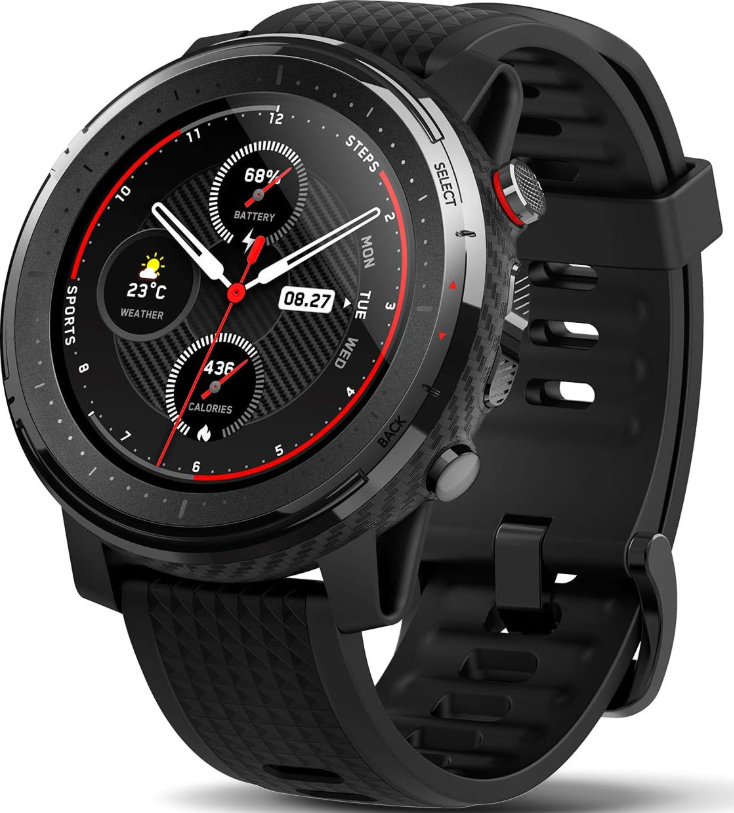
The Amazfit Stratos 3 SmartWatch is a premium multisport GPS watch designed for athletes, fitness enthusiasts, and tech-savvy users seeking comprehensive health monitoring combined with smart features. Its standout benefits include up to 7 days of battery life in smart mode, robust heart rate tracking using BioTracker PPG optical sensors, and 80 different sports modes, making it ideal for triathletes, runners, swimmers, and outdoor adventurers alike.
This smartwatch features a 1.34-inch transflective color display with Gorilla Glass 3 protection, ensuring excellent outdoor visibility and durability. It supports advanced GPS positioning via multiple satellite systems, including GPS, GLONASS, Beidou, and Galileo,o for accurate route tracking. With 4 right-side buttons and a touchscreen interface that can be disabled during workouts, the Stratos 3 provides versatile control options.
Targeted at users requiring detailed fitness analytics alongside smartwatch conveniences such as music control, app and call notifications, sleep tracking, and water resistance up to 5ATM, the amazfit Stratos 3 fits a wide range of active lifestyles. It is competitively priced d around $187–$199, readily available online through platforms like Amazon in the US and India, offering excellent value compared to alternatives like the Fitbit Versa 2 or the Samsung Galaxy Watch Active 2.
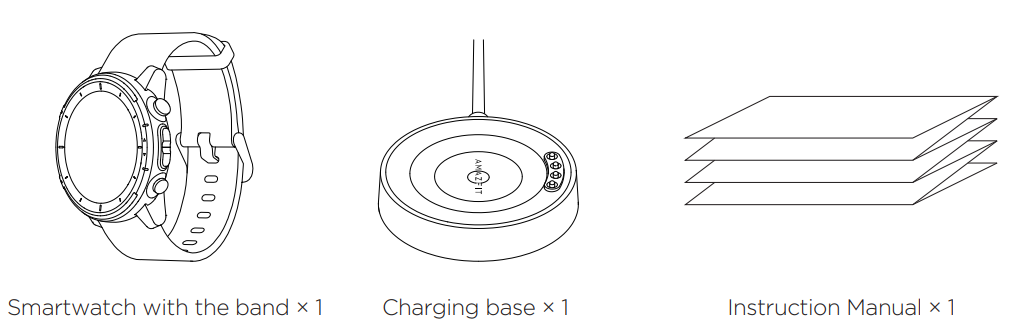
Package Contents
About the Watch
Turning the Watch on/off
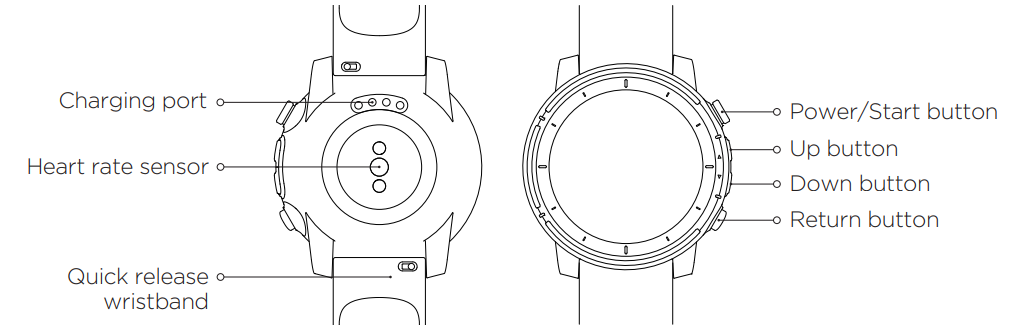
- Long-press the Power/Start button on the upper right of the watch, and then the watch screen will light up and display the boot animation.
- With the watch on, long-press this button for more than 6s, then the shutdown menu will pop up. At the first start-up of the watch, the QR code for binding appears on the screen.
Pairing the Watch
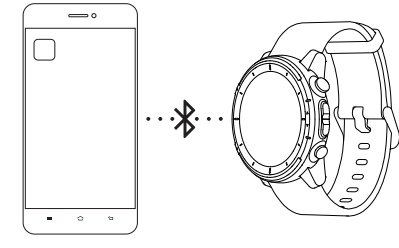
Open the App on your mobile phone, create a new account, and log in. Go to "Profile" - "Add device", choose "Amazfit Stratos 3", and follow the prompts to scan the QR code displayed on the watch. Then the binding is done.
Charging the Watch
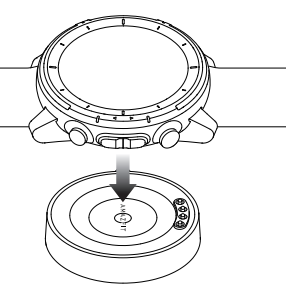
Connect the watch charging port closely with the contacts of the charging base. Connect the USB port at the other end of the charging base with the mobile phone charger or computer USB port (rated output voltage of 5V and output current
of above 500mA) to charge the watch.
Note:
Only use the original charging base provided in the product package to charge your watch. Also, make sure that the charging base is always kept dry.
Basic Parameters
- Product model: A1929
- Wristband width: 22 mm
- Battery capacity: 300 mAh
- Operating temperature: 0 °C to 45 °C
- Input: 5V 0.5A (MAX)
- Frequency: 2402–2480 MHz
- Max. Output: 10 dBm
- Wireless connection: Wi-Fi IEEE 802.11b/g 2.4GHz; BT 4.0 BLE
- Water resistance rating: 5 ATM (equivalent to pressure at a depth of 50m)
- Compatibility: The watch is compatible with the devices that support Bluetooth 4.0 and are installed with Android 5.0, iOS 10.0, or later.
Care and Maintenance
- Clean the waterproof device and its wristband regularly with water and dry them with a soft cloth before wearing.
- Do not use detergents such as soap, liquid soap, bath foam, and emulsion during cleaning, to avoid chemical residues that may irritate the skin and corrode the device's water-resistance performance. Clean and dry the device promptly after you wear it during bathing (for devices that can be used during a bath) or swimming (for devices that can be used during swimming), or after you sweat. Do not wet the non-waterproof leather wristband, to avoid shortening its service life. Try to keep a light-colored wristband away from dark-colored clothing, to prevent it from being dyed.
- Do not wear the device in a sauna or steam room, to avoid affecting its water-resistance performance.
- Do not use the device in high-speed water flow scenarios such as diving and water skiing.
Warranty and Return Policy
The Amazfit Limited Warranty covers Amazfit products against manufacturing defects beginning on the original purchase date. The warranty period is 12 months or other period as the applicable consumer laws in the consumer’s country of purchase require. Our warranty is in addition to the rights provided by applicable consumer laws.
Common Troubleshooting and Support for Amazfit Stratos 3 SmartWatch
Users may encounter occasional issues such as GPS signal loss, syncing errors with the Zepp app, or battery drain faster than expected. Common fixes include:
- GPS Issues: Ensure a clear sky view and update firmware regularly to improve satellite connection stability.
- App Syncing Problems: Restart the watch and smartphone, verify Bluetooth connectivity, and update the Zepp app to the latest version.
- Battery Drain: Reduce screen brightness, disable always-on display, and switch to Ultra mode for extended usage.
There are no widely reported error codes ,e s but resetting the device or reinstalling the app often resolves intermittent faults. Preventive measures include keeping firmware updated and regularly cleaning optical sensors for accurate heart rate readings.
TAmazfit Stratos 3 comes with a limited warranty covering manufacturing defects, and customer support can be accessed through the official Amazfit website or authorized sellers. For direct assistance, users can contact Amazfit customer service via their support portal or email.
Pros & Cons of the Amazfit Stratos 3 SmartWatch
- Pros
- Long battery life up to 7 days in smart mode, and up to 35 hours of continuous GPS usage.
- Accurate heart rate and comprehensive fitness tracking with 80 sport modes suitable for multisport athletes.
- Robust build quality with Gorilla Glass 3 and 5ATM water resistance.
- Multiple satellite GPS support ensures precise outdoor activity tracking.
- Music control and internal storage for offline playback enhance the workout experience.
- Cons
- Display resolution (320x320) is modest compared to newer smartwatches, limiting sharpness.
- Occasional software instability reported, especially with notifications and app syncing.
- Lacks NFC functionality outside China, limiting contactless payment features.
- The user interface can be less intuitive compared to premium competitors like Garmin or Samsung.
- Heavier than some rivals at ~59.6g, which may affect comfort during long wear.
Compared to alternatives like the Fitbit Charge 4 or Samsung Galaxy Watch Active, the amazfit Stratos 3 offers strong multisport features and battery life at a competitive price, making it a great value choice for serious fitness users.
Customer Reviews of the Amazfit Stratos 3 SmartWatch
Users praise the Amazfit Stratos 3 SmartWatch for its robust fitness tracking capabilities, especially the accurate heart rate monitoring and extensive sports modes. Many highlight the long battery life and reliable GPS as essential benefits for outdoor activities.
Conversely, some users report frustrations with occasional software glitches, such as slow app syncing or inconsistent notifications. The screen resolution and UI complexity are frequent points of critique, though most agree the watch delivers strong performance for its price range.
Star ratings typically range from 4 to 4.5 out of 5, with users recommending it particularly for multisport athletes and those needing detailed exercise analytics. Common recommendations include pairing it with the Zepp app for the best experience and updating firmware regularly to minimize issues.
Faqs
How do I pair my amazfit Stratos 3 SmartWatch with my smartphone for the first time?
What should I do if my amazfit Stratos 3 SmartWatch won’t connect to my phone after a reset?
How can I extend the battery life of my amazfit Stratos 3 SmartWatch during daily use?
Why isn’t the heart rate monitor on my amazfit Stratos 3 SmartWatch accurate during workouts?
Can I receive weather updates and severe weather alerts on my amazfit Stratos 3 SmartWatch?
How do I set up custom alarms and reminders on my amazfit Stratos 3 SmartWatch?
Is the amazfit Stratos 3 SmartWatch compatible with both Android and iOS devices?
How do I maintain and clean my amazfit Stratos 3 SmartWatch for long-term durability?
More amazfit manuals
- Usage & Setup: Amazfit T-Rex Pro Watch User Manual
- Usage & Pairing: Amazfit Active A2211 Smart Watch User Manual
- Setup & Usage: Amazfit Smart Scale User Manual
- Setup & Usage: Amazfit X Curved SmartWatch User Manual
- Setup & Usage: Amazfit T-REX 3 Pro Smart Watch User Manual
- Setup & Pairing: Amazfit Band 7 Fitness Tracker User Manual
Leave a Comment