
Audio-Technica ATH-MSR7NC Noise-Cancelling Headphones User Manual
Content
Audio-Technica ATH-MSR7NC Noise-Cancelling Headphones: Complete Product Manual
Introduction
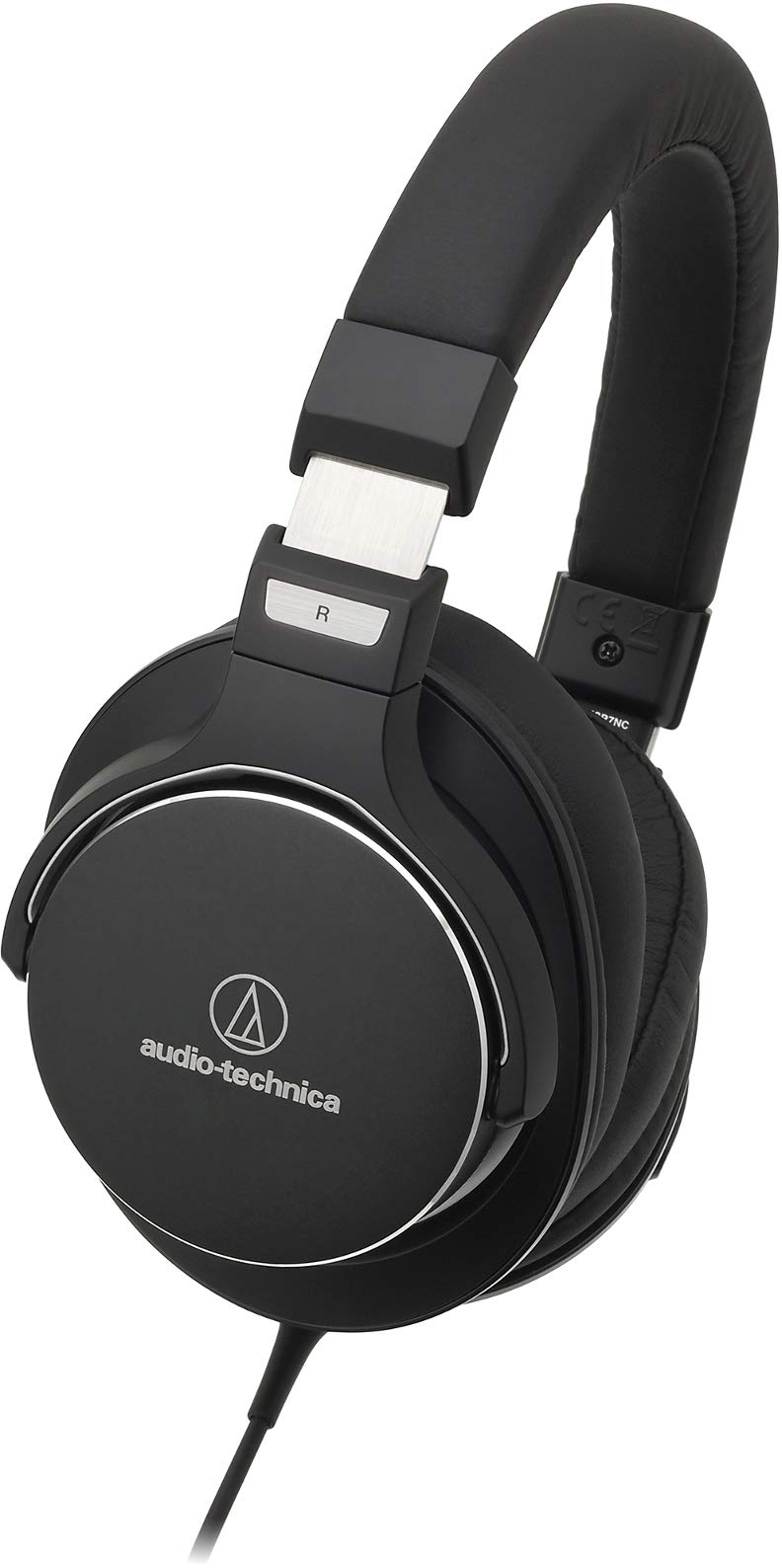
The Audio-Technica ATH-MSR7NC Noise-Cancelling Headphones are designed for listeners who want high-resolution audio, dependable active noise cancellation, and a premium wired listening experience in one package. Built around 45 mm drivers and a closed-back over-ear design, these headphones aim to deliver detailed sound with strong isolation for commuting, travel, office work, and focused home listening. The ATH-MSR7NC model stands out for combining active noise cancellation with Audio-Technica’s signature tuning, making it appealing to users who care about both clarity and comfort.
These headphones are a strong fit for frequent travelers, office professionals, students, and audio enthusiasts who want a portable option for music, podcasts, and calls. The included cables and microphone support also make them practical for everyday use with smartphones, laptops, and portable audio players. The battery-powered noise-cancelling system offers long runtimes, while passive mode allows continued use even when the battery is low.
In the current market, the price range is typically around $130 to $230 depending on condition, seller, and availability. Because this is an older model, it is most commonly found through online retailers, resellers, and refurbished listings rather than mainstream storefronts. For buyers seeking a wired noise-cancelling headphone with hi-res audio traits, the Audio-Technica ATH-MSR7NC Noise-Cancelling Headphones remain a compelling choice.
Specifications
- Type: closed-back, dynamic, over-ear headphones
- Driver size: 45 mm for wide frequency reproduction
- Frequency response: 5 Hz to 40,000 Hz
- Impedance: 30 ohms in passive mode, 150 ohms in active mode
- Sensitivity: 97 dB/mW passive, 104 dB/mW active
- Noise cancellation: active ANC with dual microphones
- Microphone: electret condenser, omnidirectional
- Microphone frequency response: 50 Hz to 4,000 Hz
- Battery: 3.7 V lithium-polymer battery
- Battery life: approximately 30 hours with noise cancellation enabled
- Charging time: approximately 4 hours
- Weight: approximately 305 g without cable
- Connector: 3.5 mm stereo mini jack
- Included cables: standard cable and inline mic cable, plus USB charging cable
Compared with similar ANC headphones, the ATH-MSR7NC focuses more on audio fidelity and wired performance than on Bluetooth convenience. Its 45 mm drivers and high-frequency extension make it attractive for detailed listening, while its noise cancellation is generally positioned as mid-range rather than industry-leading. Buyers comparing it to modern wireless ANC models should view it as a specialized hi-res wired headphone with effective travel-friendly features.
Setup Guide
Setting up the Audio-Technica ATH-MSR7NC Noise-Cancelling Headphones is straightforward. First, charge the battery fully using the included USB cable for about four hours before initial use. Next, connect the headphone cable to the 3.5 mm input and attach the other end to your music source, laptop, or mobile device. If you want to use the integrated microphone, choose the cable with the inline remote and mic.
After connecting, switch on the active noise-cancelling function and adjust playback volume from your device. If the sound seems thin or quieter than expected, make sure the cable is fully seated and the battery has enough charge for ANC operation. For best results, wear the ear cups so they create a complete seal around the ears, as proper fit improves bass response and noise reduction.
Troubleshooting tip: if ANC does not activate, recharge the battery and confirm the power switch is on. Safety warning: avoid using high volume levels for long periods, and do not expose the headphones or battery to heat, moisture, or physical damage.
Troubleshooting
- No sound: check the cable connection, device volume, and source output settings.
- Weak bass: adjust the earcup seal and make sure the headphones are worn correctly.
- Noise cancellation not working: charge the battery fully and verify the ANC switch is enabled.
- Microphone not detected: switch to the cable with inline controls and test the device’s input settings.
- Intermittent audio: inspect the cable for wear, dirt, or loose plugs.
- Battery drains quickly: fully recharge and avoid storing the headphones while partially depleted for long periods.
There are no common numeric error codes associated with this model. Preventive care includes keeping the drivers clean, storing the headphones in a protective case, and avoiding cable strain at the connectors. If problems continue, warranty coverage and support depend on the seller and region, so contact the original retailer or Audio-Technica service channel for repair guidance and part replacement options.
Pros & Cons
Pros
- Detailed sound with strong high-frequency extension for music lovers
- Active noise cancellation improves travel and office listening
- Works in both active and passive modes for flexible use
- Long battery life of around 30 hours with ANC enabled
- Includes useful accessories such as charging cable and microphone cable
Cons
- Heavier than many modern wireless ANC headphones at about 305 g
- Noise cancellation is good, but not class-leading by current standards
- Wired-only design may not suit users who want Bluetooth convenience
- Older model availability can make pricing inconsistent
- Some users may prefer a softer fit for longer sessions
Overall value is strongest for buyers who prioritize sound quality and wired reliability over smart features. Compared with newer alternatives, the ATH-MSR7NC offers a more audiophile-leaning experience, while competitors may provide better ANC depth, lighter build, or wireless convenience.
Customer Reviews
Typical user feedback for the ATH-MSR7NC is positive, with many listeners rating it around 4 out of 5 stars for sound quality and versatility. Customers often praise the clear mids, crisp treble, and the ability to use the headphones even when the battery is depleted. A common testimonial theme is that the headphones feel like a serious listening tool rather than a lifestyle accessory.
Frequent complaints usually focus on weight, fit during long sessions, and ANC performance that lags behind newer premium models. Some users also mention that the wired design feels less convenient than Bluetooth headphones. Still, many buyers recommend it for commuters, home office use, and anyone seeking a detailed listening experience with active noise cancellation. For shoppers comparing classic wired ANC models, the Audio-Technica ATH-MSR7NC Noise-Cancelling Headphones remain a strong recommendation if audio performance matters more than wireless features.
Faqs
How do I set up audio-technica ATH-MSR7NC Noise-Cancelling Headphones for the first time?
Why is my audio-technica ATH-MSR7NC Noise-Cancelling Headphones battery not lasting 30 hours?
Can audio-technica ATH-MSR7NC Noise-Cancelling Headphones work without battery power?
What devices are compatible with audio-technica ATH-MSR7NC Noise-Cancelling Headphones?
How effective is the noise cancelling on audio-technica ATH-MSR7NC Noise-Cancelling Headphones in real use?
Why do my audio-technica ATH-MSR7NC Noise-Cancelling Headphones sound quieter in active mode?
How do I reduce wind noise and microphone interference on audio-technica ATH-MSR7NC Noise-Cancelling Headphones?
What is the best way to clean and maintain audio-technica ATH-MSR7NC Noise-Cancelling Headphones?
More audio-technica manuals
- Audio-Technica System 10 Digital Wireless System ATW-1101 User Manual
- Audio-Technica 3000 Series Professional UHF Wireless System User Manual
- Audio-Technica 3000 Series UHF Receiver ATW-R3100b User Manual
- Audio-Technica ATH-CK3TW Wireless Headphones User Manual
- Audio-Technica 3000 Series UHF Wireless System ATW-R3100 User Manual
- Audio-Technica ATH-WB2022 Wireless Headphones User Manual
Leave a Comment