
Audio-Technica ATH-SR30BT Wireless Headphones User Manual
Content
audio-technica ATH-SR30BT Wireless Headphones Overview
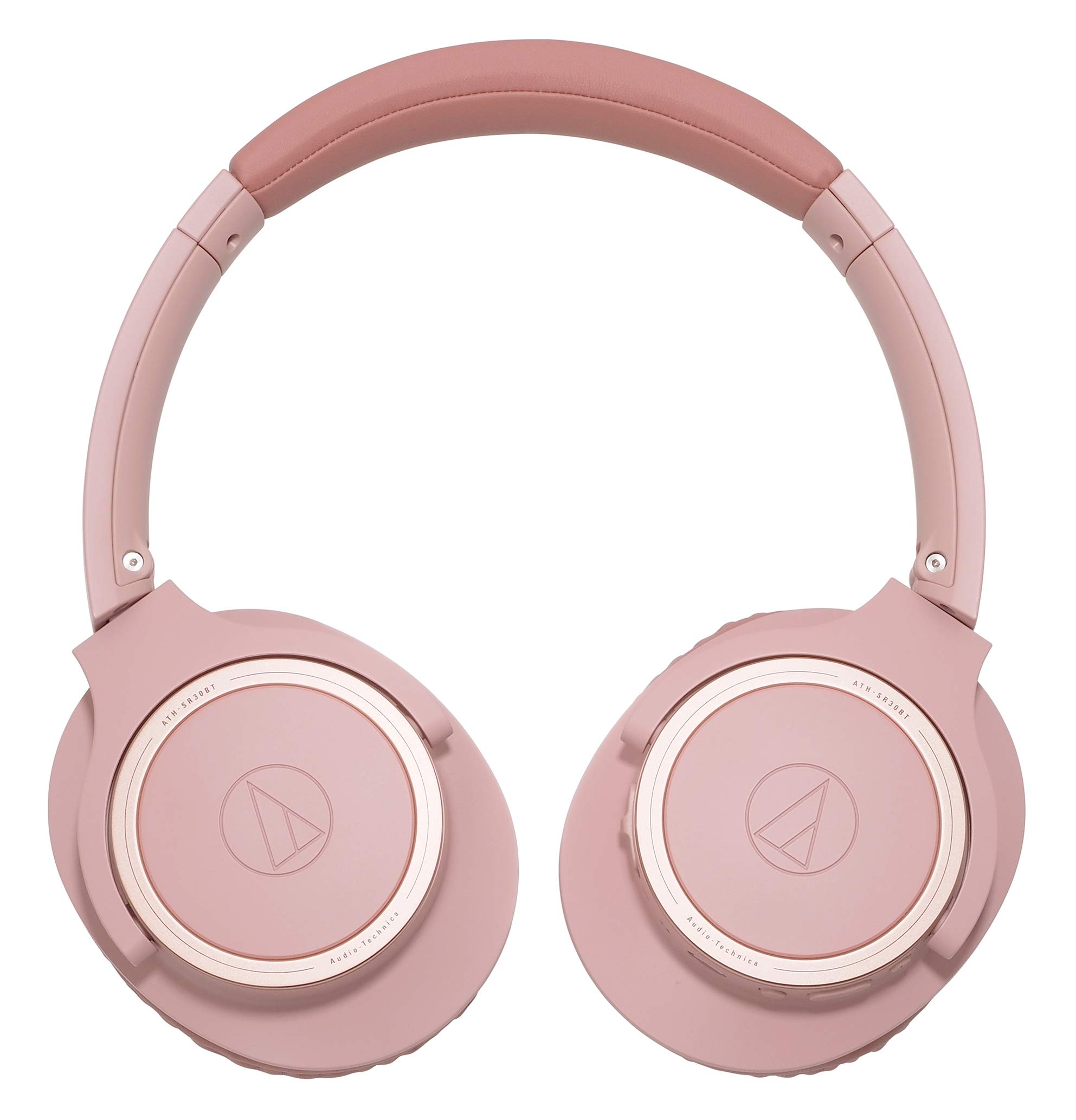
The audio-technica ATH-SR30BT Wireless Headphones are a lightweight, closed-back Bluetooth headset designed for everyday listening, remote work, and travel. Built around 40 mm dynamic drivers, they deliver a wide frequency response, clear midrange detail, and dependable wireless convenience for users who want simple, long-lasting performance without moving into premium pricing. With Bluetooth 5.0, AAC and SBC codec support, and up to 70 hours of battery life, this model stands out as a practical choice for students, commuters, office users, and casual audiophiles who prioritize comfort and stamina.
One of the biggest advantages of the audio-technica ATH-SR30BT Wireless Headphones is their balance of portability and sound quality. The foldable design makes them easy to store in a backpack or carry-on bag, while the built-in microphone and onboard controls support calls, voice chats, and everyday media playback. The closed-back construction helps reduce outside distractions, making them suitable for home offices, train rides, and light travel use. Their low weight and compact structure also make them comfortable for extended listening sessions.
In terms of value, the ATH-SR30BT typically sits in the budget-to-midrange category, with estimated availability often falling around the lower end of wireless over-ear headphone pricing. In many markets, the price range is commonly seen at roughly $50 to $100 depending on color, retailer, and stock status. For buyers seeking an affordable wireless headset with strong battery life, simple controls, and an established audio brand, the audio-technica ATH-SR30BT Wireless Headphones remain a compelling option.
Detailed Specifications and Key Features
- Type: Closed-back dynamic wireless headphones
- Driver size: 40 mm for full-range stereo sound
- Frequency response: 5 Hz to 35,000 Hz for broad audio reproduction
- Impedance: 32 ohms
- Sensitivity: 99 dB/mW for efficient output
- Bluetooth version: Bluetooth 5.0
- Supported codecs: AAC and SBC
- Bluetooth profiles: A2DP, AVRCP, HFP, and HSP
- Battery type: 3.7 V lithium polymer battery
- Battery life: Up to approximately 70 hours of music playback
- Charging time: About 4 hours
- Microphone: Built-in electret condenser mic with omnidirectional pickup
- Microphone frequency range: 100 Hz to 10,000 Hz
- Weight: About 190 g, making it lighter than many full-size wireless over-ear rivals
- Wireless range: Up to 10 m in clear line-of-sight conditions
Compared with similar wireless over-ear models in the same class, the ATH-SR30BT often wins on battery longevity and comfort, while competing models may offer stronger bass tuning, active noise cancellation, or app-based sound customization. For users who want simple Bluetooth headphones with long runtime and an uncomplicated feature set, this model offers a strong blend of portability and everyday usability.
Setup Guide: How to Pair and Use the ATH-SR30BT
1. Fully charge the headphones before first use with the included charging cable or a compatible USB power source.
2. Power on the headset by holding the multifunction button until the indicator light signals pairing mode.
3. On your phone, tablet, laptop, or desktop, open Bluetooth settings and select the ATH-SR30BT from the available devices list.
4. Confirm the connection prompt if your device asks for approval, then play audio to verify sound output.
5. Use the onboard controls to manage playback, answer calls, adjust volume, and switch tracks where supported.
6. If reconnecting, turn on the headphones near the previously paired device and wait for automatic pairing.
For stable performance, keep the headphones within typical Bluetooth range and avoid heavy interference from walls or crowded wireless environments. If pairing fails, delete the headset from your Bluetooth list, restart both devices, and try again.
Safety-wise, avoid charging the battery near water, excessive heat, or direct sunlight. Do not use damaged cables, and discontinue use if the headset becomes unusually hot during charging.
Troubleshooting Common ATH-SR30BT Problems
If the headphones do not power on, charge them for at least 30 minutes before trying again. A completely drained battery can sometimes appear unresponsive even though the unit is functioning normally.
If Bluetooth pairing is unstable, remove the device from your phone’s saved Bluetooth list and pair again from scratch. Make sure the headset is not already connected to another nearby device.
If audio is distorted or delayed, reduce the distance between the source device and the headphones, close unused wireless apps, and check whether the codec fallback switched to SBC. For calls, confirm that the microphone permissions are enabled on your device.
If one side sounds quieter than the other, inspect the ear pads and headphone mesh for dust buildup and test with another source device. There are no commonly reported numeric error codes for this model, so most issues are handled through reset, re-pairing, or charging checks.
To prevent recurring problems, keep firmware and operating systems updated on your connected devices, store the headset in a dry place, and avoid over-discharging the battery for long periods. For warranty service and product support, use Audio-Technica’s official customer support channels or the regional retailer where the headset was purchased.
Pros and Cons of the audio-technica ATH-SR30BT Wireless Headphones
Pros
- Excellent battery life, reaching up to about 70 hours for long listening sessions
- Lightweight build that stays comfortable during commutes and workdays
- Clear, balanced sound that suits podcasts, vocals, and mixed music genres
- Bluetooth 5.0 with AAC support for solid everyday wireless performance
- Foldable design that improves portability and storage
- Good value for money for users who do not need ANC or premium app features
Cons
- No active noise cancellation, so outside noise remains audible
- No companion app or advanced EQ customization
- Bass response is more restrained than heavily tuned consumer bass models
- Best suited for casual use rather than audiophile-grade feature sets
- Not the strongest choice if you want premium comfort extras found on higher-end alternatives
Compared with alternatives like budget ANC models or more feature-rich wireless headphones, the ATH-SR30BT focuses on battery life, simplicity, and balanced sound rather than advanced extras. That makes it a smart buy for users who want dependable everyday wireless headphones at a reasonable price.
Customer Reviews and Real-World Feedback
Customer feedback for the audio-technica ATH-SR30BT Wireless Headphones is generally positive, with many users praising the long battery life, lightweight fit, and clean sound profile. Typical review scores often land around 4 out of 5 stars, especially among buyers who value comfort and long listening sessions.
- “Great for work and travel. The battery lasts forever, and the headphones are light enough to wear all day.”
- “Sound is clear and balanced, though I wish the bass were a little stronger for modern pop and hip-hop.”
- “Easy to pair, reliable for calls, and very convenient to fold and pack.”
Common praise centers on value, comfort, and battery endurance, while common complaints focus on the lack of noise cancellation and the absence of premium tuning controls. For buyers who want simple wireless headphones for streaming, calls, and travel, the audio-technica ATH-SR30BT Wireless Headphones are widely recommended as a dependable everyday choice.
Faqs
How do I set up audio-technica ATH-SR30BT Wireless Headphones for the first time?
Why won't my audio-technica ATH-SR30BT Wireless Headphones pair with my phone or laptop?
What Bluetooth devices are compatible with audio-technica ATH-SR30BT Wireless Headphones?
How do I fix weak sound or dropouts on audio-technica ATH-SR30BT Wireless Headphones?
How long does the battery last on audio-technica ATH-SR30BT Wireless Headphones?
Can I use audio-technica ATH-SR30BT Wireless Headphones for calls and online meetings?
How do I reset audio-technica ATH-SR30BT Wireless Headphones when they stop responding?
What is the best way to clean and maintain audio-technica ATH-SR30BT Wireless Headphones?
More audio-technica manuals
- Audio-Technica AT-LP3 Fully Automatic Belt-Drive Turntable User Manual
- Audio-Technica AT-LP60XBT-USB Automatic Wireless Turntable User Manual
- Audio-Technica ATH-WB2022 Wireless Headphones User Manual
- Audio-Technica ATH-M20xBT Wireless Headphones User Manual
- Audio-Technica ATH-CK3TW Wireless Headphones User Manual
- Audio-Technica AT-LP140XP Direct-Drive Professional Turntable User Manual
Leave a Comment