
Dell 24 Monitor SE2422H User Manual
Content
Introduction to Dell 24 Monitor SE2422H
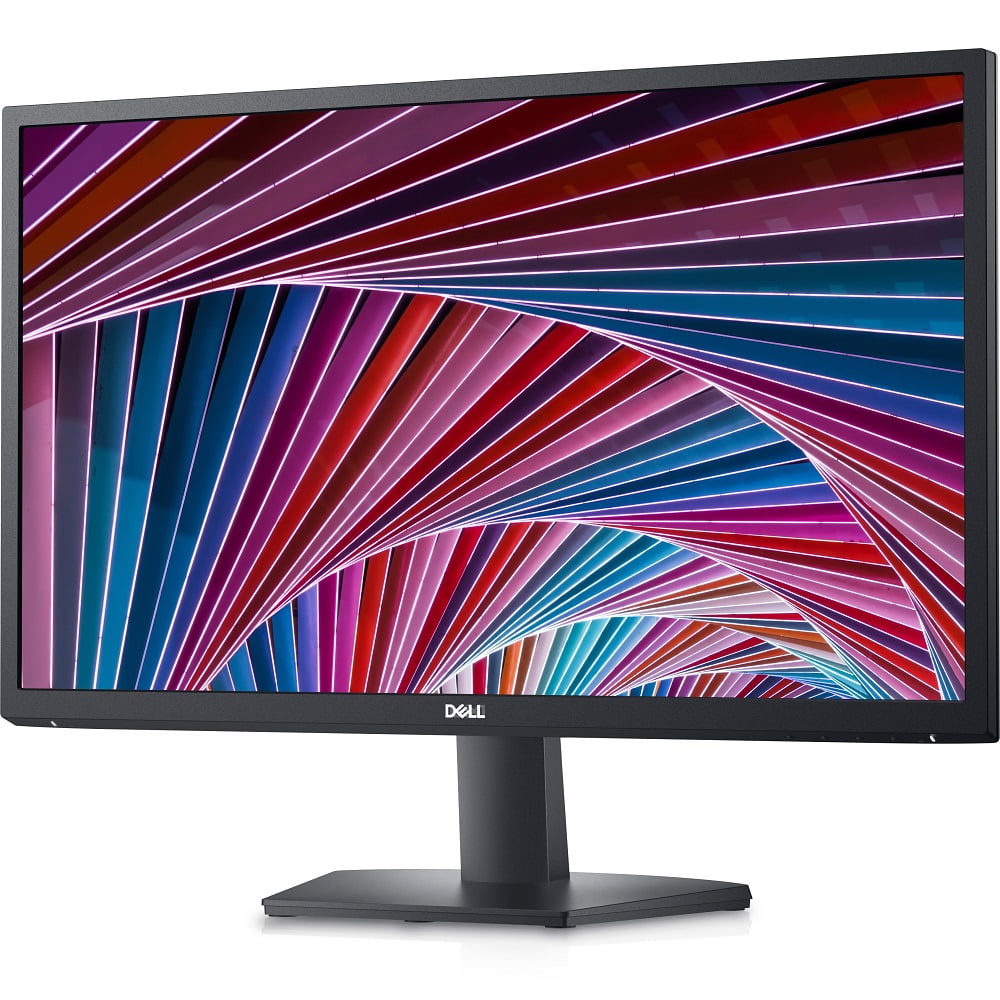
The dell 24 Monitor SE2422H is a practical 23.8-inch Full HD monitor designed for everyday computing, home offices, study setups, and general productivity. It combines a slim, modern design with a VA panel, 1920 x 1080 resolution, and a 75 Hz refresh rate to deliver sharp visuals and smoother motion than standard 60 Hz displays. For users who spend long hours on documents, spreadsheets, web browsing, video calls, or casual streaming, it offers a balanced mix of comfort, clarity, and affordability.
One of its biggest strengths is its value-driven feature set. The monitor includes HDMI and VGA connectivity, making it easy to connect to both newer laptops and older desktops. Dell also positions it as a simple plug-and-play display with anti-glare treatment, flicker-free comfort features, and wide viewing angles that improve everyday usability. It is especially appealing to students, remote workers, and budget-conscious buyers who want a dependable screen without paying for premium gaming or professional color-critical features.
In terms of price, the SE2422H typically sits in the budget category, often around the low-cost monitor range depending on region and promotions. Availability is generally broad through Dell’s store and major electronics retailers. If you are looking for a no-fuss 24-inch monitor for daily tasks, the dell 24 Monitor SE2422H remains a strong option for practical performance and solid everyday reliability.
Specifications for Dell 24 Monitor SE2422H
- Display size: 23.8 inches viewable area
- Resolution: Full HD 1920 x 1080
- Panel type: VA (Vertical Alignment)
- Aspect ratio: 16:9
- Refresh rate: Up to 75 Hz via HDMI
- Response time: 5 ms typical gray-to-gray
- Brightness: 250 nits typical
- Contrast ratio: 3000:1 typical
- Viewing angles: 178° horizontal and vertical
- Color coverage: 72% NTSC typical
- Connectivity: 1 x HDMI, 1 x VGA
- Mounting: VESA 100 x 100 mm support
- Power use: Low-power design for everyday efficiency
Compared with similar entry-level 24-inch monitors, the SE2422H stands out for its stronger contrast ratio and VA panel, which generally produces deeper blacks than basic IPS budget displays. It is not built for professional color grading or high-end gaming, but it performs well for office work, streaming, and general home use.
Detailed Description of the Dell 24 Monitor SE2422H
The dell 24 Monitor SE2422H uses a VA panel to deliver a high-contrast viewing experience that works well for text, video, and everyday graphics. Its Full HD resolution keeps content crisp at the 23.8-inch size, while the 75 Hz refresh rate helps make scrolling and motion feel smoother than on standard 60 Hz monitors. This makes a noticeable difference during document work, browsing, and casual entertainment.
The monitor is built for straightforward use. The HDMI port handles modern laptops, desktop PCs, and streaming devices, while the VGA port supports older systems and legacy office equipment. The anti-glare screen finish helps reduce reflections in bright rooms, and the slim profile makes it easy to place on compact desks. The stand offers basic tilt adjustment, which improves viewing comfort for everyday use.
In real-world scenarios, this monitor fits home offices, school study stations, front-desk systems, and general-purpose family PCs. The overall build quality feels practical and durable rather than premium, with lightweight materials that keep the design easy to handle. Users generally appreciate the clean look, strong contrast, and reliable everyday performance.
Setup Guide for Dell 24 Monitor SE2422H
- Unbox the monitor carefully and place it on a stable, flat surface.
- Attach the stand to the display until it clicks securely into place.
- Connect the power cable to the monitor and then to a wall outlet or surge protector.
- Use the HDMI cable for the best image quality and 75 Hz support, or use VGA for older devices.
- Turn on the monitor, then select the correct input source using the on-screen display menu if needed.
- Adjust tilt and screen position for comfortable viewing at eye level.
For the best results, use HDMI whenever possible because it supports the monitor’s full refresh rate. If the screen stays blank, confirm that the input source matches the connected cable and that the computer is sending a display signal. If you see flickering, try reseating the cable or switching to another HDMI port. Always handle the screen gently, avoid pressing on the panel, and keep liquids away from the monitor during setup.
Troubleshooting Dell 24 Monitor SE2422H
- No signal: Check the HDMI or VGA cable, select the correct input, and restart the computer.
- Flickering display: Reconnect the cable, test a different cable, or lower the refresh rate if needed.
- Dim image: Increase brightness in the monitor menu and verify the computer’s display settings.
- Wrong aspect ratio: Set the source device to 1920 x 1080 at the proper scaling option.
- Audio not working: The monitor does not act as a speaker system, so use external speakers or headphones from the computer.
Preventive care includes keeping cables secure, avoiding power surges, and cleaning the screen with a soft microfiber cloth. If issues continue, Dell support can help with warranty service, setup guidance, and diagnostics through the product support portal. Users can also check the monitor’s service tag on Dell’s support page for device-specific help, manuals, and driver resources.
Pros and Cons of Dell 24 Monitor SE2422H
Pros
- Excellent value for a 24-inch Full HD monitor
- VA panel provides strong contrast for movies and everyday work
- 75 Hz refresh rate feels smoother than standard office monitors
- HDMI and VGA ports improve compatibility with old and new devices
- Anti-glare screen helps in bright rooms and office environments
- Compact design fits small desks and home setups well
Cons
- Not ideal for color-critical design or professional editing
- Limited ergonomic adjustment compared with higher-end monitors
- No USB hub or advanced connectivity features
- Not a gaming-focused display despite the 75 Hz refresh rate
- Built-in audio is not a highlight, so external speakers may be needed
For buyers comparing budget monitors, the SE2422H offers stronger contrast and solid everyday performance at a sensible price. Alternatives with IPS panels may offer wider color consistency, but this model often wins on simplicity and value for money.
Customer Reviews of Dell 24 Monitor SE2422H
Customer feedback is generally positive, with many users rating the monitor around 4 out of 5 stars for everyday use. Buyers often praise the crisp Full HD image, good brightness for office work, and the dependable HDMI/VGA connectivity. One common comment is that the display feels “just right” for a home office setup without adding unnecessary features.
Frequent complaints focus on limited adjustability and the fact that it is not suited for demanding gaming or professional creative tasks. Some users also mention that the VA panel can show slower response behavior in fast-moving scenes compared with higher-end displays. Even so, many recommend it as a reliable buy for schoolwork, web browsing, and productivity-focused desktops.
Frequently Asked Questions
- Is the Dell SE2422H good for work? Yes, it is well suited for office tasks, browsing, and study use.
- Does it support 75 Hz? Yes, 75 Hz is available through HDMI.
- Can it connect to older PCs? Yes, the VGA port supports legacy systems.
- Is it good for gaming? It is fine for casual gaming, but not designed as a gaming monitor.
- Is the Dell 24 Monitor SE2422H worth buying? Yes, if you want an affordable, dependable 24-inch monitor for daily use.
Faqs
How do I set up dell 24 Monitor SE2422H for the first time?
Why is my dell 24 Monitor SE2422H showing no signal, and how do I fix it?
Can I use dell 24 Monitor SE2422H with a laptop, desktop, or gaming console?
What makes the dell 24 Monitor SE2422H good for everyday work and streaming?
How do I optimize display settings on dell 24 Monitor SE2422H for better image quality?
Why does dell 24 Monitor SE2422H look dim or washed out, and how can I improve it?
Is dell 24 Monitor SE2422H compatible with wall mounting or VESA arms?
How should I clean and maintain dell 24 Monitor SE2422H safely?
More dell manuals
Leave a Comment