
Dell Latitude 5401 Laptop User Manual
Content
Dell Latitude 5401 Laptop: Complete Product Manual and Buyer Guide
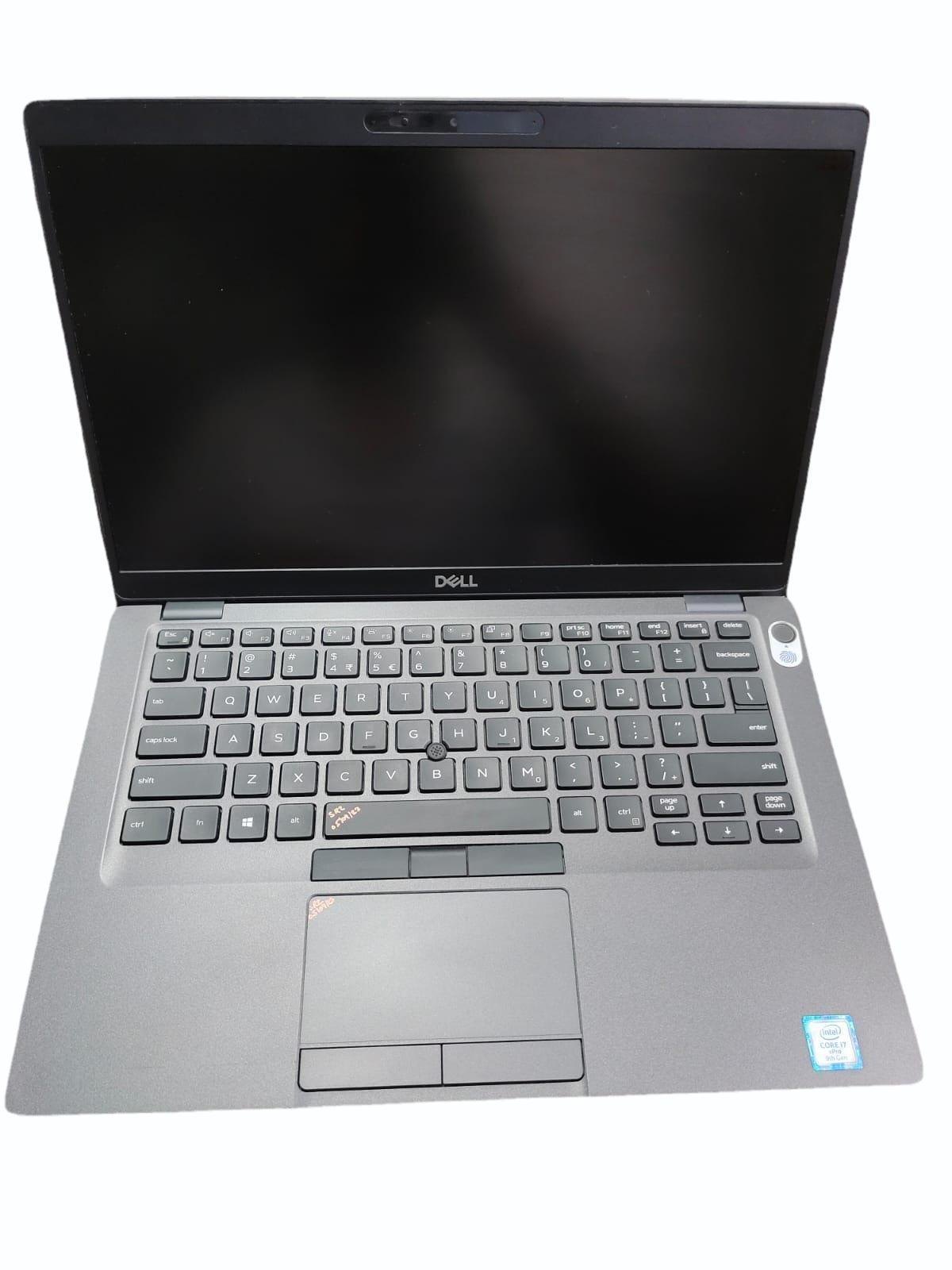
The Dell Latitude 5401 Laptop is a compact 14-inch business notebook built for professionals who need dependable performance, strong security features, and easy portability. Designed for office work, remote productivity, and enterprise environments, it combines 9th Gen Intel Core processors, optional NVIDIA GeForce MX150 graphics, and fast SSD storage in a durable chassis. With configurations that can include Full HD 1920 x 1080 displays, up to 32 GB DDR4 memory, and a 68 Wh battery on some versions, the Latitude 5401 is well suited for multitasking, video meetings, spreadsheets, and everyday business applications.
This model is especially appealing to corporate users, students in demanding programs, consultants, and anyone who wants a reliable Windows business laptop rather than a consumer notebook. Its 14-inch form factor and weight of about 1.53 kg make it practical for commuting and travel, while features like dual-array microphones, a 720p webcam, and business-oriented security options support modern hybrid work. The Dell Latitude 5401 Laptop typically appears on the refurbished and used market today, with prices often ranging from about $269 to $487 depending on processor, RAM, SSD size, condition, and warranty coverage. New stock is limited, but refurbished availability remains strong through resellers and enterprise liquidators. For buyers who want a capable workhorse with solid build quality, the Latitude 5401 remains a practical value choice among refurbished business laptops.
Troubleshooting the Dell Latitude 5401 Laptop
Common issues with the Dell Latitude 5401 Laptop often involve power, startup, battery, or display problems. If the laptop will not turn on, check the AC adapter, verify the battery is charged, and hold the power button for 15 seconds to reset residual power. If you see a blinking LED sequence or diagnostic error, consult the built-in Dell support diagnostics and run the pre-boot hardware test. Error codes related to memory, storage, or thermal issues usually indicate a loose component, failing drive, or blocked ventilation.
For slow performance, update Windows, remove startup bloat, and confirm the SSD has enough free space. If Wi‑Fi drops frequently, reinstall the wireless driver and update BIOS and chipset drivers. Overheating can often be reduced by cleaning vents, using the laptop on a hard surface, and replacing old thermal paste on heavily used units. Preventive maintenance includes regular BIOS updates, battery health checks, and keeping firmware current. Dell warranty and support options vary by seller and refurbished condition, so check whether the unit includes factory coverage or reseller protection. For direct help, use Dell support channels through Dell Support, the owner’s manual, or the system service tag lookup on Dell’s support website.
Pros and Cons of the Dell Latitude 5401 Laptop
Pros
- Strong business-class performance with 9th Gen Intel Core i5 and i7 options, including H-series chips for demanding multitasking.
- Portable 14-inch design that is easier to carry than many 15.6-inch business laptops.
- Good productivity features such as SSD storage, Full HD display options, dual-array microphones, and a 720p webcam.
- Durable Latitude build quality makes it suitable for office, field, and travel use.
- Good value for money on the refurbished market, especially compared with newer premium business laptops.
Cons
- Older 9th Gen hardware means it is not as efficient or future-proof as newer Latitude models.
- Battery life can vary widely by configuration and age, especially on refurbished units.
- Some versions use lower-resolution displays, which are less ideal for design or media work.
- Integrated graphics or MX150-class graphics are fine for productivity but not for modern gaming or heavy creative workloads.
- Value depends heavily on condition, RAM, SSD size, and warranty when buying used.
Overall, the Dell Latitude 5401 Laptop offers solid value for office users who want a dependable workstation without paying premium prices for a brand-new model. Compared with newer alternatives such as the Latitude 5410 or newer ThinkPad business notebooks, it is less efficient but often much cheaper, making it attractive for budget-conscious buyers who prioritize reliability over the latest features.
Customer Reviews for the Dell Latitude 5401 Laptop
Typical customer feedback for the Dell Latitude 5401 Laptop is positive, especially among business buyers and refurbished laptop shoppers. Users often rate it around 4 out of 5 stars for performance, portability, and build quality. Many praise the fast SSD responsiveness, comfortable keyboard, and dependable multitasking for work-from-home setups and office use. A common testimonial style comment is: “A very capable business laptop for email, spreadsheets, and video calls, and it feels sturdier than consumer models.”
Common complaints usually focus on battery wear in older units, screen brightness on some configurations, and occasional fan noise under load. Buyers also note that refurbished condition can vary, so they recommend checking RAM, SSD health, and warranty length before purchase. For most users, the Latitude 5401 is a smart buy if the price is competitive and the unit includes a warranty. It is especially recommended for professionals who want a reliable work laptop, students who need a durable machine, and anyone seeking a value-focused enterprise notebook.
Faqs
How do I set up the dell Latitude 5401 Laptop for the first time without missing anything important?
What should I do if my dell Latitude 5401 Laptop turns on but the screen stays black?
Can the dell Latitude 5401 Laptop handle multitasking and office work smoothly?
Which accessories and ports are compatible with the dell Latitude 5401 Laptop?
Why is my dell Latitude 5401 Laptop running slow, and how can I improve performance?
How do I fix Wi-Fi or Bluetooth problems on the dell Latitude 5401 Laptop?
How much RAM and storage can the dell Latitude 5401 Laptop support for upgrades?
What is the best way to maintain and clean the dell Latitude 5401 Laptop for long-term use?
More dell manuals
Leave a Comment