
Dell Multi-device Wireless Mouse MS5320W User Manual
Content
Dell Multi-device Wireless Mouse MS5320W Product Manual and Review
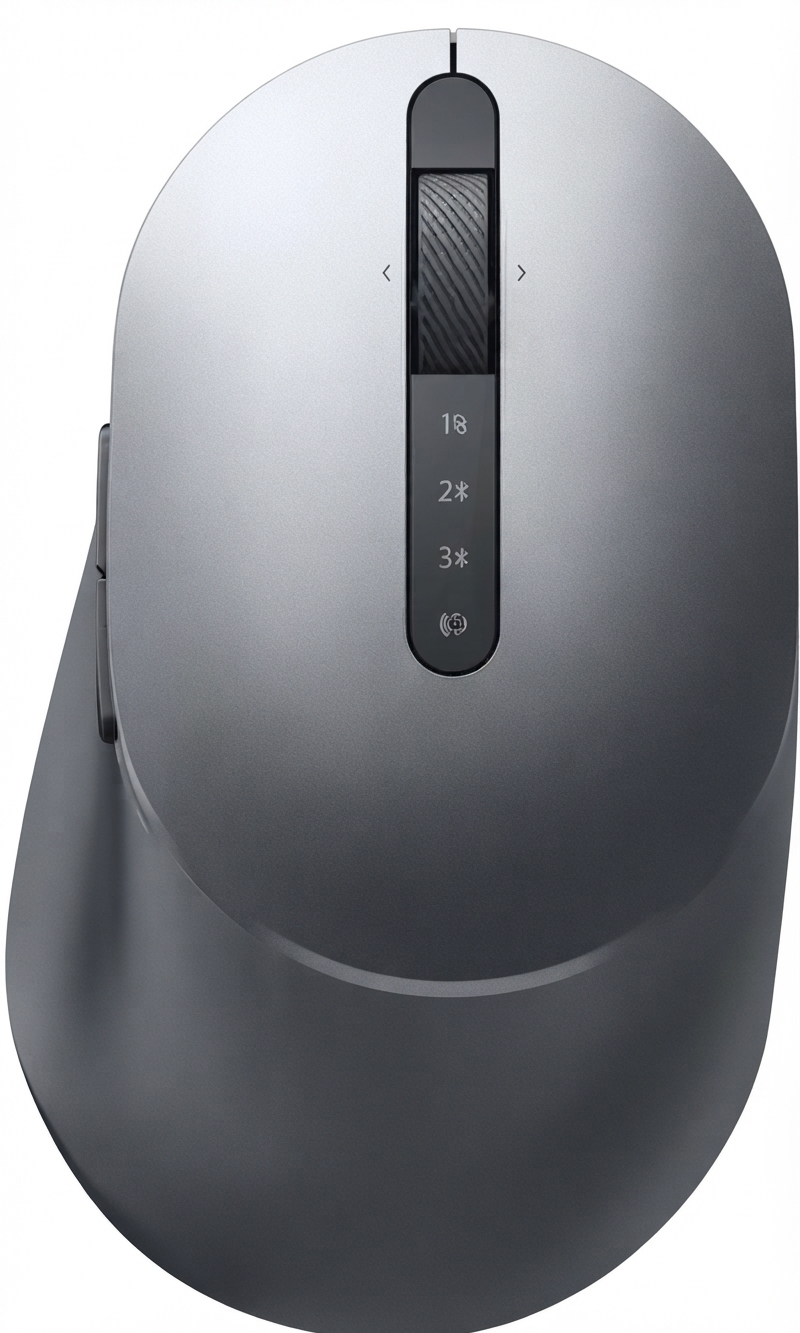
The Dell Multi-device Wireless Mouse MS5320W is a compact, professional wireless mouse designed for users who switch between multiple devices throughout the day. It combines dual-mode connectivity, allowing use through 2.4 GHz wireless or Bluetooth, with support for easy device switching, making it a strong choice for office workers, students, remote professionals, and anyone who values flexibility in a clean desktop setup. With an ergonomic right-handed shape, 7 buttons, adjustable sensitivity, and a lightweight 84 g build, this mouse aims to balance productivity and portability.
One of the biggest advantages of the dell Multi-device Wireless Mouse MS5320W is its practical multi-device workflow. Users can pair it with a laptop, desktop, or tablet and move between them without constantly re-pairing accessories. The optical sensor supports up to 1600 DPI by default, with configurable sensitivity options available on some versions, which makes it suitable for everyday navigation, spreadsheets, web browsing, and light productivity work. It also includes programmable buttons and a scroll wheel designed for smoother navigation, adding value for users who want more than a basic office mouse.
In today’s market, the Dell MS5320W typically falls in the mid-range price bracket, often estimated around $30 to $50 depending on region, retailer, and stock availability. It is widely available through major online electronics stores and marketplace sellers, although pricing can vary considerably by country. For buyers seeking a dependable multi-device wireless mouse with solid build quality, business-friendly features, and a simple setup, this model remains a compelling option.
Pros and Cons of the Dell MS5320W Wireless Mouse
Pros
- Dual connectivity with 2.4 GHz wireless and Bluetooth makes it easy to use across different devices.
- 7-button layout and programmable controls improve productivity for office and multitasking workflows.
- Compact size and 84 g weight make it travel-friendly and comfortable for daily use.
- Adjustable sensitivity and optical tracking provide reliable performance for standard computing tasks.
- Strong value for money compared with premium alternatives that offer similar multi-device switching.
- Good fit for users upgrading from a basic wireless mouse to a more feature-rich productivity mouse.
Cons
- Right-handed design limits comfort for left-handed users.
- It is not ideal for gaming, where higher DPI and faster response tuning are often preferred.
- Battery-powered operation means users must replace the AA battery instead of recharging it.
- Some users may prefer a larger ergonomic mouse for all-day intensive work.
- Compared with premium alternatives from Logitech or Microsoft, the feature set is practical but not luxurious.
Overall, the dell Multi-device Wireless Mouse MS5320W offers excellent everyday utility at a reasonable price. It is best viewed as a productivity-focused wireless mouse rather than a premium ergonomic or gaming device. For users who need smooth multi-device switching and dependable office performance, it delivers strong value. Buyers who want USB-C charging, advanced ergonomic sculpting, or ultra-customizable software may prefer higher-end alternatives.
Customer Reviews and User Feedback on the Dell MS5320W
Customer feedback is generally positive, with many buyers rating the mouse around 4.5 out of 5 stars for convenience, portability, and easy switching between devices. A common compliment is the mouse’s reliable wireless performance and the practical button layout, which helps in office work and daily browsing.
Typical praise includes comments such as, “The dual connection works smoothly and saves time when moving between my laptop and desktop,” and “It feels solid, comfortable, and perfect for work.” Common complaints focus on the single AA battery, the right-handed shape, and the fact that it is not the best option for users who want a rechargeable mouse. Some users also note that it is better suited to productivity than precision-heavy tasks.
For most buyers, the dell Multi-device Wireless Mouse MS5320W is a smart purchase if the goal is reliable wireless connectivity, portability, and everyday office comfort. It is especially recommended for professionals, students, and home-office users who want a dependable multi-device mouse without paying premium pricing.
Faqs
How do I set up the dell Multi-device Wireless Mouse MS5320W for the first time on a laptop or desktop?
Can the dell Multi-device Wireless Mouse MS5320W switch between multiple devices easily?
What should I do if the dell Multi-device Wireless Mouse MS5320W is not responding or the cursor is moving erratically?
Is the dell Multi-device Wireless Mouse MS5320W compatible with Windows, Mac, Linux, Chrome, and Android devices?
How do I fix Bluetooth pairing problems on the dell Multi-device Wireless Mouse MS5320W?
What are the key features of the dell Multi-device Wireless Mouse MS5320W for productivity?
How can I improve pointer accuracy and performance on the dell Multi-device Wireless Mouse MS5320W?
How should I clean and maintain the dell Multi-device Wireless Mouse MS5320W for long-term use?
More dell manuals
Leave a Comment