
Dell S2419H Flat-Panel Monitors User Manual
Content
Introduction to Dell S2419H Flat-Panel Monitors
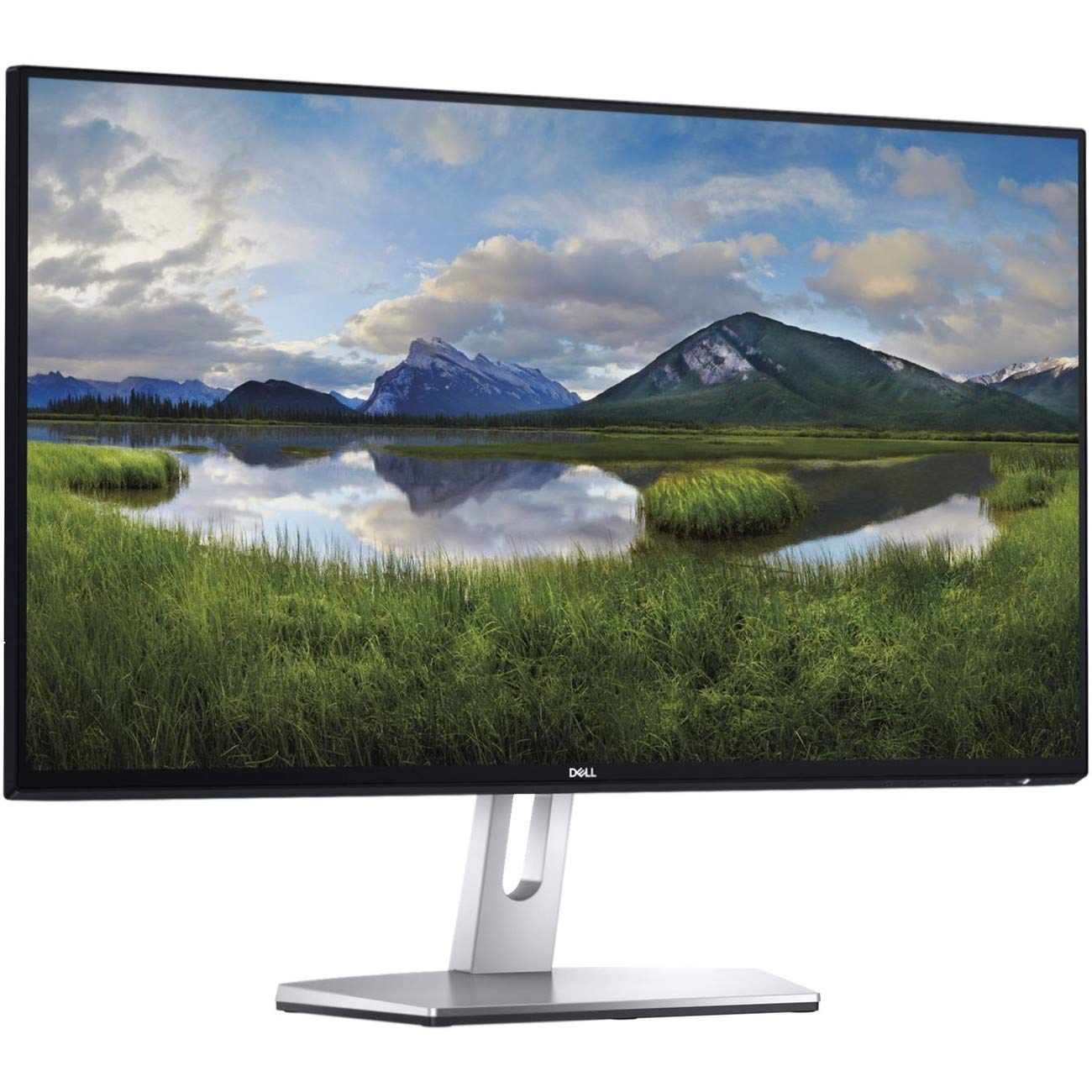
The Dell S2419H flat-panel monitor is a 23.8-inch Full HD IPS display designed for users who want a clean, modern monitor with strong everyday performance. Built around Dell’s InfinityEdge-style near-borderless design, it offers a compact footprint, wide viewing angles, and a sharp 1920 x 1080 image that works well for home offices, casual gaming, streaming, and productivity tasks. The built-in dual 5W speakers add convenience for users who want a simple desktop setup without external audio hardware.
One of the biggest advantages of the Dell S2419H flat-panel monitors is the balance between style and practicality. The IPS panel delivers accurate colors and 178-degree viewing angles, making it suitable for shared workspaces, video calls, and content viewing. With two HDMI 1.4 ports and a 3.5 mm audio jack, the monitor supports multiple devices such as laptops, desktops, streaming sticks, and game consoles. Its 60Hz refresh rate and 5ms response time are ideal for general use, while the 99% sRGB coverage helps create a more vivid picture than typical budget displays.
This monitor is a strong fit for students, professionals, remote workers, and home users who want a reliable Full HD monitor with premium design elements. The typical price range generally falls around the mid-range category for 24-inch IPS monitors, often depending on condition, retailer, and availability. Because the model is no longer a current flagship, availability may vary and is often strongest through third-party sellers or refurbished listings. For buyers seeking a stylish, space-saving monitor with good image quality and built-in sound, the Dell S2419H remains a practical option.
Specifications for Dell S2419H Flat-Panel Monitors
- Screen size: 23.8 inches
- Panel type: IPS LCD with LED backlight
- Resolution: 1920 x 1080 Full HD
- Refresh rate: 60Hz
- Response time: 5ms gray-to-gray
- Brightness: 250 cd/m² typical
- Contrast ratio: 1000:1 static
- Viewing angles: 178° horizontal and 178° vertical
- Color support: 16.7 million colors
- Color gamut: 99% sRGB
- Audio: Dual 5W built-in speakers with MaxxAudio tuning
- Connectivity: 2 x HDMI 1.4, 1 x 3.5 mm audio jack
- Design: Near-borderless InfinityEdge-style frame
- Ergonomics: Tilt adjustment, simple desktop-friendly stand
In everyday use, the Dell S2419H flat-panel monitors perform like a solid mainstream IPS display rather than a high-refresh gaming screen. Compared with similarly sized budget monitors, it stands out for its premium appearance, integrated speakers, and better-than-average color reproduction. Against newer alternatives, it may lack USB-C, height adjustment, and higher refresh rates, but it remains competitive for basic productivity and entertainment.
Pros and Cons of Dell S2419H Flat-Panel Monitors
Pros
- Elegant near-borderless design that looks excellent on a desk
- IPS panel with wide viewing angles and consistent color quality
- Built-in 2 x 5W speakers reduce the need for external audio
- Two HDMI ports make it easy to connect multiple devices
- 99% sRGB coverage is strong for web browsing, media, and light creative work
- Good value for users who want a polished everyday monitor
Cons
- 60Hz refresh rate is not ideal for competitive gaming
- No USB-C or DisplayPort support
- Limited ergonomics compared with newer office monitors
- 1080p resolution is adequate, but not as sharp as 1440p options
- Built-in speakers are convenient, though not a replacement for dedicated audio systems
For value-conscious buyers, the Dell S2419H flat-panel monitors offer a strong mix of design, connectivity, and image quality. If you need a more flexible workstation display, alternatives with USB-C, height adjustment, or higher resolution may be better. For simple home or office use, however, this Dell monitor delivers dependable performance at a sensible price point.
Customer Reviews of Dell S2419H Flat-Panel Monitors
Customer feedback for the Dell S2419H is generally positive, with many users praising its stylish design and solid everyday performance. Common ratings often land around 4 out of 5 stars, especially among buyers who value a clean setup and reliable Full HD picture quality. Users frequently mention that the display looks sharp for documents, streaming, and general browsing, while the built-in speakers are a welcome bonus for casual use.
Typical praise includes comments such as, “Perfect for my home office setup,” and “The display looks great and the speakers are surprisingly useful.” Common complaints focus on the lack of height adjustment, the absence of advanced ports, and the fact that 60Hz is not enough for fast-paced gaming. Some buyers also note that external speakers or headphones are still preferable for better audio quality. Overall, the Dell S2419H is often recommended for users who want a dependable, attractive monitor for work and entertainment rather than a performance-focused gaming display.
Is the Dell S2419H a Good Monitor for Everyday Use?
Yes, the Dell S2419H flat-panel monitors are a good choice for everyday use if you want a stylish IPS screen with built-in speakers, dual HDMI connectivity, and reliable Full HD clarity. It is especially appealing for office tasks, remote learning, media consumption, and general home computing. Buyers who need modern features such as USB-C, height adjustment, or high refresh rates should look elsewhere, but users who want a simple, attractive monitor with strong core performance will find plenty to like here.
Faqs
How do I set up dell S2419H Flat-Panel Monitors for the first time?
What should I do if dell S2419H Flat-Panel Monitors is not showing a signal?
Which devices are compatible with dell S2419H Flat-Panel Monitors?
How can I get the best picture quality from dell S2419H Flat-Panel Monitors?
Why does dell S2419H Flat-Panel Monitors flicker or go dim sometimes?
Does dell S2419H Flat-Panel Monitors support dual-monitor setups?
How do I clean and maintain dell S2419H Flat-Panel Monitors safely?
What display settings should I use for office work on dell S2419H Flat-Panel Monitors?
Tags
More dell manuals
Leave a Comment