
Denon AVR-1604 Av Surround Receiver User Manual
Content
Denon AVR-1604 AV Surround Receiver: Complete Product Manual
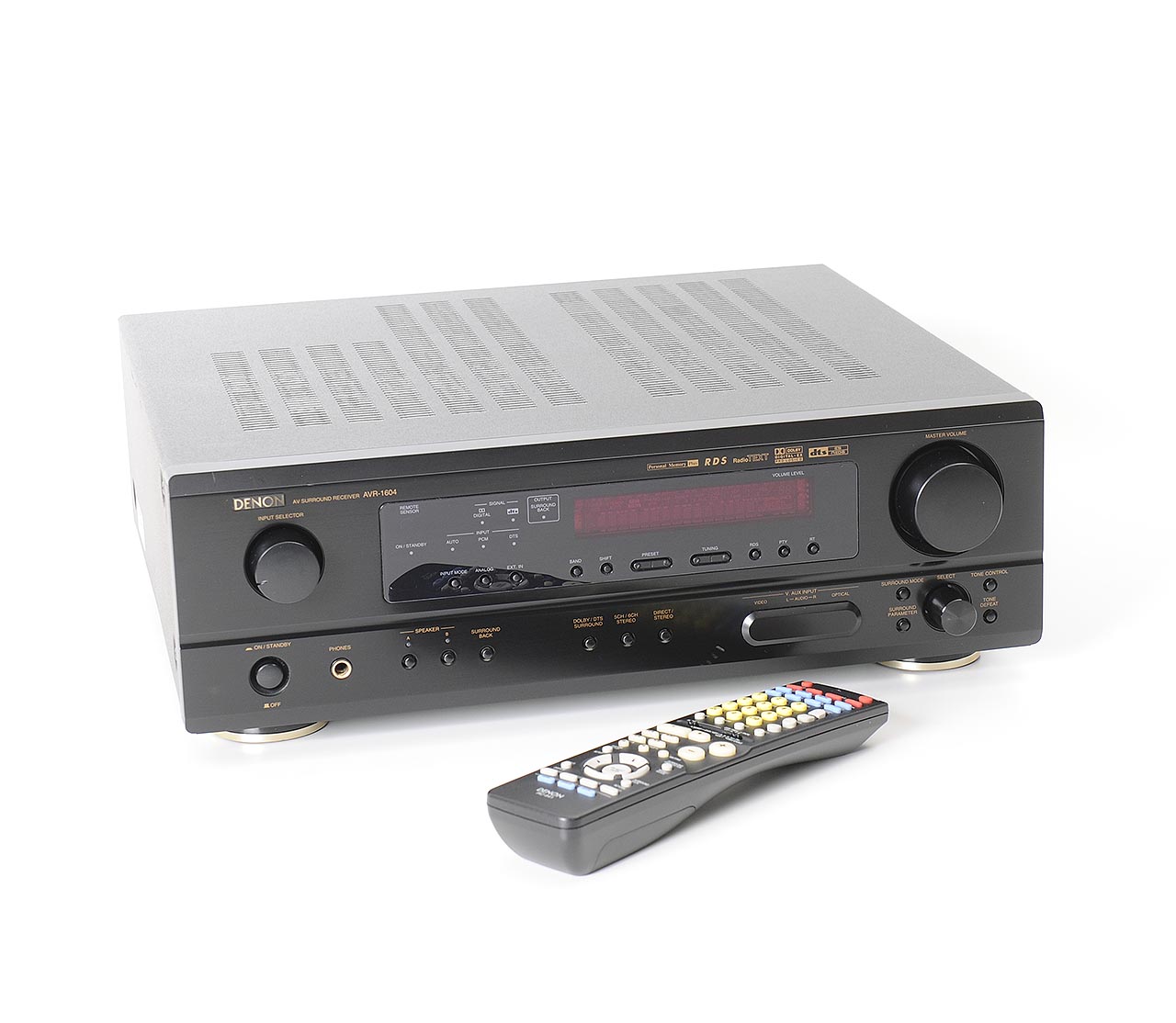
Introduction
The Denon AVR-1604 AV surround receiver is a classic home theater receiver designed for users who want reliable multi-channel audio, flexible connectivity, and straightforward operation in a compact AV hub. Built around 6.1-channel surround sound, it delivers strong performance for movie playback, TV audio, and legacy home cinema systems. Its output is rated at 75 watts per channel into 8 ohms across the 20 Hz to 20 kHz range at 0.08% THD, with higher 6-ohm dynamic output also available, making it suitable for small to medium-sized rooms.
This model is especially appealing to home theater enthusiasts who need Dolby Digital EX and DTS-ES support, along with Dolby Pro Logic II and DTS Neo:6 for upmixing stereo sources. The Denon AVR-1604 AV surround receiver also offers flexible video switching, multiple digital inputs, a built-in FM/AM tuner, and practical speaker connectivity for older and mixed-format setups. For users restoring a vintage surround system or upgrading a basic stereo setup to multichannel audio, it remains a capable and feature-rich choice.
As an older discontinued receiver, it is typically found on the used market rather than in new retail channels. The estimated price range usually depends on condition, accessories, and seller reputation, but buyers often see it listed in the budget-friendly to mid-range vintage audio category. It is a strong fit for budget-conscious buyers, collectors, and anyone seeking dependable surround sound without the complexity of modern network receivers.
Specifications
- Model: Denon AVR-1604 AV surround receiver
- Channels: 6.1-channel surround sound
- Power output: 75 watts per channel at 8 ohms, 20 Hz to 20 kHz, 0.08% THD
- Power output at 6 ohms: 110 watts per channel at 1 kHz, 0.7% THD
- Frequency response: 10 Hz to 100 kHz
- Total harmonic distortion: 0.08%
- Signal-to-noise ratio: 98 dB line level
- Speaker impedance range: 6 to 16 ohms
- Digital inputs: coaxial and optical
- Video connectivity: composite, S-Video, and component switching
- Dimensions: 434 x 147 x 417 mm
- Weight: approximately 10.8 kg
- Remote control: RC-941 included in original package
- Surround formats: Dolby Digital EX, DTS-ES Matrix 6.1, DTS-ES Discrete 6.1, Dolby Pro Logic II, DTS Neo:6
Compared with similar entry-level home theater receivers from its era, the Denon AVR-1604 offers stronger format support and solid amplification. It is especially competitive for users who need 6.1-channel decoding and dependable analog/video switching in a simple, no-frills design.
Detailed Description
The Denon AVR-1604 AV surround receiver functions as the central control unit for a home entertainment system. It receives audio from sources such as DVD players, game consoles, cable boxes, and media players, then decodes and amplifies the signal for connected speakers. Its 6.1-channel layout is designed to create a more immersive surround field, especially with compatible Dolby Digital EX and DTS-ES content.
In practical use, the receiver works well in movie rooms, living rooms, and older home theater systems that still rely on optical, coaxial, composite, S-Video, or component connections. The build quality reflects Denon’s reputation for durable AV hardware, with a full-size chassis, stable controls, and a traditional front-panel layout that is easy to operate. The unit’s weight and sturdy construction help it feel substantial and reliable on an equipment shelf.
User experience is generally straightforward. The menu system and input selection are designed for quick setup, while the amplifier section provides clean sound for dialogue, music, and surround effects. For households that want a practical AV receiver with proven compatibility and classic Denon sound, the AVR-1604 remains a sensible option.
Setup Guide
Setting up the Denon AVR-1604 AV surround receiver is straightforward if you follow the correct sequence. Start by placing the unit in a well-ventilated location with space around the top and sides to prevent overheating. Then connect the front left, center, front right, surround left, surround right, and surround back speakers to the proper terminals, making sure polarity is consistent.
- Connect your audio sources using optical, coaxial, or analog inputs depending on the device.
- Attach your TV or display using the appropriate video output path, such as component, S-Video, or composite.
- Connect the subwoofer to the pre-out if your system uses powered bass support.
- Select the correct surround mode for the source, such as Dolby Digital EX or DTS Neo:6.
- Use the setup menu to configure speaker size, delay, crossover, and channel levels.
Troubleshooting tip: if there is no sound, confirm the correct input is selected and check that speaker wires are securely seated. Safety warning: always unplug the unit before connecting or disconnecting cables, and never block ventilation openings.
Troubleshooting
Like many vintage AV receivers, the Denon AVR-1604 can develop common issues related to wiring, source selection, and aging components. Most problems are easy to isolate with a systematic check.
- No sound: Verify speaker connections, input assignment, mute status, and source playback.
- Distorted audio: Reduce volume, check speaker impedance, and confirm that the receiver is not overheating.
- No video output: Confirm the correct video input and output path, especially when using composite or component switching.
- Surround mode not engaging: Ensure the source actually contains a multichannel signal and select the correct decoding mode manually if needed.
- Intermittent power or shutdown: Inspect ventilation, dust buildup, and speaker wire shorts.
The unit does not typically display modern digital error codes, so diagnosis is usually based on behavior rather than code messages. Preventive care includes keeping the receiver dust-free, avoiding blocked vents, and using properly matched speakers. For support, owners commonly rely on Denon documentation, authorized service centers, and vintage audio repair specialists. Warranty coverage is generally limited or unavailable on used units, so purchase from sellers that offer a return window when possible.
Pros & Cons
Pros
- Strong 6.1-channel surround support for movies and legacy home theater setups.
- Reliable 75-watt-per-channel output at 8 ohms for balanced room-filling sound.
- Wide format compatibility, including Dolby Digital EX and DTS-ES.
- Multiple digital and analog connections for older AV equipment.
- Good value for buyers looking for a used surround receiver on a budget.
Cons
- No modern network features such as Wi-Fi, Bluetooth, or streaming apps.
- Limited by older video standards compared with newer HDMI receivers.
- Used units may require maintenance due to age and component wear.
- Less convenient for users who want automatic room correction or smart integration.
For pure value, the Denon AVR-1604 AV surround receiver can be a smart buy if you need dependable audio and legacy connectivity instead of modern smart-home features. Compared with newer alternatives, it wins on simplicity and classic build quality, but loses on convenience and digital flexibility.
Customer Reviews
Average user sentiment for the Denon AVR-1604 AV surround receiver is generally positive, especially among vintage audio buyers. Typical ratings cluster around 4 out of 5 stars from users who appreciate its warm sound, easy operation, and solid channel separation.
- Praise: “Clear dialogue and powerful enough for my living room setup.”
- Praise: “A great receiver for older speakers and DVD-era surround sound.”
- Complaint: “No HDMI or modern wireless features, but that was expected.”
- Complaint: “Used unit needed cleaning and a minor repair after years of storage.”
Most buyers recommend it for secondary systems, retro home theater builds, and users who already own compatible source components. The most frequently mentioned issue is age-related wear, so condition matters more than original specifications when purchasing today.
Faqs
How do I set up the denon AVR-1604 Av Surround Receiver for the first time?
What should I do if the denon AVR-1604 Av Surround Receiver has no sound from one speaker?
Which devices are compatible with the denon AVR-1604 Av Surround Receiver?
How do I optimize surround sound settings on the denon AVR-1604 Av Surround Receiver?
Why does the denon AVR-1604 Av Surround Receiver overheat, and how can I prevent it?
How do I connect a TV and DVD player to the denon AVR-1604 Av Surround Receiver?
What are the most useful denon AVR-1604 Av Surround Receiver troubleshooting steps for distorted sound?
How should I clean and maintain the denon AVR-1604 Av Surround Receiver for long-term use?
More denon manuals
- Denon AVR-2308CI Av Surround Receiver User Manual
- Denon AVR-S770H Integrated Network Av Receiver User Manual
- Denon AVR-2809CI Av Surround Receiver User Manual
- Denon AVR-1911 Av Surround Receiver User Manual
- Denon AVR-X1700H Integrated Network Av Receiver User Manual
- Denon AVR-3802 Av Surround Receiver User Manual
Leave a Comment