
Denon AVR-2809CI Av Surround Receiver User Manual
Content
Denon AVR-2809CI AV Surround Receiver: Complete Product Manual
Introduction
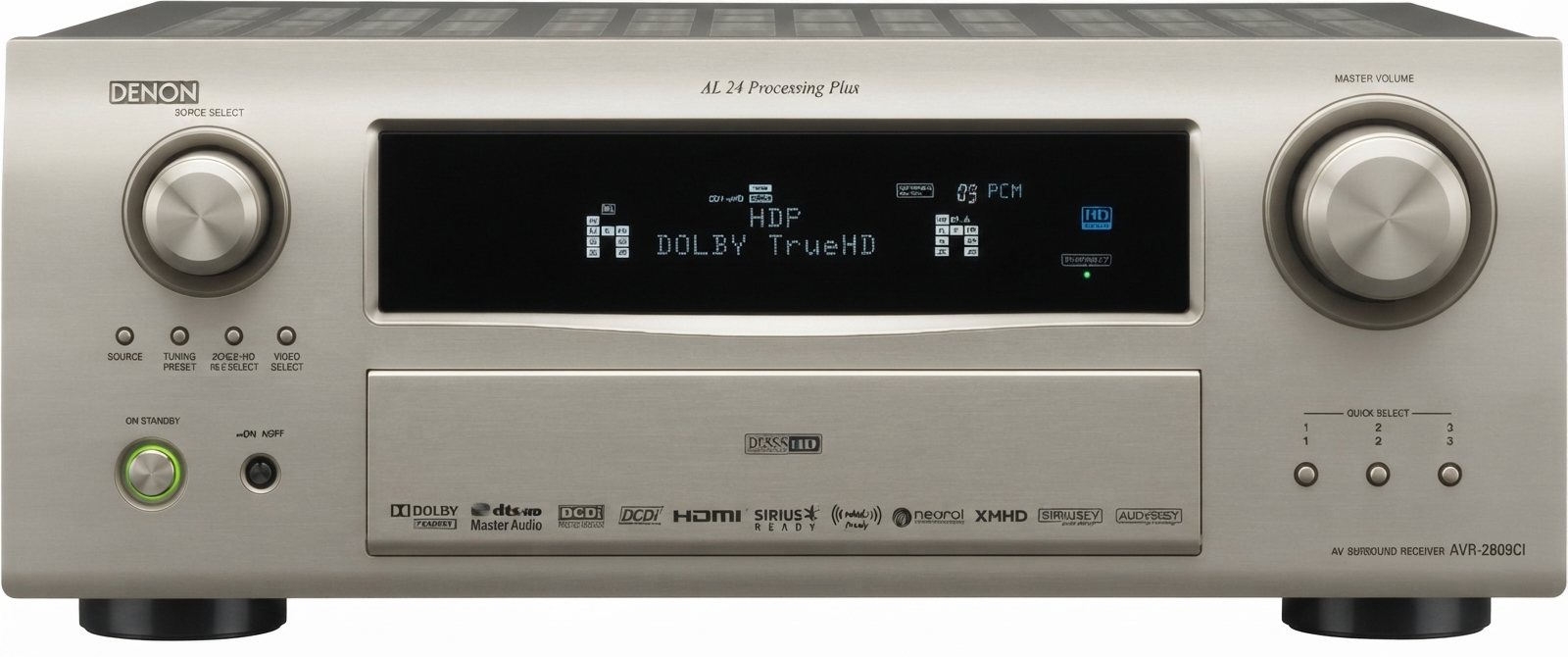
The Denon AVR-2809CI AV surround receiver is a high-performance home theater hub designed for users who want powerful multichannel sound, flexible video switching, and advanced room-correction features in one component. Built as a 7.1-channel receiver, it delivers 115 watts per channel and supports modern surround formats such as Dolby TrueHD, Dolby Digital Plus, DTS-HD Master Audio, and DSD for SACD playback. That makes it a strong choice for movie lovers, music listeners, and anyone building a serious media room or dedicated home theater.
One of its biggest strengths is connectivity. With four HDMI 1.3a inputs, one HDMI output, component video switching, and multiple digital audio inputs, it can integrate with Blu-ray players, game consoles, streaming devices, and legacy AV sources. Features such as Audyssey MultEQ room calibration, Faroudja DCDi video processing, and multi-zone capability add real-world value for users who want both convenience and customization. The Denon AVR-2809CI AV surround receiver is especially appealing for enthusiasts who need clean amplification, broad compatibility, and a refined setup experience.
At launch, this model was positioned in the premium midrange segment, with an original estimated price around $1,199. Today, availability is mainly through used, refurbished, or archive listings, and pricing commonly varies based on condition, accessories, and seller support. It remains a practical option for buyers searching for a feature-rich legacy receiver with strong audio performance and robust build quality.
Specifications
- Channels: 7.1-channel AV receiver with discrete amplification
- Power output: 115 watts per channel into 8 ohms, 20 Hz to 20 kHz, low distortion
- Surround formats: Dolby TrueHD, Dolby Digital Plus, DTS-HD Master Audio, DSD, Dolby Digital, DTS
- HDMI: 4 HDMI inputs and 1 HDMI output, HDMI 1.3a support
- Video switching: 1080p-compatible HDMI switching and component video inputs
- Digital audio inputs: 3 optical and 3 coaxial connections
- Audio processing: 192 kHz/24-bit digital-to-analog converters for all channels
- Room correction: Audyssey MultEQ automatic calibration
- Multi-zone support: Multi-room playback with independent source selection
- Dimensions: 434 x 171 x 414 mm
- Weight: 12.8 kg
Compared with newer receivers, the Denon AVR-2809CI AV surround receiver focuses on core home theater performance rather than network streaming or app-based smart features. Against similarly priced legacy models, it stands out for its strong amplifier section, extensive HDMI support for its era, and advanced room correction.
Detailed Description
The Denon AVR-2809CI AV surround receiver is built around a powerful seven-channel amplifier architecture designed to deliver consistent output across all speaker positions. In practical use, that means dialogue stays clear, surround effects remain smooth, and action scenes have enough headroom to sound dynamic without harshness. The receiver’s decoding engine handles high-resolution audio formats and lossless movie soundtracks, making it well suited for Blu-ray playback and premium media setups.
This model also performs well as a video control center. HDMI 1.3a support enables a single-cable connection for modern source devices of its generation, while Faroudja video processing helps improve scaling and signal handling for mixed-format systems. The cabinet and internal layout reflect Denon’s emphasis on durability, with a solid chassis, full-sized control interface, and a layout intended for long-term home theater integration.
For real-world applications, it works well in a living room theater, a basement media room, or a dedicated entertainment space with multiple sources and speakers. Users typically appreciate its authoritative sound, detailed surround imaging, and strong calibration tools. The Denon AVR-2809CI AV surround receiver is best for listeners who want a traditional high-fidelity receiver with excellent manual control and dependable performance.
Setup Guide
- Place the receiver in a ventilated cabinet or open shelf with at least several inches of clearance on all sides.
- Connect your front, center, surround, and optional back speakers to the correct binding posts.
- Attach your TV or projector to the HDMI output and connect source devices such as a Blu-ray player, game console, or cable box to the HDMI inputs.
- Connect legacy devices through component, composite, optical, or coaxial inputs if needed.
- Run the Audyssey MultEQ setup microphone and follow the on-screen prompts to measure room acoustics.
- Select speaker size, crossover, and distance settings, then test each channel before regular use.
- Configure zone output settings if you want to send audio to a second room.
For pairing and connectivity, enable HDMI control only if your display and sources support it, and verify that all cables are fully seated. If there is no sound, confirm the correct input assignment and speaker wiring. If the video signal fails, test each HDMI cable individually. Avoid blocking ventilation openings or operating the unit on unstable surfaces, since heat buildup can reduce reliability over time.
Troubleshooting
- No sound: Check speaker wiring, input selection, mute status, and surround mode settings.
- No HDMI picture: Confirm the source output resolution, test another HDMI cable, and verify the TV input.
- Distorted audio: Lower the volume, inspect for shorted speaker wires, and confirm speaker impedance compatibility.
- Unit shuts down: Check for overheating, poor ventilation, or a speaker wire short at the terminals.
- Audyssey setup fails: Reposition the microphone, reduce background noise, and repeat calibration from the main listening position.
Common error conditions are usually linked to wiring, heat, or incorrect setup rather than internal failure. Preventive care includes regular dust removal, safe ventilation, and using quality HDMI and speaker cables. Warranty coverage depends on the seller because this is an older model, so buyers should confirm refurbished or used-unit support terms before purchase. For help, contact Denon support through the official support channel or consult the original owner’s manual and service documentation.
Pros & Cons
Pros
- Strong 115-watt-per-channel amplification for clean, dynamic home theater sound
- Support for Dolby TrueHD, DTS-HD Master Audio, and other advanced surround formats
- Four HDMI inputs and broad legacy connectivity for flexible system integration
- Audyssey MultEQ improves room response and overall listening consistency
- Solid build quality and reliable performance for dedicated AV setups
Cons
- Older design lacks modern network streaming, Bluetooth, AirPlay, and app control
- Menu system and setup are less intuitive than newer receivers
- Used-market pricing and condition can vary significantly
- Limited by the feature set of its generation compared with newer AV receivers
For value for money, the Denon AVR-2809CI AV surround receiver makes sense for buyers who prioritize sound quality, legacy device support, and classic AV flexibility over smart-home features. Compared with newer alternatives, it is best viewed as a high-quality traditional receiver rather than a connected media hub.
Customer Reviews
Average user sentiment is generally strong, with many owners giving it around 4 to 4.5 out of 5 stars for audio performance, connectivity, and build quality. Common praise includes powerful sound, accurate surround imaging, and dependable HDMI switching. One typical testimonial is: “The receiver still sounds impressive after years of use, and Audyssey made a noticeable difference in my room.”
Frequent complaints focus on its age, size, heat output, and lack of modern wireless features. Some users also mention that setup can feel complex compared with current receivers. Most reviewers recommend it for home theater enthusiasts, especially if the goal is to connect multiple wired sources and speakers. Buyers looking for a simple streaming-first system may prefer a newer model, while users wanting a robust classic AVR often find this one a worthwhile purchase.
Faqs
How do I set up the denon AVR-2809CI Av Surround Receiver for the first time without confusing the speaker connections?
What should I do if the denon AVR-2809CI Av Surround Receiver has no sound even though it powers on?
Which speaker setup works best with the denon AVR-2809CI Av Surround Receiver for home theater use?
Is the denon AVR-2809CI Av Surround Receiver compatible with modern HDMI devices and 4K TVs?
How do I optimize sound quality on the denon AVR-2809CI Av Surround Receiver for movies and music?
Why does the denon AVR-2809CI Av Surround Receiver overheat, and how can I prevent it?
How do I update or reset the denon AVR-2809CI Av Surround Receiver if settings become unstable?
How should I clean and maintain the denon AVR-2809CI Av Surround Receiver for long-term reliability?
More denon manuals
- Denon AVR-X1700H Integrated Network Av Receiver User Manual
- Denon AVR-2308CI Av Surround Receiver User Manual
- Denon HS2 HomeCinema Soundbar and Subwoofer System User Manual
- Denon AVR-1604 Av Surround Receiver User Manual
- Denon AVC-X4800H Integrated Network Av Amplifier User Manual
- Denon AVR-S770H Integrated Network Av Receiver User Manual
Leave a Comment