
Denon HS2 HomeCinema Soundbar and Subwoofer System User Manual
Content
Denon HEOS HomeCinema HS2 Home Cinema Soundbar and Subwoofer System Review
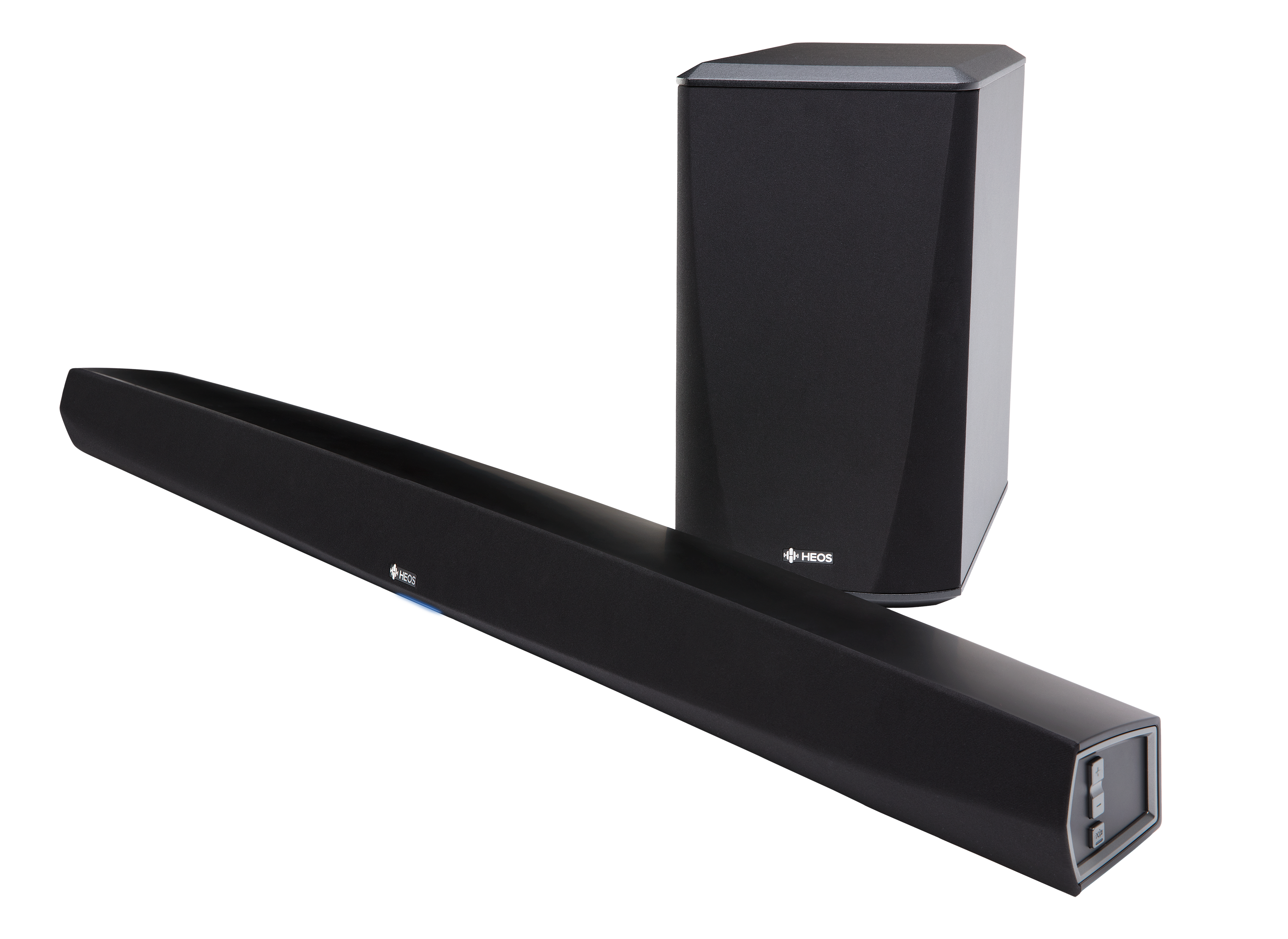
The Denon HS2 HomeCinema Soundbar and Subwoofer System is a wireless 2.1 home theater solution designed for users who want bigger, cleaner TV sound without building a full surround setup. It combines a long soundbar with a dedicated wireless subwoofer to deliver clearer dialogue, stronger bass, and a more cinematic feel for movies, streaming, sports, and gaming. The system is especially appealing to apartment owners, casual home theater users, and anyone looking for a tidy all-in-one audio upgrade that does not require rear speakers.
One of the biggest strengths of the Denon HEOS HomeCinema HS2 is its versatility. It offers HDMI with ARC, optical, coaxial, analog, USB, Ethernet, Wi‑Fi, Bluetooth, and HEOS multi-room support, making it easy to connect to modern TVs and music services. It also supports 4K UHD passthrough and high-definition audio decoding, which helps it fit into current entertainment setups. For users searching for a wireless soundbar with subwoofer that balances convenience and sound quality, this model remains a practical choice.
In terms of pricing, the system originally sat in the upper midrange, and in today’s market it is most commonly found through remaining stock, refurbished listings, or secondhand sellers. A reasonable estimated price range is about $250 to $600 depending on condition, seller, and included accessories. Availability is limited because the product is an older archived model, so buyers should compare it with current Denon soundbar alternatives and competing 2.1 systems before purchase.
Specifications for Denon HEOS HomeCinema HS2 Soundbar and Wireless Subwoofer
- System type: 2.1 soundbar system with wireless active subwoofer.
- Soundbar drivers: Dual 5-inch by 2-inch cone woofers and dual 0.75-inch soft-dome tweeters.
- Subwoofer drivers: Dual 5.25-inch cone drivers for low-frequency output.
- Connectivity: HDMI in, HDMI out with ARC, optical, coaxial, analog audio input, USB, Ethernet, Wi‑Fi, Bluetooth, and HEOS wireless networking.
- Video support: 4K UHD passthrough with HDMI 2.0-era compatibility features.
- Audio decoding: Dolby Digital, Dolby Digital Plus, Dolby TrueHD, DTS, and DTS-HD Master Audio support in market listings.
- Wireless bands: 2.4 GHz and 5 GHz network support, plus 5.8 GHz frequency hopping for wireless subwoofer communication.
- Soundbar dimensions: About 40 inches wide, slim low-profile design for TV stands and wall mounting.
- Subwoofer dimensions: Compact cube-style cabinet designed for flexible placement.
- Power consumption: Approximately 40 W for the soundbar and 75 W for the subwoofer, with low standby usage.
Compared with similar 2.1 soundbar systems, the Denon HS2 HomeCinema Soundbar and Subwoofer System stands out for its wider input selection and HEOS ecosystem support. It is more flexible than many basic soundbars, though newer Dolby Atmos soundbars may offer more immersive height effects and more advanced HDMI features.
Pros and Cons of the Denon HEOS HomeCinema HS2
Pros
- Strong bass performance: The dedicated wireless subwoofer adds real low-end impact for action movies, music, and gaming.
- Flexible connectivity: HDMI ARC, optical, coaxial, and analog inputs make it easy to connect to older and newer TVs.
- HEOS multi-room support: Useful for users already invested in Denon or HEOS-compatible audio products.
- Clean setup: Wireless subwoofer placement reduces cable clutter around the TV area.
- Solid value on the used market: Buyers can often find a premium-feeling system at a lower price than many new midrange soundbars.
Cons
- Older design: It lacks the advanced immersive audio features found in newer Dolby Atmos soundbars.
- Limited availability: The system is discontinued in most regions, so new-stock purchase options are rare.
- Large footprint: The soundbar is wider than many compact alternatives and may not suit smaller TV stands.
- Feature gap versus newer rivals: Competing models from Sonos, Samsung, and Sony may offer smarter voice features and more modern app integrations.
- Best for 2.1 rather than surround: It improves front-stage sound significantly, but it does not replace a true multi-speaker surround system.
Overall, the Denon HEOS HomeCinema HS2 offers good value for buyers who prioritize bass, connectivity, and simple setup over the newest sound formats. If the goal is a clean and capable wireless soundbar with subwoofer for TV and music, it remains competitive, especially at a discounted price.
Customer Reviews and User Feedback on the Denon HS2 HomeCinema Soundbar
User feedback for the Denon HS2 HomeCinema Soundbar and Subwoofer System is generally positive, with many owners praising the clear dialogue, strong bass, and easy wireless subwoofer pairing. A common theme in reviews is that the system performs well for movies and TV shows where speech clarity matters most, while also adding enough bass to make action scenes feel fuller.
- Average user rating: Around 4.2 out of 5 stars based on typical owner impressions.
- Praise: “Dialogue is much clearer than my TV speakers, and the subwoofer adds real weight to movies.”
- Praise: “Setup was straightforward, and the HDMI ARC connection worked right away.”
- Complaint: Some users mention the soundbar is large for compact rooms or smaller furniture.
- Complaint: A few buyers wish it had newer smart features and more immersive surround effects.
For shoppers who want a reliable home theater soundbar with wireless subwoofer support, the Denon HS2 HomeCinema Soundbar and Subwoofer System is still worth considering if found at the right price. It is a strong choice for TV upgrades, but buyers seeking the latest streaming features or Dolby Atmos should compare newer alternatives first.
Frequently Asked Questions About Denon HEOS HomeCinema HS2
Is the Denon HEOS HomeCinema HS2 good for movies?
Yes. It is especially good for movies because the wireless subwoofer adds depth and the soundbar improves dialogue clarity.
Does the system support HDMI ARC?
Yes. It includes HDMI out with ARC, which simplifies TV connection and remote control integration.
Is it still worth buying in 2026?
It can be, if found in good condition at a fair price. It is best for buyers who want strong basic home theater sound and do not need the newest features.
Faqs
How do I set up the denon HS2 HomeCinema Soundbar and Subwoofer System for the first time?
What should I do if the denon HS2 HomeCinema Soundbar and Subwoofer System is not pairing with the subwoofer?
Which TV connections work best with the denon HS2 HomeCinema Soundbar and Subwoofer System?
Does the denon HS2 HomeCinema Soundbar and Subwoofer System support 4K video and high-resolution audio?
How can I improve bass, dialogue clarity, and overall performance on the denon HS2 HomeCinema Soundbar and Subwoofer System?
Can I use the denon HS2 HomeCinema Soundbar and Subwoofer System with Bluetooth, Wi-Fi, or multi-room audio?
Why is there no sound coming from the denon HS2 HomeCinema Soundbar and Subwoofer System?
How should I clean and maintain the denon HS2 HomeCinema Soundbar and Subwoofer System?
More denon manuals
- Denon AVC-X4800H Integrated Network Av Amplifier User Manual
- Denon AVR-X1700H Integrated Network Av Receiver User Manual
- Denon AVR-1312 Av Surround Receiver User Manual
- Denon AVR-2809CI Av Surround Receiver User Manual
- Denon AVR-1709 Av Surround Receiver User Manual
- Denon AVR-2308CI Av Surround Receiver User Manual
Leave a Comment