
Denon AVR-A1H Integerated Network Av Receiver User Manual
Content
Denon AVR-A1H Integrated Network AV Receiver Manual
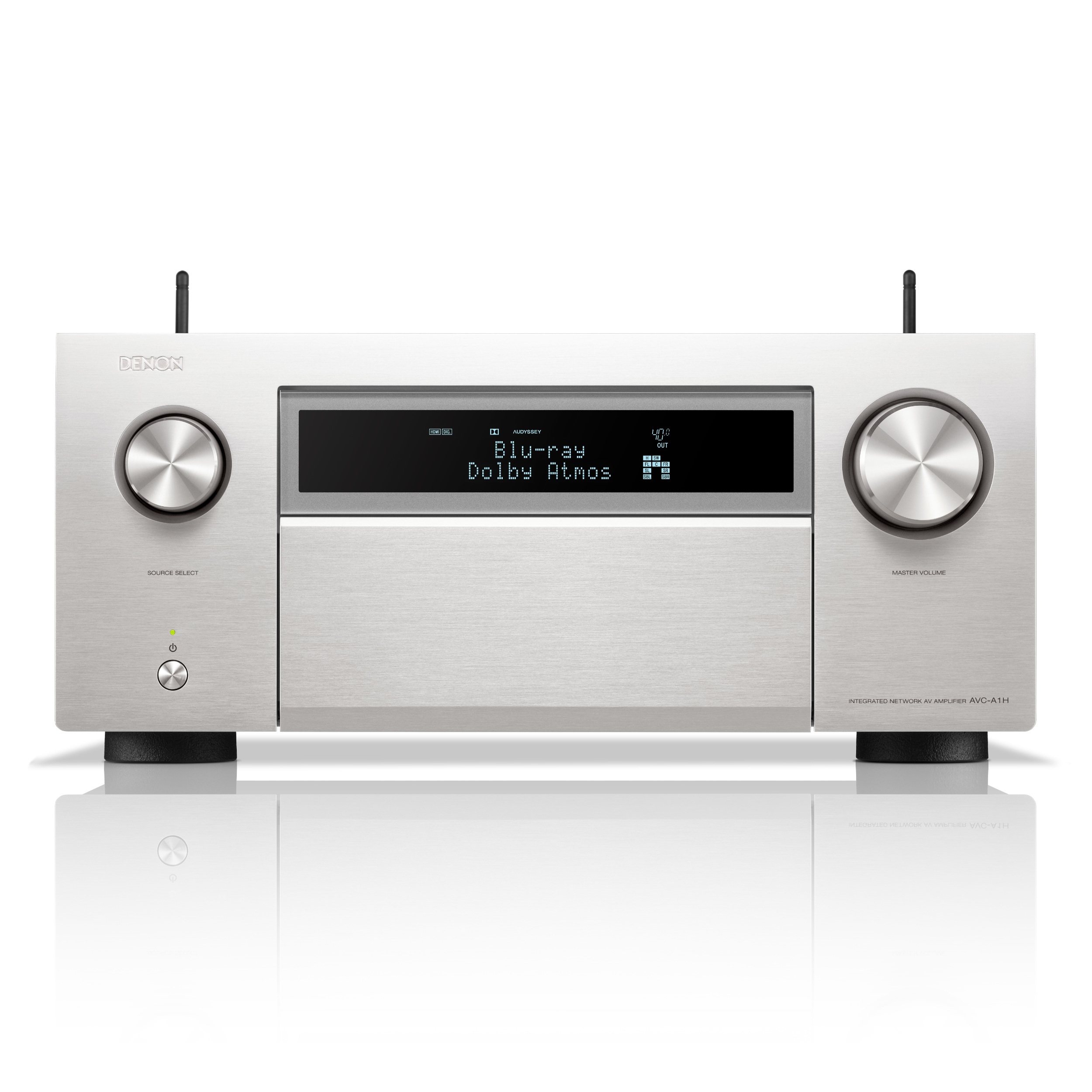
The Denon AVR-A1H integrated network AV receiver is a flagship home theater component designed for users who want reference-level power, advanced HDMI 2.1 connectivity, and immersive surround sound in a single chassis. With 15 channels of amplification and support for up to a 9.4.6 speaker layout, it delivers a true cinema-style experience for large rooms, dedicated media spaces, and premium living room installations. This model is built for serious home theater enthusiasts, gamers who need 4K/120Hz and 8K passthrough, and custom installers seeking a flexible receiver with extensive calibration and multi-zone options.
Key advantages include 150 watts per channel, HEOS multi-room streaming, Dolby Atmos, DTS:X Pro, IMAX Enhanced, Auro-3D, and four independent subwoofer outputs. It also includes seven HDMI inputs and three HDMI outputs, with support for modern video formats such as HDR10, HDR10+, Dolby Vision, HLG, VRR, ALLM, and eARC. The receiver is especially appealing for users who want one system to handle movies, gaming, music, vinyl, and distributed audio throughout the home.
As a premium product, the Denon AVR-A1H is typically priced in the high-end range, commonly around $6,499 to $7,199 depending on retailer, promotions, and availability. It is sold through major electronics retailers and authorized dealers, though stock may vary due to demand and regional supply. For buyers looking for an elite network AV receiver with strong power delivery and broad format support, it stands among the most advanced options available.
Specifications for the Denon AVR-A1H Integrated Network AV Receiver
- Channels: 15.4-channel AV receiver with 15 amplified channels and four independent subwoofer outputs.
- Power output: 150 watts per channel at 8 ohms, 20 Hz–20 kHz, 0.05% THD, 2-channel driven.
- Speaker layouts: Supports advanced configurations up to 9.4.6 for immersive surround sound.
- HDMI connectivity: 7 HDMI inputs and 3 HDMI outputs with 8K/60Hz and 4K/120Hz support.
- Video features: HDR10, HDR10+, Dolby Vision, HLG, HDCP 2.3, ALLM, VRR, and QFT.
- Audio formats: Dolby Atmos, DTS:X Pro, IMAX Enhanced, Auro-3D, Dolby TrueHD, and high-resolution audio playback.
- Networking: Wi-Fi, Ethernet, Bluetooth, AirPlay 2, Chromecast built-in, and HEOS multi-room support.
- Inputs: Analog stereo, balanced XLR stereo input, phono input for turntables, coaxial, optical, USB, and HDMI.
- Weight and build: Heavy-duty chassis with a high-rigidity construction; weight is approximately 70.5 to 70.6 pounds.
- Comparison: Compared with upper-tier receivers such as the Denon AVR-X4800H and Marantz Cinema 40, the AVR-A1H offers more amplification channels, more subwoofer outputs, and a more powerful flagship design.
Detailed Product Description of the Denon AVR-A1H
The Denon AVR-A1H integrated network AV receiver combines high-power amplification, advanced signal processing, and modern streaming features in a single premium unit. At its core is a dual-core 1 GHz DSP platform that processes surround formats and room correction with speed and precision. The amplifier section is engineered for demanding speaker systems, making it suitable for large tower speakers, full Atmos arrays, and multiple subwoofers in a dedicated theater room.
In real-world use, the receiver can power a complex home cinema with front, center, surround, height, and subwoofer channels while also supporting secondary zones for other rooms. Its balanced XLR input and multiple analog and digital connections make it useful for audiophiles who still use CD players, turntables, network music sources, or external DACs. The unit’s heavy chassis, premium components, and high-rigidity construction help reduce vibration and support consistent performance under load.
User experience is centered on flexibility and convenience. HEOS allows music streaming across compatible rooms, while HDMI 2.1 features make it excellent for modern gaming consoles and 8K displays. For users searching for the denon AVR-A1H integrated network AV receiver, the main appeal is clear: flagship sound quality, broad compatibility, and enough connectivity to serve as the control hub for a complete entertainment system.
Setup Guide: How to Install and Configure the Denon AVR-A1H
- Place the receiver on a stable, well-ventilated surface with at least several inches of clearance on all sides.
- Connect the front, center, surround, height, and subwoofer speakers according to your chosen layout, such as 9.4.6 or another supported configuration.
- Attach your display to one of the HDMI outputs, then connect gaming consoles, Blu-ray players, or streaming devices to the HDMI inputs.
- Connect the network cable for the most stable streaming and firmware updates, or use Wi-Fi if wired networking is not practical.
- Run the supplied setup microphone and launch room calibration to optimize speaker distance, level, and crossover settings.
- Configure HEOS, AirPlay 2, Bluetooth, or Chromecast built-in for music streaming and multi-room playback.
- Check HDMI settings for eARC, 8K passthrough, and 4K/120Hz support if you are using a compatible TV or gaming system.
Safety precautions are essential because of the receiver’s weight and power output. Two people should lift and move the unit whenever possible. Avoid blocking ventilation, and never place it in an enclosed cabinet without airflow. If no picture appears, verify the HDMI cable rating and input assignment. If audio is missing, confirm speaker wiring, surround mode selection, and TV eARC settings.
Troubleshooting the Denon AVR-A1H Network AV Receiver
- No sound: Check speaker connections, mute status, source selection, and amplifier assignment in the speaker setup menu.
- No video signal: Confirm that the display input is correct and that the HDMI cable supports 8K or 4K/120Hz when needed.
- Network streaming issues: Restart the router, reconnect Wi-Fi or Ethernet, and update firmware through the receiver menu.
- Room calibration problems: Reposition the setup microphone, reduce background noise, and rerun the calibration process.
- Subwoofer imbalance: Review crossover settings, level trims, and individual subwoofer distance settings.
- Bluetooth pairing issues: Clear previously paired devices and re-enter pairing mode on both the receiver and source device.
Common error behavior usually relates to wiring, HDMI compatibility, or speaker configuration rather than hardware failure. Preventive care includes keeping firmware current, using certified HDMI 2.1 cables, and avoiding overloaded ventilation. Warranty coverage and service options are typically available through Denon and authorized dealers, and users should contact Denon customer support or an approved service center for repair guidance, registration help, or advanced setup assistance.
Pros and Cons of the Denon AVR-A1H
Pros
- Excellent power output and flagship-level amplification for demanding theater systems.
- Supports up to 15 channels plus four subwoofer outputs for highly flexible setups.
- Strong HDMI 2.1 support with 8K/60Hz, 4K/120Hz, VRR, ALLM, and eARC.
- Broad format compatibility, including Dolby Atmos, DTS:X Pro, IMAX Enhanced, and Auro-3D.
- Premium connectivity with balanced XLR input, phono input, Bluetooth, Wi-Fi, and Ethernet.
- Great value for users building a high-end dedicated theater, despite the premium price.
Cons
- Large and heavy chassis may be difficult to install in compact cabinets.
- Premium pricing puts it beyond casual home theater buyers.
- Advanced setup can feel complex for beginners without prior AV receiver experience.
- Overkill for small rooms or modest speaker systems.
Compared with mainstream AV receivers, the denon AVR-A1H integrated network AV receiver delivers far more power, channel flexibility, and output options. For buyers who want the best Denon receiver without moving into separate preamp and amplifier components, it offers a compelling balance of convenience and performance.
Customer Reviews and User Feedback
Customer impressions of the Denon AVR-A1H are generally very strong, with many owners giving it ratings around 4.5 out of 5 stars for power, feature depth, and cinematic immersion. Home theater users frequently praise the clean sound, robust bass management, and ability to drive large speaker arrays with confidence.
Common compliments include excellent HDMI 2.1 support, reliable HEOS streaming, and the convenience of having 15 channels in one receiver. Common complaints tend to focus on the high price, the unit’s large size, and the learning curve involved in configuring advanced speaker layouts. Some users also note that setup takes time if they are integrating multiple subs, zones, and gaming devices.
Typical testimonial themes include “best all-in-one receiver for a dedicated theater” and “worth it if you need flagship performance without separates.” For buyers comparing alternatives, the AVR-A1H is best recommended to enthusiasts who want long-term performance, extensive connectivity, and premium surround sound rather than budget-conscious simplicity.
Faqs
How do I set up the denon AVR-A1H Integerated Network Av Receiver for the first time?
What speaker layout works best with the denon AVR-A1H Integerated Network Av Receiver?
Why is my denon AVR-A1H Integerated Network Av Receiver not outputting sound?
How do I connect the denon AVR-A1H Integerated Network Av Receiver to Wi-Fi or a home network?
Is the denon AVR-A1H Integerated Network Av Receiver compatible with 8K TVs and gaming consoles?
How do I improve the sound quality of the denon AVR-A1H Integerated Network Av Receiver in my room?
What streaming and multi-room features does the denon AVR-A1H Integerated Network Av Receiver support?
How should I maintain and clean the denon AVR-A1H Integerated Network Av Receiver?
More denon manuals
- Denon AVR-X2800H Network Av Receiver User Manual
- Denon AVR-X3800H Integerated Network Av Receiver User Manual
- Denon Av Surround Receiver AVR-4306 User Manual
- Denon AVR-X1800H Integerated Network Av Receiver User Manual
- Denon AH-C830NCW Wireless In-Ear Headphones User Manual
- Denon AVR-2802 Av Surround Receiver User Manual
Leave a Comment