
Denon DHT-S514 Soundbar With Wireless Subwoofer User Manual
Content
Denon DHT-S514 Soundbar With Wireless Subwoofer: Complete Product Manual
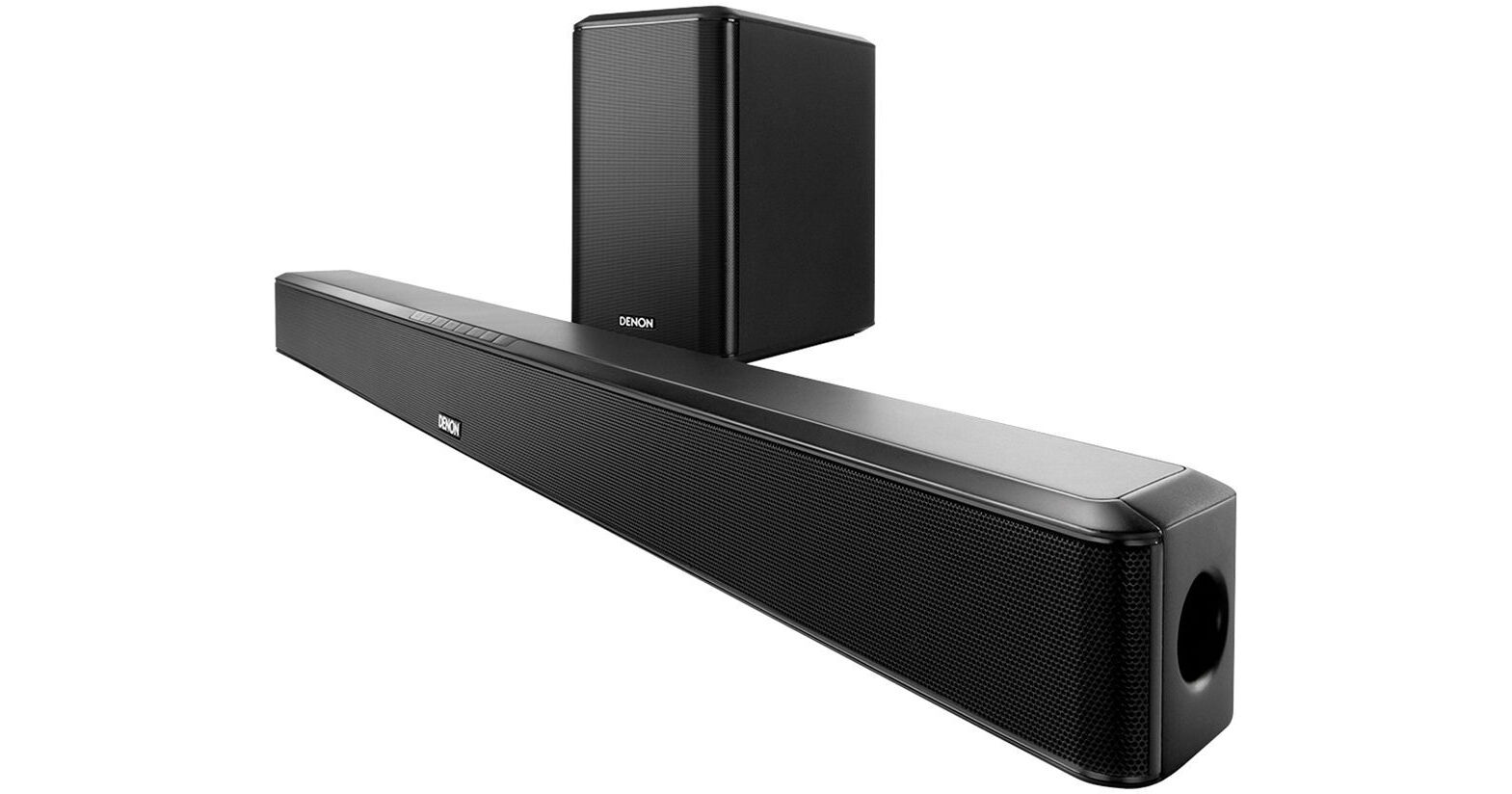
The Denon DHT-S514 Soundbar With Wireless Subwoofer is a 2.1-channel home audio system built for users who want clearer dialogue, stronger bass, and a cleaner TV setup without the complexity of a full surround system. With a slim soundbar, wireless subwoofer, and support for Dolby Digital and DTS decoding, it is designed to improve movie nights, sports viewing, and everyday TV audio while keeping cable clutter to a minimum.
This model is especially appealing to homeowners, apartment users, and anyone upgrading from basic built-in TV speakers. Its wireless subwoofer delivers deeper low-end performance for action scenes and music, while the soundbar’s compact profile makes it easy to place under most televisions. Common use cases include living rooms, media rooms, bedrooms, and secondary entertainment spaces where strong sound matters but space is limited. The soundbar also includes multiple connectivity options, making it compatible with many TVs and source devices through HDMI ARC, optical, coaxial, analog, and Bluetooth input support.
In current resale and remaining-stock markets, the Denon DHT-S514 typically appears in the estimated range of about $350 to $500 depending on condition, region, and seller availability. Because it is an older model, availability is often limited to clearance listings, refurbished units, and secondhand marketplaces rather than mainstream retail shelves. For buyers seeking a reliable budget-friendly soundbar with wireless bass expansion, the Denon DHT-S514 Soundbar With Wireless Subwoofer remains a practical and well-regarded option.
Specifications for Denon DHT-S514 Soundbar With Wireless Subwoofer
- System type: 2.1-channel soundbar with wireless active subwoofer
- Audio decoding: Dolby Digital and DTS support
- Soundbar design: Slim, wall-mount-friendly profile for flexible placement
- Soundbar drivers: Dual tweeters and dual midrange drivers for clearer vocals and wider front-stage sound
- Subwoofer: Wireless unit with dual 5.25-inch woofers and rear-port design for deeper bass
- Amplification: Around 49 watts RMS for the subwoofer section, with system output commonly listed near 100 to 175 watts depending on measurement method
- Connectivity: HDMI ARC, optical digital, coaxial digital, RCA analog, and Bluetooth
- Dimensions: Soundbar roughly 1004 x 79.4 x 78.3 mm; subwoofer roughly 171.5 x 313 x 346 mm
- Weight: Soundbar about 2.3 kg; subwoofer about 5.9 kg
- Performance focus: Strong dialogue reproduction, room-filling stereo width, and bass suited to TV and movie playback
- Comparison note: Compared with newer entry-level soundbars, it offers broader connection options and a more substantial wireless subwoofer, though it lacks modern smart features such as Wi-Fi streaming and voice assistant integration
Setup Guide for Denon DHT-S514 Soundbar With Wireless Subwoofer
Start by placing the soundbar centered below the television, leaving enough space for the TV’s remote sensor and any front-facing screen reflections. Position the wireless subwoofer near the front of the room, ideally within a clear line of sight to the soundbar if possible, and keep it away from corners if the bass sounds too boomy. Connect the soundbar to the TV using HDMI ARC for the simplest setup, or use the optical input if your TV does not support ARC.
After connecting the audio cable, plug in both units and power on the TV. Select the correct audio output setting in the TV menu, usually HDMI ARC or optical. If the subwoofer does not connect automatically, check that it is powered on and paired, then move it closer to the soundbar during the initial sync process. Use the Bluetooth input if you want to stream audio from a phone, tablet, or laptop.
For best results, test dialogue clarity, bass level, and volume balance before regular use. Safety precautions include keeping ventilation openings clear, avoiding placement near heat sources, and using only the supplied or compatible power adapters. If no sound is heard, verify the input source, cable seating, and TV audio output format. Avoid forcing connectors, and do not place the subwoofer where moisture, direct sunlight, or heavy vibration may damage the unit.
Troubleshooting Denon DHT-S514 Soundbar With Wireless Subwoofer Problems
One of the most common issues is no audio from the TV. In that case, confirm that the TV’s sound output is set to external speakers and that the soundbar is on the correct input. If HDMI ARC is used, make sure CEC/ARC is enabled in the TV settings. For optical connections, recheck both ends of the cable and verify that the TV is not outputting a format the soundbar cannot decode.
If the wireless subwoofer is not producing bass, check the power indicator, reset the pairing by powering both units off and on, and reduce the distance between them during reconnection. If sound is distorted or too quiet, lower the TV volume and use the soundbar as the main volume control. Bluetooth pairing failures are often fixed by clearing old pairings on the source device and reconnecting from scratch.
There are no widely used public error codes associated with this model, so troubleshooting is typically indicator-light and connection based. Preventive care includes keeping firmware-related TV settings compatible, avoiding cable strain, and cleaning dust from the vents. Warranty coverage depends on seller and region because many units are now sold outside original retail channels. For support, check the seller’s return policy, Denon’s regional support resources, or an authorized audio retailer for repair guidance and replacement parts.
Pros and Cons of the Denon DHT-S514 Soundbar With Wireless Subwoofer
Pros
- Strong bass performance from the wireless subwoofer, making action movies and music sound fuller
- Clear dialogue reproduction that helps with TV shows, sports, and news programming
- Multiple inputs, including HDMI ARC, optical, coaxial, analog, and Bluetooth
- Simple setup compared with larger home theater systems
- Compact design that fits well in smaller rooms and media cabinets
- Good value on the used and refurbished market for buyers who want a premium-feeling sound upgrade
Cons
- No Wi-Fi streaming, voice assistant support, or app-based control
- Older design with fewer modern smart-home features than newer soundbars
- Availability is limited because the model is discontinued or heavily reduced in retail channels
- Bluetooth performance is useful for casual listening but not a replacement for full home audio streaming systems
- Some alternatives may offer slimmer styling or virtual surround processing, though often with smaller subwoofers
Overall, the Denon DHT-S514 Soundbar With Wireless Subwoofer offers solid value for users who care more about sound quality and connection flexibility than smart features. Compared with newer budget soundbars, it feels more substantial in bass output, but it trades away current conveniences such as Wi-Fi, voice control, and mobile app tuning.
Customer Reviews of Denon DHT-S514 Soundbar With Wireless Subwoofer
Typical user feedback is positive, with many owners rating it around 4 out of 5 stars for sound clarity and bass impact. Reviewers frequently praise the easy setup, strong movie performance, and compact footprint. One common comment is that the wireless subwoofer makes a noticeable difference in action scenes and music playback without adding complicated wiring.
Frequent complaints focus on the lack of modern features, especially since this model predates smart soundbar trends. Some users also mention that Bluetooth is good for casual use but not ideal for advanced streaming needs. A common recommendation is to buy it if you want dependable TV audio improvement and are comfortable using a separate streaming device or smart TV platform.
For shoppers comparing older premium soundbars, this model is often viewed as a practical purchase when found at the right price. Buyers looking for a simple, powerful, and reliable upgrade from TV speakers will usually find it satisfying, especially if strong bass and clear dialogue are top priorities.
Faqs
How do I set up the denon DHT-S514 Soundbar With Wireless Subwoofer for the first time?
Why is my denon DHT-S514 Soundbar With Wireless Subwoofer not turning on?
How do I connect the denon DHT-S514 Soundbar With Wireless Subwoofer to a TV with HDMI ARC?
What should I do if the wireless subwoofer on the denon DHT-S514 Soundbar With Wireless Subwoofer is not pairing?
Can the denon DHT-S514 Soundbar With Wireless Subwoofer stream music from a phone or tablet?
Which TV sizes work best with the denon DHT-S514 Soundbar With Wireless Subwoofer?
How can I improve dialogue clarity on the denon DHT-S514 Soundbar With Wireless Subwoofer?
How do I maintain and clean the denon DHT-S514 Soundbar With Wireless Subwoofer safely?
More denon manuals
Leave a Comment