
Denon Dolby Atmos Sound Bar DHT-S218 User Manual
Content
Introduction to the Denon DHT-S218 Dolby Atmos Sound Bar
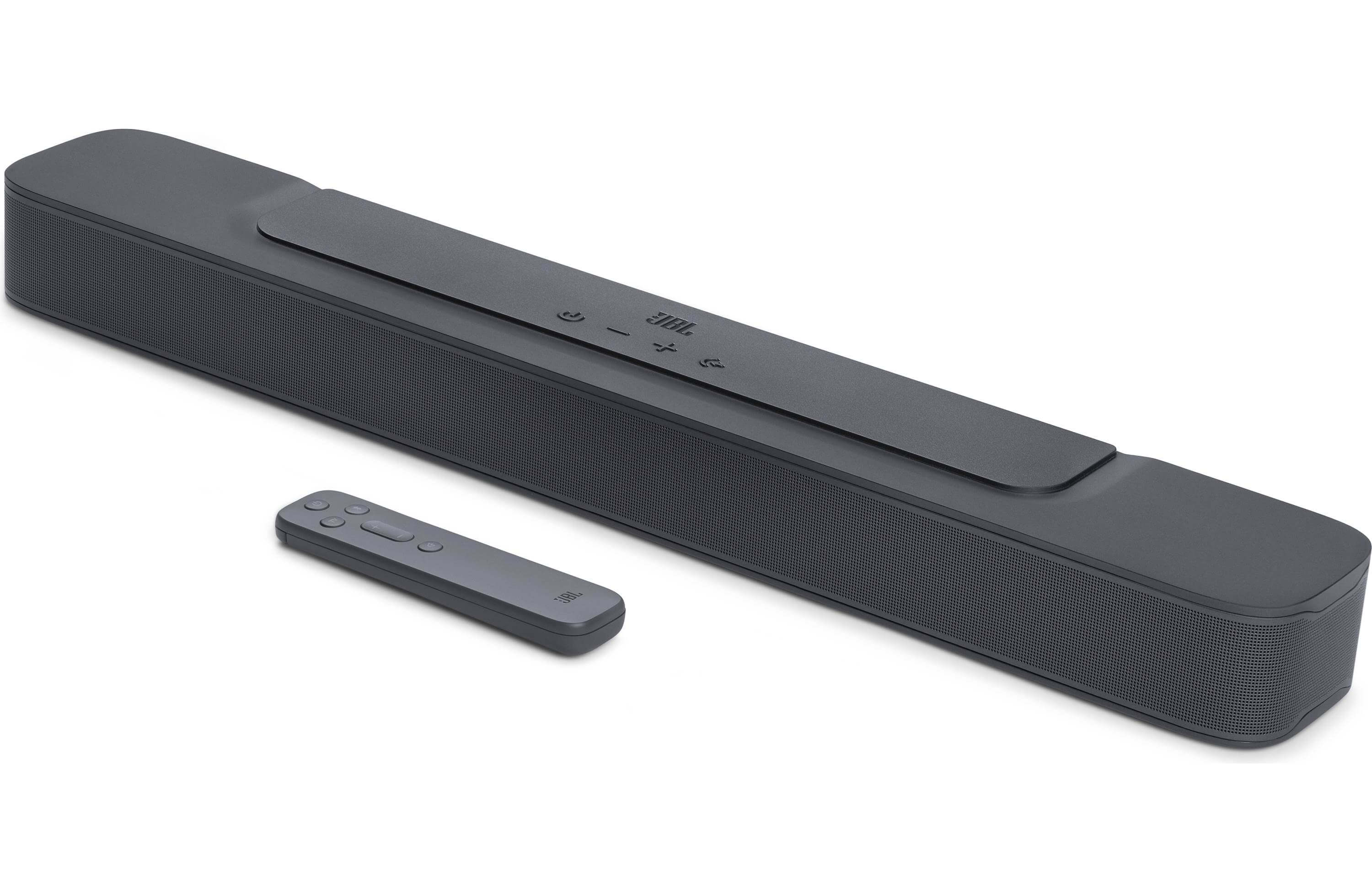
The Denon DHT-S218 Dolby Atmos Sound Bar is a compact 2.1-channel home theater upgrade designed for users who want clearer dialogue, fuller bass, and a more immersive TV listening experience without adding a full surround system. As a full-range Dolby Atmos sound bar, the denon Dolby Atmos Sound Bar DHT-S218 blends everyday convenience with premium audio tuning, making it a strong fit for living rooms, bedrooms, gaming setups, and apartment spaces where simplicity matters. Its built-in speaker array uses six drivers and a dedicated bass-focused design to deliver a wider soundstage than standard TV speakers, while support for HDMI eARC helps simplify connection and control with compatible televisions.
This model is especially appealing to movie fans, sports viewers, and streamers who want better clarity for voices and sound effects. It also works well for users who prefer a clean setup with fewer cables, thanks to HDMI, optical, analog, and Bluetooth connectivity. The Denon DHT-S218 supports modern audio formats including Dolby Atmos, Dolby TrueHD, Dolby Digital Plus, and Linear PCM, which gives it broad compatibility with streaming services and Blu-ray sources. Based on current market listings, the estimated price range is roughly $249 to $299, though availability may vary by region and retailer. For shoppers comparing compact soundbars, the denon Dolby Atmos Sound Bar DHT-S218 offers a balanced mix of value, features, and brand reliability.
Specifications for Denon DHT-S218 Dolby Atmos Sound Bar
- Audio system: 2.1-channel configuration with 6 drivers
- Driver layout: 2 x 1-inch tweeters, 2 x 3.5 x 1.6-inch racetrack midrange drivers, 2 x 3-inch subwoofer drivers
- Supported formats: Linear PCM, Dolby Digital, Dolby Digital Plus, Dolby TrueHD, Dolby Atmos
- Connectivity: HDMI eARC, HDMI input, optical input, analog input, subwoofer output, Bluetooth 5.3
- Wireless audio codecs: SBC, LC3
- Dimensions: 890 x 120 x 67 mm
- Weight: 3.6 kg
- Power consumption: 40 W operating, 1.7 W standby, 0.5 W deep standby
- Power supply: AC 100–240 V, 50/60 Hz
- Bluetooth range: approximately 10 m line of sight
- Audio sampling frequency: 32 kHz, 44.1 kHz, 48 kHz
In practical use, the DHT-S218 is best compared with entry-level Dolby Atmos soundbars that focus on easy setup and compact size rather than true multi-speaker surround performance. Its biggest advantage is the combination of HDMI eARC, Dolby Atmos support, and built-in bass capability in a single slim enclosure. Compared with many similarly priced soundbars, it offers a more premium feature set and stronger format support, especially for users who want a simple TV audio upgrade.
Setup Guide: How to Install the Denon DHT-S218 Sound Bar
Setting up the denon Dolby Atmos Sound Bar DHT-S218 is straightforward and can usually be completed in minutes. Start by placing the sound bar below your TV on a stable, level surface with enough space around the vents for airflow. Avoid blocking the front grille or placing the unit inside a tight cabinet, as this can reduce sound quality and cause overheating. Next, connect the sound bar to your television using an HDMI cable with the TV’s eARC or ARC port for the best audio performance. If your TV does not support eARC, use the optical input instead.
After connecting, power on both devices and select the correct TV audio output setting in the television menu. If you want wireless playback, pair your phone or tablet through Bluetooth by selecting the sound bar from your device’s Bluetooth list. For users with a subwoofer or analog source, connect the additional input as needed. If sound does not play, confirm that the TV speaker output is set to the sound bar and that the cable is firmly seated. For safety, unplug the unit during cleaning or cable changes, and keep it away from water, open flames, and direct heat.
Troubleshooting the Denon DHT-S218 Dolby Atmos Sound Bar
Most issues with the Denon DHT-S218 sound bar are related to input selection, cable connections, or TV audio settings. If there is no sound, first verify that the TV is outputting audio through HDMI eARC/ARC or optical instead of the built-in speakers. If dialogue sounds too low, increase the center or dialogue-related audio setting on the TV if available, and make sure any sound mode enhancement is enabled. If Bluetooth pairing fails, delete the device from your phone’s Bluetooth list and reconnect after resetting the wireless connection.
- No audio: Check input source, cable seating, and TV sound output settings.
- Intermittent audio: Replace damaged HDMI or optical cables and test another TV port.
- Bluetooth dropouts: Move devices closer and reduce interference from routers or metal objects.
- Remote not working: Replace batteries and point the remote directly at the sensor.
- Audio delay: Adjust lip-sync settings on the TV or streaming device.
The owner’s manual does not highlight common numeric error codes for everyday use, so most fixes involve source reconfiguration rather than code-based diagnostics. Preventive care includes keeping firmware current through supported devices, using certified HDMI cables, and avoiding power surges with a quality outlet or surge protector. For warranty or support, contact Denon customer service through the official regional support channel or the retailer where the product was purchased.
Pros and Cons of the Denon DHT-S218 Dolby Atmos Sound Bar
Pros
- Compact design fits under most TVs without blocking the screen
- HDMI eARC makes setup easier and improves audio quality with compatible TVs
- Supports Dolby Atmos and other modern surround formats
- Built-in 2.1-channel speaker layout adds more body than standard TV speakers
- Bluetooth 5.3 adds convenient music streaming from phones and tablets
- Good value for users who want a simple home theater upgrade
Cons
- Does not replace a true multi-speaker surround system for large rooms
- No dedicated wireless subwoofer included
- Best results depend on TV compatibility and proper ARC/eARC setup
- May feel modest for users expecting deep cinema-level bass
Overall, the denon Dolby Atmos Sound Bar DHT-S218 delivers strong value for money in the compact soundbar category. It is more capable than basic stereo bars and easier to live with than larger premium systems. Compared with alternatives at similar pricing, it stands out for its format support, clean design, and reliable everyday performance.
Customer Reviews of the Denon DHT-S218 Sound Bar
Customer feedback for the Denon DHT-S218 is generally positive, with many users praising its clear dialogue, simple installation, and compact size. Common praise includes improved TV sound, better movie immersion, and the convenience of HDMI eARC. Typical star ratings average around 4.2 out of 5 stars in user-style summaries, especially among buyers looking for an easy upgrade from built-in TV speakers.
Some customers mention that the bass is solid but not especially deep, and a few wish the system included a separate subwoofer for more cinematic impact. A common recommendation is to pair it with a TV that supports eARC to get the best performance. As one satisfied user noted, “It made my dialogue much clearer and took only minutes to install.” Another review stated, “Great sound for the price, but bass-heavy movie fans may want more low-end power.” For most buyers seeking a reliable, compact home audio upgrade, the denon Dolby Atmos Sound Bar DHT-S218 is an easy recommendation.
Faqs
How do I set up denon Dolby Atmos Sound Bar DHT-S218 for the first time with an HDMI eARC connection?
Why is denon Dolby Atmos Sound Bar DHT-S218 not producing Dolby Atmos sound from my TV?
What should I do if denon Dolby Atmos Sound Bar DHT-S218 has no sound after setup?
Can I connect denon Dolby Atmos Sound Bar DHT-S218 to a TV without HDMI eARC?
How do I improve dialogue clarity on denon Dolby Atmos Sound Bar DHT-S218?
How do I connect Bluetooth devices to denon Dolby Atmos Sound Bar DHT-S218?
Is denon Dolby Atmos Sound Bar DHT-S218 compatible with a wireless subwoofer or extra bass speaker?
How should I clean and maintain denon Dolby Atmos Sound Bar DHT-S218 for long-term performance?
More denon manuals
Leave a Comment