
Denon AVR-2106 AV Surround Receiver User Manual
Content
Denon AVR-2106 AV Surround Receiver: A Complete Buyer’s and Owner’s Guide
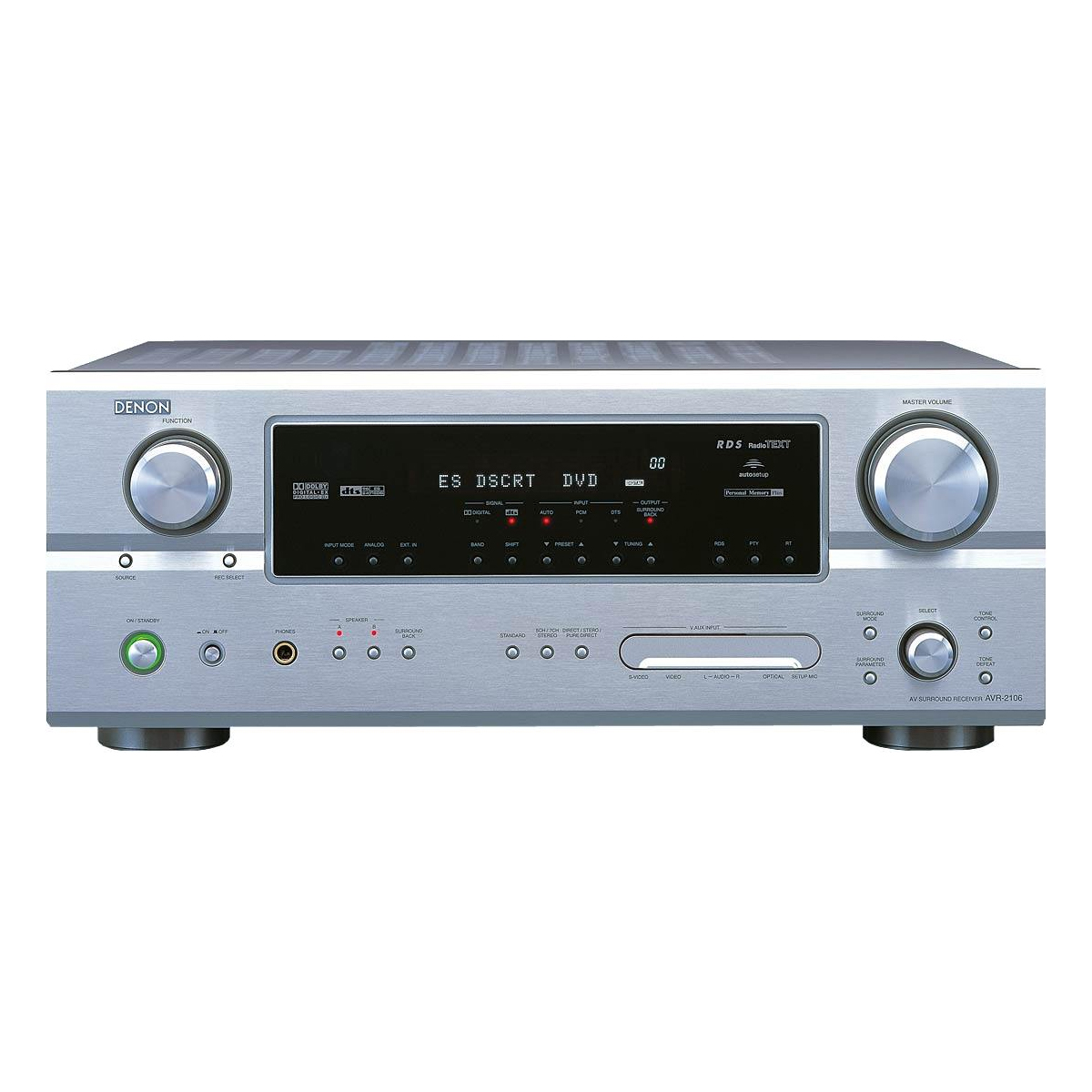
The Denon AVR-2106 AV Surround Receiver is a classic 7.1-channel home theater receiver designed for users who want strong performance, flexible connectivity, and reliable surround sound in a single unit. It delivers a balanced mix of power, legacy compatibility, and practical features, making it a smart fit for film fans, music listeners, and anyone building a versatile home entertainment system. With support for multiple analog and digital sources, component video switching, and Dolby/DTS surround formats, it remains a capable choice for mixed setups that include DVD players, gaming consoles, turntables, and older AV components.
One of the biggest strengths of the Denon AVR-2106 AV Surround Receiver is its well-rounded feature set for the era: 7.1-channel output, advanced audio processing, and extensive input options. It is especially appealing to users who need a receiver that can handle both stereo music and multi-channel cinema playback without excessive complexity. The unit is also known for its solid build quality, clean front-panel layout, and dependable daily operation.
As of 2026, the AVR-2106 is typically found on the used and refurbished market rather than as a current retail model. Estimated pricing usually falls in the budget-to-midrange vintage AV category, often ranging from about $80 to $250 depending on condition, accessories, and seller reputation. For buyers searching for a practical classic surround amplifier with Denon’s signature reputation, this model still offers compelling value.
Specifications: Denon AVR-2106 Technical Details
- Type: 7.1-channel AV surround receiver
- Power output: 90W per channel into 8 ohms, 20 Hz to 20 kHz, 0.08% THD
- Dynamic power: up to 120W x 2 channels into 8 ohms and 170W x 2 channels into 4 ohms
- Frequency response: 10 Hz to 100 kHz
- Total harmonic distortion: 0.08%
- Speaker impedance range: 6 ohms to 16 ohms
- Digital inputs: coaxial and optical connections
- Video switching: component, composite, and S-video support
- Audio inputs: multiple analog inputs, including phono for turntables
- Dimensions: approximately 434 x 171 x 417 mm
- Weight: about 12.8 to 13.3 kg depending on region
- Power consumption: 450W
Compared with entry-level AV receivers, the Denon AVR-2106 AV Surround Receiver offers stronger channel flexibility, better legacy connectivity, and more robust amplification. Against newer budget models, it lacks modern HDMI switching and current network features, but it remains highly competitive for users who prioritize analog inputs, surround expansion, and straightforward operation.
Detailed Description: How the Denon AVR-2106 Works in Real Home Theater Setups
The Denon AVR-2106 AV Surround Receiver functions as the central hub of a home entertainment system, taking audio and video signals from source devices and routing them to speakers and displays. It can decode surround formats such as Dolby Digital and DTS-based soundtracks, then distribute sound across front, center, surround, and surround-back speakers for an immersive listening experience. This makes it a practical solution for movie nights, gaming setups, and multi-source living room systems.
Its construction emphasizes durability and usability. The chassis is substantial, the front panel is cleanly arranged, and the controls are designed for quick access rather than clutter. Denon’s hardware approach gives the receiver a reassuringly solid feel, while the internal amplification is tuned for clear, controlled playback rather than exaggerated effects. In daily use, the receiver is easy to live with, especially for users who prefer physical inputs and a traditional remote-driven interface.
For real-world applications, this model works well with older DVD players, CD players, game consoles, tape decks, and turntables. It is particularly useful in mixed-format systems where modern and legacy equipment must coexist. Users often appreciate the receiver’s warm, stable sound character and its ability to handle both movie soundtracks and music with confidence.
Setup Guide: Installing and Configuring the Denon AVR-2106 AV Surround Receiver
- Place the receiver on a stable, well-ventilated shelf with several inches of open space above and around the unit.
- Connect your front left, center, front right, surround, and surround-back speakers to the correct terminals.
- Attach your source devices, such as a DVD player, CD player, gaming console, or turntable, using the appropriate analog, optical, coaxial, or phono input.
- Connect the video outputs to your television or projector using composite, S-video, or component connections as needed.
- Run the initial speaker setup and assign speaker sizes, distances, and levels through the receiver menu.
- Select the correct surround mode based on content, such as stereo, Dolby Digital, DTS, or multi-channel playback.
- Test each speaker channel individually to confirm proper wiring and polarity.
When configuring the system, start with simple settings and only add processing after confirming basic playback. If sound is missing, check input selection, speaker wire polarity, and source output settings. If the receiver overheats, increase ventilation and lower the listening level. For safety, disconnect power before wiring speakers or switching cables, and avoid shorting terminals. A properly set up Denon AVR-2106 AV Surround Receiver can be extremely reliable once the initial connections are correct.
Troubleshooting: Common Denon AVR-2106 Problems and Fixes
- No sound: confirm the correct input is selected, check speaker connections, and verify the source device is sending audio.
- One channel missing: inspect the speaker wire, swap the cable to isolate the issue, and test the receiver output with another speaker.
- Distorted audio: reduce volume, confirm speakers match the impedance range, and make sure no wires are touching.
- Receiver shuts down: inspect ventilation, remove shorted speaker cables, and allow the unit to cool before restarting.
- No video on display: verify the selected video input and match the cable type to the source and TV input.
- Hum or noise from turntable: ensure the phono ground connection is secure and keep audio cables away from power cords.
This model does not rely on modern on-screen error codes in the way newer network receivers do, so most issues are resolved through input checks, wiring inspection, and speaker setup verification. Preventive care includes regular dust removal, good airflow, and careful cable management. For service support, buyers of used units should contact Denon support through the official brand service channels or work with a qualified vintage audio technician if repairs are needed.
Pros and Cons of the Denon AVR-2106 AV Surround Receiver
Pros
- Strong 7.1-channel flexibility for surround sound expansion
- Good power output for medium-sized home theater rooms
- Excellent legacy connectivity, including phono and multiple video formats
- Solid build quality and dependable daily operation
- Good value on the used market for budget-conscious buyers
- Works well with older audio and video components
Cons
- No HDMI switching, which limits modern source integration
- No streaming or network features
- Heavier and larger than many modern compact receivers
- Less convenient for users who want automatic calibration and smart-home integration
- Best suited to legacy and mixed systems rather than current 4K setups
Overall, the Denon AVR-2106 AV Surround Receiver offers strong value for users who want a classic, feature-rich receiver at a low used price. Compared with newer alternatives, it is less modern but often more practical for analog-heavy systems and traditional home theater use.
Customer Reviews: What Owners Say About the Denon AVR-2106
Owner feedback on the Denon AVR-2106 AV Surround Receiver is generally positive, with many users praising its solid sound quality, reliable amplification, and wide input selection. Common ratings often fall around 4 out of 5 stars in user communities for vintage AV gear.
- "Excellent for DVD and CD playback, with plenty of power for my living room."
- "The phono input was a big reason I bought it, and it works great with my turntable."
- "A bit large and old-fashioned, but the sound is still impressive."
Common complaints usually focus on the lack of HDMI, the absence of modern streaming options, and the age of the unit in current setups. Buyers who want a straightforward surround receiver for legacy equipment often recommend it, while those building a new 4K or wireless system usually look elsewhere. For the right user, it remains a smart, practical purchase.
Faqs
How do I set up the denon AVR-2106 AV Surround Receiver for the first time?
Why is my denon AVR-2106 AV Surround Receiver not producing sound on all speakers?
Which audio and video devices are compatible with the denon AVR-2106 AV Surround Receiver?
How do I optimize surround sound performance on the denon AVR-2106 AV Surround Receiver?
What should I check if the denon AVR-2106 AV Surround Receiver overheats or shuts down?
How do I connect a turntable to the denon AVR-2106 AV Surround Receiver?
Can the denon AVR-2106 AV Surround Receiver be used in a dual-room setup?
How should I maintain and clean the denon AVR-2106 AV Surround Receiver for long-term use?
More denon manuals
- Denon AVR-S660H Network Av Receiver User Manual
- Denon DHT-S514 Soundbar With Wireless Subwoofer User Manual
- Denon Dolby Atmos Sound Bar DHT-S218 User Manual
- Denon AVR-486 Av Surround Receiver User Manual
- Denon AVR-X6800H Network Av Receiver User Manual
- Denon DRA-FIOO Personal Component System User Manual
Leave a Comment