
Usage: Hive Thermostat Mini User Manual
Content
Hive Thermostat Mini
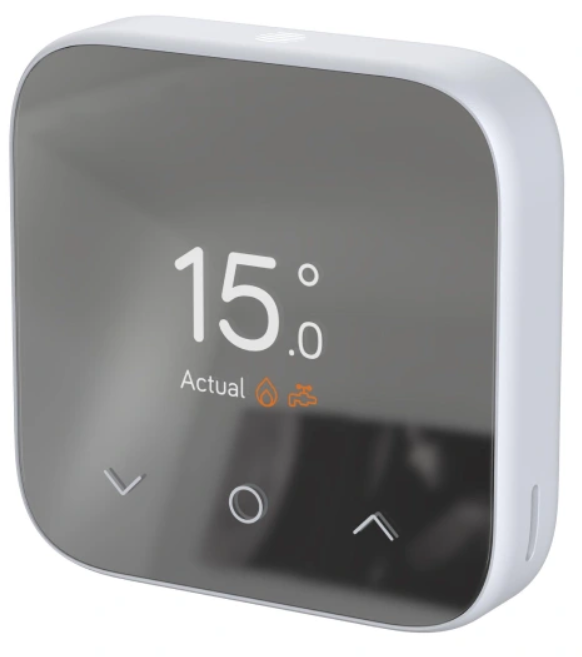
Introduction
The Hive Thermostat Mini is a compact, affordable smart thermostat designed to give homeowners complete control over their heating and hot water systems. With its sleek, minimalist design and intuitive interface, the Hive Thermostat Mini blends seamlessly into any home décor while offering advanced features like remote app control, geolocation reminders, and voice integration. Whether you're a tech-savvy homeowner or simply looking to save on energy bills, this device is ideal for anyone seeking a smarter, more efficient way to manage their home's climate.
Key benefits include instant alerts if you leave the heating on, frost protection to prevent frozen pipes, and the ability to create custom schedules for heating and hot water. The Hive Thermostat Mini is compatible with most gas, LPG, oil, and electric boilers, making it a versatile choice for a wide range of households. It also supports multi-zone heating, allowing up to six thermostats to be managed from a single app. Priced between £119 and £145, the Hive Thermostat Mini is widely available from major retailers and online stores, offering excellent value for money.
Specifications and Features
- Dimensions: 84mm (W) x 83mm (H) x 22mm (D)
- Weight: 132g (including batteries)
- Power Supply: 4 x AAA batteries (included)
- Temperature Range: 5°C to 32°C
- Receiver: 90mm (W) x 90mm (H) x 36.8mm (D), 230V mains
- Compatibility: Most gas, LPG, oil, and electric boilers
- Connectivity: Wi-Fi, Bluetooth, Hive app, Alexa, Google Assistant, Apple HomeKit, Siri Shortcuts
- Features: Remote control, geolocation, frost protection, holiday mode, multi-zone support, interactive interface, app scheduling, voice control
- Performance: Energy-saving schedules, instant alerts, automatic frost protection, up to six daily schedules
Compared to similar smart thermostats, the Hive Thermostat Mini stands out for its compact size, ease of installation, and robust feature set, making it a top choice for homeowners seeking a reliable and user-friendly smart heating solution.
OVERVIEW
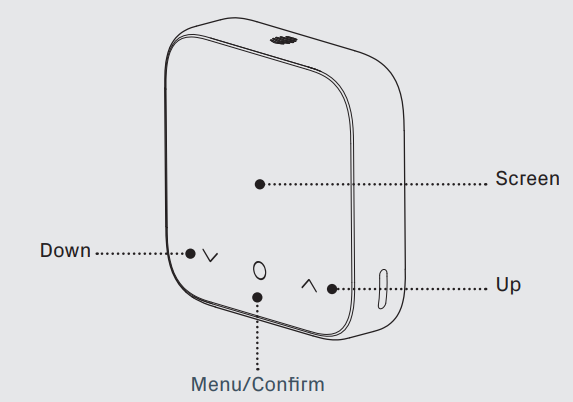
Hot tip: For help controlling your heating and hot water remotely, visit hivehome.com
Setup Guide for Hive Thermostat Mini
How to change the temperature:
- Tap the up arrow to increase the target temperature
- Your heating will come on if the target temperature is above the actual temperature (you’ll see
 when the heating is on)
 - Tap the down arrow to lower the target temperature
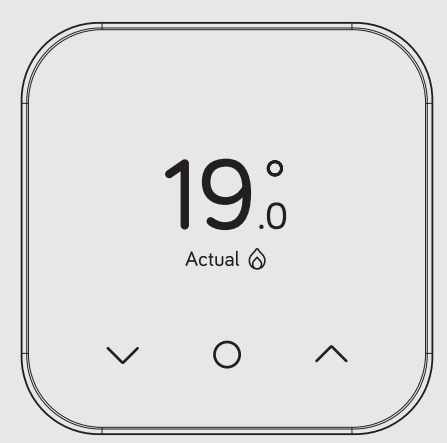
Heating
How to change mode:
Your thermostat has 4 heating modes: Schedule, Manual, Boost and Off
- Tap any icon to wake up the thermostat
- Once the screen turns on, press the Menu/Confirm icon

- Here you’ll see the different modes: Schedule, Manual, Boost and Off (if you have Heating & Hot Water, you will first be presented with a screen to choose Function Heating Hot Water. Use or to select the function and tap on Menu/Confirm to select)
- Select the mode you want by using
 the up or down arrow and tapping the Menu/Confirm icon to confirm selection
- Schedule allows your heating to turn on and off based on occupancy,, and can reduce energy consumption
- The manual makes sure your home maintains a constant temperature
- Boost increases your heating for a set amount of time, chosen. Off leaves your heating in Frost Protection – so your heating will only come on if your home drops below 7 °C. You’ll see on the screen to remind you that Frost Protection is enabled.
Setting up a heating schedule:
- To set up your heating schedule for the Hive Thermostat Mini, you will need to do so via the app.
- To view our help article on setting up schedules for heating and hot water via the Hive app, this can be found under the support section of our website, or directly at the link below:
Hot water
How to change mode:
Hot water features are not shown on combi boilers (boilers without a separate hot water tank) as they automatically heat water when it’s needed.
How to turn your hot water on or off:
- Wake your thermostat by tapping any of the icons on the screen
- Once the screen turns on, press the Menu/Confirm icon
- Use the icon to choose between Heating & Hot Water function, then tap Menu/Confirm to select HotWater
- Choose between On, Schedule, Boost or Off using the icon
- Tap Menu/Confirm to confirm.
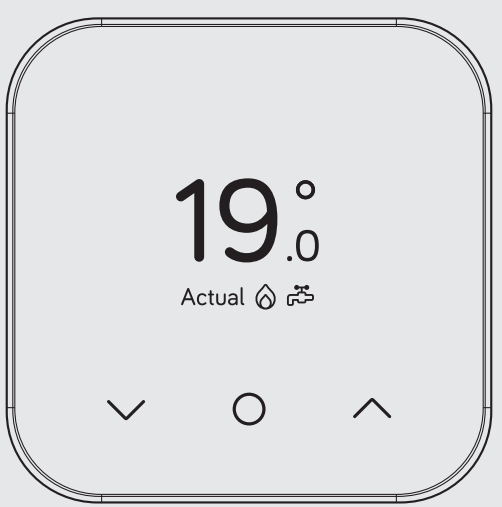
Hot tip: If you only want hot water at certain times of the day, using Schedule mode could be more energy efficient.
Setting up a new hot water schedule:
- To set up your Hot Water schedule for the Hive Thermostat Mini, you will need to do so via the app.
- To view our help article on setting up schedules for heating and hot water via the Hive app, this can be found under the support section of our website, or directly at the link below:
- https://community.hivehome.com/s/article/How-do-I-set-up-heating-and-hot-water-schedules-using-the-Hive-app
How to boost your heating or hot water for a short time:
- On the Hive Thermostat Mini, you can send a boost command through your Hive app, ranging from 15 minutes right up to 6 hours.
- You can also boost directly from your Hive Thermostat Mini device for a duration ranging from 15 minutes up to 6 hours.
- Once the set boost duration has finished, your thermostat will resume its previous setting of either manual set temperature, schedule, or off in frost protection mode.
- You can find out more about our boost functionality in the app here:
Hive Multizone
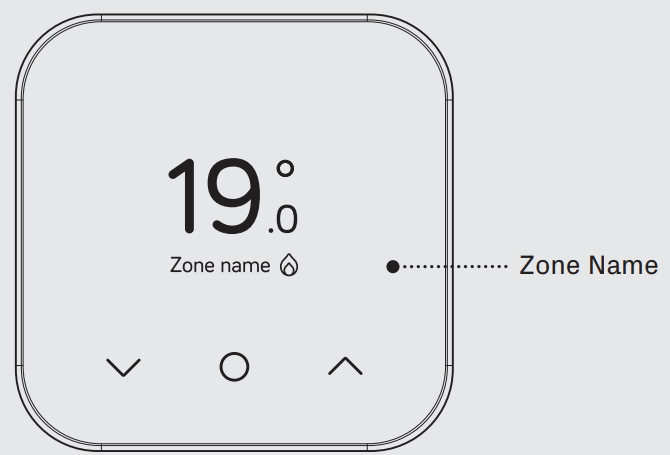
- Multizone lets you control existing plumbed heating zones in your home. Each zone needs its own Hive thermostat and receiver.
- If you are a Hive Multizone customer, to change the zone name of each thermostat, log in to the Hive aptapap manage>Devices> tap on your thermostat>rename device.
Troubleshooting Common Issues
If you need to identify which of your Hive thermostats belongs to which receiver, follow these steps:
- Turn the heating off in every zone using the app or thermostats
- When you look at the receiver,, rs the ‘central heating’ light should be switched off on each receiver
- Turn the heating on in one zone only by using the app or thermostat. The ‘central heating’ light on one receiver will turn green, showing that this thermostat is paired to this receiver.
- Repeat these steps to identify which receivers your other thermostats are paired with.
For more information on Hive Multizone, please visit hivehome.com/support
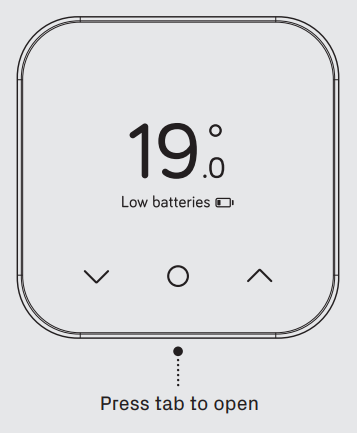
- A red battery means your batteries need to be replaced with four new AAA batteries.
How to change the batteries:
- Pull the front of the Thermostat away from the backplate
- Lift your thermostat off the hooks that hold it against the wall and turn it over to access the batteries
- Simply pop the batteries out and put the new ones in
- Re-hook the top of your thermostat and then press the bottom until it clicks to secure it to the wall
No signal
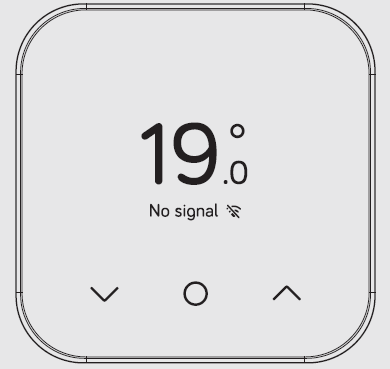
- If this message shows along with this symbol, it means your thermostat and receiver aren’t communicating.
- For more information, visit hivehome.com/support. Alternatively, you can find more advice in the Hive app
- Hot tip: Even without a signal, you can still manually switch your heating and hot water on and off by pressing the buttons on the Hive receiver (usually beside your boiler) when its ‘Status’ light is red.
Preventive measures: Regularly update the Hive app, keep the thermostat clean, and ensure firmware is up to date. The Hive Thermostat Mini comes with a standard warranty; for support, contact Hive customer service via their website or app. Error codes and detailed troubleshooting guides are available in the app and online.
Pros and Cons of the Hive Thermostat Mini
Pros
- Compact and stylish design
- Easy installation and setup
- Remote control via Hive app
- Geolocation and frost protection
- Compatible with most boiler types
- Affordable price point
Cons
- Limited advanced features compared to premium models
- Requires a stable Wi-Fi connection
- Some users report occasional connectivity issues
The Hive Thermostat Mini offers excellent value for money, especially for those new to smart thermostats or looking for a simple, reliable solution.
Customer Reviews and Testimonials
The Hive Thermostat Mini has received positive feedback from users, with an average rating of 8/10. Customers praise its ease of use, energy-saving features, and reliable performance. Common praises include the intuitive app interface, effective geolocation reminders, and frost protection. Some users mention occasional connectivity issues and the need for a strong Wi-Fi signal. Overall, the Hive Thermostat Mini is recommended for homeowners seeking a cost-effective, user-friendly smart thermostat.
Faqs
How do I set up the Hive Thermostat Mini for the first time?
What should I do if my Hive Thermostat Mini is not connecting to the receiver?
Can I control hot water with the Hive Thermostat Mini?
Is the Hive Thermostat Mini compatible with combi boilers and traditional heating systems?
How do I perform a factory reset on the Hive Thermostat Mini?
Where should I install the Hive Thermostat Mini for best performance?
How often should I maintain or replace batteries in the Hive Thermostat Mini?
Can I use the Hive Thermostat Mini without Wi-Fi or a smartphone?
Tags
More hive manuals
- Setup: Hive Active Heating Thermostat User Manual
- Setup: Hive Active Heating Wired Thermostat User Manual
- Usage: Hive Active Heating™ Thermostat User Manual
- Usage : Hive Sync Energy Wall Charger 2 User Manual
- Setup: Hive EO Mini Pro 3 EV Charger User Manual
- Setup & Pairing: Hive View Smart Indoor Camera User Manual
Leave a Comment