
Pairing: Honeywell T5+ Smart Programmable Thermostat User Manual
Content
Honeywell T5+ Smart Programmable Thermostat
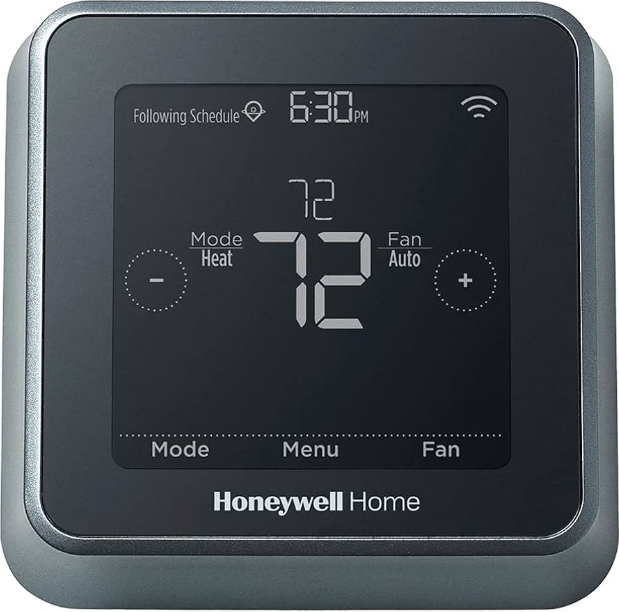
Introduction
The Honeywell T5+ Smart Programmable Thermostat is an advanced home temperature control device designed to deliver comfort, convenience, and energy savings tailored to modern lifestyles. Equipped with intelligent scheduling and location-based technology, this thermostat adapts to your daily routines by learning your heating and cooling preferences and automatically adjusting the temperature for optimal efficiency and comfort.
Key benefits include its 7-day flexible scheduling, geofencing capability that senses when you are home or away, and Smart Response technology that anticipates your HVAC system’s cycle times for precise temperature control. Its user-friendly touchscreen interface and compatibility with both Android and iOS devices make remote management effortless, enabling you to control the thermostat from anywhere via Wi-Fi.
Ideal for homeowners looking to reduce energy consumption without sacrificing comfort, the Honeywell T5+ also suits renters or those upgrading from traditional thermostats to a smarter solution. It supports a wide range of HVAC systems, including furnaces, heat pumps, and central air conditioning.
Available through major retailers and online marketplaces, the Honeywell T5+ typically ranges from $120 to $160,, depending on the vendor and promotions. This thermostat offers a compelling combination of smart home integration, energy-saving features, and ease of use, making it a standout choice in the smart thermostat market.
Specifications of Honeywell T5+ Smart Programmable Thermostat
- Model Number: RCHT8612WF2005
- Compatibility: Works with most 24V heating and cooling systems,, including single and multi-stage furnaces, heat pumps (with or without auxiliary/emergency heat), central air conditioners, and hot water/steam systems
- Power Requirements: Requires C-wire for continuous power (24 VAC)
- Display: Color touchscreen with backlit interface supporting Fahrenheit and Celsius
- Scheduling: 7-day flexible programming with location-based scheduling (geofencing)
- Smart Features: Smart Response learning, Auto Change from Heat to Cool, Alerts and reminders for maintenance
- Connectivity: Wi-Fi enabled for remote control via the Honeywell Home app on Android and iOS
- Energy Efficiency: ENERGY STAR certified, providing energy usage reports and savings estimates
- Dimensions: Compact design suitable for most standard thermostat wall openings
- Warranty: 2-year limited manufacturer warranty
Compared to similar models, the Honeywell T5+ stands out for its robust geofencing technology and smart scheduling capabilities beyond basic programmable thermostats like the Honeywell RTH7560E, which lacks Wi-Fi and location awareness.
Included in your box
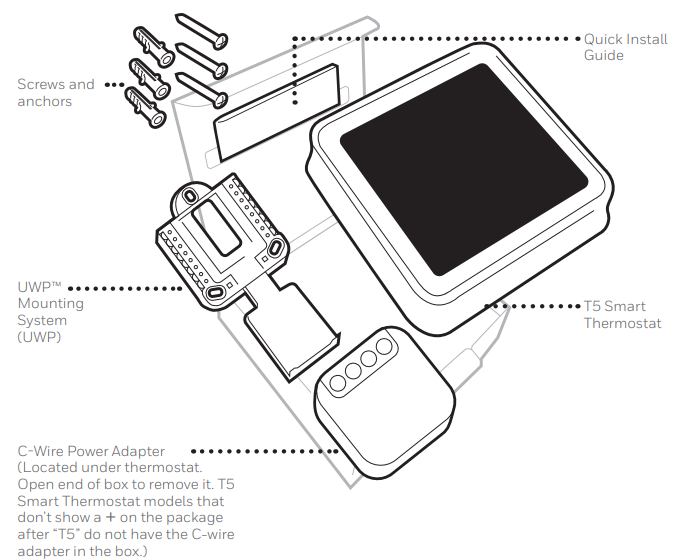
Tools you will need:
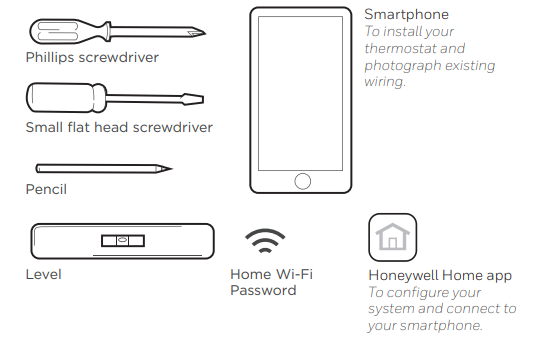
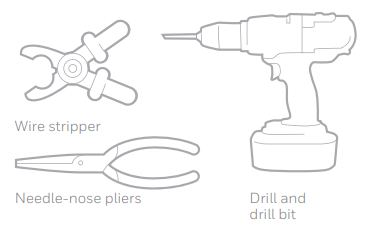
You may need:
Compatibility
- Compatible with most heating, cooling, and heat pump systems
- Required: 24 VAC power (“C” wire). C-Wire Power Adapter Included to provide power if needed
- Does not work with electric baseboard heat (120-240V)
- Does not work with mV systems
- Does not support input (S terminals) for indoor and outdoor sensors
- Does not support relay (U terminals) for ventilation
- Android or iOS smartphone, tablet, or device
Installing your T5 Smart Thermostat
Set up with the Honeywell Home App
Start Setup with the app Touch START SETUP on the thermostat.
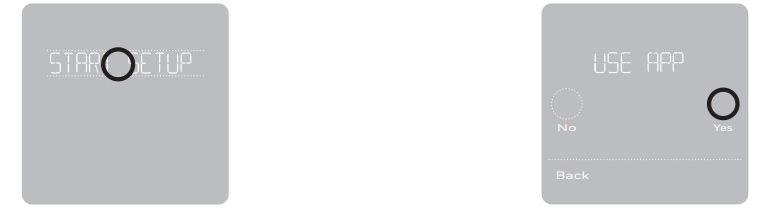
- Select to set up with the app,, Touch Yes on the USE APP screen.
- Your thermostat is now ready to be configured using the Honeywell Home app
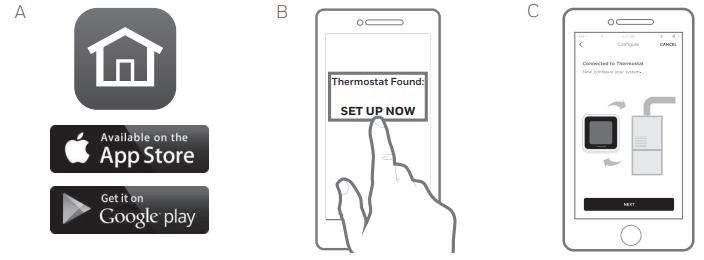
- Download the “Honeywell Home” app from the App Store or Google Play.
- Open the Honeywell Home app. Your thermostat should appear under Thermostat Found. Tap SET UP NOW as shown below to continue. If your thermostat doesn’t appear, create an account (if necessary), or sign in to your Honeywell Home account. Then select the T5 Smart Thermostat to install.
- The Honeywell Home app will walk you through the rest of the setup.
Setup Guide for Honeywell T5+ Smart Programmable Thermostat
- Check Compatibility: Ensure your HVAC system supports the Honeywell T5+ and confirm you have a C-wire for power connection.
- Turn Off Power: Before installation, switch off power to your HVAC system to prevent damage or electrical shock.
- Remove Old Thermostat: Carefully detach your existing thermostat, noting wire connections or labeling wires for reference.
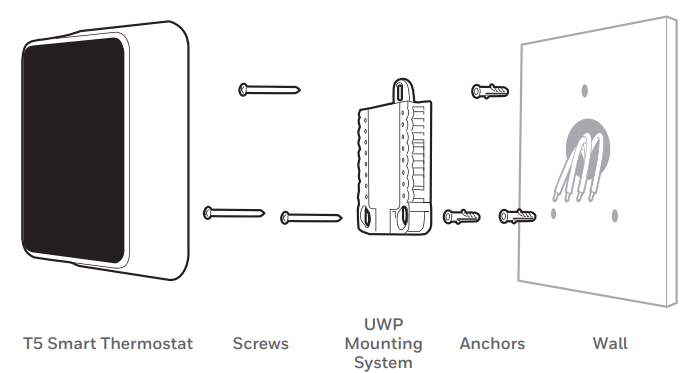
- Mount the T5+ Thermostat: Attach the included UWP mounting system and connect the wires according to the labeled terminals.
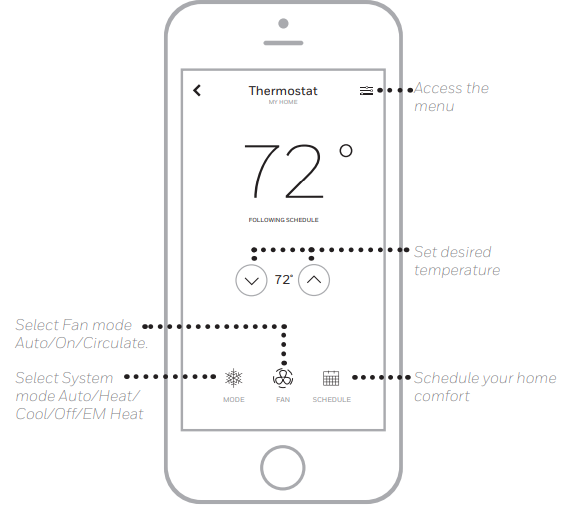
- Power On and Configure: Restore power and follow the on-screen prompts to select your system type, set desired temperature ranges, and configure fan settings.
- Connect to Wi-Fi: Use the touchscreen to connect the thermostat to your home Wi-Fi network for remote control.
- Download App and Pair: Install the Honeywell Home app on your smartphone, create an account, and pair your thermostat via the app for full functionality.
- Customize Schedule: Use either the thermostat interface or the app to program your weekly temperature preferences or enable location-based scheduling for automatic adjustments.
- Safety Precautions: Always turn off the HVAC system power before installation. Consult a professional if unsure about wiring or system compatibility to avoid damage or voiding the warranty.
How to use your Honeywell Home App
How to use your T5 Smart Thermostat
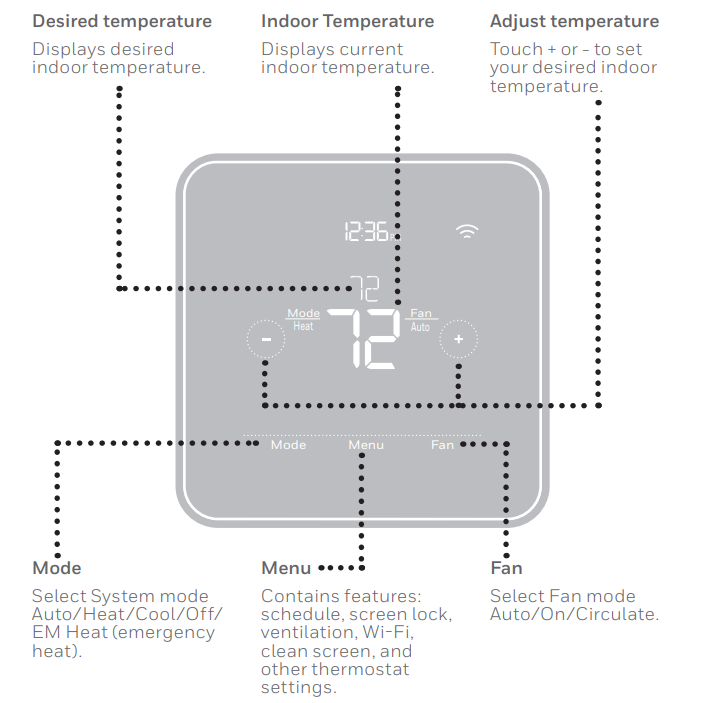
Troubleshooting Honeywell T5+ Smart Programmable Thermostat
Troubleshooting Tips: If the thermostat fails to power on, verify the C-wire connection and the power supply. For Wi-Fi issues, restart your router or reset the thermostat’s network settings. Avoid installing in direct sunlight or near heat sources for accurate temperature sensing.
- No Power to Thermostat: Confirm C-wire connectivity and circuit breaker status. Use a voltage tester if necessary.
- Wi-Fi Connection Failure: Reset thermostat network settings, ensure router is operational, and be within Wi-Fi range.
- Incorrect Temperature Reading: Check thermostat placement, away from drafts, direct sunlight, or heat sources.
- HVAC System Not Responding: Confirm wiring accuracy and system compatibility in settings. Reset thermostat if needed.
- Error Codes: Refer to the user manual for specific codes; common fixes include rebooting or reconfiguring the HVAC equipment type.
Preventive Measures: Regularly update the thermostat firmware via the app, clean sensors gently, and review alerts sent by the device to maintain optimal performance.
Warranty & Support: Honeywell offers a 2-year limited warranty on the T5+ thermostat. For support, contact Honeywell customer service or visit their official website for troubleshooting resources and live chat assistance.
2-Year Limited Warranty
For Warranty information, go to resideo.com
Pros & Cons of Honeywell T5+ Smart Programmable Thermostat
- Pros:
- Easy installation with clear wiring guides and mounting system
- Flexible 7-day scheduling and geofencing for energy savings
- Smart Response learning adapts to your HVAC cycle times
- Wi-Fi connectivity allows remote control via a mobile app
- Energy Star certified, helping reduce utility bills
- Compatible with a wide range of HVAC systems
- Cons:
- Requires a C-wire, which may necessitate additional wiring for some homes
- Limited compatibility with electric baseboard heating systems
- A touchscreen can be less intuitive for users who prefer physical buttons
- Relies on a stable Wi-Fi connection for full smart features
- Value for Money: Offers strong features for the price range of $120-$160, making it competitive against alternatives like Nest and Ecobee models, especially for users seeking energy savings and location-based controls without premium price tags.
Customer Reviews of Honeywell T5+ Smart Programmable Thermostat
Customers frequently praise the Honeywell T5+ for its simple installation process and intuitive touchscreen interface. Many highlight the convenience of remotely adjusting their home temperature and the noticeable energy savings thanks to the smart scheduling and geofencing features.
Common complaints include the need for a C-wire, which some users found challenging to install without professional help, and occasional Wi-Fi connectivity drops requiring resets. The thermostat receives an average rating of 4.5 out of 5 stars across multiple retailers, reflecting solid overall satisfaction.
Users recommend this thermostat for those upgrading from manual or basic programmable models and for energy-conscious homeowners looking for reliable smart home integration. Frequent issues are addressed through firmware updates and responsive customer support from Honeywell, enhancing user confidence in the product.
Faqs
How do I set up my honeywell T5+ Smart Programmable Thermostat for the first time?
What should I do if my honeywell T5+ Smart Programmable Thermostat is not connecting to Wi-Fi?
Can the honeywell T5+ Smart Programmable Thermostat control multi-stage heating and cooling systems?
How do I reconfigure system settings on my honeywell T5+ Smart Programmable Thermostat after installation?
Is the honeywell T5+ Smart Programmable Thermostat compatible with common HVAC systems?
How can I optimize energy savings using the honeywell T5+ Smart Programmable Thermostat features?
What maintenance is required for the honeywell T5+ Smart Programmable Thermostat?
How do I troubleshoot common display or response issues on the honeywell T5+ Smart Programmable Thermostat?
More honeywell manuals
- Setup: Honeywell T4 Pro Programmable Thermostat User Manual
- Setup & Pairing: Honeywell T9 Smart Thermostat with Smart Room Sensor User Manual
- Setup: Honeywell T10 & T10+ Pro Smart Thermostat with RedLINK 3.0 User Manual
- Setup: Honeywell C1 Wi-Fi Security Camera CHC8080W User Manual
- Setup & Features: Honeywell UtilityPROTM Series Touchscreen Programmable Demand Control Thermostat Owner Manual
- Pairing : Honeywell Portable Wireless Doorbell RDWL917AX2000 User Manual
Leave a Comment