
Hp 8540p EliteBook User Manual
Content
HP EliteBook 8540p Product Manual and Guide
Introduction
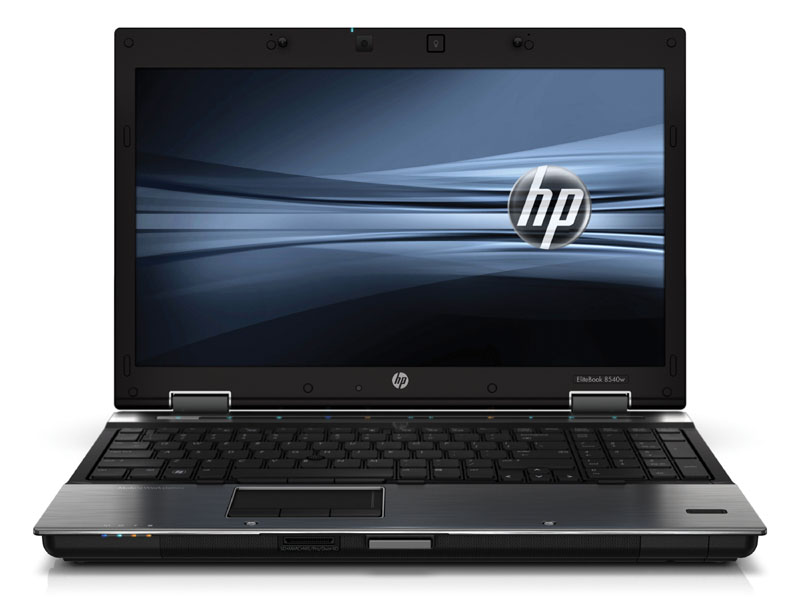
The HP 8540p EliteBook is a business-class 15.6-inch notebook designed for professionals who need dependable performance, strong security features, and a durable chassis. Built for office productivity, field work, and legacy business applications, this EliteBook model remains popular among users who value serviceability, keyboard comfort, and practical expandability. Its magnesium-reinforced design, anti-glare display options, and enterprise-focused hardware make it a solid choice for users who want a classic work laptop rather than a thin consumer notebook.
Typical configurations include Intel Core i5 or Core i7 first-generation processors, DDR3 memory, NVIDIA NVS business graphics, and storage options ranging from traditional hard drives to solid-state drives. The machine is especially well-suited for document editing, web browsing, accounting software, remote administration, and light multimedia work. It is not intended for modern gaming or demanding creative workloads, but it still offers reliable day-to-day usability when upgraded with an SSD and more RAM.
As of 2026, the HP 8540p EliteBook is generally found on the used and refurbished market rather than through new retail channels. Estimated pricing usually falls in the budget range, depending on condition, battery health, memory, and storage upgrades. Buyers can often find units between low-cost refurbished listings and higher-priced fully upgraded models, making it appealing for students, technicians, and small businesses seeking affordable enterprise hardware.
Specifications
- Display: 15.6-inch LED-backlit anti-glare panel with HD 1366 x 768 or HD+ 1600 x 900 resolution.
- Processor options: Intel Core i5 and Core i7 first-generation mobile CPUs, including dual-core business-class models.
- Memory: DDR3 RAM with expandable support up to 8 GB or higher depending on configuration and system support.
- Graphics: NVIDIA NVS 5100M discrete graphics on selected models for business display performance and multi-monitor use.
- Storage: 2.5-inch SATA hard drive support, with some configurations offering SSD compatibility for much faster boot times.
- Connectivity: Gigabit Ethernet, Wi-Fi, Bluetooth, USB ports, VGA, DisplayPort, and legacy expansion options.
- Build: Business-grade chassis with a rugged design, spill-resistant keyboard, and strong service access panels.
- Performance note: Compared with ultrabooks and modern thin laptops, the HP 8540p EliteBook is slower on raw speed but remains highly serviceable and upgrade-friendly.
In practical use, an SSD upgrade delivers the biggest performance gain, especially when paired with 4 GB to 8 GB of RAM. For users comparing it with similar enterprise laptops, the 8540p stands out for its robust build quality and maintenance-friendly design, though newer business notebooks provide better battery life and lighter weight.
Troubleshooting
- Power not turning on: Check the AC adapter, battery seating, and power button response. Try booting on AC power only.
- Black screen or no display: Reseat memory modules, connect an external monitor, and test brightness controls.
- Slow startup: Replace the mechanical hard drive with an SSD and reduce startup programs.
- Overheating or loud fan: Clean dust from vents, replace thermal paste if needed, and use on a hard surface.
- Wireless not working: Confirm the wireless switch is enabled and reinstall the network driver if the adapter is missing.
- Battery charging issues: Inspect the charger, battery contacts, and battery wear level; old batteries often need replacement.
- Error codes: POST beeps or startup diagnostics usually indicate memory, storage, or thermal faults; note the pattern and test components one at a time.
Preventive care helps avoid most problems. Keep vents clear, update firmware when available, use a quality charger, and back up data regularly. For warranty or support, refurbished units may be covered by the seller rather than HP, so check the purchase terms carefully. For help, contact HP Support through the official support portal, or use the diagnostics tools built into the system if available.
Pros & Cons
Pros
- Strong business-grade build quality with a durable, professional chassis.
- Excellent keyboard and comfortable typing experience for long work sessions.
- Easy to service, upgrade, and maintain compared with many modern laptops.
- Good value for money on the refurbished market, especially with SSD upgrades.
- Useful legacy ports for office equipment, docking, and external displays.
Cons
- Heavy and bulky compared with modern portable notebooks.
- Older processors limit performance for demanding apps and multitasking.
- Battery life is weaker than newer business laptops.
- Used units may have worn batteries, hinges, or keyboards.
- Less suitable than newer alternatives for video editing, gaming, or modern creative work.
Overall, the HP 8540p EliteBook offers strong value for buyers who need a reliable work machine at a low cost. It compares well with other older enterprise laptops, but modern budget notebooks are better for portability and efficiency.
Customer Reviews
Typical user feedback for the HP 8540p EliteBook is mixed but positive for its category. Many owners rate it around 4 out of 5 stars for durability, keyboard quality, and upgradeability. Users frequently praise the sturdy construction, bright anti-glare screen, and dependable performance after an SSD upgrade. Common complaints include fan noise, battery wear, and the weight of the laptop.
One frequent comment is that the machine feels “built like a tank” and remains useful for office tasks years after release. Another common note is that it becomes much faster once storage is upgraded. Buyers looking for a cheap, dependable Windows laptop often recommend it, while users wanting modern portability usually prefer a newer model. Frequent issues reported by reviewers include old batteries, worn hinges, and aging thermal performance.
Faqs
How do I set up hp 8540p EliteBook for the first time after purchase or reset?
What should I do if my hp 8540p EliteBook will not turn on or boot properly?
Which operating systems and software are best for the hp 8540p EliteBook?
How can I improve the performance of my hp 8540p EliteBook for everyday use?
What are the most common hp 8540p EliteBook problems and how can I fix them?
What accessories and replacement parts are compatible with hp 8540p EliteBook?
How do I maintain the hp 8540p EliteBook to extend its lifespan?
How do I troubleshoot Wi‑Fi, battery, and display issues on hp 8540p EliteBook?
Tags
More hp manuals
Leave a Comment