
Hp Compaq LCD Monitor LA1905wl User Manual
Content
HP Compaq LCD Monitor LA1905wl Overview
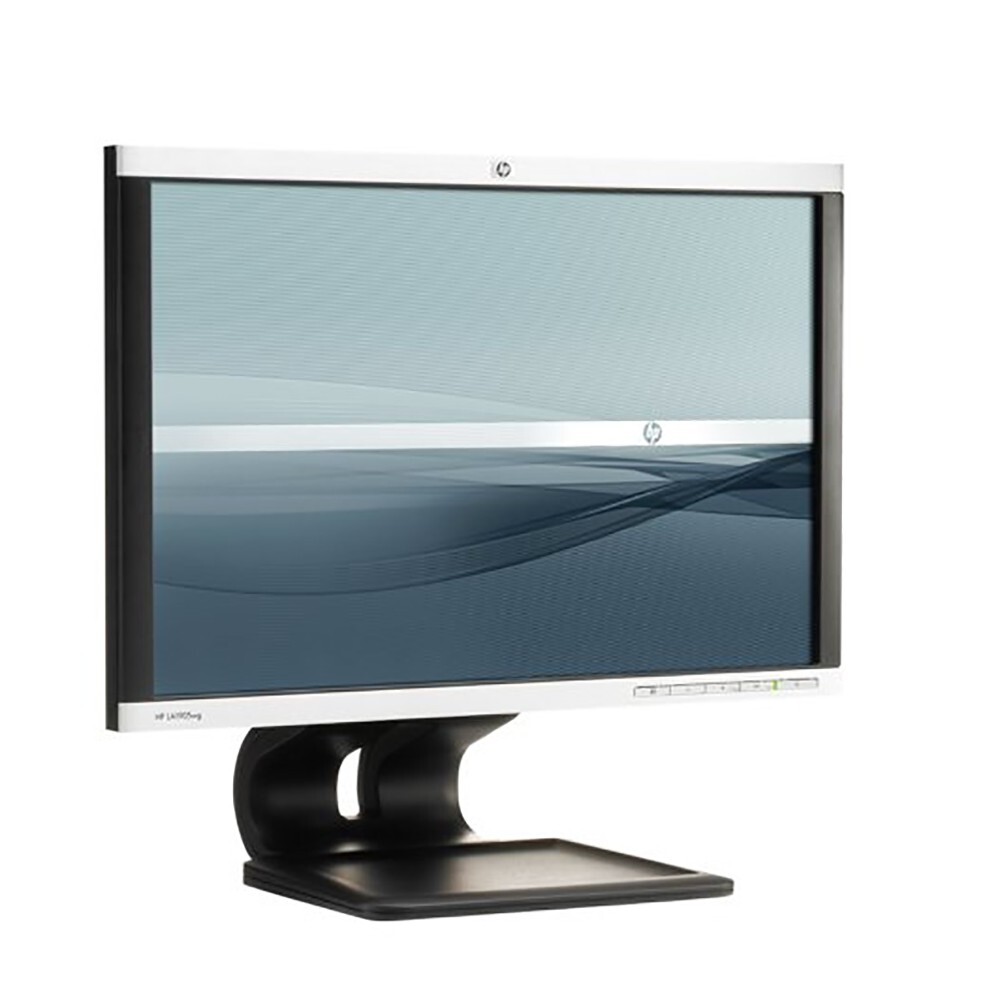
The hp Compaq LCD Monitor LA1905wl is a 19-inch widescreen business monitor designed for dependable everyday office use, legacy workstation setups, and cost-conscious upgrades. Built around a TFT LCD panel with a 1440 x 900 native resolution, it delivers a practical wide-format workspace that works well for spreadsheets, document editing, email, and basic multimedia tasks. Its compact footprint and adjustable stand make it a smart fit for desks with limited space, while the widescreen aspect ratio provides more horizontal room than older 4:3 displays.
One of the biggest advantages of the hp Compaq LCD Monitor LA1905wl is its flexible ergonomics. The display supports tilt and swivel adjustment, which helps users find a comfortable viewing angle during long work sessions. It also supports lower resolutions with full-screen scaling, making it easier to integrate into mixed-device environments. For organizations that still use older desktop systems or KVM-based setups, this monitor remains a practical and reliable choice. Availability today is mainly through refurbished, used, or surplus office inventory channels, with estimated prices typically ranging from about $25 to $90 depending on condition, stand, and included cables.
This model is best suited for small businesses, home offices, IT replacements, call centers, schools, and anyone seeking an affordable widescreen LCD monitor with straightforward operation. If you need a simple display without modern gaming extras, the hp Compaq LCD Monitor LA1905wl offers solid everyday value, dependable performance, and easy setup.
HP Compaq LCD Monitor LA1905wl Specifications and Features
- Display type: 19-inch widescreen TFT LCD
- Native resolution: 1440 x 900 at 60 Hz
- Viewable image size: 19 inches diagonal
- Aspect ratio: 16:10 widescreen format
- Pixel pitch: 0.284 mm x 0.284 mm
- Brightness and contrast: business-class performance suited for office text and standard graphics
- Viewing angle adjustments: tilt from -5 to 30 degrees, swivel from -170 to 170 degrees
- Refresh support: vertical refresh rate from 50 to 76 Hz
- Horizontal frequency: 24 to 83 kHz
- Power input: 100 to 240 VAC, 50/60 Hz
- Typical dimensions with stand: 44.46 cm wide, 24.48 cm deep, adjustable height range from 37.15 cm to 42.95 cm
- Connectivity: typically VGA and DVI on this product family, depending on bundle and region
The hp Compaq LCD Monitor LA1905wl compares well with other entry-level business monitors of its era, especially for users who need a reliable 19-inch display rather than a larger modern panel. Compared with basic 17-inch monitors, it offers noticeably more workspace. Compared with newer 21.5-inch models, it is smaller and lower resolution, but often more affordable and easier to place on compact desks.
Troubleshooting the HP Compaq LCD Monitor LA1905wl
If the monitor does not power on, first confirm that the AC cable is fully seated and the outlet is working. If the screen shows “No Signal,” check the video cable, test another input source, and make sure the computer is outputting to the correct display port. If the image appears blurry, verify that the monitor is set to its native 1440 x 900 resolution for the sharpest result. If the display flickers, try another cable, lower the refresh rate into the supported range, or test the unit on a different computer.
Common on-screen messages such as “Input Signal Out of Range” usually mean the computer is sending an unsupported resolution or refresh rate. Reduce the resolution, set refresh to 60 Hz, and restart the system if needed. Persistent dimming, random shutdowns, or uneven backlight may point to aging internal components, which is common in older LCD monitors.
Preventive care includes keeping ventilation clear, using a surge protector, avoiding excessive brightness settings, and storing the monitor in a dry environment. For support, check HP’s business support resources and product documentation, or contact HP customer care through the official support channel for your region. Warranty coverage for this model is usually limited today because most units are sold second-hand or refurbished, so verify seller warranty terms before purchase.
Pros and Cons of the hp Compaq LCD Monitor LA1905wl
Pros
- Affordable business monitor with strong value for basic office use
- 19-inch widescreen format gives more horizontal space than older square monitors
- Adjustable stand with tilt and swivel improves comfort
- Native 1440 x 900 resolution is crisp for text-heavy tasks
- Compact size works well on small desks and in multi-monitor setups
Cons
- Lower resolution than modern Full HD and QHD displays
- Older design may lack contemporary ports and features
- Not suitable for color-critical design, gaming, or high-definition media workflows
- Refurbished units may show backlight aging or cosmetic wear
For value for money, the hp Compaq LCD Monitor LA1905wl remains attractive if the goal is low-cost productivity rather than modern entertainment. Compared with newer 21.5-inch office monitors, it is less advanced but often cheaper and more space-efficient. It is a sensible pick for replacement use, basic POS systems, and legacy hardware environments.
Customer Reviews and Real-World Feedback
Typical user feedback for the hp Compaq LCD Monitor LA1905wl is positive among office buyers and refurbishers, with many reviewers praising its simplicity, dependable operation, and ergonomic stand. A common rating pattern is around 4 out of 5 stars for general productivity use. Users often describe it as a “solid work monitor” and appreciate that it starts quickly and handles documents well.
Common complaints include the older resolution, limited appeal for movies and gaming, and occasional issues related to age, such as dim backlights or cosmetic scuffs on used units. Buyers who want a budget-friendly display for email, browsing, and office applications usually recommend it, while users seeking modern ports, higher brightness, or Full HD clarity often look at newer alternatives instead.
Faqs
How do I set up the hp Compaq LCD Monitor LA1905wl for the first time?
What is the best resolution for the hp Compaq LCD Monitor LA1905wl, and why does it matter?
Why is my hp Compaq LCD Monitor LA1905wl showing no signal, and how can I fix it?
Does the hp Compaq LCD Monitor LA1905wl support VGA and DVI connections?
Can I use the hp Compaq LCD Monitor LA1905wl with a modern laptop or desktop?
How do I improve image quality on the hp Compaq LCD Monitor LA1905wl?
What should I do if the hp Compaq LCD Monitor LA1905wl screen flickers or looks unstable?
How should I clean and maintain the hp Compaq LCD Monitor LA1905wl safely?
More hp manuals
Leave a Comment