
Hp EliteBook 840 G6 Healthcare Edition Notebook PC User Manual
Content
Introduction: HP EliteBook 840 G6 Healthcare Edition Notebook PC Overview
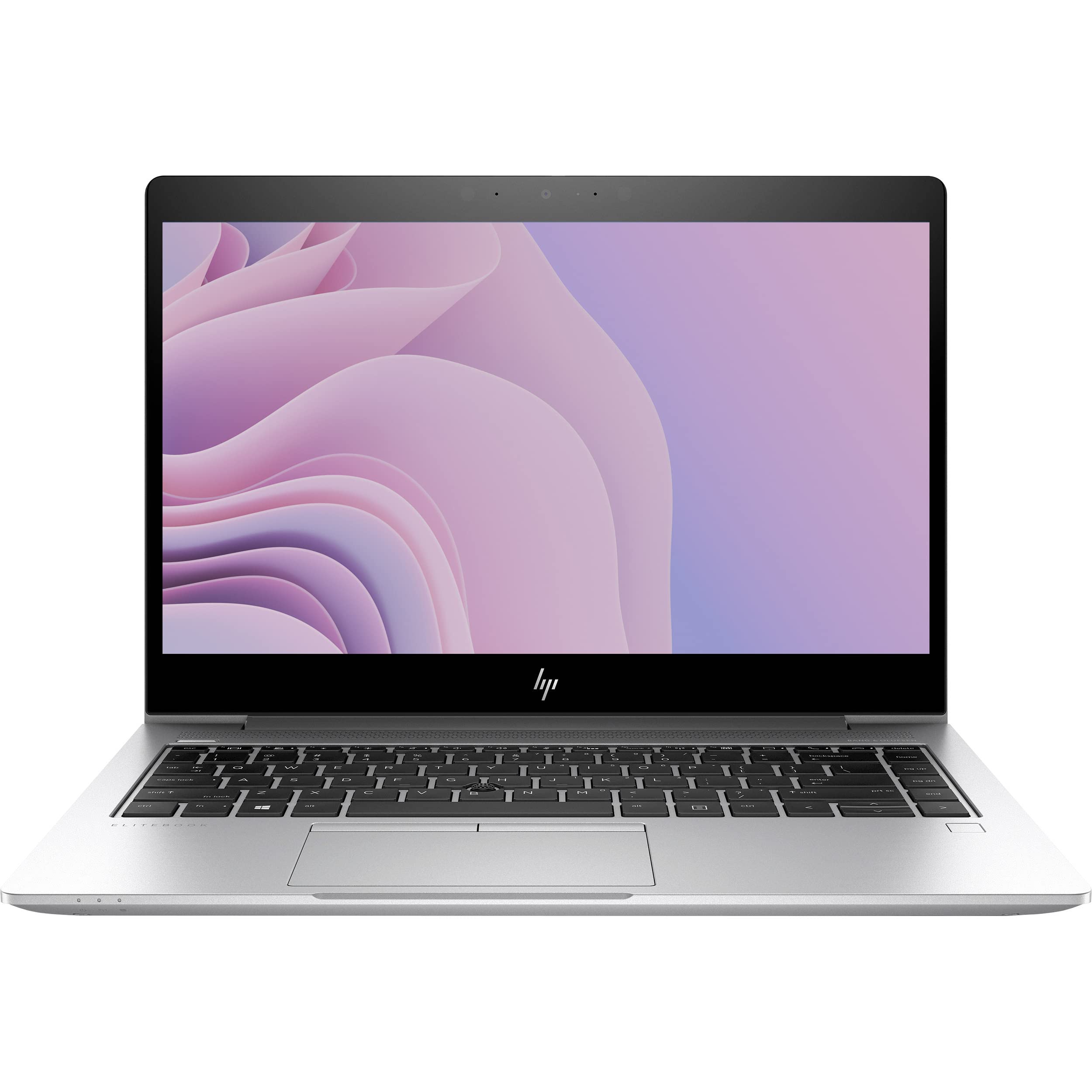
The HP EliteBook 840 G6 Healthcare Edition Notebook PC is a business-class medical laptop designed for fast-paced clinical environments, telehealth workflows, and mobile care teams. Built for healthcare professionals, it combines a 14-inch Full HD touchscreen, sanitizable surfaces, and secure enterprise features in a portable chassis that supports everyday charting, patient intake, and communication tasks. The healthcare-focused design is especially useful for hospitals, clinics, dental practices, and nursing staff that need a reliable notebook for frequent cleaning and glove-friendly interaction.
One of its biggest advantages is the combination of durability, mobility, and security. The glass-covered touchscreen and clickpad are optimized for use in clinical settings, while the spill-resistant, backlit keyboard and enterprise security options help protect sensitive patient data. With 8th Gen Intel Core processors, solid-state storage, and modern wireless connectivity, the system is built to handle EHR applications, video consultations, and multitasking with confidence. The hp EliteBook 840 G6 Healthcare Edition Notebook PC also stands out for its low-profile, professional design that fits easily into mobile carts and shared workspaces.
Estimated pricing typically falls in the mid-range refurbished and enterprise resale market, often around $180 to $800 depending on CPU, memory, storage, and condition. Availability is strongest through refurbished business hardware sellers, enterprise IT resellers, and healthcare procurement channels. For buyers seeking a dependable healthcare laptop with premium usability and strong value, this model remains a practical option.
Specifications: hp EliteBook 840 G6 Healthcare Edition Notebook PC Technical Details
- Display: 14-inch FHD IPS touchscreen with Corning Gorilla Glass 3, anti-glare options, and high-brightness configurations up to 700 nits or 900 nits depending on build.
- Processor: 8th Generation Intel Core i5 or i7 U-series processors, including Core i5-8365U and Core i7-8665U variants.
- Memory: 8 GB to 16 GB DDR4 RAM, with dual SODIMM support in many configurations.
- Storage: 256 GB to 512 GB PCIe NVMe SSD, with some models using self-encrypting drive options.
- Graphics: Intel UHD Graphics 620 for business productivity and video playback.
- Connectivity: Wi-Fi 6, Bluetooth 5, Gigabit Ethernet, and optional LTE in select configurations.
- Ports: USB 3.1 Gen 1, Thunderbolt 3 USB-C, HDMI 1.4b, RJ-45, docking connector, and combo audio jack.
- Battery: 50 Wh battery in many healthcare configurations, designed for long clinical shifts.
- Security: HP security tools, optional Sure View privacy display, TPM support, and drive encryption options.
- Comparison: Compared with standard EliteBook 840 G6 models, the healthcare edition adds sanitation-friendly materials and glove-tuned interaction features for clinical use.
In practical performance, this platform is well suited for office productivity, browser-based EMR systems, secure messaging, and telehealth sessions rather than graphics-heavy workloads. It sits above entry-level notebooks in build quality and security, while offering a lighter, more mobile alternative to larger workstation laptops.
Detailed Description: How the Healthcare Notebook Works in Real-World Use
The hp EliteBook 840 G6 Healthcare Edition Notebook PC is designed to streamline daily clinical workflows with a familiar laptop form factor and healthcare-specific refinements. The touchscreen and clickpad are intended to remain responsive even when used with surgical gloves, which makes it easier for medical staff to document patient data without constantly removing protective equipment. The glass surfaces also support easier cleaning and disinfection between patient encounters.
Inside the chassis, the 8th Gen Intel Core processor handles electronic health records, scheduling tools, email, and video conferencing with steady responsiveness. The SSD helps reduce boot time and speeds up app loading, while the wireless and wired connectivity options support dependable access to hospital networks. The 14-inch display strikes a good balance between portability and workspace, making it ideal for bedside charting, nursing stations, mobile rounds, and remote consultations.
Build quality is a major strength. The notebook uses durable business-grade materials, a compact chassis, and a spill-resistant keyboard that improves reliability in active healthcare settings. User experience is polished, with a comfortable typing feel, responsive pointing device, and a professional design that looks appropriate in any clinical environment. For many teams, the hp EliteBook 840 G6 Healthcare Edition Notebook PC offers the right mix of portability, durability, and everyday usability.
Setup Guide: How to Set Up the HP EliteBook 840 G6 Healthcare Edition Notebook
- Unbox the notebook and inspect the device, power adapter, and accessories for visible damage before first use.
- Connect the AC adapter and charge the battery fully before initial configuration.
- Power on the system and follow the Windows setup prompts to select language, region, keyboard, and network settings.
- Sign in with a work or IT-managed account if the device is part of a healthcare deployment.
- Install Windows updates, HP support software, and approved security applications before clinical use.
- Pair approved Bluetooth accessories such as headsets, barcode readers, or external input devices through the system settings.
- Connect to secure Wi-Fi or Ethernet and verify access to electronic medical record applications.
- Configure privacy features such as screen filters, user passwords, and drive encryption according to hospital policy.
For troubleshooting during setup, check that the power cable is seated correctly, confirm that the wireless network is available, and restart the device if the initial account enrollment freezes. Keep the notebook away from liquids during setup, and avoid using unauthorized cleaning agents on the touchscreen or keyboard.
Troubleshooting: Common Problems and Practical Fixes
- Notebook will not power on: Check the power adapter, outlet, and battery charge. If the charging LED does not light, test a different adapter.
- Slow performance: Close background apps, install updates, check disk usage, and confirm that the SSD has enough free space.
- Touchscreen not responding: Clean the display, restart the device, and verify touch drivers in Device Manager.
- Wi-Fi keeps disconnecting: Reconnect to the network, update wireless drivers, and move closer to the access point.
- Camera or microphone issues: Review privacy permissions, check conferencing app settings, and confirm that devices are not muted.
- Error recovery or boot problems: Use Windows recovery options, run hardware diagnostics, and contact IT support if the system reports repeated startup failures.
Preventive maintenance includes regular software updates, safe charging habits, careful cleaning, and avoiding blocked vents. Warranty coverage and service options depend on the seller and region, so buyers should confirm support terms before purchase. For help, contact HP business support or the device reseller’s enterprise support team, especially for managed healthcare deployments.
Pros & Cons: hp EliteBook 840 G6 Healthcare Edition Notebook PC Review
Pros
- Healthcare-friendly design: Sanitizable surfaces and glove-tuned interaction features make it ideal for clinical workflows.
- Strong portability: The 14-inch form factor is easy to carry between patient rooms, stations, and offices.
- Business-grade security: Encryption, privacy options, and enterprise manageability support sensitive data protection.
- Good everyday performance: Handles EHR systems, telehealth, documentation, and multitasking with ease.
- Solid display quality: FHD touchscreen options are bright and practical for daytime clinical use.
- Value for money: Refurbished units can offer excellent value compared with newer healthcare laptops.
Cons
- Not a modern performance leader: Older 8th Gen Intel hardware is fine for business tasks but not for demanding creative workloads.
- Refurbished market variability: Battery health, cosmetic condition, and warranty coverage can differ widely.
- Limited upgrade appeal: It is a better productivity laptop than a long-term high-performance investment.
- Alternatives may be faster: Newer business notebooks may offer improved battery life, better webcams, and updated platforms.
Overall, the hp EliteBook 840 G6 Healthcare Edition Notebook PC is a strong choice for organizations that value security, portability, and clinical usability more than cutting-edge raw performance.
Customer Reviews: What Users Say About the HP EliteBook 840 G6 Healthcare Edition
Customer feedback is generally positive, with many users rating the system around 4 to 4.5 out of 5 stars for healthcare and business use. Buyers often praise the bright touchscreen, comfortable keyboard, and cleanable design, especially in hospital and clinic environments.
Common praise: “Perfect for charting and patient intake,” “Very solid build quality,” and “The touchscreen works well with gloves.”
Common complaints: Some users mention average battery life on older refurbished units, occasional cosmetic wear, and the limitations of older Intel graphics for anything beyond office work.
Most professionals recommend it for nurses, administrators, clinicians, and mobile support staff who need a dependable healthcare notebook at a reasonable price. Buyers should verify the battery condition, screen brightness level, and warranty before purchasing, especially in the refurbished market.
Faqs
How do I set up hp EliteBook 840 G6 Healthcare Edition Notebook PC for the first time?
What should I do if hp EliteBook 840 G6 Healthcare Edition Notebook PC is running slowly during clinic work?
How do I use the privacy screen on hp EliteBook 840 G6 Healthcare Edition Notebook PC in public areas?
Is hp EliteBook 840 G6 Healthcare Edition Notebook PC compatible with hospital docking stations and external monitors?
How can I improve battery life on hp EliteBook 840 G6 Healthcare Edition Notebook PC during long shifts?
What should I do if hp EliteBook 840 G6 Healthcare Edition Notebook PC will not connect to Wi-Fi or Bluetooth?
How do I keep hp EliteBook 840 G6 Healthcare Edition Notebook PC clean and safe for clinical use?
Which features make hp EliteBook 840 G6 Healthcare Edition Notebook PC suitable for telemedicine and secure patient data work?
More hp manuals
Leave a Comment