
Setup: Hp ZR2740w LCD Monitors User Manual
Content
HP ZR2740w LCD Monitor Manual and Product Overview
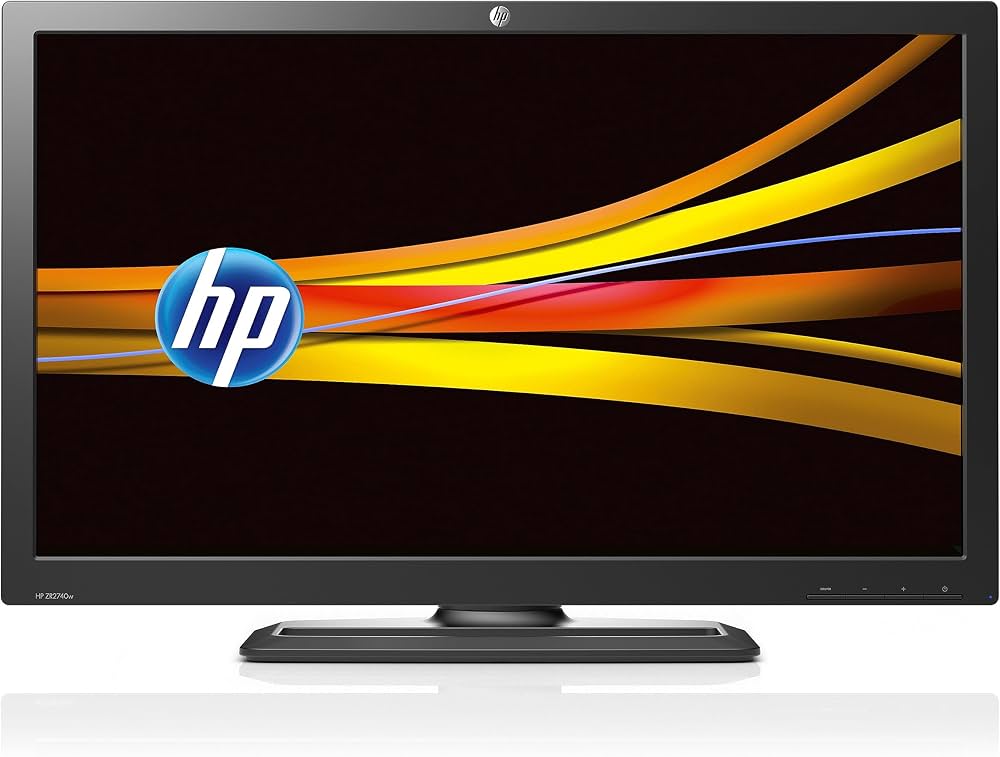
The HP ZR2740w LCD monitor is a 27-inch professional display built for users who need sharp detail, accurate color, and a spacious workspace. With a native 2560 x 1440 resolution, IPS panel technology, and wide viewing angles, the HP ZR2740w LCD monitor remains a strong choice for photographers, designers, video editors, and business professionals who want a high-resolution workstation display. Its matte anti-glare screen, ergonomic stand, and dual-link DVI plus DisplayPort connectivity make it especially practical for long work sessions and multi-device setups.
This monitor is known for its WQHD clarity, 16:9 aspect ratio, and strong color performance, which help improve productivity in tasks such as photo editing, CAD work, content creation, and office multitasking. The adjustable stand supports tilt, swivel, height adjustment, and pivot rotation, making it easy to align the screen for comfort. As a used or refurbished model, the HP ZR2740w LCD monitor is often found in the approximate price range of $150 to $350 depending on condition, seller, and included accessories. New stock is uncommon, but refurbished units and second-hand listings are still available through online marketplaces and specialty resellers. For buyers seeking a reliable professional-grade 27-inch monitor with premium resolution at a lower cost than many modern IPS alternatives, this model continues to offer solid value.
How to Use HP ZR2740w LCD Monitors for Best Results
Setup and Daily Operation
Place the monitor on a stable surface and connect it using DisplayPort or dual-link DVI for full 2560 x 1440 resolution. If the image looks scaled or blurry, check that your computer’s graphics card supports QHD output and that the cable is fully seated. Use the stand adjustments to set the top of the screen near eye level, then fine-tune brightness and contrast for your environment.
For long-term use, keep the vents unobstructed and clean the matte panel gently with a microfiber cloth. Avoid pressing directly on the screen, and use a surge-protected outlet to reduce power-related damage. The HP ZR2740w LCD monitor is best used with professional desktops, workstations, and creative systems that can take advantage of its high-resolution panel.
Troubleshooting HP ZR2740w LCD Monitor Problems
Common issues with the HP ZR2740w LCD monitor usually involve no signal, incorrect resolution, or a dim or blank screen. If the monitor shows “No Input Signal,” confirm the source device is powered on, the cable is connected securely, and the correct input is selected. If the display appears at a lower resolution, update your graphics driver and set the output manually to 2560 x 1440 at 60 Hz. If the screen flickers or turns off intermittently, replace the cable and test another port.
There are no widely used user-facing error codes specific to this model, but power or input problems can often be resolved by restarting the monitor, unplugging it for 30 seconds, and reconnecting it. Preventive care includes using quality cables, keeping firmware and drivers current, and avoiding heat buildup around the rear panel. If the unit is under warranty or purchased refurbished with coverage, contact the seller or HP support team for repair options. For help, use the official HP support website, the product documentation, or the support phone number listed on the monitor’s service label or user guide.
Pros & Cons of HP ZR2740w LCD Monitors
Pros
- Sharp 27-inch 2560 x 1440 resolution delivers excellent desktop space for multitasking and creative work.
- IPS panel technology provides wide viewing angles and solid color consistency.
- Matte anti-glare coating helps reduce reflections in bright offices and studios.
- Fully adjustable stand improves ergonomics for long work sessions.
- DisplayPort and dual-link DVI make it compatible with many professional systems.
- Strong value for money on the used market compared with many newer IPS monitors.
Cons
- No modern HDMI or USB-C inputs, which limits convenience with newer laptops.
- Older design means units may show wear, backlight aging, or cosmetic damage.
- 12 ms response time is not ideal for competitive gaming.
- Availability is mostly limited to refurbished or second-hand listings.
- Some alternatives offer higher brightness, better color calibration, or newer connectivity.
Overall, the HP ZR2740w LCD monitor is a strong budget-conscious choice for productivity, but it may not be the best option if you need modern ports or factory-new hardware. Compared with newer 27-inch QHD IPS displays, it remains appealing for users who prioritize resolution and ergonomics over current-generation features.
Customer Reviews of HP ZR2740w LCD Monitors
Customer feedback for the HP ZR2740w LCD monitor is generally positive, especially among professionals who want a large, high-resolution workspace. Typical praise focuses on the crisp 1440p image, reliable color, and sturdy stand. Many users rate it around 4.2 out of 5 stars for productivity use, noting that it feels premium even years after release.
Common complaints mention the lack of HDMI, occasional backlight aging on older units, and the need for a compatible dual-link DVI or DisplayPort setup. A frequent testimonial theme is that the monitor still performs well for office work, photo editing, and coding. Buyers looking for an affordable professional monitor often recommend refurbished units, while gamers and laptop users may prefer a newer alternative with USB-C and HDMI.
Frequently Asked Questions About HP ZR2740w LCD Monitors
Is the HP ZR2740w LCD monitor good for professional use?
Yes, it is well suited for office work, design, editing, and other productivity tasks that benefit from a sharp 27-inch QHD display.
What cable do I need?
Use DisplayPort or dual-link DVI to reach the full native resolution.
Is it still worth buying?
It is worth considering if you want a low-cost professional IPS monitor and do not need modern ports.
Final Verdict
The HP ZR2740w LCD monitor remains a respected professional display because of its 27-inch IPS panel, 2560 x 1440 resolution, and ergonomic flexibility. For users who want a dependable workstation monitor at a lower price, it offers excellent value and a spacious, comfortable viewing experience. If you need current connectivity such as HDMI or USB-C, a newer model may be a better fit, but the HP ZR2740w LCD monitor still stands out as a practical and affordable productivity screen.
Faqs
How do I set up hp ZR2740w LCD Monitors for the first time?
What should I do if my hp ZR2740w LCD Monitors has no signal?
Which devices are compatible with hp ZR2740w LCD Monitors?
Why is the image on my hp ZR2740w LCD Monitors blurry or not sharp?
How can I optimize color and brightness on hp ZR2740w LCD Monitors for design work?
What are common hp ZR2740w LCD Monitors problems and quick solutions?
How should I clean and maintain hp ZR2740w LCD Monitors safely?
Does hp ZR2740w LCD Monitors support ergonomic adjustments and how should I position it?
Tags
More hp manuals
Leave a Comment