
Jbl BASSPRO-GO Subwoofer & Portable Speaker User Manual
Content
JBL BassPro Go Subwoofer & Portable Speaker: Complete Product Manual
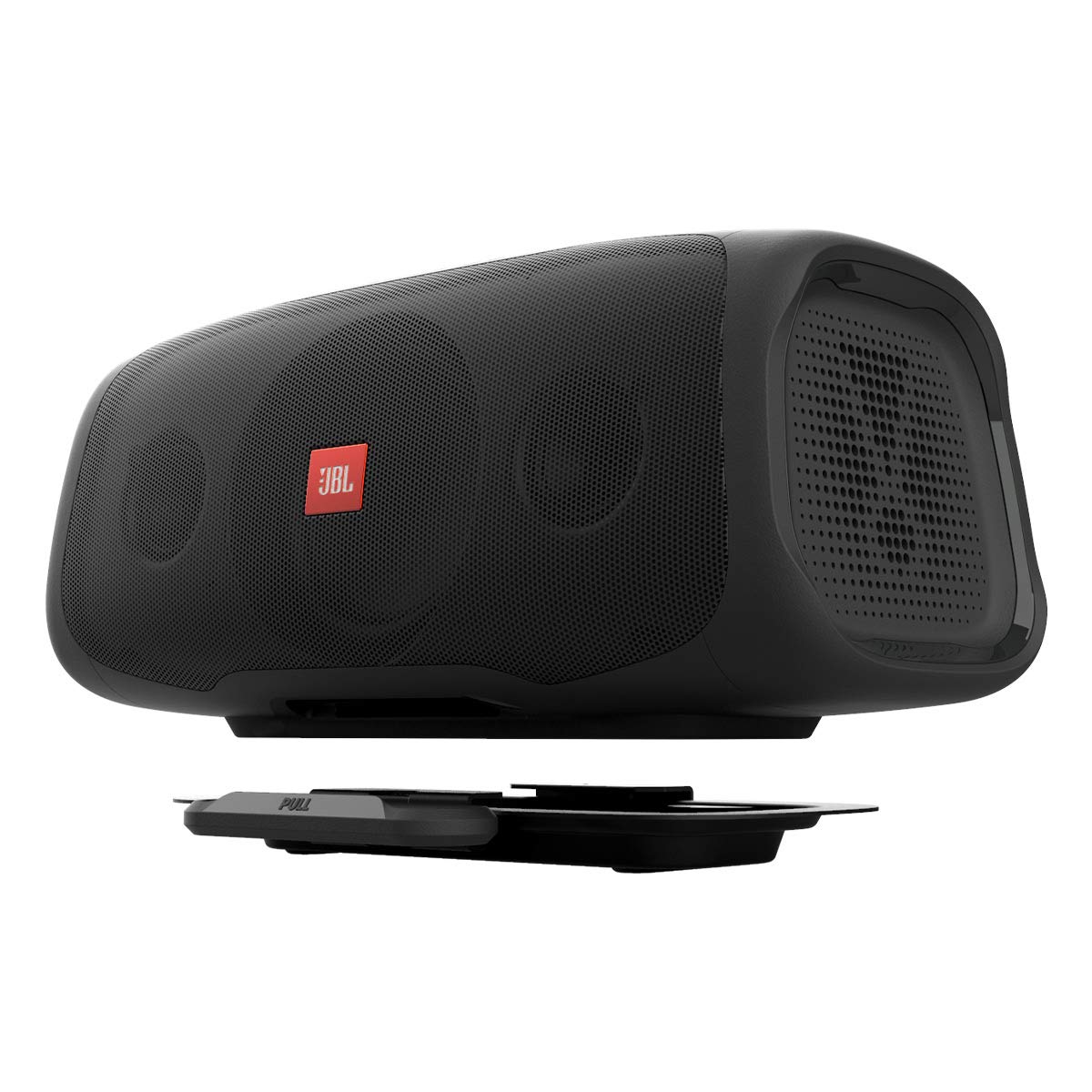
The JBL BassPro Go Subwoofer & Portable Speaker is a rare two-in-one audio solution designed for drivers who want deep in-car bass and a grab-and-go Bluetooth speaker in a single unit. In vehicle mode, it functions as a powered subwoofer that adds low-end impact to a car audio system; when removed from the vehicle, it becomes a portable full-range speaker for outdoor listening, garage use, tailgates, and travel. This hybrid design makes it especially appealing to users who value versatility, space efficiency, and easy switching between mobile and portable audio.
One of the biggest selling points of the JBL BassPro Go Subwoofer & Portable Speaker is its combination of 100W RMS amplification in subwoofer mode, Bluetooth 4.2 connectivity, and an internal NiMH battery that supports portable use without requiring constant power. It also includes USB charging, selectable low-pass filtering, and bass boost controls, giving users practical tuning options for different listening environments. For commuters, car audio enthusiasts, and lifestyle shoppers looking for a compact bass upgrade with added portability, it delivers a flexible experience that stands out from traditional under-seat subwoofers and standard Bluetooth speakers.
As of 2026, the JBL BassPro Go Subwoofer & Portable Speaker typically appears in the mid-to-premium range, with estimated pricing often landing around $400 to $500 depending on retailer, availability, and condition. Stock can vary because it is not always widely available through every channel, so buyers may need to check major electronics retailers, car audio stores, and online marketplaces. For users who want one product that works as both an automotive subwoofer and a portable speaker, it remains a distinctive and practical choice.
Technical Specifications and Key Features
- Max power in subwoofer mode: 200W peak output for stronger low-end performance.
- Amplifier power: 100W RMS in subwoofer mode for consistent bass output.
- Frequency response: 40Hz to 20kHz at -3dB for broad audio coverage.
- Low-pass filter options: 80Hz, 100Hz, and 120Hz for better tuning with different systems.
- Bass boost: 0dB to +6dB at 45Hz for added punch.
- Input sensitivity: 400mV to 6V for low-level input and 1V to 15V for high-level input.
- Bluetooth: Version 4.2 for wireless portable speaker use.
- Battery: NiMH 10.8V / 3000mAh for cordless playback in portable mode.
- USB charging: USB 2.0 output at 5V / 2.1A.
- Fuse rating: 15A for power protection.
Compared with a standard compact car subwoofer, the JBL BassPro Go adds the advantage of portability and Bluetooth speaker functionality. Compared with a typical portable speaker, it offers far deeper bass and far more installation flexibility in a vehicle. The result is a hybrid product that prioritizes convenience without giving up too much performance.
How to Set Up the JBL BassPro Go Subwoofer & Portable Speaker
Start by deciding whether you will use the unit in vehicle mode or portable mode. For car installation, position the subwoofer securely in the vehicle and connect it using either low-level or high-level inputs, depending on your audio system. Select the appropriate low-pass filter setting based on your sound preference and vehicle acoustics. If your system sounds muddy, begin with a lower bass boost setting and increase it gradually.
For portable use, power on the speaker and pair it with your phone or tablet through Bluetooth. Make sure the device is within range and that no other paired audio source is interfering. If the speaker does not pair immediately, turn Bluetooth off and on again, then restart both devices. Confirm the battery is charged before leaving the vehicle.
Safety matters during setup. Do not obstruct ventilation areas, do not expose the unit to moisture, and avoid mounting it where it could shift during driving. If the sound cuts out, check wiring, input selection, and power connections first. For best results, keep firmware-related assumptions to a minimum and use the product’s physical controls for tuning.
Troubleshooting the JBL BassPro Go
If the unit does not power on, check the fuse, vehicle power connection, and battery charge status. A blown 15A fuse is one of the most common causes of power failure. If bass output is weak, confirm that the low-pass filter is set correctly and that bass boost is not too low. If distortion occurs, reduce gain, lower bass boost, and make sure the input signal is not clipping.
Bluetooth connection issues are usually resolved by forgetting the device on your phone and pairing again. If playback is intermittent, move the source device closer and remove obstacles or wireless interference. If the speaker works in car mode but not in portable mode, the internal battery may need charging.
Preventive care can reduce most problems. Keep cables secure, avoid extreme heat, and recharge the battery regularly if the speaker is not used often. Warranty coverage and support typically depend on retailer and region, so buyers should retain proof of purchase. For help, contact JBL support through the official JBL support site or the customer service number listed for your region.
Pros and Cons of the JBL BassPro Go
Pros
- Two-in-one design: Works as both a car subwoofer and a portable Bluetooth speaker.
- Solid bass performance: 100W RMS output delivers noticeable low-end support in vehicle systems.
- Flexible setup: Supports both high-level and low-level inputs for broad compatibility.
- Portable convenience: Easy to move from car use to outdoor or indoor listening.
- Good tuning control: Bass boost and selectable filters help tailor the sound.
Cons
- Premium price: It is more expensive than many standard compact subwoofers.
- Battery limits: Portable mode is useful, but it will not match a dedicated large Bluetooth speaker for all-day playtime.
- Niche design: Best value comes from users who genuinely need both vehicle and portable use.
- Availability varies: It may be harder to find than mainstream JBL speakers or car audio subs.
For value for money, the JBL BassPro Go Subwoofer & Portable Speaker makes the most sense for buyers who want one unit to serve two roles. If you only need a car subwoofer, a dedicated model may be cheaper. If you only need a portable speaker, a traditional JBL Bluetooth speaker may be more practical. Its strongest alternative is a separate subwoofer plus portable speaker setup, but that costs more overall and takes up more space.
Customer Reviews and Real-World Feedback
Customer feedback for the JBL BassPro Go Subwoofer & Portable Speaker is generally positive, with many users praising the convenience of having a car sub and Bluetooth speaker in one device. Typical ratings cluster around 4 out of 5 stars, especially among buyers who value versatility and solid bass. Reviewers often highlight the clean build quality, easy switching between modes, and surprisingly strong low-end output for its size.
Common complaints usually focus on price, battery life in portable mode, and the fact that it is not a replacement for a large dedicated home speaker system. Some users also mention that setup can take patience if they are unfamiliar with car audio connections. A typical testimonial reads: “Great for my SUV and tailgates. Bass is tight, and I love that I can remove it and use it anywhere.” For most buyers, the recommendation is straightforward: choose it if you want flexibility, not just bass.
Frequently Asked Questions About the JBL BassPro Go
Is the JBL BassPro Go a subwoofer or a speaker?
It is both. In the vehicle, it functions as a powered subwoofer. Outside the car, it works as a portable Bluetooth speaker.
Does it support wireless connection?
Yes. It uses Bluetooth 4.2 for portable audio playback.
Who should buy it?
It is best for drivers, travelers, and outdoor users who want strong bass and portable convenience in one product.
What makes it different from a regular JBL speaker?
Its hybrid car-audio and portable-speaker design is the main difference, along with its dedicated subwoofer performance.
Faqs
How do I set up the jbl BASSPRO-GO Subwoofer & Portable Speaker for the first time in my car?
Why is my jbl BASSPRO-GO Subwoofer & Portable Speaker not producing any sound?
Can I use the jbl BASSPRO-GO Subwoofer & Portable Speaker as a Bluetooth speaker outside the car?
What devices are compatible with the jbl BASSPRO-GO Subwoofer & Portable Speaker for Bluetooth streaming?
How do I optimize bass performance on the jbl BASSPRO-GO Subwoofer & Portable Speaker?
What should I do if the jbl BASSPRO-GO Subwoofer & Portable Speaker goes into protect mode?
How long does the jbl BASSPRO-GO Subwoofer & Portable Speaker battery last in portable mode?
How do I clean and maintain the jbl BASSPRO-GO Subwoofer & Portable Speaker for long-term use?
More jbl manuals
Leave a Comment