
Jbl Irx One Column Speaker User Manual
Content
JBL IRX One Column Speaker Manual: Portable All-in-One PA System for Events, Worship, and Live Sound
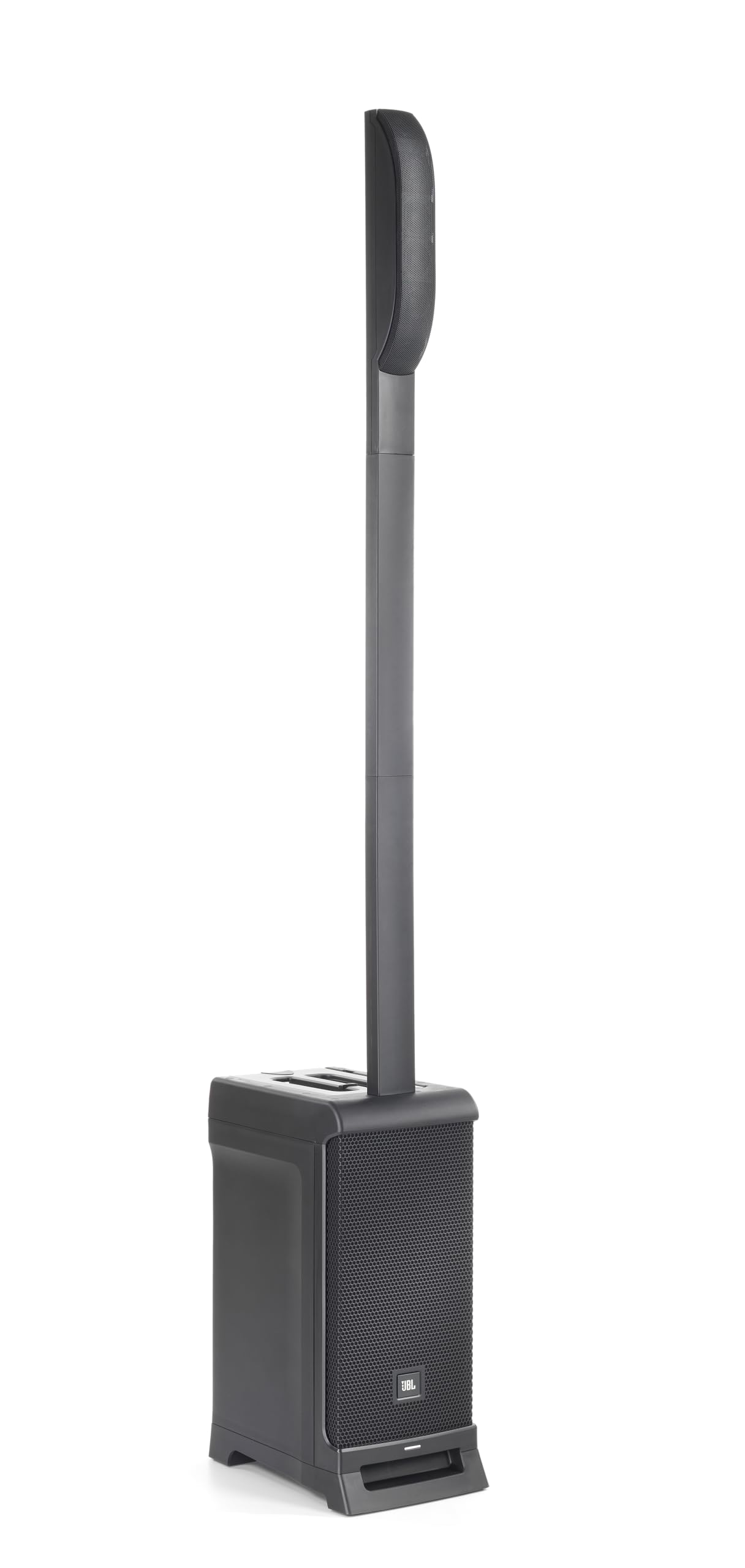
The JBL IRX One Column Speaker is a compact, all-in-one portable PA system designed for users who need fast setup, clear vocal projection, and dependable sound in a lightweight format. It combines an 8-inch bass-reflex woofer with six 2-inch high-frequency drivers, a built-in 3-channel mixer, Bluetooth audio streaming, and a tall column design that delivers wide coverage for audiences in small to medium-sized venues. With a peak power rating of 1300W, maximum SPL of 118 dB, and a 160° x 80° coverage pattern, the system is built for presentations, live music, corporate events, fitness instruction, and houses of worship.
One of the biggest advantages of the JBL IRX One Column Speaker is its balance of portability and professional output. The modular design packs into a single carryable unit, making transport and storage easier than traditional speaker stacks. It also includes practical features like phantom power support, hi-Z input for instruments, preset EQ voicings, and a balanced mix output for daisy-chaining or external recording. This makes it a smart choice for solo performers, DJs, educators, public speakers, and event organizers who want reliable sound without complicated gear.
Price typically falls in the mid-range portable PA category, with common street pricing around $949 to $1,299 depending on retailer, region, and promotions. The JBL IRX One Column Speaker is widely available through audio retailers, music stores, and online marketplaces, and it is backed by a limited warranty that adds confidence for regular use.
Troubleshooting JBL IRX One Column Speaker Problems and Quick Fixes
If the JBL IRX One Column Speaker will not power on, first confirm the AC cable is fully seated and the outlet is live. If audio cuts out, reduce input level, check source volume, and verify that the mixer is not clipping. If Bluetooth pairing fails, remove the speaker from your device’s saved list, restart both devices, and pair again within range. If the sound is distorted, switch to a cleaner input signal, lower gain, and confirm the correct preset or EQ setting is selected.
Common issues do not usually display formal error codes, so the safest approach is to troubleshoot by symptom. For example, no sound from microphones often points to a muted channel, low gain, or a faulty cable. Weak bass output may indicate incorrect placement, an underpowered source, or excessive EQ cuts. Preventive maintenance includes keeping vents clear, avoiding moisture, using good-quality balanced cables, and storing the unit in a padded case during transport.
The system includes manufacturer warranty coverage, and support is available through JBL Professional service channels. For help in the United States, JBL professional loudspeaker support is commonly reached at (844) 776-4899 during business hours, Monday through Friday, 8:00 a.m. to 6:00 p.m. Central Time. Keep your proof of purchase, serial number, and a clear description of the issue ready before contacting support.
Pros and Cons of the JBL IRX One Column Speaker for Portable PA Use
Pros
- Portable all-in-one design makes setup fast for DJs, presenters, and solo performers.
- Wide 160° horizontal coverage helps fill rooms evenly with fewer dead spots.
- Built-in 3-channel mixer supports microphones, line-level devices, and instruments.
- Bluetooth streaming adds convenience for background music and break playlists.
- Strong output for its size, with 118 dB peak SPL and a punchy 8-inch woofer.
- Good value for users who need a compact column PA system instead of separate mixer and speakers.
Cons
- Not ideal for very large venues where more bass and headroom are required.
- Single-unit design offers less expansion flexibility than modular PA systems.
- Users needing advanced digital mixing may prefer a powered speaker pair with a separate mixer.
- At roughly 15.5 kg, it is portable but still more substantial than ultra-light compact speakers.
- Compared with some alternatives, it may cost more than basic column speakers with fewer features.
For value for money, the JBL IRX One Column Speaker sits in a strong middle ground: more capable than entry-level portable speakers, yet simpler and easier to use than a full two-speaker PA setup.
JBL IRX One Column Speaker Customer Reviews and User Feedback
Customer feedback for the JBL IRX One Column Speaker is generally positive, with many users rating it around 4 out of 5 stars for sound quality, portability, and quick setup. Buyers frequently praise the clear vocal reproduction, room-filling dispersion, and compact footprint that makes the system easy to transport between gigs or events.
Common complaints include limited deep bass compared with larger subwoofer-based PA systems and the fact that some users want more mixing control. A typical testimonial style response is: “Great sound for speeches and acoustic sets, and I can carry it by myself.” Another common comment is: “Easy to set up, but I wish it had more low-end for dance music.”
Purchase is recommended for presenters, worship leaders, fitness instructors, and small event performers who value simplicity and clean sound over maximum bass output. Users who regularly play larger venues, heavy electronic music, or bass-focused live sets may want a more powerful alternative.
Frequently Asked Questions About the JBL IRX One Column Speaker
What is the JBL IRX One Column Speaker best for?
It is best for speeches, live vocals, acoustic performances, DJ warm-up sets, fitness classes, and portable event sound.
How loud is the JBL IRX One Column Speaker?
It delivers up to 118 dB peak SPL, which is strong enough for small to medium rooms.
Does it support wireless audio?
Yes, Bluetooth audio streaming is included for convenient playback from phones and tablets.
Is the JBL IRX One Column Speaker worth buying?
Yes, if the priority is a portable column PA speaker with built-in mixing, clear sound, and simple operation.
Faqs
How do I set up the jbl Irx One Column Speaker for the first time?
What should I do if the jbl Irx One Column Speaker has no sound?
Can the jbl Irx One Column Speaker work with microphones, guitars, and Bluetooth audio?
How do I reduce feedback on the jbl Irx One Column Speaker during live use?
What are the best placement tips for the jbl Irx One Column Speaker in small rooms or events?
Why does the jbl Irx One Column Speaker sound distorted at higher volume?
How do I connect the jbl Irx One Column Speaker to a laptop, mixer, or mobile device?
How should I clean and maintain the jbl Irx One Column Speaker for long-term use?
Tags
More jbl manuals
Leave a Comment