
Jbl Tuner Portable Bluetooth Speaker User Manual
Content
JBL Tuner Portable Bluetooth Speaker Manual
Introduction
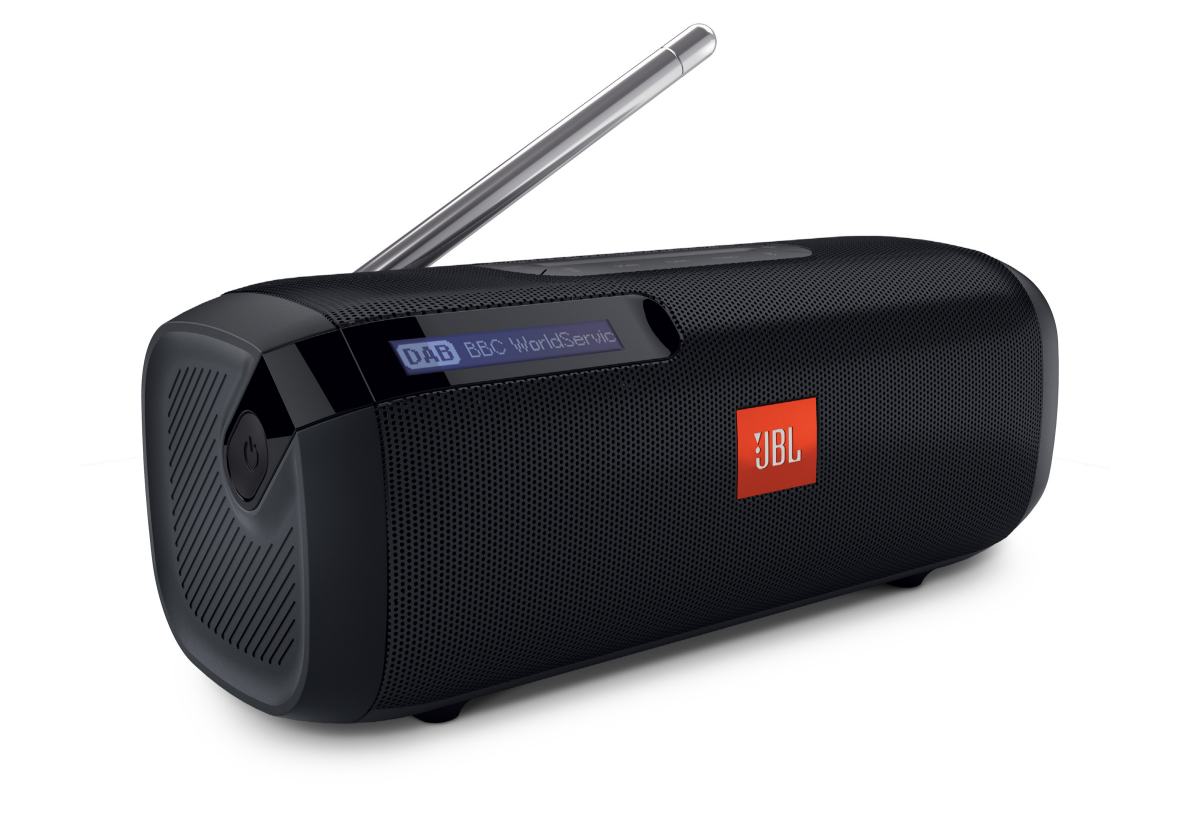
The JBL Tuner Portable Bluetooth Speaker is a compact all-in-one audio solution for users who want wireless music streaming and radio in one travel-friendly device. Designed for everyday listening, it combines Bluetooth playback with digital radio tuning, making it ideal for kitchens, bedrooms, offices, patios, and weekend trips. Its portable size, backlit display, and preset station buttons make it especially convenient for people who want quick access to news, talk radio, and favorite music stations without complicated setup.
One of the biggest advantages of the JBL Tuner Portable Bluetooth Speaker is its versatility. It works as a Bluetooth speaker for smartphones and tablets while also functioning as a radio receiver for DAB/DAB+ and FM stations, depending on the regional model and local broadcast availability. The rechargeable battery supports up to 8 hours of playtime, which is enough for a full day of casual use or several listening sessions away from a charger. The compact design and simple control layout make it appealing to both first-time buyers and users who prefer straightforward controls over advanced smart-speaker features.
This model is a strong fit for commuters, students, older users who value easy tuning, and anyone looking for a portable radio speaker with dependable sound. Estimated pricing typically falls in the budget-to-midrange category, with availability varying by region and retailer. In many markets, the JBL Tuner Portable Bluetooth Speaker is sold through major electronics stores, online marketplaces, and JBL-authorized sellers.
Key Features at a Glance
- Bluetooth wireless streaming from phones, tablets, and laptops
- Built-in DAB/DAB+ and FM radio support, depending on the model
- Up to 8 hours of battery life
- Backlit LCD display for station and status information
- Preset buttons for quick station access
Troubleshooting
If the JBL Tuner Portable Bluetooth Speaker will not power on, charge it for at least 2 to 3 hours using a compatible USB power source and cable. If Bluetooth pairing fails, delete the speaker from your device’s saved Bluetooth list, restart both devices, and reconnect from scratch. For weak radio reception, move the speaker near a window, avoid thick walls or metal surfaces, and rescan available stations.
Common issues may include frozen controls, no sound, or dropped connections. In many cases, a reset resolves the problem. If the display shows an error code or the speaker becomes unresponsive, perform a power cycle by turning it off, disconnecting it from power, and restarting after a short wait. If the battery drains quickly, lower the volume, reduce radio use in weak-signal areas, and avoid leaving the unit fully discharged for long periods.
To prevent future problems, keep the speaker dry, clean the charging port regularly, and use only approved charging accessories. JBL products typically include warranty coverage that varies by country, so check your local purchase terms for repair or replacement options. For support, contact JBL customer service through the official support portal, live chat, or the retailer where the product was purchased. Keep your receipt and model details ready when requesting help.
Quick Fix Checklist
- No power: charge fully and try a different cable or adapter
- No Bluetooth connection: clear old pairings and pair again
- Poor radio signal: relocate the speaker and rescan stations
- No sound: raise volume on both the speaker and source device
- Unresponsive unit: restart, then reset if needed
Pros & Cons
Pros
- Combines Bluetooth speaker and portable radio in one device, which adds strong everyday value
- Easy-to-use controls and preset buttons make station switching fast and simple
- Portable size is ideal for travel, desk use, and small rooms
- Good battery life for casual all-day listening
- Useful for users who want news and music without relying only on streaming apps
Cons
- Sound output is more suited to personal listening than large parties
- Radio performance depends heavily on local signal strength
- Some buyers may prefer newer smart speakers with voice assistants and Wi-Fi
- Not the best choice if you want deep bass or high-volume outdoor audio
Overall, the JBL Tuner Portable Bluetooth Speaker offers solid value for money if you want a compact radio speaker rather than a premium party speaker. Compared with basic Bluetooth-only speakers, it delivers extra functionality. Compared with larger alternatives such as the JBL Tuner XL or smart speakers from competing brands, it trades advanced features for portability and simplicity.
Customer Reviews
Customer feedback for the JBL Tuner Portable Bluetooth Speaker is generally positive, with many users rating it around 4 out of 5 stars for convenience, portability, and easy radio access. Buyers frequently praise the clear sound for its size, the handy preset buttons, and the fact that it works well as both a speaker and a radio. A common testimonial style comment is, “Perfect for morning radio and casual Bluetooth listening in my kitchen.”
Common complaints usually focus on reception quality in weak-signal areas, battery life that feels average at higher volumes, and sound that is not powerful enough for large spaces. Some users also mention that they would like more modern smart features. Even so, many reviewers still recommend it for people who want a simple portable radio speaker with reliable day-to-day performance.
- Average user rating: 4.0 to 4.5 stars
- Best for: home use, travel, bedside listening, and office desks
- Most common praise: portability, radio presets, and ease of use
- Most common complaint: limited volume for bigger rooms
Faqs
How do I set up the jbl Tuner Portable Bluetooth Speaker for the first time?
Why is my jbl Tuner Portable Bluetooth Speaker not connecting to Bluetooth?
Can the jbl Tuner Portable Bluetooth Speaker work without a phone app?
What should I do if the jbl Tuner Portable Bluetooth Speaker has low sound or weak bass?
Is the jbl Tuner Portable Bluetooth Speaker compatible with iPhone, Android, and laptops?
How do I improve battery life on the jbl Tuner Portable Bluetooth Speaker?
How do I maintain and clean the jbl Tuner Portable Bluetooth Speaker safely?
What features should I use first on the jbl Tuner Portable Bluetooth Speaker for the best experience?
More jbl manuals
Leave a Comment