
Jbl Harman-Series Cinema SB550 User Manual
Content
JBL Harman-Series Cinema SB550 Product Manual
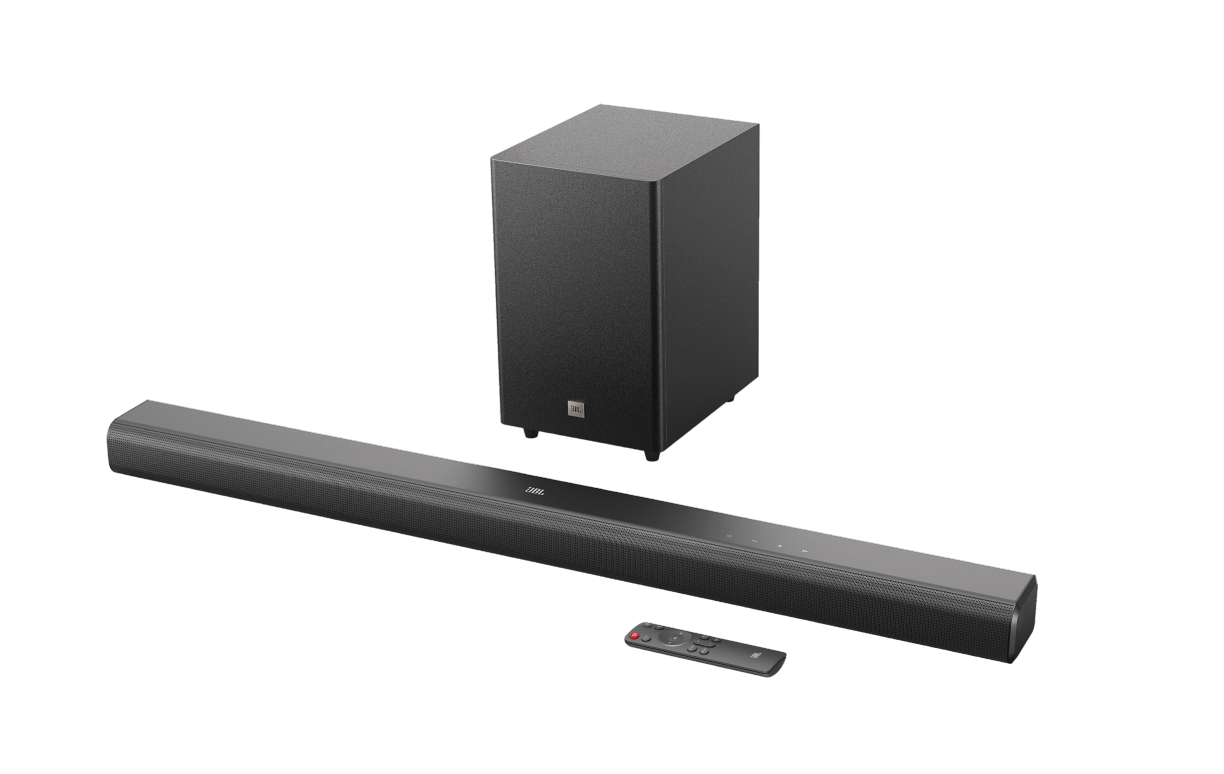
Introduction: What Is the JBL Harman-Series Cinema SB550?
The JBL Harman-Series Cinema SB550 is a 3.1-channel soundbar system designed to bring stronger dialogue clarity, wider sound, and deeper bass to everyday TV viewing and home entertainment. With a total output of 250W, a wireless 5.25-inch subwoofer, and Dolby Audio support, it is built for users who want a simple upgrade from built-in TV speakers without moving to a full surround system. The soundbar uses three racetrack drivers and two tweeters to deliver clear mids and crisp highs, while the dedicated center-channel performance helps voices stand out during movies, sports, and streaming shows.
This model is a strong fit for apartment living rooms, bedrooms, and mid-sized home theater setups where space is limited but audio quality still matters. It supports HDMI ARC, Bluetooth 5.3, optical input, and USB playback on select regional versions, making it flexible for TVs, phones, tablets, and media players. The JBL Harman-Series Cinema SB550 is also appealing for users who want quick setup and low-maintenance performance: one soundbar, one subwoofer, and fewer cables than a traditional receiver-based system.
As of current market listings, the estimated price range is roughly $170 to $250 depending on region, with availability varying by country and retailer. Some markets show active stock, while others list the system as sold out or limited. For buyers comparing compact soundbars, the JBL Harman-Series Cinema SB550 stands out for its bass response, straightforward setup, and value-focused feature set.
Pros & Cons of the JBL Harman-Series Cinema SB550
Pros
- Powerful 250W output: Delivers room-filling sound for movies, TV, and streaming without needing external amplifiers.
- Wireless subwoofer: The 5.25-inch sub adds strong low-end impact for action scenes and music playback.
- Clear dialogue performance: The 3.1-channel layout is especially useful for news, podcasts, and shows with frequent conversation.
- Modern connectivity: HDMI ARC and Bluetooth 5.3 make it easy to connect to TVs and mobile devices.
- Good value for money: It offers a balanced mix of power, bass, and convenience at a mid-range price point.
Cons
- No true rear speakers: It cannot replace a full surround sound system for users wanting full cinematic immersion.
- HDMI version limitations: The system uses HDMI 1.4-class support, which is fine for audio return but not ideal for advanced TV passthrough features.
- Best for small to medium rooms: In very large spaces, the soundstage may feel less expansive than more expensive alternatives.
- Alternative options exist: Buyers seeking more connectivity, app control, or virtual surround features may prefer premium models from Sonos, Samsung, or higher-end JBL bars.
For its price class, the JBL Harman-Series Cinema SB550 offers strong overall value, especially if the main priority is clear TV audio and punchy bass rather than advanced multi-speaker surround effects.
Customer Reviews Summary for the JBL Harman-Series Cinema SB550
Customer feedback on the JBL Harman-Series Cinema SB550 is generally positive, with many users praising the bass performance, easy setup, and improved dialogue clarity. A common theme in user ratings is that the system feels like a major upgrade over built-in television speakers, especially for streaming movies and action content. Many buyers rate it around 4 out of 5 stars for everyday home use.
Typical praise includes comments like, “The subwoofer gives movies real impact,” and “Voice clarity is much better than my TV speakers.” Common complaints focus on the fact that it is still a compact soundbar system, so users expecting full cinematic surround sound may feel it is limited. Some buyers also mention that setup and feature performance can vary depending on the TV’s HDMI ARC compatibility and audio settings.
Overall, the JBL Harman-Series Cinema SB550 is a recommended purchase for users who want an affordable, bass-forward soundbar with simple connectivity and reliable daily performance.
Key Features and Technical Highlights
- Sound system: 3.1-channel layout
- Total power output: 250W
- Soundbar output power: 150W
- Wireless subwoofer output power: 100W
- Soundbar drivers: 3 racetrack drivers and 2 tweeters
- Subwoofer driver: 5.25-inch wireless subwoofer
- Connectivity: HDMI ARC, Bluetooth 5.3, optical input, USB playback on select versions
- Audio format support: Dolby Audio
- Use case: TV audio upgrade, movie nights, sports, music streaming
Who Should Buy the JBL Harman-Series Cinema SB550?
The JBL Harman-Series Cinema SB550 is ideal for viewers who want a clean, simple, and affordable home theater upgrade without the complexity of a full AV receiver setup. It is especially suited to people who watch movies, stream series, or need clearer speech in television content. If the goal is better bass, stronger volume, and easier daily use, this model makes a practical choice.
Final Verdict
As a compact 3.1 soundbar with a wireless subwoofer, the JBL Harman-Series Cinema SB550 delivers a strong mix of convenience, clarity, and bass impact. It is best suited to users who want an easy-to-install audio upgrade that improves both dialogue and low-end performance. For its price, features, and overall sound profile, it remains a competitive option in the mid-range soundbar category.
Faqs
How do I set up the jbl Harman-Series Cinema SB550 for the first time with my TV?
What should I do if the jbl Harman-Series Cinema SB550 has no sound after connecting it?
Does the jbl Harman-Series Cinema SB550 work with any TV, and what connection does it need?
How can I improve bass and dialogue clarity on the jbl Harman-Series Cinema SB550?
Why is the jbl Harman-Series Cinema SB550 remote not responding, and how do I fix it?
Can I connect a phone or tablet to the jbl Harman-Series Cinema SB550 for music playback?
What is the best way to place the jbl Harman-Series Cinema SB550 for home theater sound?
How should I clean and maintain the jbl Harman-Series Cinema SB550 safely?
Tags
More jbl manuals
Leave a Comment