
Jbl Charge-5 Portable Waterproof Speaker User Manual
Content
JBL Charge 5 Portable Waterproof Speaker Manual and Product Guide
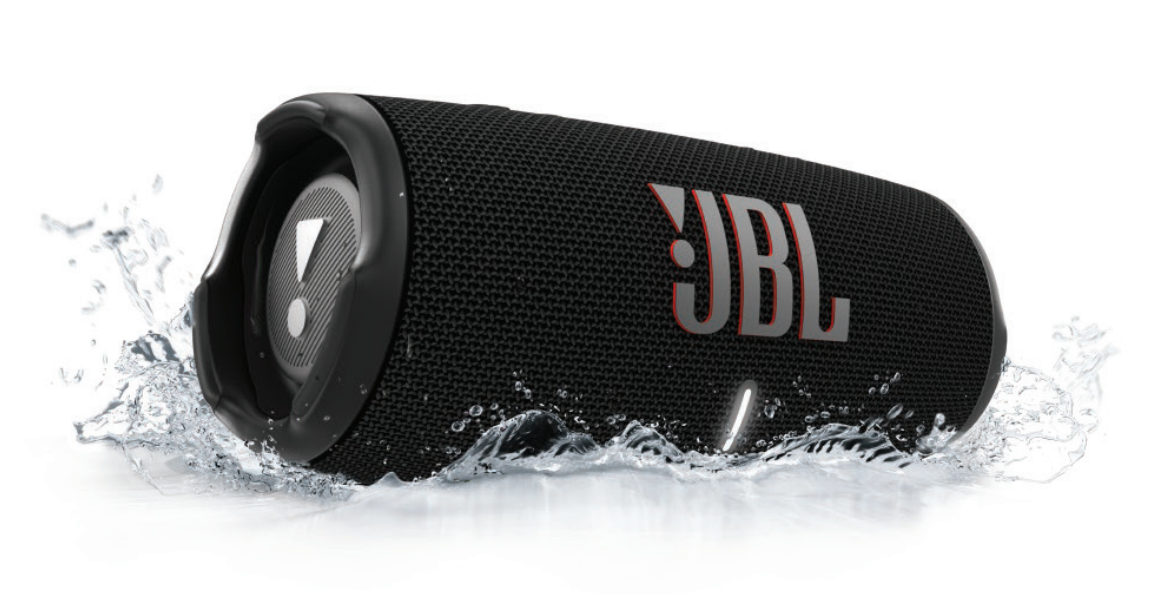
Introduction to the JBL Charge 5 Portable Waterproof Speaker
The JBL Charge 5 Portable Waterproof Speaker is a rugged, travel-friendly Bluetooth speaker built for people who want powerful sound, long battery life, and dependable durability in one compact design. With an IP67 waterproof and dustproof rating, it is designed for poolside hangouts, beach days, camping trips, backyard gatherings, and everyday listening at home. Its dual-driver layout, including a woofer and tweeter, delivers clear highs, strong mids, and punchy bass that suits music, podcasts, and outdoor entertainment.
This speaker is especially appealing to outdoor users, frequent travelers, students, and anyone looking for a portable wireless speaker with powerbank functionality. The built-in battery supports up to 20 hours of playtime, and the USB-C charging port makes recharging straightforward. The JBL Charge 5 Portable Waterproof Speaker also stands out for its ability to charge a connected device, which adds practical value during long trips or outdoor events.
In terms of pricing, the JBL Charge 5 Portable Waterproof Speaker is commonly found in the mid-range portable speaker category, typically around $130 to $180 depending on color, seller, and seasonal promotions. It remains widely available through major electronics retailers, online marketplaces, and the brand’s official store. For buyers seeking a balance of performance, portability, and toughness, this model continues to be a strong option in 2026.
Key Features and Technical Overview
- IP67 waterproof and dustproof protection for indoor and outdoor use
- Bluetooth 5.1 wireless connectivity for stable pairing
- Up to 20 hours of battery life for extended listening
- USB-C charging with fast, convenient recharging
- Powerbank function for charging compatible mobile devices
- Portable design with a durable build for travel and outdoor activities
Troubleshooting Common JBL Charge 5 Issues
Most performance issues with the JBL Charge 5 Portable Waterproof Speaker are easy to resolve. If the speaker does not power on, charge it fully with a working USB-C cable and wall adapter. If Bluetooth pairing fails, turn Bluetooth off and on again on your phone, forget the speaker from the device list, and reconnect while the speaker is in pairing mode. Low volume or distorted audio often comes from a low battery, a weak source signal, or volume settings that are too low on either the speaker or the connected device.
Common user-reported issues include connectivity drops, the powerbank not charging another device, or PartyBoost not linking properly with other speakers. There are no widely used public error codes for this model; instead, fixes are usually based on reset, re-pairing, or cable replacement. Prevent problems by avoiding deep battery drain, keeping the charging port dry, using quality cables, and storing the speaker away from extreme heat. Standard warranty coverage is typically one year, though coverage may vary by region and retailer. For help, contact JBL support through the official support portal, the retailer where the speaker was purchased, or authorized service centers listed for your country.
Pros and Cons of the JBL Charge 5 Portable Waterproof Speaker
Pros
- Strong sound output for its size, with clear vocals and solid bass
- IP67 rating makes it ideal for beaches, pools, and outdoor travel
- Long battery life supports all-day listening
- Powerbank feature adds real-world convenience
- Durable, portable design makes it easy to carry
Cons
- No built-in microphone for speakerphone calls
- Does not include Wi-Fi or smart assistant features
- Not the cheapest option in the portable Bluetooth speaker category
- Soundstage is good, but larger premium speakers may offer more room-filling audio
For value for money, the JBL Charge 5 Portable Waterproof Speaker is a strong mid-range purchase. It compares well against similarly priced waterproof speakers, especially if battery life, ruggedness, and powerbank charging matter more than smart features.
Customer Reviews and User Feedback
Customer feedback for the JBL Charge 5 Portable Waterproof Speaker is generally very positive, with many owners giving it around 4.5 out of 5 stars. Users frequently praise the loud, clean sound, dependable Bluetooth connection, and durable build quality. Outdoor listeners often highlight the IP67 protection as a major benefit for beach trips, camping, and poolside use.
Common complaints focus on the price, the lack of advanced smart functions, and the fact that some users want deeper bass at higher volumes. A typical testimonial reads: “Great sound for a portable speaker, and the battery lasts all weekend.” Another common sentiment is: “It feels tough enough for travel and still sounds bigger than expected.” For shoppers wanting a reliable waterproof Bluetooth speaker with strong everyday performance, this model is an easy recommendation.
Quick Buying Summary
- Best for outdoor use, travel, and casual home listening
- Ideal for buyers who want waterproof protection and long battery life
- Recommended for people who value portable sound over smart-home features
- Still one of the most balanced choices in the waterproof speaker category
Faqs
How do I set up the jbl Charge-5 Portable Waterproof Speaker for the first time?
Why won’t my jbl Charge-5 Portable Waterproof Speaker connect to Bluetooth, and how can I fix it?
How waterproof is the jbl Charge-5 Portable Waterproof Speaker, and what should I avoid?
Can I use the jbl Charge-5 Portable Waterproof Speaker while it is charging?
How can I improve the sound quality and bass on the jbl Charge-5 Portable Waterproof Speaker?
Is the jbl Charge-5 Portable Waterproof Speaker compatible with iPhone, Android, and laptops?
What should I do if the battery on my jbl Charge-5 Portable Waterproof Speaker drains too fast?
How should I clean and maintain the jbl Charge-5 Portable Waterproof Speaker for long-term use?
More jbl manuals
- Jbl Harman-Series Cinema SB550 User Manual
- Jbl EON-208P Portable PA Speakers User Manual
- Jbl Tuner Portable Bluetooth Speaker User Manual
- Specifications & Features: Jbl Bar 300 Soundbar User Manual
- Jbl 12-Series Portable Speaker IRX112BT User Manual
- How to Use: Jbl Quantum 350 Wireless Gaming Headset User Manual
Leave a Comment