
Pairing & Setup: Jlab Go Pop ANC Earbuds User Manual
Content
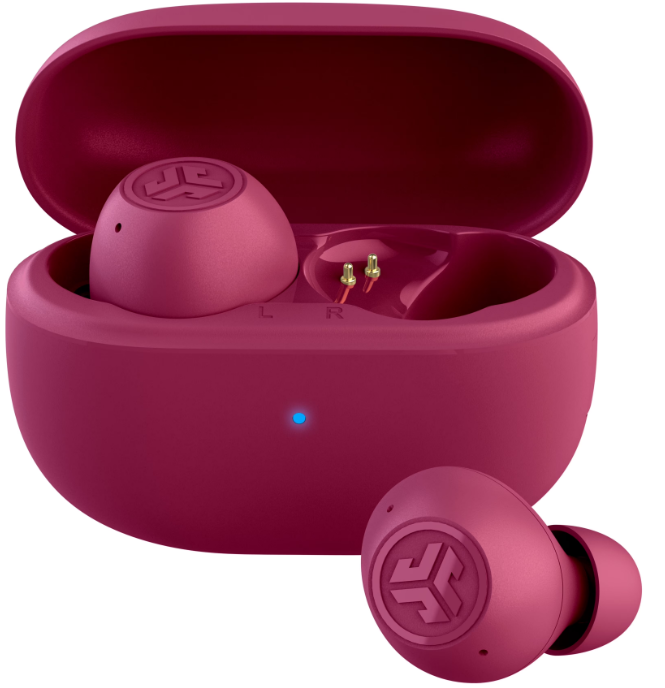
JLab Go Pop ANC Earbuds
Introduction
The JLab Go Pop ANC Earbuds are an excellent choice for anyone seeking affordable, feature-rich true wireless earbuds. These earbuds offer active noise cancellation (ANC), a comfortable fit, and impressive sound quality, making them ideal for both casual listening and intense workouts. With a 24+ hour total playtime and a price tag of $29.99, they are a great value for budget-conscious consumers. The target audience includes individuals who want reliable earbuds for daily use, commuters, and fitness enthusiasts. The earbuds are widely available at major retailers and online platforms.
Specifications
The JLab Go Pop ANC Earbuds come with a range of impressive features:
- Audio Specifications: Equipped with 10mm dynamic drivers for enhanced bass and treble.
- Active Noise Cancellation (ANC): Effective noise reduction with both ANC and Be Aware modes for safe listening.
- Bluetooth Connectivity: Features Bluetooth 5.3 for stable connections and supports codecs like SBC and AAC.
- Battery Life: Provides up to 7 hours of playtime per earbud with ANC on and 24+ hours total with the charging case.
- App Support: Customizable sound settings and touch controls via the JLab App.
- Water Resistance: Rated IPX4 for protection against sweat and light rain.
Compared to similar products, the JLab Go Pop ANC Earbuds stand out with their affordability and robust feature set.
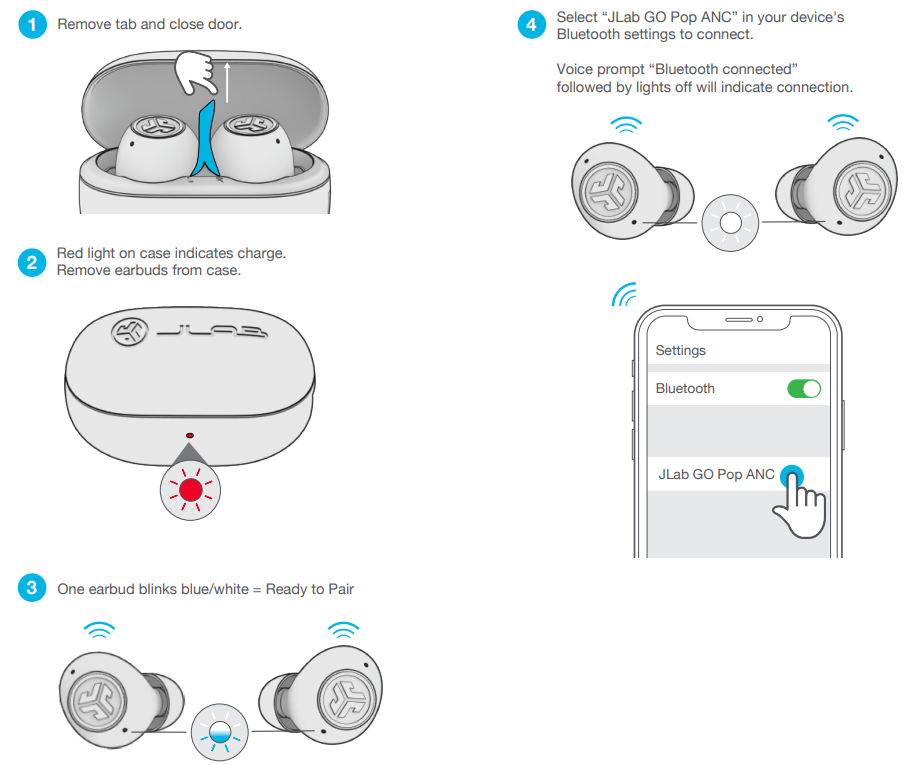
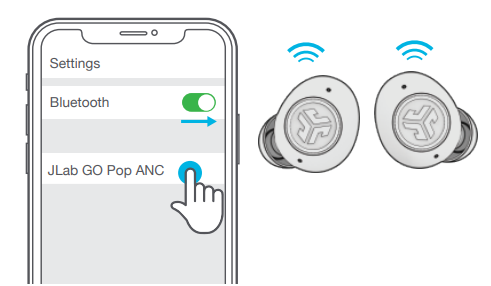
PAIR UP
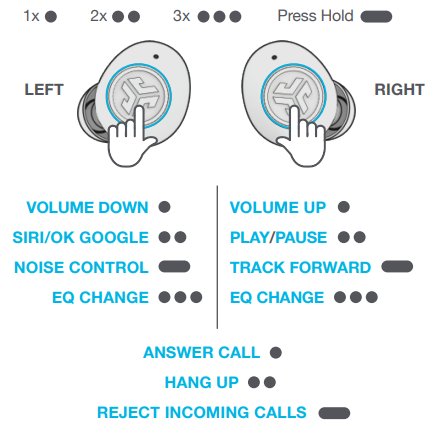
GO AHEAD, PRESS THE BUTTON
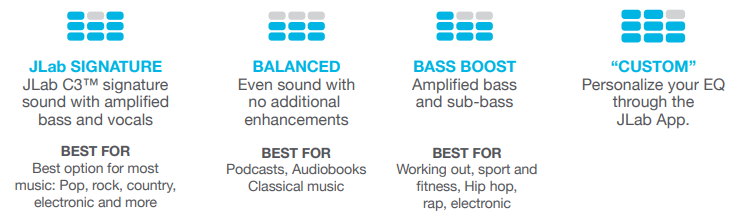
THE RIGHT SOUND FOR EVERY MOMENT
We get it, sound is personal. Choose your sound preferences from our EQ3 settings and customize your sound style to match exactly what you’re doing.
GET CHARGED (EARBUDS)
.png)
GET CHARGED (CASE)
Connect the GO Pop ANC into a computer or USB-C 5V 1A (or less) output device.
.png)
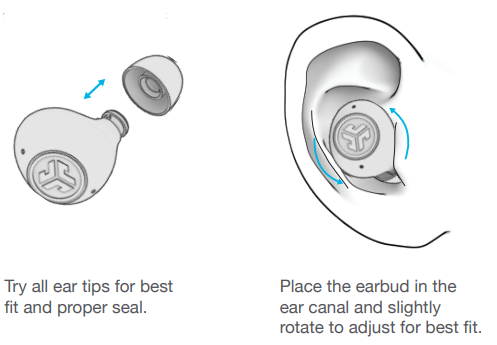
FIND YOUR FIT
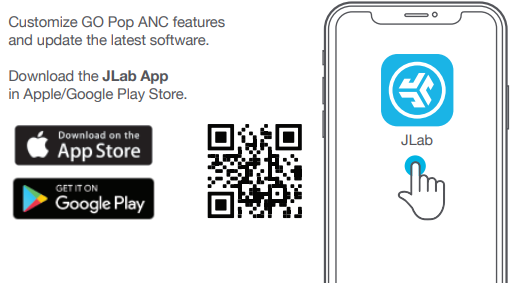
DOWNLOAD THE APP
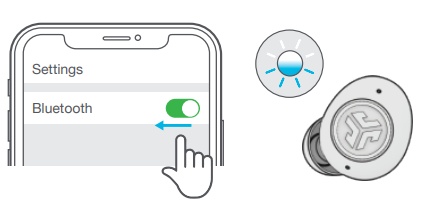
MULTIPOINT
Once the FIRST device is connected, turn off Bluetooth in device settings. GO Pop ANC will auto-enter Bluetooth Pairing.
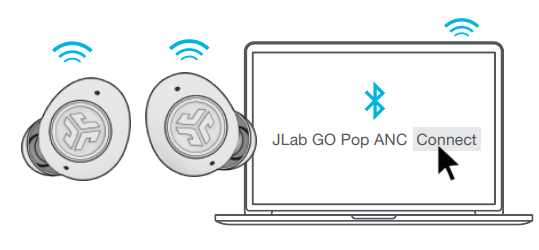
Enter your SECOND device Bluetooth settings and connect to GO Pop ANC.
Enter your FIRST device Bluetooth settings. Turn on Bluetooth and connect to GO Pop ANC.
Troubleshooting
Common issues and solutions for the JLab Go Pop ANC Earbuds include:
- Connection Issues: Ensure Bluetooth is enabled on your device and reset the earbuds if necessary.
- No Sound: Check for proper ear tip fit and ensure the earbuds are not muted.
- ANC Not Working: Adjust the ANC settings in the JLab App or ensure the earbuds are properly seated.
- Warranty and Support: Covered by a limited warranty. Contact JLab support at support@jlab.com for assistance.
YOUR WARRANTY
All warranty claims are subject to JLab authorization and at our sole discretion. Retain your proof of purchase to ensure warranty coverage.
CONTACT US
Reach out to us at support@jlab.com or visit jlab.com/contact
Pros and Cons
Pros:
- Affordable Price: Offers excellent value with a price under $30.
- Impressive Sound Quality: Provides solid bass and treble performance.
- Effective ANC: Reduces ambient noise effectively for its price.
- Comfortable Fit: Suitable for extended wear.
Cons:
- Build Quality: May appear somewhat cheap.
- Midrange Sound: Not as rich as more expensive options.
- Color Options: Limited and not the most appealing.
Customer Reviews
Users praise the JLab Go Pop ANC Earbuds for their affordability, sound quality, and ANC performance. Common praises include the impressive bass and treble, while some users mention the lackluster midrange sound and build quality as drawbacks. Overall, these earbuds are highly recommended for budget-conscious buyers seeking reliable true wireless earbuds.
Rating: 4.5/5 stars. Frequently mentioned issues include connectivity problems, which are often resolved by resetting the earbuds.
Faqs
How do I set up jlab Go Pop ANC Earbuds for the first time?
What should I do if my jlab Go Pop ANC Earbuds are not pairing or disconnect frequently?
How can I use the Active Noise Cancelling and Be Aware modes on jlab Go Pop ANC Earbuds?
Are jlab Go Pop ANC Earbuds compatible with all Bluetooth devices and apps?
How can I optimize sound quality and call clarity on my jlab Go Pop ANC Earbuds?
What maintenance steps should I follow to keep my jlab Go Pop ANC Earbuds in good condition?
How long does the battery last on jlab Go Pop ANC Earbuds and how do I charge them properly?
What can I do if my jlab Go Pop ANC Earbuds have wax buildup affecting sound quality?
More jlab manuals
Leave a Comment