
Setup : Marshall Major II Bluetooth Headphones User Manual
Content
Marshall Major II Bluetooth Headphones
Introduction
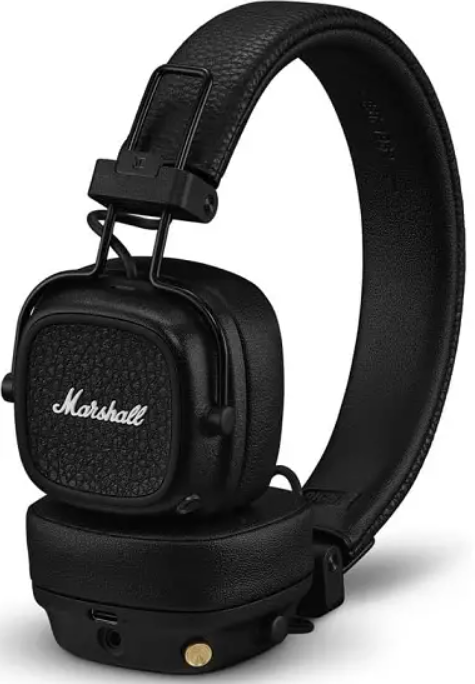
The Marshall Major II Bluetooth Headphones combine classic Marshall design with modern wireless convenience, delivering a rich, bass-heavy sound that appeals to music lovers seeking both style and performance. These on-ear headphones are built with iconic vintage aesthetics featuring a black leather-wrapped headband, gold accents, and soft ear cushions, making them a fashionable companion for daily use.
Designed for casual listeners, commuters, and audiophiles who enjoy genres like electronic, rap, and pop, the Major II Bluetooth headphones provide a seamless wireless experience with built-in Bluetooth aptX technology, ensuring CD-quality audio and minimal audio-video latency. The headphones offer over 30 hours of playback on a single charge, with a quick 2-hour charge providing up to 8 hours of use. Additionally, a detachable coiled audio cable with an inline microphone and remote adds versatility for wired listening and hands-free phone calls.
Available worldwide through major retailers and online stores, the Marshall Major II Bluetooth headphones typically range between $130 and $160, making them an attractive mid-range option for users seeking a blend of iconic style and solid audio performance without breaking the bank.
Specifications of Marshall Major II Bluetooth Headphones
- Driver Size: 40mm handmade moving coil drivers delivering dynamic sound.
- Frequency Response: 10 Hz to 20 kHz, covering a wide audible spectrum for deep bass and clear highs.
- Sensitivity: 99 dB SPL, providing loud and detailed audio output.
- Impedance: 64 ohms, suitable for smartphones, tablets, and PCs.
- Bluetooth Connectivity: Bluetooth aptX codec for CD-quality wireless audio and reduced lip-sync delay.
- Battery Life: Over 30 hours of wireless playback; 2-hour quick charge for 8 hours of use.
- Weight: Lightweight at approximately 6.1 ounces for comfortable all-day wear.
- Controls: Gold analog knob for play/pause, skip tracks, volume adjustment, and call management.
- Additional Features: Foldable design with hinged ear cups for portability; detachable coiled audio cable with inline mic and remote for wired use.
Compared to similar mid-range wireless headphones, the Major II excels in battery life and iconic Marshall sound signature but lacks advanced features such as active noise cancellation and multi-device pairing found in some competitors.
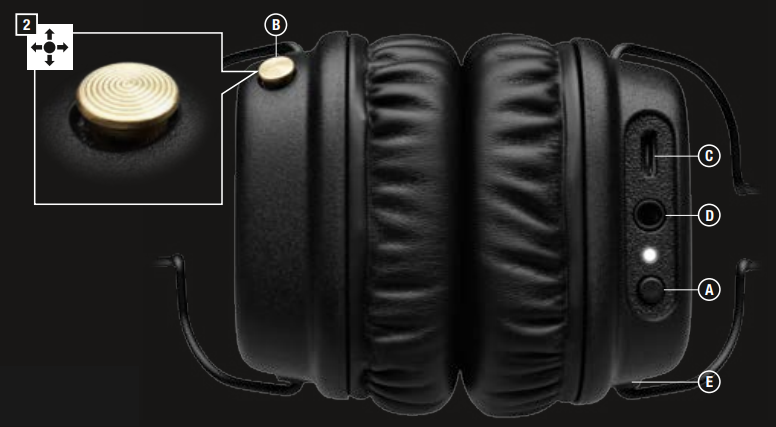
DEVICE LAYOUT
- POWER BUTTON.
- CONTROL KNOB.
- MICRO USB SOCKET FOR CHARGING.
- 3.5 MM INPUT/ OUTPUT SOCKET.
- MICROPHONE.
CONTROLS
POWER ON/OFF
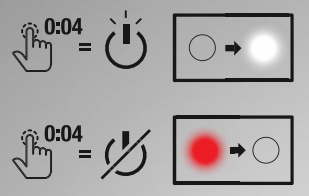
- PUSH AND HOLD THE POWER BUTTON FOR 4 SECONDS TO TURN ON.
- PUSH AND HOLD THE POWER BUTTON FOR 4 SECONDS TO TURN OFF.
NOTE: IF NOT CONNECTED TO A SOUND SOURCE,, THE HEADPHONE WILL AUTOMATICALLY TURN OFF AFTER 10 MINUTES.
BLUETOOTH® PAIRING
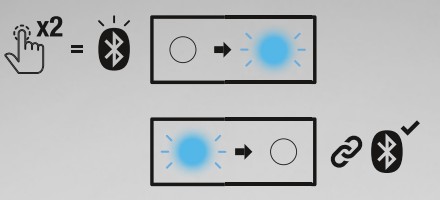
WHEN POWERED ON, DOUBLE CLICK THE POWER BUTTON ON THE HEADPHONES. THE BLUETOOTH® PAIRING INDICATOR STARTS FLASHING BLUE. ENABLE BLUETOOTH® IN YOUR DEVICE. SELECT “MAJOR II BLUETOOTH” IN THE BLUETOOTH® LIST AND ACCEPT PAIRING. THE INDICATOR TURNS OFF WHEN THE PAIRING IS COMPLETED.
NOTE: AFTER THE INITIAL PAIRING, THE HEADPHONES WILL AUTOMATICALLY CONNECT TO THE DEVICE WHEN TURNED ON AGAIN.
CHARGING
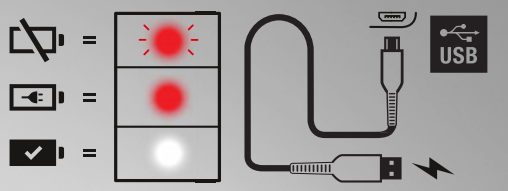
THE RED BATTERY INDICATOR STARTS BLINKING WHEN THE BATTERY LEVEL IS LOW. PLUG THE INCLUDED USB-C cable INTO THE MICRO USB SOCKET ON THE HEADPHONE. PLUG THE USB END OF THE CABLE INTO A USB POWER SOURCE. THE RED BATTERY INDICATOR STAYS LIT WHEN CHARGING. WHEN THE BATTERY IS FULLY CHARGED, THE BATTERY INDICATOR TURNS WHITE.
NOTE: CHARGE THE BATTERY BEFORE USING THE HEADPHONES THE FIRST TIME. 2 CHARGE GIVES APPROXIMATELY 8 HOURS OF PLAYBACK AT MEDIUM VOLUME.
PHONE FUNCTIONALITY
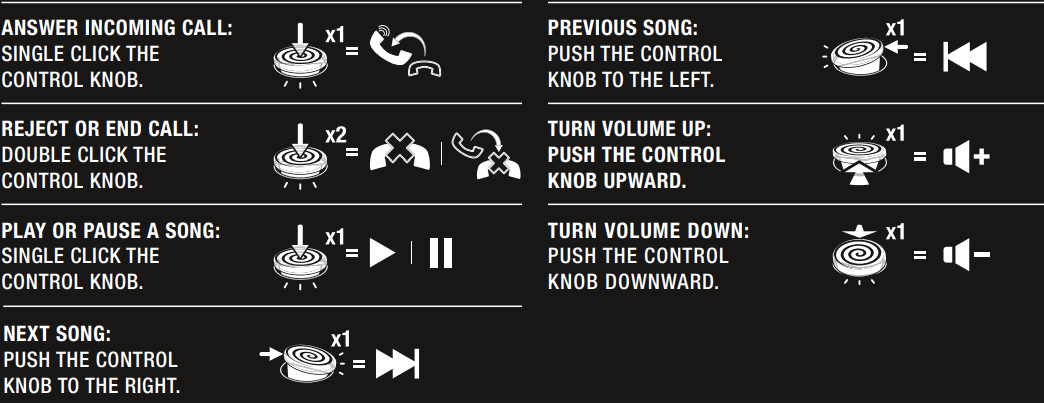
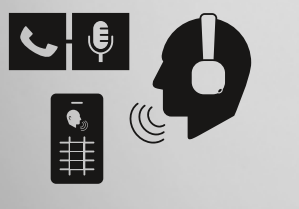
WIRELESSLY ANSWER, REJECT, OR END A CALL USING THE CONTROL KNOB.
SHARING
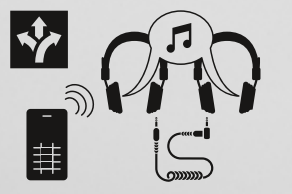
USE THE EMPTY 3.5MM SOCKET TO SHARE YOUR AUDIO.
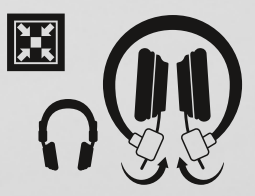
COLLAPSIBLE
COLLAPSIBLE DESIGN FOR EASY STORAGE AND TRANSPORTATION.
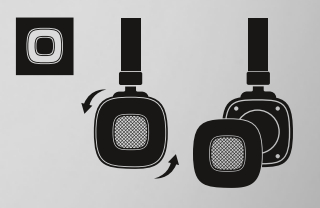
REMOVABLE EAR CUSHIONS
HOLD THE EAR CUSHION AND TURN COUNTER-CLOCKWISE.
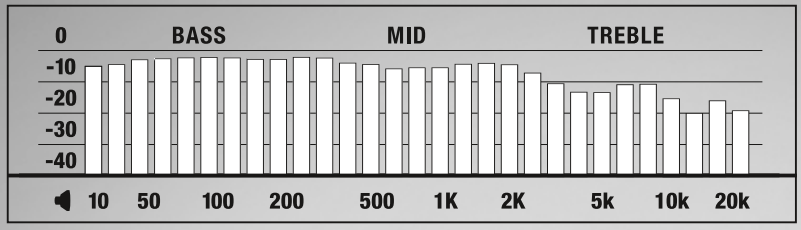
TECHNICAL INFO
- TRANSDUCER: 40 MM, DYNAMIC
- IMPEDANCE: 64 OHM
- FREQUENCY RANGE: 10 HZ-20 KHZ
- SENSITIVITY: 100 MV @ 1 KHZ = 99 DB SPL
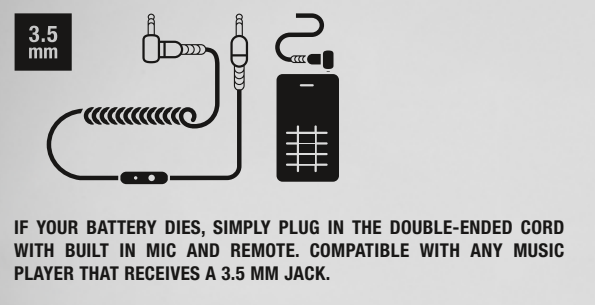
DETACHABLE 3.5 MM CORD
IF YOUR BATTERY DIES, SIMPLY PLUG IN THE DOUBLE-ENDED CORD WITH BUILT-IN MIC AND REMOTE. COMPATIBLE WITH ANY MUSIC PLAYER THAT RECEIVES A 3.5 MM JACK.
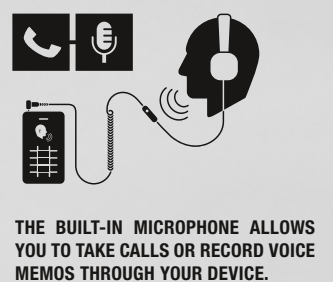
3.5MM MICROPHONE:
THE BUILT-IN MICROPHONE ALLOWS YOU TO TAKE CALLS OR RECORD VOICE MEMOS THROUGH YOUR DEVICE.
3.5MM REMOTE:
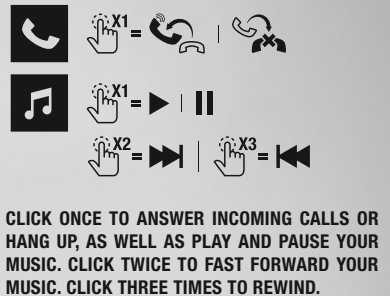
CLICK ONCE TO ANSWER INCOMING CALLS OR HANG UP, AS WELL AS PLAY AND PAUSE YOUR MUSIC. CLICK TWICE TO FAST FORWARD YOUR MUSIC. CLICK THREE TIMES TO REWIND.
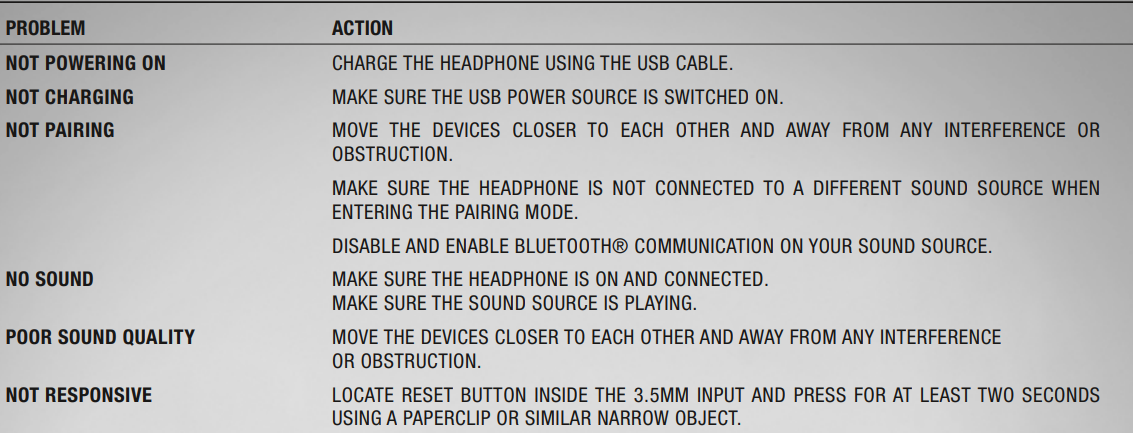
TROUBLESHOOTING
Pros & Cons of Marshall Major II Bluetooth Headphones
Pros
- Iconic Design: Classic Marshall style with premium leather and gold accents appeals to brand fans and style-conscious users.
- Sound Quality: Deep, punchy bass with clear mids makes these headphones ideal for bass-heavy music genres like EDM and rap.
- Battery Life: Excellent wireless playback exceeding 30 hours, outperforming many rivals in the same price range.
- Versatility: Detachable wired option with microphone and remote ensures uninterrupted use if the battery runs out.
Cons
- Build Quality: Some users report a flimsy plastic feel, less durable than premium models.
- Sound Signature Limitations: Bass emphasis may overwhelm mids and highs, which can affect clarity on rock or acoustic music.
- Lack of Advanced Features: No active noise cancellation or voice assistant integration limits functionality compared to newer wireless headphones.
- Average Noise Isolation: On-ear design offers less passive isolation, making them less ideal for noisy environments or commuting.
Considering value for money, the Marshall Major II Bluetooth headphones provide a compelling option for users prioritizing style, battery life, and bass-rich sound, though audiophiles seeking balanced sound or advanced features might explore other alternatives.
Customer Reviews and Feedback on Marshall Major II Bluetooth Headphones
Users generally praise the Marshall Major II Bluetooth Headphones for their stylish design, comfortable fit, and impressive battery longevity. Many highlight the rich bass response as a major plus, especially for genres like electronic and hip-hop. The intuitive analog control knob receives positive mentions for ease of use during music playback and calls.
Common complaints include the headphones’ somewhat fragile build quality and the on-ear design’s limited noise isolation, which lets in ambient sounds. Some users noted the sound signature is bass-heavy, which may cause ear fatigue over extended listening sessions and mask some vocal or instrument details in certain music types.
Overall, customer ratings average around 4 out of 5 stars, with many recommending the headphones for casual and style-conscious listeners looking for a solid wireless option without premium price tags. However, those wanting noise cancellation or a more neutral sound might consider other models.
Faqs
How do I set up my marshall Major II Bluetooth Headphones for wireless use?
What should I do if my marshall Major II Bluetooth Headphones are not connecting or pairing with my device?
Can I use the marshall Major II Bluetooth Headphones with non-Bluetooth devices?
How long does the battery last on marshall Major II Bluetooth Headphones, and how do I charge them?
What features make the marshall Major II Bluetooth Headphones stand out in terms of audio quality?
How do I maintain and care for my marshall Major II Bluetooth Headphones to ensure longevity?
Are marshall Major II Bluetooth Headphones compatible with voice assistants like Siri or Google Assistant?
Why do marshall Major II Bluetooth Headphones sometimes have audio lag when watching videos, and how can I fix it?
More marshall manuals
- Setup & Pairing: Marshall Heston 120 TV Soundbar User Manual
- Setup : Marshall Middleton II Portable Loudspeaker User Manual
- Setup& Pairing: Marshall Motif II True Wireless A.N.C Earbuds User Manual
- Setup & Usage: Marshall Emberton II Portable Bluetooth Speaker User Manual
- Setup & Pairing: Marshall Major V Bluetooth Headphone User Manual
- Setup & Pairing: Marshall Major III Bluetooth On Ear Headphones User Manual
Leave a Comment