
Netgear EX7300 Nighthawk X4 WiFi Mesh User Manual
Content
netgear EX7300 Nighthawk X4 WiFi Mesh Overview
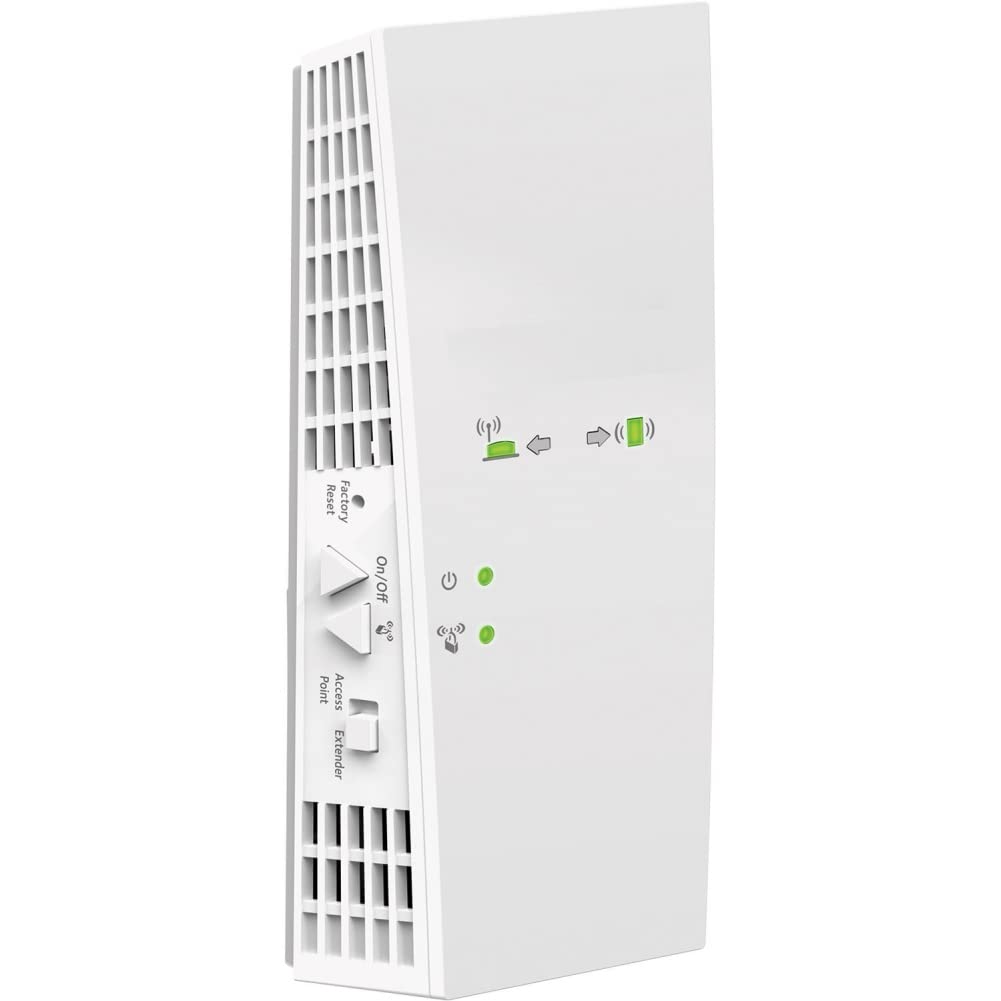
The netgear EX7300 Nighthawk X4 WiFi Mesh is a dual-band AC2200 range extender designed to expand wireless coverage and reduce dead zones in homes and small offices. It creates a stronger, more reliable connection by boosting an existing WiFi network and supporting seamless roaming with a single WiFi name, so devices can move around the home without frequent manual reconnection. With FastLane technology, a Gigabit Ethernet port, and support for multiple devices, it is especially useful for HD streaming, online gaming, smart home devices, and work-from-home setups.
One of the biggest advantages of the EX7300 is its balance of performance and simplicity. The wall-plug design makes placement easy, while Mesh Smart Roaming helps compatible devices stay connected to the strongest signal. It is commonly positioned as a practical solution for users who want better coverage without replacing their router. Typical pricing varies by region and seller, but the EX7300 is generally found in the mid-range extender category, often around $70 to $120 depending on condition, availability, and retailer promotions. Availability may include new, refurbished, or marketplace listings, since this model has been on the market for several years.
This product is best suited for households with weak WiFi in bedrooms, basements, garages, or upper floors. It also works well for users who need stable wireless backhaul for media players, consoles, printers, and laptops. For shoppers comparing mesh extender options, the netgear EX7300 Nighthawk X4 WiFi Mesh remains appealing because it delivers easy setup, broad compatibility, and dependable coverage without requiring a full mesh router upgrade.
Specifications for netgear EX7300 Nighthawk X4 WiFi Mesh Extender
- WiFi standard: 802.11ac dual-band
- Performance class: AC2200
- Wireless bands: 2.4 GHz and 5 GHz
- Maximum combined speed: Up to 2200 Mbps
- Ethernet port: 1 Gigabit Ethernet port
- Coverage use case: Extends WiFi range for hard-to-reach rooms and multi-floor homes
- Mesh features: Smart Roaming and One WiFi Name support
- FastLane: Optimizes traffic across both wireless bands for streaming and gaming
- Design: Compact wall-plug form factor
- Dimensions: Approximately 6.34 x 3.2 x 1.75 inches
- Weight: About 0.66 lb
- Device support: Suitable for many connected devices in a busy home network
In real-world use, the EX7300 is often chosen for its strong dual-band throughput and simple expansion of an existing router network. Compared with lower-cost single-band extenders, it offers better performance for HD video, video calls, and wireless gaming. Compared with newer whole-home mesh systems, it is less advanced but more affordable and easier to add to an existing setup.
Troubleshooting the netgear EX7300 Nighthawk X4 WiFi Mesh
Common issues with the EX7300 usually relate to placement, pairing, or signal quality rather than hardware failure. If the extender is not connecting, move it closer to the router during setup and confirm that the router WiFi is active. If speeds are slow, avoid plugging the extender behind large metal objects, thick walls, or appliances that interfere with signal strength. A good rule is to place it where the router signal is still strong enough for stable backhaul.
- Problem: No internet after setup. Fix: Reboot the router and extender, then reconnect using the correct SSID and password.
- Problem: Weak or unstable signal. Fix: Relocate the extender halfway between the router and the dead zone.
- Problem: Device keeps switching networks. Fix: Enable One WiFi Name and Smart Roaming where supported.
- Problem: Ethernet device not working. Fix: Check the Gigabit port, cable, and LAN settings on the connected device.
- Problem: Setup page will not load. Fix: Clear browser cache or use a different browser/device.
If you see setup error messages such as connection failure or authentication problems, the most effective fix is usually to reset the extender and start again from a closer location. Preventive maintenance includes occasional firmware updates, a stable power outlet, and regular review of router settings. NETGEAR typically backs the unit with a limited 1-year hardware warranty and 90 days of complimentary technical support when purchased from an authorized reseller. Support is available through NETGEAR’s official support channel and product registration portal.
Pros and Cons of the EX7300 WiFi Mesh Extender
Pros
- Easy setup: Simple installation makes it friendly for non-technical users.
- Strong wireless performance: AC2200 dual-band speeds are well suited to streaming and gaming.
- Mesh convenience: Smart Roaming helps devices stay connected while moving around the house.
- Gigabit Ethernet port: Useful for smart TVs, consoles, and desktops that need wired stability.
- Good value: Often cheaper than a full mesh router system while improving coverage effectively.
Cons
- Older hardware design: It lacks the newest WiFi 6 and WiFi 7 features.
- Performance depends on router quality: Results vary if the main router is outdated.
- Wall-plug placement limits: Some outlets may not be ideal for signal positioning.
- Not a complete mesh system: It extends coverage, but does not replace a modern whole-home mesh kit.
For value-minded buyers, the netgear EX7300 Nighthawk X4 WiFi Mesh offers a strong mix of speed, convenience, and compatibility. It is a smart alternative to premium mesh systems if the goal is to fix dead zones without replacing existing networking equipment.
Customer Reviews for netgear EX7300 Nighthawk X4 WiFi Mesh
Customer feedback is generally positive, with many users rating it around 4 out of 5 stars. Praise often focuses on easier setup, stronger coverage, and reliable streaming performance in rooms that previously had poor signal. One typical review says, “It fixed my upstairs WiFi problem in minutes and my smart TV finally streams without buffering.”
Common complaints usually mention that performance varies based on router placement and building materials, and some users wish for newer WiFi standards. Another frequent comment is, “It works well, but I had to reposition it twice before getting the best speed.” Buyers looking for a budget-friendly coverage boost tend to recommend it, especially if they already use a compatible router and want a simple mesh-like experience.
Frequently Asked Questions About the EX7300 Nighthawk X4
Is the EX7300 good for gaming? Yes, it can work well for gaming when placed correctly and paired with a strong router, especially using the FastLane feature.
Does it support one WiFi name? Yes, it is designed to support a seamless roaming experience with a single network name.
Is it compatible with most routers? Yes, it is designed to work with a wide range of routers, gateways, and cable modem WiFi systems.
Who should buy it? It is ideal for users who want better home coverage, easier roaming, and a cost-effective alternative to a full mesh upgrade.
Faqs
How do I set up the netgear EX7300 Nighthawk X4 WiFi Mesh for the first time?
Why is my netgear EX7300 Nighthawk X4 WiFi Mesh not connecting to the router?
What WiFi speeds and coverage can I expect from the netgear EX7300 Nighthawk X4 WiFi Mesh?
Can the netgear EX7300 Nighthawk X4 WiFi Mesh work with any router and internet provider?
How do I choose the best location for the netgear EX7300 Nighthawk X4 WiFi Mesh?
Why does my netgear EX7300 Nighthawk X4 WiFi Mesh keep dropping the connection?
How do I update and maintain the netgear EX7300 Nighthawk X4 WiFi Mesh for reliable performance?
What should I do if the netgear EX7300 Nighthawk X4 WiFi Mesh is connected but internet speed is still slow?
More netgear manuals
Leave a Comment