
Setup & Features: Netgear Orbi Whole Home Tri-Band Mesh WiFi 6 System User Manual
Content
Netgear Orbi Whole Home Tri-Band Mesh WiFi 6 System Manual
Introduction
The Netgear Orbi Whole Home Tri-Band Mesh WiFi 6 System is designed to deliver fast, reliable, and seamless wireless coverage across large homes, multi-floor layouts, and busy smart homes. Built around WiFi 6 technology and tri-band architecture, it helps reduce congestion, improve device handling, and maintain stable performance when multiple phones, laptops, TVs, gaming consoles, and smart home devices are connected at the same time.
One of its biggest advantages is the dedicated backhaul on the third band, which allows the router and satellite units to communicate efficiently without heavily competing with your everyday devices. This helps support smoother 4K streaming, lower-latency gaming, video conferencing, and fast file transfers. The system is especially useful for households with thick walls, dead zones, or internet plans that demand stronger in-home distribution.
Target users include families, remote workers, gamers, and anyone who needs whole-home wireless coverage with minimal setup hassle. Depending on the package, coverage typically ranges from about 3,500 to 7,500 square feet, with support for dozens to over 100 devices. Estimated pricing generally falls between $300 and $800+, depending on the model and number of satellites. Availability is broad through major online retailers and Netgear’s own home networking lineup.
The netgear Orbi Whole Home Tri-Band Mesh WiFi 6 System is a strong option for users who want a premium mesh network that balances speed, range, and ease of use.
Specifications for Netgear Orbi Whole Home Tri-Band Mesh WiFi 6 System
- Wireless standard: WiFi 6 (802.11ax) with backward compatibility for older WiFi devices.
- Band design: Tri-band system with a dedicated wireless backhaul for better mesh performance.
- Speed class: Available in AX3000, AX4200, AX5400, and AX6000 variants depending on model.
- Coverage: Common configurations cover about 3,500 to 7,500 square feet.
- Device capacity: Designed for roughly 40 to 100+ connected devices, depending on the model.
- Ports: Typically includes multi-gig WAN support on higher-end models and multiple Gigabit LAN ports.
- Performance features: Beamforming, MU-MIMO, and improved efficiency for crowded networks.
- Processor and hardware: Premium models include strong internal antennas and high-powered amplifiers for stable throughput.
- Comparison note: Compared with many dual-band mesh systems, Orbi’s tri-band layout usually delivers stronger backhaul stability and better performance under load.
For users comparing mesh WiFi systems, the Orbi line generally sits above budget mesh kits in speed consistency and coverage reliability, while competing with other premium whole-home systems in the same performance tier.
Detailed Description of the Orbi WiFi 6 Mesh Network
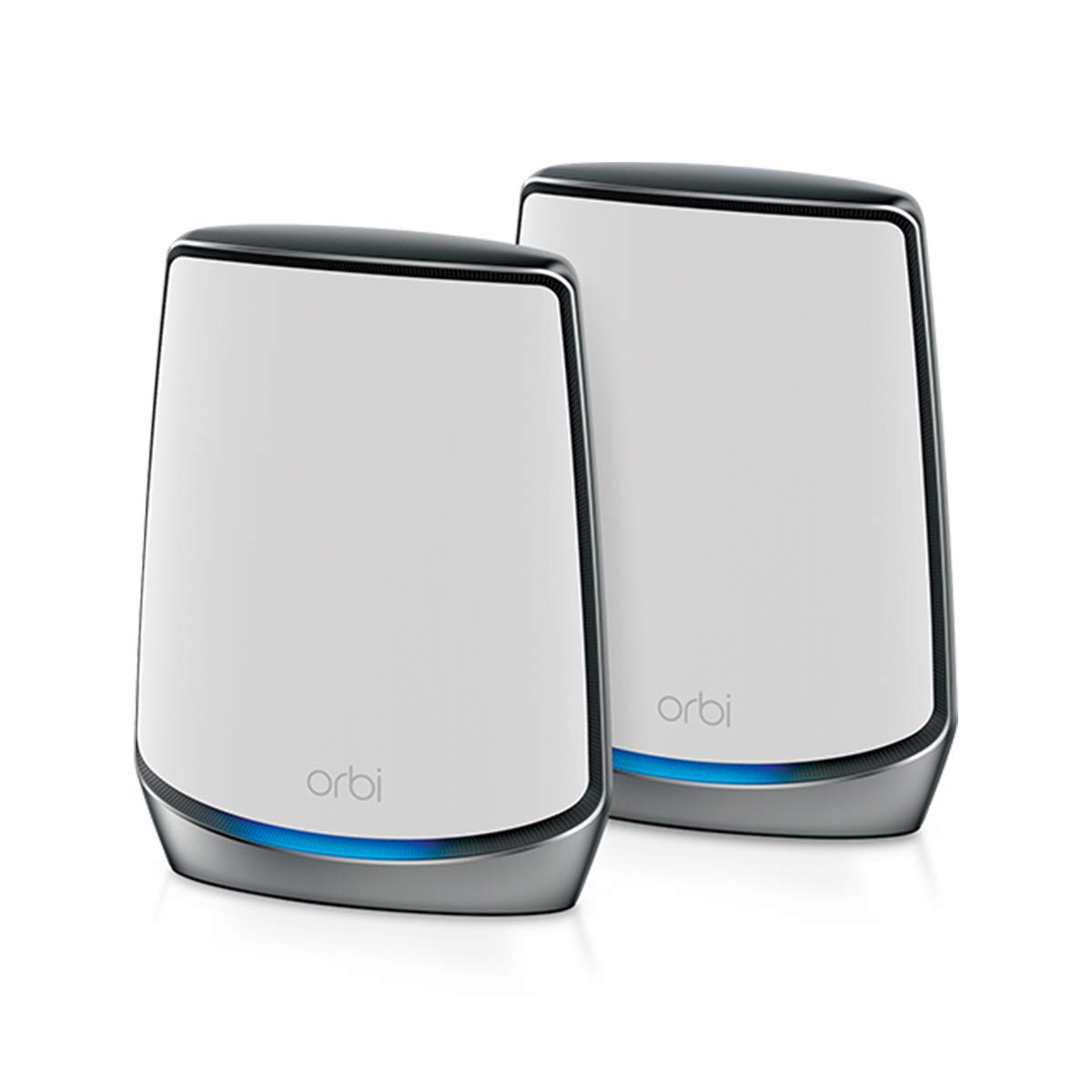
The netgear Orbi Whole Home Tri-Band Mesh WiFi 6 System works by using a router and one or more satellites to create a single mesh network across your home. Unlike traditional extenders that often create separate networks or reduce speed, Orbi units cooperate to hand off devices smoothly as you move from room to room. This creates a more consistent connection for streaming, gaming, browsing, and smart home automation.
The tri-band design is a major strength because one 5 GHz band is typically reserved for communication between Orbi units. That dedicated link reduces interference and helps preserve bandwidth for your actual devices. In real-world use, that means fewer dropouts during video calls, better stability for mesh-connected smart TVs, and faster wireless access in areas far from the main router.
Build quality is typically premium, with a clean tower-style chassis, sturdy construction, and internal antennas designed for strong whole-home signal distribution. The experience feels polished and user-friendly, especially for households that want fewer networking headaches. It is well suited for fiber internet, high-speed cable plans, and homes with dozens of active devices.
Setup Guide for Netgear Orbi Whole Home Tri-Band Mesh WiFi 6 System
- Place the main Orbi router near your modem in an open, central location.
- Connect the router to the modem using the Ethernet cable, then power both devices on.
- Wait for the router status light to stabilize before adding satellites.
- Position satellites halfway between the router and weak-signal areas, avoiding thick walls and metal objects.
- Use the Orbi mobile app or web interface to complete the guided setup.
- Create your WiFi name and password, then confirm internet access on a phone or laptop.
- Pair satellites by following the sync instructions and watching for a stable connection indicator.
- Adjust network settings such as guest WiFi, parental controls, device prioritization, and SSID naming if needed.
If pairing fails, move the satellite closer to the router, reboot both units, and retry setup. Avoid enclosing the router in cabinets or placing it near microwaves, cordless phones, or dense walls. For safety, keep all components dry, use the supplied power adapters, and disconnect power before relocating cables.
Troubleshooting Common Orbi WiFi 6 Problems
- No internet connection: Check modem status, Ethernet seating, and whether the ISP connection is active.
- Satellite not syncing: Reposition the satellite closer to the router and repeat the sync process.
- Slow speeds: Confirm the device is connected to the correct band, reduce interference, and test with Ethernet if possible.
- Frequent disconnects: Update firmware, reboot the system, and check for overloaded channels or poor placement.
- LED warnings: A blinking or amber status light usually indicates setup, connection, or placement issues that need attention.
Prevent problems by updating firmware regularly, keeping satellites in open areas, and avoiding signal obstructions. Warranty and support options are generally available through Netgear’s product support channels, including setup guides, knowledge-base articles, and direct assistance for registered owners. If help is needed, use the official Netgear support portal or the support number listed with your region’s packaging and documentation.
Pros and Cons of the Netgear Orbi Whole Home Tri-Band Mesh WiFi 6 System
Pros
- Strong whole-home coverage for medium to very large homes.
- Tri-band architecture improves mesh backhaul and overall stability.
- Excellent for streaming, gaming, and video conferencing in busy households.
- Simple app-based setup makes installation approachable for most users.
- Premium performance can justify the price for demanding networks.
Cons
- Higher price than many dual-band mesh systems.
- Large housings may be less discreet than compact competitors.
- Advanced features may be more than casual users need.
- Best performance is usually achieved with careful placement and ideal home layout.
For value, the system is strongest when coverage and stability matter more than low upfront cost. Compared with budget alternatives, it usually offers better backhaul and more consistent speeds. Compared with other premium mesh systems, it remains competitive for users who prioritize reliability and easy expansion.
Customer Reviews and User Feedback
Customer feedback for the netgear Orbi Whole Home Tri-Band Mesh WiFi 6 System is generally positive, with many users praising strong signal coverage, reliable roaming, and easy setup. Typical star ratings often fall around 4 to 4.5 out of 5 stars in retail listings, especially for higher-end packages.
Common praise includes fewer dead zones, better streaming quality, and noticeable improvements in multi-device homes. A frequent testimonial style comment is: “It finally fixed the upstairs dead zone and made video calls stable again.”
Common complaints usually focus on price, unit size, or occasional satellite placement challenges. Some users also mention that performance depends heavily on proper positioning. Overall, it is a strong purchase recommendation for larger homes, heavy streamers, and households with many connected devices.
Faqs
How do I set up the netgear Orbi Whole Home Tri-Band Mesh WiFi 6 System for the first time?
Why is my netgear Orbi Whole Home Tri-Band Mesh WiFi 6 System showing weak WiFi in some rooms, and how can I fix it?
What devices are compatible with the netgear Orbi Whole Home Tri-Band Mesh WiFi 6 System?
How do I improve speed on the netgear Orbi Whole Home Tri-Band Mesh WiFi 6 System?
What should I do if the netgear Orbi Whole Home Tri-Band Mesh WiFi 6 System keeps disconnecting?
Can I use the netgear Orbi Whole Home Tri-Band Mesh WiFi 6 System with my existing modem and internet plan?
How often should I update and maintain the netgear Orbi Whole Home Tri-Band Mesh WiFi 6 System?
What makes the netgear Orbi Whole Home Tri-Band Mesh WiFi 6 System different from a standard router?
More netgear manuals
- How to Use: Netgear Multi-Gig Speed Cable Modem CM1200 User Manual
- How to Setup: Netgear WiFi 7 Extender EXS18, EXS25, EXS27 User Manual
- How to Use: Netgear Multi-Gig Speed Cable Modem CM1100 User Manual
- How to Use: Netgear Nighthawk App Setup User Manual
- How to Use: Netgear High Speed Cable Modem CM1000 User Manual
- Setup & Features: Netgear High Speed Cable Modem CM700 User Manual
Leave a Comment