
How to Use: Netgear Multi-Gig Speed Cable Modem CM1200 User Manual
Content
Introduction to the NETGEAR Nighthawk Multi-Gig Speed Cable Modem CM1200
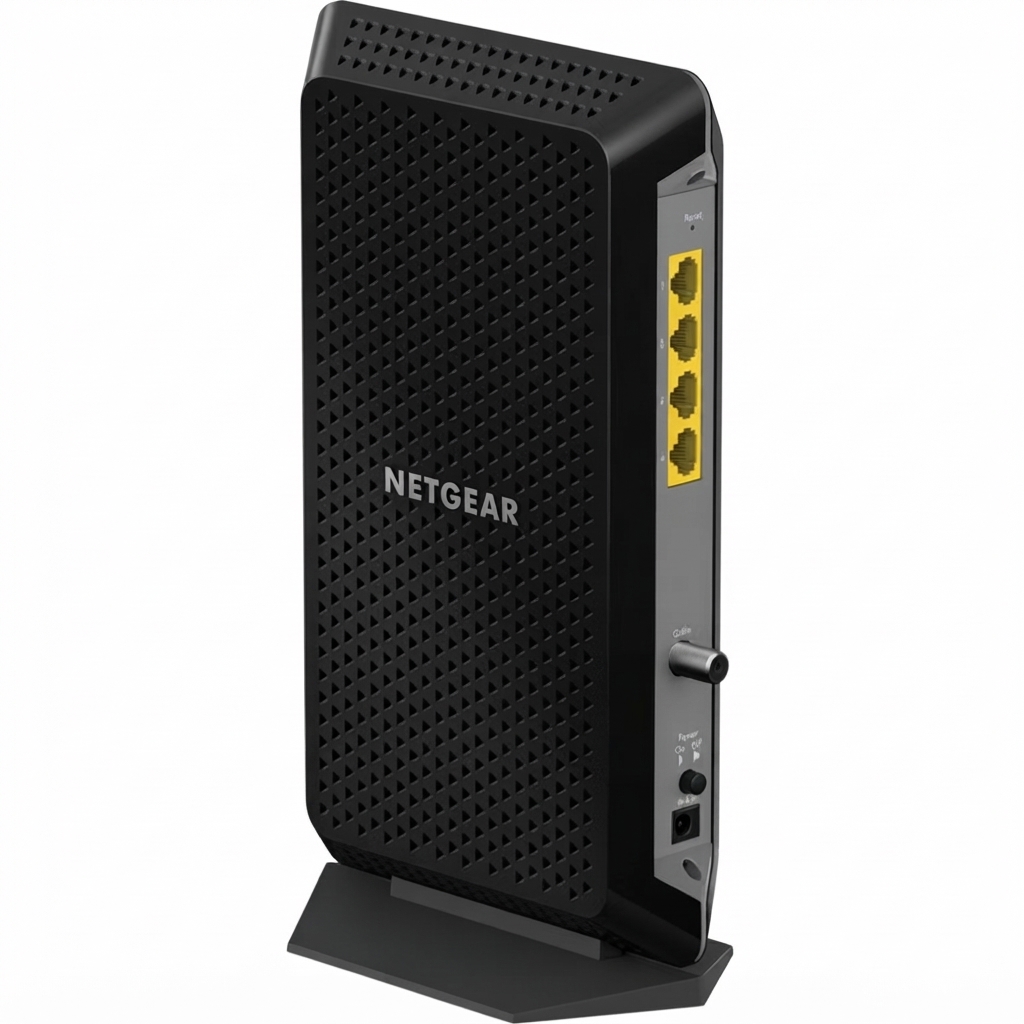
The Netgear Multi-Gig Speed Cable Modem CM1200 is a DOCSIS 3.1 cable modem designed for high-speed home internet plans and multi-device households that want a fast, reliable wired connection. Built for cable broadband service, it supports backward compatibility with DOCSIS 3.0 and offers four Gigabit Ethernet ports, making it a strong choice for users who want flexible wired networking without a built-in router or Wi-Fi radio.
This model stands out for link aggregation support on select ports, allowing compatible setups to reach up to 2 Gbps of wired throughput when paired with the right router or networking gear. It is especially useful for gaming, 4K streaming, large file transfers, and households with multiple high-demand devices. The modem also appeals to power users who prefer a separate modem-and-router setup for better control and easier upgrades.
The CM1200 is commonly positioned in the premium consumer modem category, with an estimated price range of about $100 to $300 depending on retailer, stock, and whether the unit is new, refurbished, or open-box. It is widely available through major online and retail sellers, though pricing can vary significantly. For buyers searching for a DOCSIS 3.1 multi-gig cable modem, the CM1200 remains a popular option thanks to its stable performance, simple design, and broad ISP compatibility.
Specifications and Key Features of the Netgear Multi-Gig Speed Cable Modem CM1200
- DOCSIS version: DOCSIS 3.1 with backward compatibility for DOCSIS 3.0
- Channel bonding: 32 downstream channels and 8 upstream channels, plus OFDM/OFDMA support
- Ethernet ports: 4 x 10/100/1000 RJ-45 Gigabit Ethernet ports
- Multi-gig capability: Link aggregation support can deliver up to 2 Gbps on supported setups
- Connection type: One coaxial WAN input for cable broadband service
- Processor and memory class: Built for high-throughput cable networking with hardware suited to DOCSIS 3.1 workloads
- Dimensions: 6.1 x 3.4 x 10.3 inches
- Weight: 1.22 lb
- Power: External adapter, 12 VDC, 1.5 A
- Operating range: 32°F to 104°F, with up to 90% noncondensing humidity
Compared with entry-level cable modems, the CM1200 offers more Ethernet flexibility and stronger future-ready DOCSIS 3.1 support. Compared with newer multi-gig modem models that include a 2.5GbE port, the CM1200 relies on link aggregation to reach higher wired speeds, so it is best for users who already own compatible networking equipment.
Setup Guide: How to Install and Activate the CM1200 Cable Modem
Setting up the netgear Multi-Gig Speed Cable Modem CM1200 is straightforward. First, disconnect your old modem and remove any battery backup if your ISP device includes one. Next, connect the coaxial cable from the wall outlet to the modem’s coax port, then attach the power adapter and wait for the indicator lights to stabilize.
After the modem powers on, connect one Ethernet cable from the modem to your router or directly to a computer for initial testing. If your internet provider requires activation, sign in to the provider’s self-activation portal or call customer support with the modem’s MAC address and serial number. For multi-gig configurations, use link aggregation only with a compatible router or switch that supports it.
During setup, place the modem in a cool, open area with ventilation on all sides. Avoid stacking it under other electronics or near heat sources. If the internet light does not turn solid, restart the modem, check the coax connection, and confirm that your ISP has activated the device correctly.
Troubleshooting the CM1200: Common Problems and Fixes
Most setup problems with the CM1200 are caused by signal issues, activation delays, or router configuration mismatches. If the modem does not connect, verify that the coax cable is finger-tight and undamaged. If the downstream or internet light keeps blinking, power-cycle the modem and router in sequence, waiting at least 60 seconds between restarts.
- No internet connection: Confirm activation with your ISP and check whether the service line is live.
- Slow speeds: Test with a direct Ethernet connection, replace old cables, and make sure your router supports the plan speed.
- Link aggregation not working: Use only supported router ports and enable aggregation in the router settings if required.
- Frequent disconnects: Inspect splitters, replace worn coax runs, and reduce interference from nearby electronics.
- Device not found by ISP: Re-enter the modem MAC address and ensure the correct model is registered.
If problems continue, use the manufacturer’s support portal, online knowledge base, or warranty service options. Keep your purchase receipt, serial number, and account details ready when contacting support.
Pros and Cons of the netgear Multi-Gig Speed Cable Modem CM1200
Pros
- DOCSIS 3.1 support helps future-proof cable internet service.
- Four Gigabit Ethernet ports provide excellent wired flexibility.
- Link aggregation can support up to 2 Gbps on compatible hardware.
- Works well for gaming, streaming, and multi-device homes.
- Modem-only design gives users more control over router selection.
Cons
- No built-in Wi-Fi, so a separate router is required.
- No phone ports, making it unsuitable for voice service users.
- Multi-gig performance depends on compatible router and ISP plan.
- Newer competitors may offer a native 2.5GbE port instead of link aggregation.
For value, the CM1200 is a strong buy if you want a reliable standalone modem and already own a good router. If you need built-in Wi-Fi or a simpler all-in-one device, a modem-router combo may be a better fit.
Customer Reviews of the CM1200 Cable Modem
Customer feedback for the CM1200 is generally positive, with many users rating it around 4 out of 5 stars for speed, stability, and easy setup. Buyers frequently praise the modem’s solid connection quality, especially when upgrading from older DOCSIS 3.0 hardware. One common testimonial theme is that it performs well with high-speed plans and makes gaming and streaming feel more responsive.
Common complaints include the lack of built-in Wi-Fi and the fact that achieving multi-gig speeds depends on link aggregation and compatible networking equipment. Some users also note that initial activation can take time depending on the internet provider. Overall, the CM1200 is recommended for buyers who want a dependable cable modem for a fast internet plan and already have, or plan to buy, a separate router.
Faqs
How do I set up the netgear Multi-Gig Speed Cable Modem CM1200 for the first time with my internet provider?
Why is my netgear Multi-Gig Speed Cable Modem CM1200 not getting an internet signal after installation?
What internet speed can I expect from the netgear Multi-Gig Speed Cable Modem CM1200 in real-world use?
Is the netgear Multi-Gig Speed Cable Modem CM1200 compatible with my cable provider and router?
How do I troubleshoot slow speeds on the netgear Multi-Gig Speed Cable Modem CM1200?
Can I use the netgear Multi-Gig Speed Cable Modem CM1200 without a separate router?
What maintenance does the netgear Multi-Gig Speed Cable Modem CM1200 need to stay reliable?
How can I optimize my home network to get the best performance from the netgear Multi-Gig Speed Cable Modem CM1200?
More netgear manuals
- How to Use: Netgear Multi-Gig Speed Cable Modem CM1100 User Manual
- Setup & Features: Netgear Orbi Whole Home Tri-Band Mesh WiFi 6 System User Manual
- How to Use: Netgear High Speed Cable Modem CM1000 User Manual
- How to Setup: Netgear WiFi 7 Extender EXS18, EXS25, EXS27 User Manual
- How to Use: Netgear ADSL Modem with Ethernet or USB Connection DM602 User Manual
- How to Use: Netgear Nighthawk App Setup User Manual
Leave a Comment