
Philips 5000 Series Soundbar TAB530X User Manual
Content
Philips 5000 Series Soundbar TAB530X Product Manual and Review
Introduction
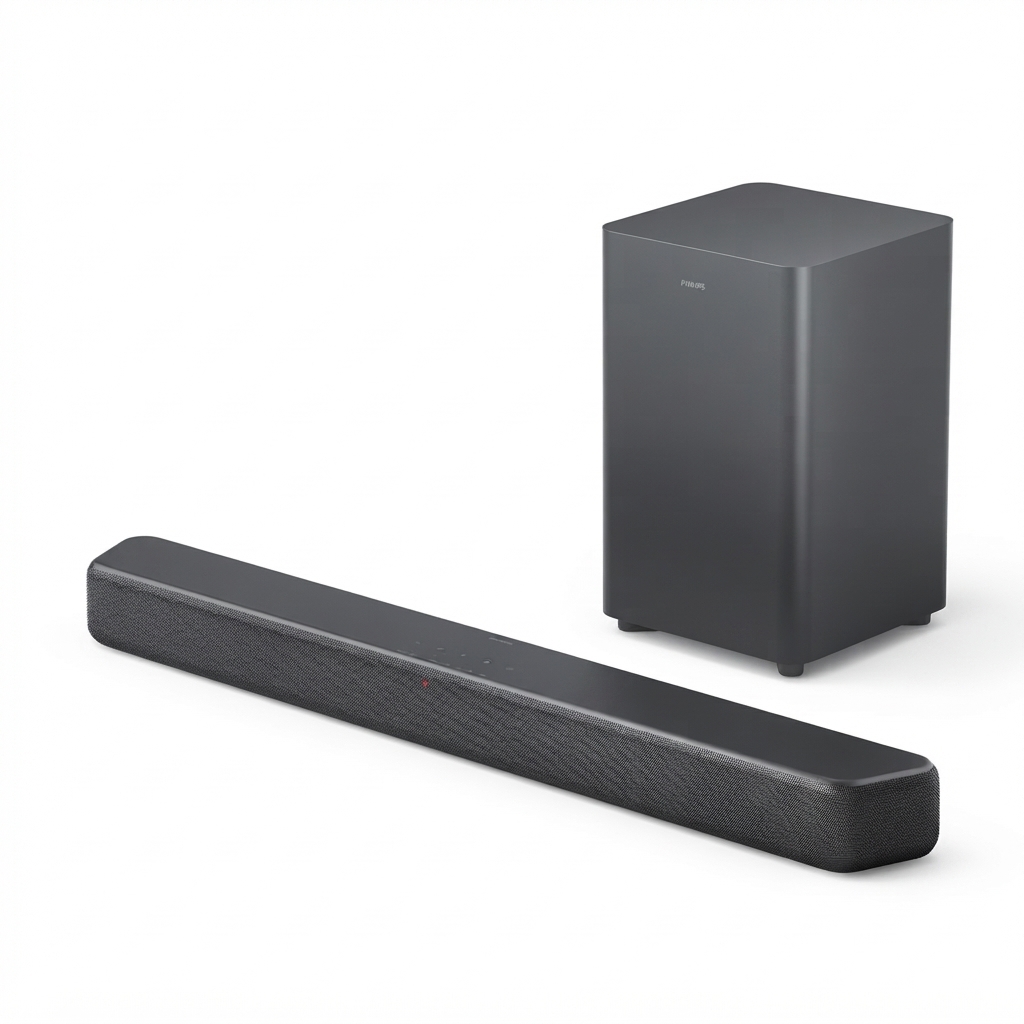
The Philips 5000 Series Soundbar TAB530X is a compact 2.1-channel soundbar designed to upgrade everyday TV audio with clearer dialogue, stronger bass, and an easy plug-and-play setup. With a 70 W RMS output, wireless subwoofer support, Bluetooth 4.2 connectivity, HDMI ARC, and optical input, it suits users who want a practical home theater boost without the complexity of a full surround system. Its slim soundbar profile also makes it a strong fit for smaller living rooms, bedrooms, apartments, and secondary TVs where space matters.
This model stands out for its balance of simplicity and value. The wireless subwoofer adds low-end impact for movies, sports, and gaming, while the soundbar itself is light and wall-mountable for flexible placement. It is a good choice for users upgrading from built-in TV speakers, streaming music from a phone, or connecting a TV with a single HDMI cable for easier control. The soundbar’s frequency response and clear midrange tuning make voices easier to hear, which is especially useful for late-night viewing and news programs.
The estimated price range for the Philips 5000 Series Soundbar TAB530X is typically positioned in the budget-to-midrange category, often around $100 to $180 depending on region, retailer, and bundle offers. Availability may vary by market, with the model commonly found through online electronics stores and select home audio retailers. For buyers seeking affordable TV audio improvement, this model delivers a straightforward and reliable experience.
Pros & Cons of Philips 5000 Series Soundbar TAB530X
Pros
- Clear value for money: The 70 W RMS output and wireless subwoofer make it a practical upgrade over TV speakers without a large investment.
- Easy connectivity: HDMI ARC, Bluetooth, and optical input simplify setup for TVs, phones, and streaming devices.
- Compact design: The slim soundbar fits neatly under most televisions and can be wall mounted.
- Improved dialogue clarity: Good for users who mainly watch TV shows, news, and sports.
- Wireless subwoofer: Adds noticeable bass for movies and music while reducing cable clutter.
Cons
- Not a true surround system: It creates a wider soundstage than TV speakers, but it will not match multi-speaker home theater setups.
- Best for small to medium rooms: In larger spaces, the output may feel limited compared with higher-powered alternatives.
- Bluetooth 4.2 is older: It works well for casual streaming, but newer soundbars may offer more advanced wireless features.
- Feature set is basic: Users wanting app control, Wi-Fi streaming, or voice assistant support may prefer smarter alternatives.
Against alternatives in the same price bracket, the Philips 5000 Series Soundbar TAB530X competes well on simplicity and included bass. If the priority is easy setup and solid everyday sound, it offers strong value. Users who want advanced surround effects or premium streaming features may be better served by a more expensive 3.1 or smart soundbar.
Customer Reviews and User Feedback
Customer feedback for the Philips 5000 Series Soundbar TAB530X is generally positive, with many buyers rating it around 4.2 out of 5 stars for value, ease of use, and bass performance. Users often praise the clean dialogue, compact size, and simple TV integration. A common positive comment is that it “makes movies and sports sound fuller without taking up much space.”
Frequent complaints focus on the limited advanced features and the fact that it is not designed for cinematic surround sound. Some users also mention that the bass is strong for the price but not as deep as larger systems. One typical testimonial reads, “Perfect for my bedroom TV — setup took minutes and the subwoofer made a big difference.” Another common recommendation is to buy it if you want an affordable sound upgrade and not if you are looking for premium theater-style audio.
For most shoppers, the Philips 5000 Series Soundbar TAB530X is a smart purchase for everyday television, streaming, and casual music listening.
Key Specifications at a Glance
- Audio output: 2.1-channel soundbar with wireless subwoofer
- Total power: 70 W RMS
- Connectivity: HDMI ARC, optical input, Bluetooth
- Bluetooth version: 4.2
- Soundbar dimensions: 900 x 65.5 x 91 mm
- Soundbar weight: 1.53 kg
- Standby power consumption: very low, under 1 W in typical use
- Design: slim, wall-mountable, and compact
Who Should Buy the Philips 5000 Series Soundbar TAB530X?
This soundbar is ideal for users who want a simple home audio upgrade for TV, movies, and music without complicated installation. It suits apartment owners, casual viewers, families, and anyone replacing weak built-in television speakers. If your priority is affordable audio improvement, easy setup, and a cleaner listening experience, the Philips 5000 Series Soundbar TAB530X is a dependable option.
Faqs
How do I set up philips 5000 Series Soundbar TAB530X for the first time without missing any audio settings?
Why is my philips 5000 Series Soundbar TAB530X not producing sound from the TV?
What is the best way to connect philips 5000 Series Soundbar TAB530X to a smart TV?
How do I fix Bluetooth pairing problems on philips 5000 Series Soundbar TAB530X?
Does philips 5000 Series Soundbar TAB530X work with older TVs that do not have HDMI ARC?
How can I improve bass and surround sound performance on philips 5000 Series Soundbar TAB530X?
What should I do if philips 5000 Series Soundbar TAB530X has audio delay or lip-sync issues?
How should I clean and maintain philips 5000 Series Soundbar TAB530X for long-term performance?
More philips manuals
Leave a Comment