
Philips 5OLED911 TV Ambilight User Manual
Content
Philips 5OLED911 TV Ambilight Review and Product Manual
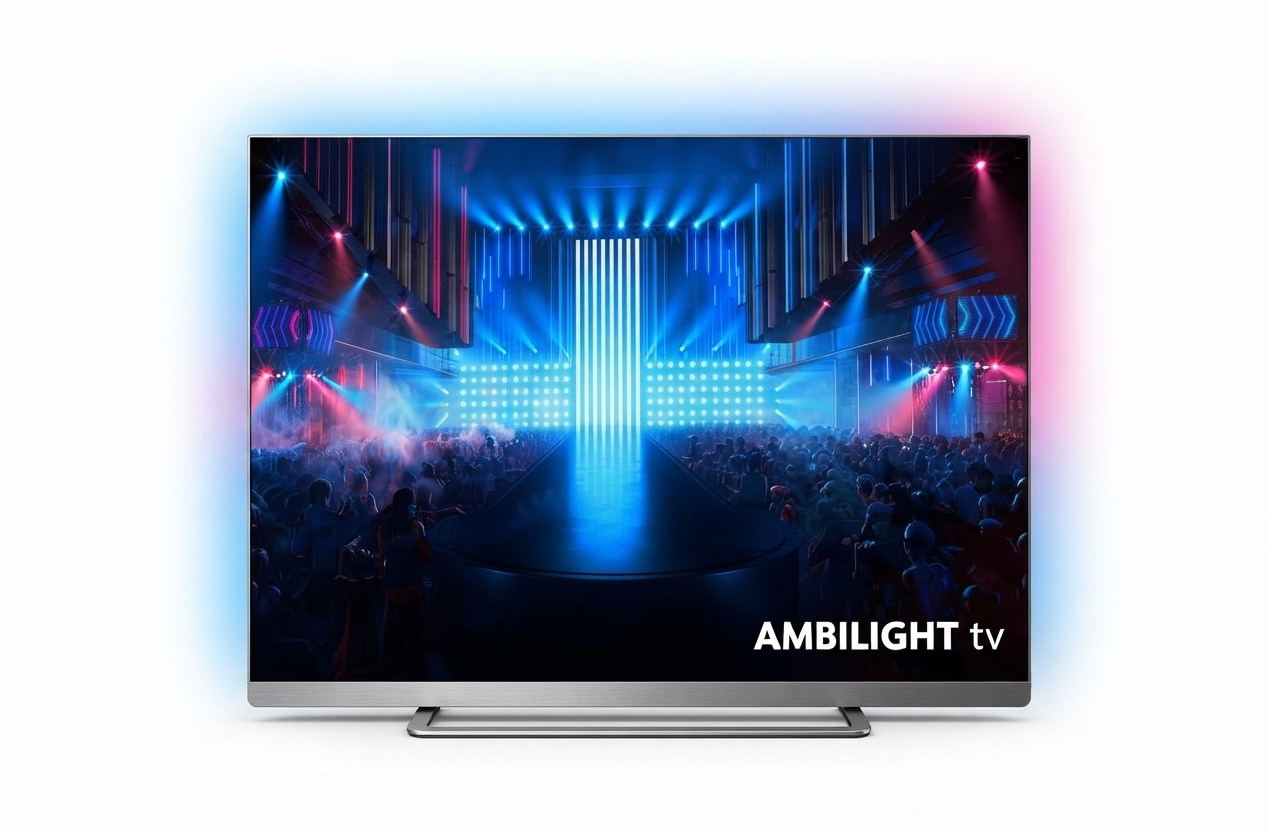
The philips 5OLED911 TV Ambilight is a premium 4K OLED television built for viewers who want cinematic picture quality, immersive sound, and signature four-sided Ambilight lighting in one package. It is designed for home theater fans, gamers, and streaming users who want a modern smart TV with advanced HDR support, high refresh rates, and a refined design that fits both living rooms and dedicated media spaces.
This model is available in multiple sizes, with the 55-inch version widely listed around the 1,599 to 2,499 range depending on retailer, region, and promotions. The philips 5OLED911 TV Ambilight typically sits in the upper mid-range to premium category, with availability through major electronics stores and online retailers across Europe. Buyers can expect features such as 4K Ultra HD OLED technology, a 120 Hz native panel, up to 165 Hz VRR support, HDMI 2.1 connectivity, Dolby Vision and HDR10+ compatibility, and a powerful 81 W sound system on many configurations. The four-sided Ambilight system remains its most distinctive feature, extending on-screen colors beyond the panel for a more immersive viewing experience.
As a smart TV, it is a strong choice for movies, sports, console gaming, and everyday streaming. The philips 5OLED911 TV Ambilight is especially attractive to users who want premium image processing, smooth motion handling, and deep black levels from OLED technology without sacrificing gaming performance or design appeal.
Troubleshooting Guide for Philips 5OLED911 TV Ambilight
If the TV will not power on, first check the wall outlet, power cable, and remote batteries. If the set turns on but no picture appears, confirm the correct HDMI input is selected and test another cable or source device. If you notice sound without image, a simple restart or unplugging the TV for a minute often clears temporary software glitches.
For picture issues such as flickering, black screens, or signal dropouts, verify that the connected device supports HDMI 2.1 settings correctly and that the cable is certified for high-bandwidth use. If error messages appear during app loading or network use, reconnect Wi-Fi, restart the router, and update the TV software from the settings menu. Common on-screen problems may be related to temporary app cache issues rather than hardware failure.
Preventive maintenance includes regular firmware updates, avoiding blocked ventilation, and using high-quality HDMI 2.1 cables for gaming consoles and PC connections. If problems continue, Philips warranty coverage and retailer support may apply depending on your country and purchase terms. For assistance, contact Philips customer support through the official support portal, authorized service centers, or the retailer that sold the unit, and keep your proof of purchase and serial number ready.
Pros and Cons of Philips 5OLED911 TV Ambilight
Pros
- Excellent OLED contrast with deep blacks and strong HDR performance for movies and series.
- Four-sided Ambilight creates a more immersive viewing experience than standard OLED TVs.
- High gaming capability with HDMI 2.1, ALLM, VRR, and support up to 4K 165 Hz on compatible ports.
- Strong built-in audio output, with a powerful multi-speaker system that reduces the need for external speakers in casual setups.
- Attractive premium design and solid smart TV functionality for streaming and daily use.
Cons
- Premium pricing makes it less accessible than mid-range OLED alternatives.
- Smart platform preferences may vary, and some users may prefer a different interface.
- Peak performance depends on source quality, so lower-resolution content may not look as impressive.
- Best value is strongest for users who will actually use Ambilight, gaming features, and HDR performance regularly.
In value-for-money terms, the philips 5OLED911 TV Ambilight competes well against premium OLED sets from LG, Sony, and Samsung when Ambilight is a priority. If immersive lighting matters, it offers a unique experience that many alternatives do not match.
Customer Reviews Summary for Philips 5OLED911 TV Ambilight
Customer feedback for the philips 5OLED911 TV Ambilight is generally very positive, with many users giving it 4.5 to 5 stars for picture quality, gaming performance, and the dramatic Ambilight effect. Buyers frequently praise the sharp 4K image, rich colors, smooth motion, and impressive sound for a built-in system.
Common complaints usually focus on price, occasional smart TV interface preferences, and the need for careful setup to get the best gaming and HDR results. One typical comment is: “The Ambilight effect makes every movie night feel special.” Another common sentiment is: “Fantastic picture and sound, but definitely a premium purchase.”
For shoppers considering this model, it is a strong recommendation for movie lovers, console gamers, and anyone who wants a standout OLED TV with a signature visual feature. Users looking for the lowest price or a simpler TV may prefer a more basic OLED alternative.
Faqs
How do I set up philips 5OLED911 TV Ambilight for the first time?
Why is the philips 5OLED911 TV Ambilight not turning on, and what should I check first?
How do I connect philips 5OLED911 TV Ambilight to Wi-Fi and streaming apps?
What should I do if philips 5OLED911 TV Ambilight has picture or sound problems?
How does Ambilight work on philips 5OLED911 TV Ambilight, and how can I use it better?
Is philips 5OLED911 TV Ambilight compatible with HDMI 2.1 gaming consoles and soundbars?
How can I optimize picture quality on philips 5OLED911 TV Ambilight for movies and sports?
How should I clean and maintain philips 5OLED911 TV Ambilight to protect the OLED screen?
More philips manuals
- Philips SHC3200 Headphones User Manual
- Philips Sonicare Diamond Clean Toothbrush User Manual
- Setup: Philips Efficia CM12 Patient Monitor User Manual
- Philips Sonic Expert Clean 7500 Toothbrush HX9690 User Manual
- Philips 5000 Series Soundbar TAB530X User Manual
- Philips Remstar Plus CPAP therapy device DS260S User Manual
Leave a Comment