
Setup: Philips 6050 Series Television 24PHS6050 User Manual
Content
Philips 6050 Series Television 24PHS6050: Compact Smart TV Guide
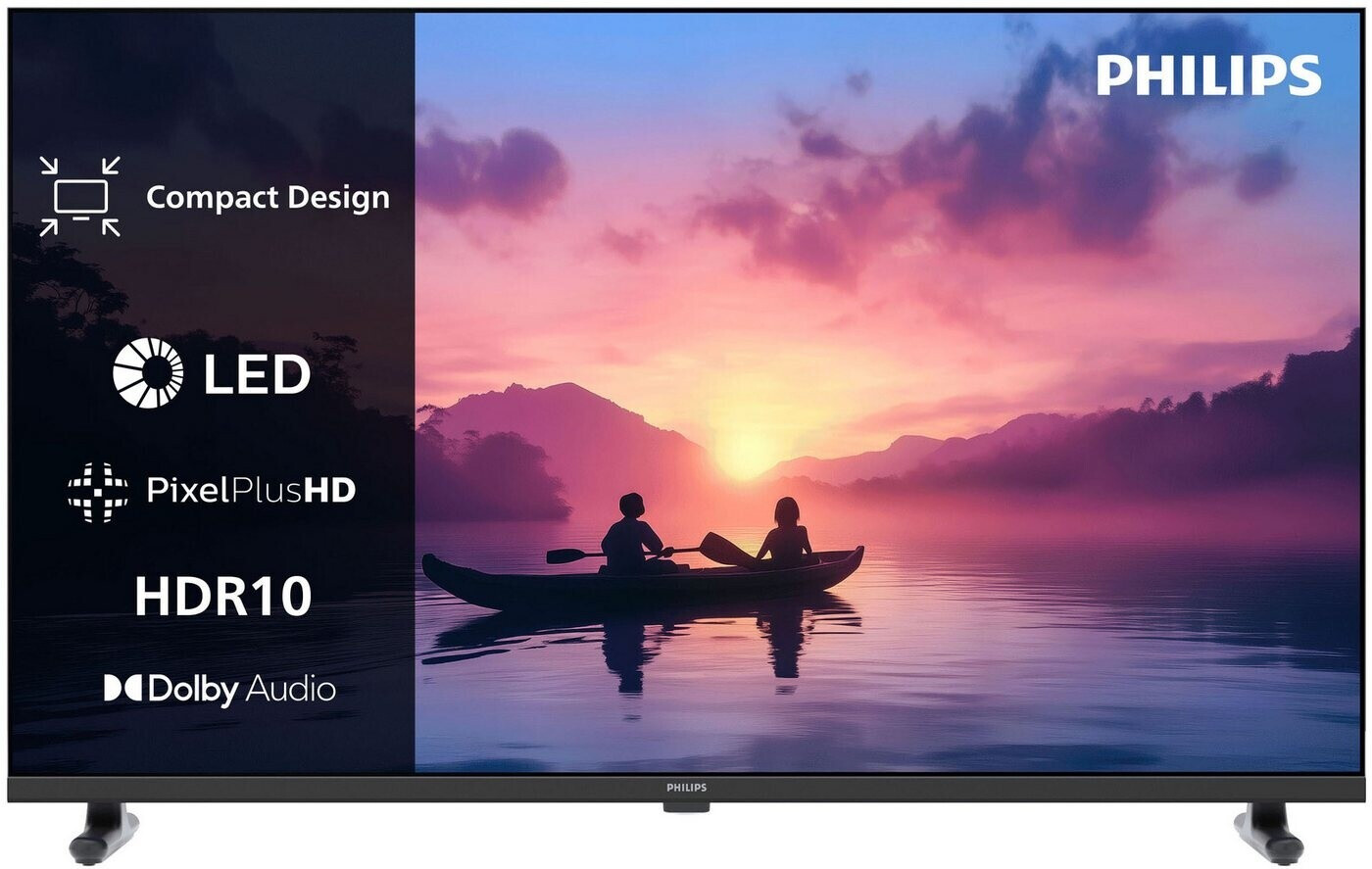
The philips 6050 Series Television 24PHS6050 is a compact 24-inch TV designed for bedrooms, kitchens, student rooms, guest spaces, and secondary viewing areas where space-saving design matters. It combines HD Ready picture quality, smart TV functionality, and a lightweight footprint, making it a practical choice for everyday streaming, casual TV watching, and small-room entertainment. For buyers searching for a budget-friendly Philips 24-inch television, the 24PHS6050 stands out for its balance of size, modern connectivity, and easy setup.
This model typically appeals to users who want a simple, reliable television with smart features rather than a premium home cinema display. Its 24-inch panel, 1366 x 768 resolution, 60 Hz native refresh rate, and LED backlight deliver a solid viewing experience for news, live TV, YouTube, and streaming apps. The Philips 6050 Series Television 24PHS6050 also includes Wi-Fi, multiple HDMI ports, USB connectivity, and 12W audio output, which is more than enough for a compact TV in a smaller room.
In terms of price, this model is usually positioned in the affordable small-TV category, with estimated availability ranging from about €160 to €170 depending on retailer, region, and stock. That makes it an attractive option for buyers comparing entry-level smart TVs from Philips, TCL, Hisense, and other compact LED TV alternatives.
Philips 24PHS6050 Specifications and Key Features
- Screen size: 24 inches / 60 cm
- Display type: LED HD TV
- Resolution: 1366 x 768 pixels
- Native refresh rate: 60 Hz
- Picture processing: Pixel Plus HD
- HDR support: HDR10 on supported content
- Audio output: 12W RMS total power
- Connectivity: Wi-Fi 802.11n, Ethernet, multiple HDMI inputs, USB ports
- HDMI support: HDCP 2.3 on HDMI ports
- Smart platform: Titan OS on current retail versions
- Digital tuners: DVB-T2, DVB-C, DVB-S2 support on many market versions
For a 24-inch class TV, the philips 6050 Series Television 24PHS6050 offers a strong feature set that compares well against other budget HD-ready models. It is not intended to compete with larger Full HD or 4K televisions, but it provides a good all-around package for compact spaces. Compared with similarly priced 24-inch TVs, it offers competitive smart features, wireless connectivity, and a more refined image processing system than many basic non-smart alternatives.
Pros and Cons of the Philips 6050 Series Television 24PHS6050
Pros
- Compact 24-inch size fits small rooms, kitchens, and dorms easily
- HD Ready display is sufficient for everyday viewing at close distance
- Smart TV functionality supports streaming and app-based entertainment
- Wi-Fi and Ethernet provide flexible internet connectivity
- 12W speakers are practical for a TV of this size
- Good value for money in the entry-level small-TV segment
- Easy to place on a stand or mount on a wall
Cons
- Resolution is limited to 1366 x 768, so it is not ideal for users expecting Full HD detail
- Audio output is modest and may sound thin in larger rooms
- Best suited for casual viewing rather than cinematic use
- Motion performance is basic compared with larger, higher-refresh-rate models
- Alternative 24-inch TVs may offer similar features at slightly lower prices
Overall, the philips 6050 Series Television 24PHS6050 is a sensible purchase for buyers who want a compact smart TV with dependable everyday performance. Its main strength is practicality rather than premium specs, which makes it especially appealing when value, size, and ease of use matter most.
Customer Reviews and Real-World Feedback for Philips 24PHS6050
Customer feedback for the Philips 24PHS6050 typically centers on its compact design, easy setup, and strong value for a small smart TV. Many users rate it around 4 out of 5 stars for everyday use, especially in bedrooms or kitchens where a larger screen would be unnecessary. Buyers often praise the clean design, solid connectivity, and straightforward smart interface.
Common complaints usually relate to the HD Ready resolution and limited speaker output, with some users wishing for sharper image quality or fuller sound. A few reviewers also mention that the smaller screen is best viewed from short distances, which is expected for a 24-inch television. For shoppers seeking a dependable compact TV without paying for advanced features they may never use, the philips 6050 Series Television 24PHS6050 remains a practical and well-rounded option.
Typical testimonial themes include: “Great for a guest room,” “Easy to set up,” and “Perfect size for a kitchen.”
Faqs
How do I set up philips 6050 Series Television 24PHS6050 for the first time?
What should I do if philips 6050 Series Television 24PHS6050 has no picture but the sound works?
Which devices are compatible with philips 6050 Series Television 24PHS6050 through HDMI and wireless features?
How can I improve picture quality on philips 6050 Series Television 24PHS6050 for movies and gaming?
Why is the sound on philips 6050 Series Television 24PHS6050 hard to hear during dialogue?
Does philips 6050 Series Television 24PHS6050 support voice assistants and smart home control?
How do I maintain and clean philips 6050 Series Television 24PHS6050 safely?
What should I check if philips 6050 Series Television 24PHS6050 remote control stops responding?
More philips manuals
Leave a Comment