
Philips DreamStation 2 Advanced CPAP Machine User Manual
Content
Philips DreamStation 2 Advanced CPAP Machine Manual and Buying Guide
Introduction
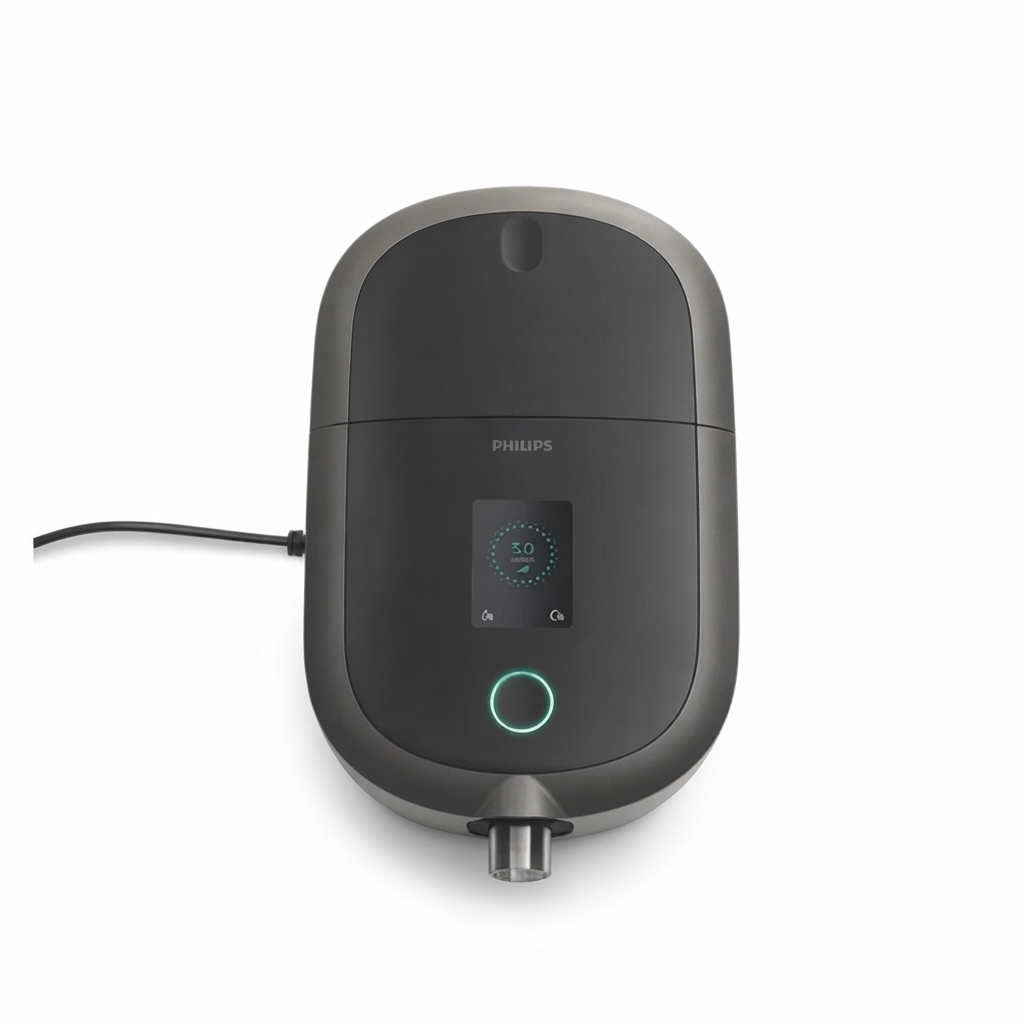
The Philips DreamStation 2 Advanced CPAP Machine is a compact, feature-rich sleep therapy device designed for adults who need dependable treatment for obstructive sleep apnea. Built for everyday comfort and ease of use, it combines auto-adjusting therapy, integrated humidification, Bluetooth connectivity, and a simple touchscreen interface in a smaller footprint than many traditional CPAP units. For users who want a modern auto CPAP machine that is easy to set up, travel-friendly, and compatible with multiple tubing options, this model stands out as a practical all-in-one solution.
Key benefits include Auto CPAP and fixed CPAP modes, pressure relief settings, ramp options, cloud connectivity for remote monitoring, and a built-in humidifier with a 325 ml water chamber. The machine is especially well-suited for new CPAP users, experienced therapy users upgrading from older devices, and patients who want better comfort features without a bulky bedside setup. It is also a strong option for home use, travel, and long-term sleep apnea management.
Typical pricing for the Philips DreamStation 2 Advanced CPAP Machine varies by configuration, accessories, and seller, but it is commonly found in the mid-range CPAP market. Expect an estimated price range of about $650 to $1,200 for the machine alone, with bundled humidifier, tubing, and modem configurations often costing more. Availability is generally good through CPAP suppliers, medical equipment retailers, and online sleep therapy stores, though prescription requirements may apply in many regions.
Specifications for Philips DreamStation 2 Advanced CPAP Machine
- Therapy modes: CPAP and Auto CPAP for standard fixed-pressure or auto-adjusting treatment.
- Pressure range: 4 to 20 cm H2O, suitable for a wide range of sleep apnea therapy needs.
- Humidifier water capacity: 325 ml integrated chamber for nightly moisture support.
- Connectivity: Integrated Bluetooth and cellular modem for remote data tracking and therapy uploads.
- Ramp features: Ramp Plus with selectable times of 15, 30, or 45 minutes.
- Ramp starting pressure: Adjustable from Off and 4 to 10 cm H2O.
- Pressure relief: FLEX pressure relief with settings from Off to 3 for smoother exhalation.
- Tube compatibility: Supports 15 mm standard/heated tubing and 22 mm standard tubing.
- Power requirements: 100 to 240 VAC, 50/60 Hz, universal input for international use.
- Noise performance: Quiet operation, commonly rated around the mid-20 dBA range depending on setup.
- Dimensions and weight: Compact footprint designed for bedside use and travel convenience.
Compared with older CPAP machines, the DreamStation 2 Advanced is smaller, easier to navigate, and more connected. Against competitors such as the ResMed AirSense 11, it offers similarly modern features, but many users prefer the Philips interface and form factor, while others choose ResMed for its broader ecosystem and alternative comfort algorithms.
Troubleshooting Philips DreamStation 2 Advanced CPAP Machine Problems
Common issues with the Philips DreamStation 2 Advanced CPAP Machine usually involve airflow discomfort, humidifier problems, mask leaks, or connectivity interruptions. If the machine feels too strong at the start, lower the Ramp Plus starting pressure or extend the ramp time. If therapy feels too dry, increase humidifier settings and confirm that distilled water is being used correctly. For mask leak alerts or poor therapy results, inspect the cushion seal, headgear tension, and tubing connection before bedtime.
If the unit displays a warning or error message, restart the device after checking the water chamber, filter, and hose connection. Make sure the humidifier tub is seated correctly and not overfilled. If Bluetooth or cellular syncing fails, move the device to an area with better signal and confirm that the companion app or provider portal is up to date. Airway pressure complaints can also come from a blocked filter, damaged hose, or incorrect mask type.
Preventive care includes cleaning the mask daily, replacing the filter on schedule, using only distilled water, and keeping the machine on a stable surface with adequate airflow. Warranty coverage and support options vary by seller and region, so confirm the purchase terms before buying. For help, users should contact the Philips sleep therapy support line, their durable medical equipment provider, or the retailer that supplied the device, and keep the serial number and prescription details ready for faster assistance.
Pros and Cons of the Philips DreamStation 2 Advanced CPAP Machine
Pros
- Compact, modern design that takes up less bedside space than many older CPAP machines.
- Easy-to-use touchscreen makes setup and therapy adjustments straightforward.
- Integrated humidifier and multiple tubing options improve comfort and flexibility.
- Bluetooth and cellular connectivity support remote monitoring and compliance tracking.
- Ramp Plus and FLEX pressure relief help new users adapt more comfortably.
- Good value for users who want a premium auto CPAP machine without a bulky frame.
Cons
- The smaller design can make the water chamber feel less generous than some larger competitors.
- Advanced connectivity features may be unnecessary for users who prefer a simpler CPAP device.
- Some buyers may find the accessory ecosystem less familiar than alternatives from other brands.
- Pricing can be higher when bundled with heated tubing or cellular support.
- Users who want a more traditional interface may prefer older CPAP models.
Overall, the Philips DreamStation 2 Advanced CPAP Machine offers strong value for users who prioritize comfort, portability, and modern features. Compared with alternatives, it competes well on convenience and design, while some rival machines may offer broader accessory choices or different comfort algorithms.
Customer Reviews and Real-World Feedback
Most users rate the Philips DreamStation 2 Advanced CPAP Machine around 4 out of 5 stars, especially praising its compact size, quiet operation, and easy setup. Many reviewers describe it as a solid upgrade from older CPAP devices because it feels less intrusive on the nightstand and is simpler to navigate. Patients who use ramp features and pressure relief often report better comfort during the first weeks of therapy.
Common complaints focus on the smaller water chamber, occasional mask leak sensitivity, and the learning curve for users switching from another brand. Some customers also mention that they wish the machine bundled more accessories by default. Despite that, the overall sentiment remains positive, with frequent recommendations for first-time CPAP users and people who want a modern auto-adjusting sleep apnea machine with connected features.
Final Verdict
The Philips DreamStation 2 Advanced CPAP Machine is a strong choice for users who want a compact, connected, and comfortable sleep apnea therapy device. It combines practical comfort settings, a user-friendly interface, and reliable treatment performance in a modern package that suits both home use and travel.
If you are shopping for a premium auto CPAP machine with humidification, remote monitoring, and flexible tubing compatibility, this model deserves serious consideration.
Faqs
How do I set up the philips DreamStation 2 Advanced CPAP Machine for the first time?
Why is my philips DreamStation 2 Advanced CPAP Machine not delivering enough air pressure?
How do I adjust comfort settings on the philips DreamStation 2 Advanced CPAP Machine without affecting therapy?
What should I do if the philips DreamStation 2 Advanced CPAP Machine shows a mask leak alert?
Is the philips DreamStation 2 Advanced CPAP Machine compatible with all CPAP masks and tubing?
How do I clean and maintain the philips DreamStation 2 Advanced CPAP Machine safely?
Why does my philips DreamStation 2 Advanced CPAP Machine make noise during use?
How can I get better therapy results with the philips DreamStation 2 Advanced CPAP Machine if I wake up feeling dry or congested?
More philips manuals
Leave a Comment