
Philips NeoPix-130 Smart Home Projector User Manual
Content
Philips NeoPix 130 Smart Home Projector Review and Manual
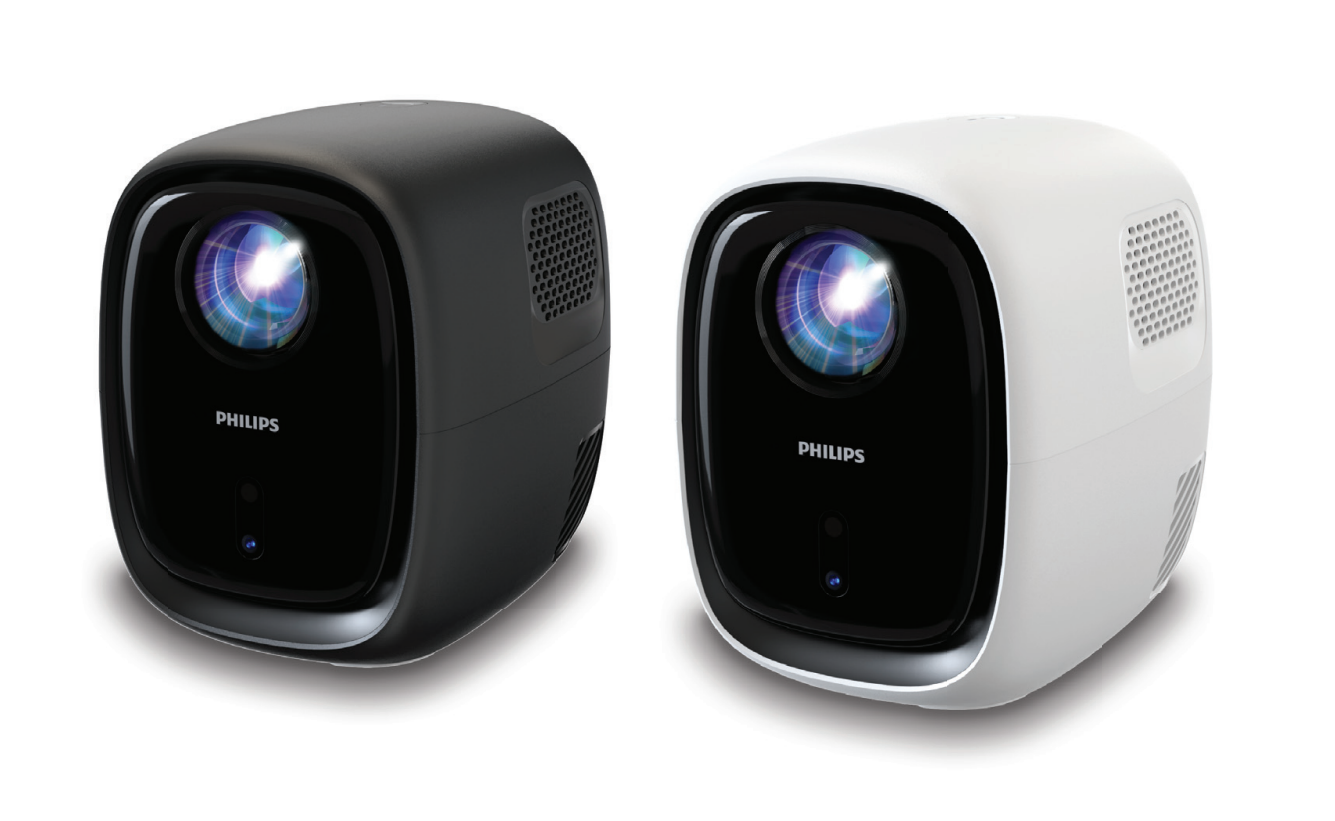
Introduction
The Philips NeoPix 130 Smart Home Projector is a compact home entertainment projector designed for movie nights, casual gaming, and everyday streaming in smaller rooms. Built around an HD-ready 1280 x 720 LCD projection system, it combines portable sizing with smart connectivity and simple setup features that make it easy to use for beginners and families. With a 16:9 aspect ratio, automatic focus, automatic keystone correction, and wireless support such as Wi-Fi and Bluetooth, it is positioned as an affordable all-in-one projector for modern home use.
One of the biggest advantages of the Philips NeoPix 130 Smart Home Projector is its convenience. It is lightweight, easy to move between rooms, and suitable for projecting images up to around 70 inches, which makes it a practical option for bedrooms, apartments, and small living spaces. Users looking for a budget projector with built-in smart features, HDMI and USB connectivity, and a compact LED light engine will find it especially appealing. The LED technology also offers a long lifespan of up to 30,000 hours, reducing maintenance and long-term ownership costs.
The estimated price range for the Philips NeoPix 130 Smart Home Projector typically falls in the budget category, with online listings generally placing it around the low-cost home projector segment. Availability is strongest through major electronics retailers and online stores, though pricing can vary by region, color variant, and package configuration. For users who want an entry-level smart projector without paying premium cinema-projector prices, this model offers a balanced mix of portability, simplicity, and value.
Specifications
- Projection technology: LCD LED projector with smart home-oriented features
- Native resolution: 1280 x 720 pixels, HD-ready 720p
- Aspect ratio: 16:9 for movies, shows, and gaming
- Brightness: 120 ANSI lumens, best suited to dark or dim rooms
- Contrast ratio: 500:1 to 3000:1 depending on retailer listing and regional variant
- Maximum screen size: Up to 70 inches for home viewing
- Throw distance: Approximately 1.2 to 3 meters
- Focus and correction: Automatic focus and automatic keystone correction
- Audio: Built-in speaker with external audio support via 3.5 mm output and optical audio on some versions
- Connectivity: HDMI, USB, Wi-Fi, Bluetooth
- Dimensions: About 141 x 123 x 162 mm
- Weight: Around 1.5 kg
- Power use: Power off below 0.5 W
- Lamp life: Up to 30,000 hours
Compared with similar budget home projectors, the Philips NeoPix 130 Smart Home Projector stands out for its automatic setup features and wireless connectivity, while many competing models still rely on manual correction and fewer smart functions. It is not built to compete with premium Full HD or high-brightness cinema projectors, but it performs well as a compact, easy-to-use projector for casual entertainment.
Pros & Cons
Pros
- Easy setup: Automatic focus and keystone correction help reduce installation time and improve first-time usability.
- Compact and portable: The lightweight 1.5 kg body makes it easy to carry between rooms or pack for travel.
- Good feature set for the price: HDMI, USB, Wi-Fi, and Bluetooth support make it flexible for streaming devices, laptops, and media playback.
- Long-lasting LED light source: The 30,000-hour lifespan lowers maintenance and replacement concerns.
- Value for money: It offers more convenience features than many basic projectors in the same price bracket.
Cons
- Limited brightness: At 120 ANSI lumens, it is best used in dark rooms and is not ideal for daylight viewing.
- Modest resolution: Native 720p is fine for casual use, but it is less detailed than Full HD alternatives.
- Small-screen performance: Image quality is strongest at moderate sizes rather than pushing the display to the largest possible projection.
- Audio limitations: The built-in speaker is suitable for quick viewing, but external speakers improve the experience significantly.
For buyers comparing it with alternatives, the Philips NeoPix 130 Smart Home Projector is a better fit than ultra-basic portable projectors, but users who want brighter images or sharper 1080p detail may prefer a higher-end model. Its strengths are convenience, portability, and feature balance rather than raw performance.
Customer Reviews
User feedback for the Philips NeoPix 130 Smart Home Projector is generally positive, with many owners praising its compact design, simple setup, and good value for everyday viewing. A common star rating pattern seen across retail-style feedback is around 4 out of 5 stars, especially among buyers using it for bedrooms and family movie nights.
- Praise: “Easy to set up and perfect for watching movies in a dark room.”
- Praise: “Small enough to move around, and the wireless features make it convenient.”
- Complaint: “Brightness is limited unless the room is fully dark.”
- Complaint: “The built-in speaker works, but external audio sounds much better.”
Most buyers recommend it for casual streaming, children’s viewing, and second-room entertainment rather than dedicated home theater use. Frequent issues mentioned include reduced clarity in bright environments and the need for controlled lighting to get the best picture. For shoppers searching for an affordable smart projector, the Philips NeoPix 130 Smart Home Projector is a practical buy if expectations are aligned with its budget-friendly performance level.
Faqs
How do I set up the philips NeoPix-130 Smart Home Projector for the first time?
Why is the image on my philips NeoPix-130 Smart Home Projector blurry or out of focus?
What devices are compatible with the philips NeoPix-130 Smart Home Projector?
How can I improve brightness and picture quality on the philips NeoPix-130 Smart Home Projector in a room with some light?
What should I do if the philips NeoPix-130 Smart Home Projector has no sound or low audio?
How do I connect a smartphone or laptop to the philips NeoPix-130 Smart Home Projector?
How often should I clean and maintain the philips NeoPix-130 Smart Home Projector?
How do I fix overheating or sudden shutdowns on the philips NeoPix-130 Smart Home Projector?
More philips manuals
Leave a Comment