
How to Pair: Tozo T9 True Wireless Stereo Earbuds User Manual
Content
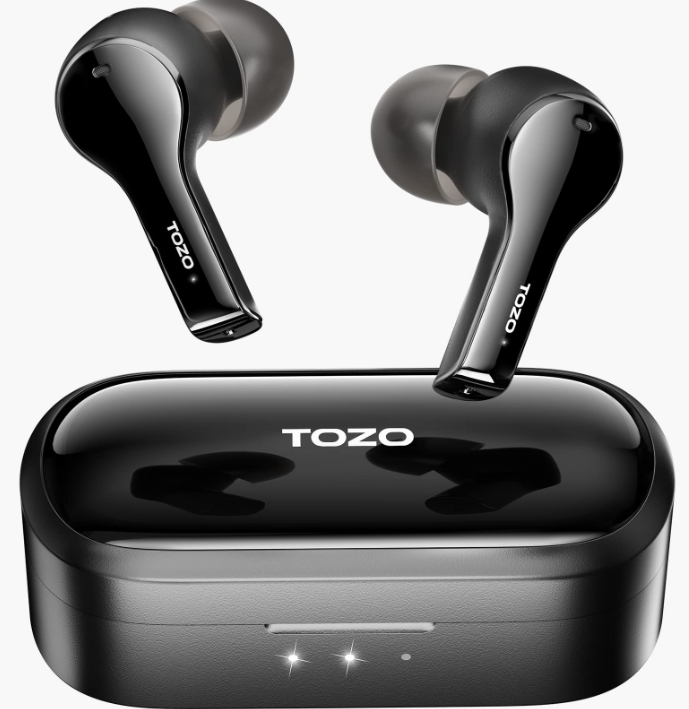
tozo T9 True Wireless Stereo Earbuds
Introduction
The tozo T9 True Wireless Stereo Earbuds offer a sophisticated blend of sound quality, convenience, and durability designed for everyday users and active lifestyles. Featuring advanced Bluetooth 5.3 technology, these earbuds deliver rich, immersive 3D stereo surround sound with balanced treble and deep, soothing bass, enhancing music, podcasts, and calls alike. Equipped with four microphones and Environmental Noise Cancellation (ENC), they provide crystal-clear call quality, making them ideal for both casual listeners and professionals on the go.
Designed with a sleek, ergonomic shape and multiple silicone tip sizes, the tozo T9 earbuds ensure a secure and comfortable fit for all ear types, suitable for running, exercising, commuting, and extended listening sessions. The IPX7 waterproof rating protects against sweat and rain, supporting intense workouts and outdoor activities without worry. A compact charging case with wireless charging compatibility keeps your earbuds powered up, offering up to nine hours of playback on a single charge and additional charges through the case.
These earbuds are targeted at tech-savvy users, fitness enthusiasts, and anyone seeking true wireless freedom with reliable performance and noise-cancellation features. The tozo T9 True Wireless Stereo Earbuds typically retail in the budget-friendly range of around $40 to $60, widely available online through major retailers and the manufacturer's official store.
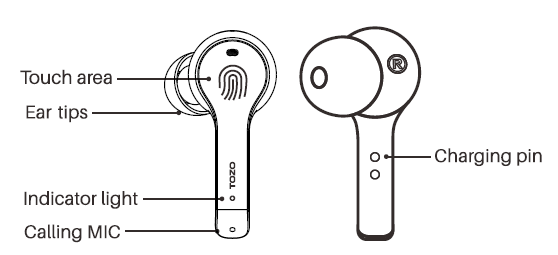
Earbuds Function Diagram
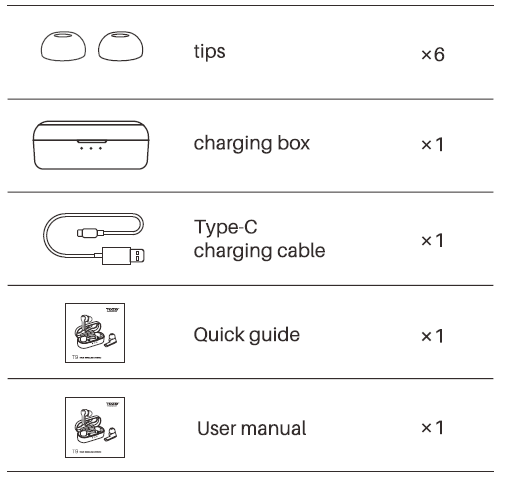
The package contains T9 buds, a charging box, 6 sizes of ear tips (the M size ear tips are pre-installed on the earbuds), a Type-C charging cable, a user manual, and a quick guide.
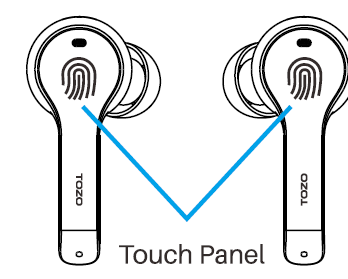
Touch control diagram
The touch area (MFB Touch Panel) is located in the upper part othe f the earbuds handle.
Auto power ON/OFF
Auto power on
Take out the earbuds from the charging case, and the earbuds will automatically power on.
Auto power off
Put the earbuds back in the charging case, and the earbuds will automatically power off.
Other ways to turn on
Tap and hold the touch area for 3 seconds to turn on the earbuds when they are turned off.
Other ways to turn off
Tap and hold the touch area for 5 seconds to turn off when no music is playing.
How to pair
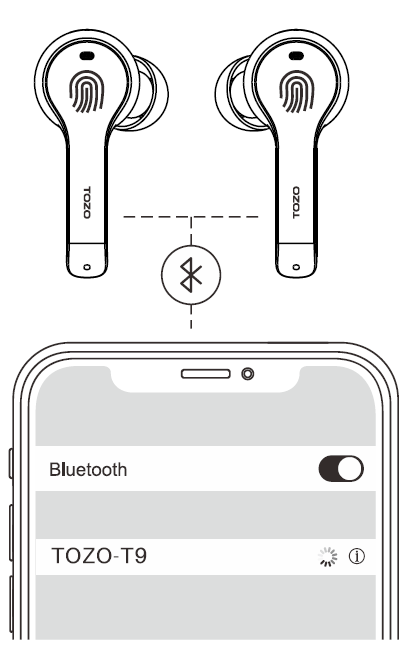
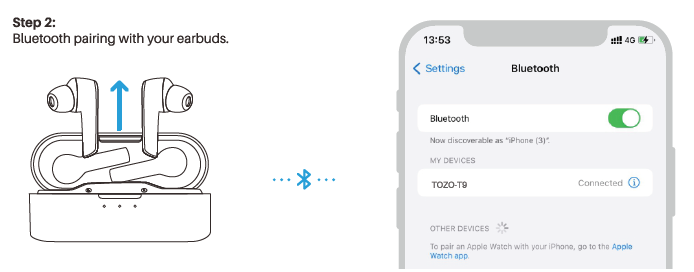
- Take out the 2 earbuds from the charging case, they will power on and connect to each other automatically within 10 seconds.
- One of the earbuds flashes white. ( Pairing Mode )
- Search for the pairing name (TOZO - T9) and click on it.
Bluetooth Tips
- The earbuds will automatically pair and connect to the paired device that you used when you're going to use the earbuds again.
- A single earbud (Left or Right) can also be used. If you want to use both earbuds, simply take out the other earbud, and both earbuds will automatically pair.
- Keep paired or reconnected for 5 minutes, and the earbuds will automatically turn off.
- If the earbuds fail to pair with the device, please delete all "TOZO-T9" pairing records and search again.
Specifications
- Model
- T9
- Earbuds Battery Capacity
- 55mAhx2
- Charging Box Battery Capacity
- 350mAh
- Impedance
- 320
- Frequency Range
- 20Hz~20,000Hz
- Charging Port
- Type-C
TOZO APP pairing
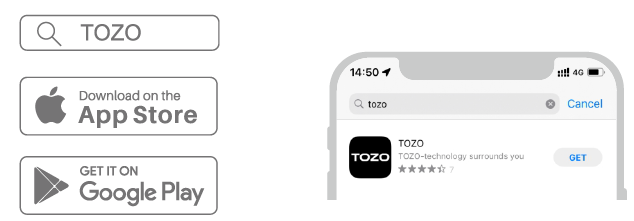
Step 1:
Download the TOZO App on your phone.
Step 2:
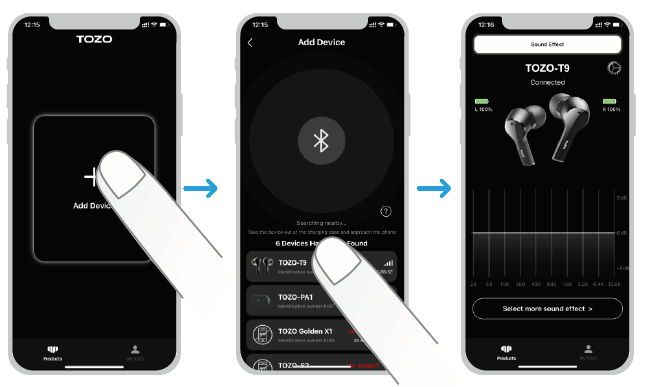
Step 3:
TOZO App pairing with your earbuds.
Troubleshooting tozo T9 True Wireless Stereo Earbuds
Common issues with the tozo T9 True Wireless Stereo Earbuds include pairing difficulties, intermittent sound, and touch control sensitivity. To resolve pairing problems, delete previous "TOZO-T9" devices from your Bluetooth settings and re-pair the earbuds. If sound cuts out, ensure both earbuds are fully charged and properly seated in the case. Resetting the earbuds by placing them back in the charging case for 10 seconds can also help.
Touch controls may be overly sensitive; to prevent accidental commands, avoid excessive tapping and ensure your fingers are dry. In case of error codes or device malfunctions, consult the user manual or contact TOZO support for assistance. The earbuds come with a limited warranty—usually covering manufacturing defects—with customer support accessible through the TOZO official website or retailer channels.
Preventive measures include keeping the earbuds and charging case dry, cleaning the contact points regularly, and avoiding extreme temperatures. For technical support, users can reach out to TOZO customer service via their official site or the retailer from which the product was purchased.
Pros & Cons of tozo T9 True Wireless Stereo Earbuds
Pros
- Advanced Noise Cancellation: Four microphones with ENC ensure clear calls and reduced ambient noise.
- Long Battery Life: Up to 9 hours on a single charge, plus a wireless charging case for convenience.
- IPX7 Waterproof Rating: Suitable for workouts and outdoor use without damage from sweat or rain.
- Comfortable and Secure Fit: Multiple silicone tip options and ergonomic design for stability during exercise.
- Fast and Wireless Charging: The case supports wireless charging with USB-C input for quick power-ups.
Cons
- Sound Quality Adjustment Needed: Some users find the default audio requires EQ tweaking for optimal experience.
- Charging Case Capacity: Holds fewer total charges (less than 64 hours combined) compared to higher-end models.
- Sensitive Touch Controls: Can lead to accidental inputs, requiring careful handling.
- No Auto Shut-Off: Users must manually pause or power off the earbuds to conserve battery.
Compared to alternatives like the tozo T10 or T9S models, the T9 balances cost and features but may lag behind in premium sound fidelity and battery case capacity. Still, the tozo T9 True Wireless Stereo Earbuds offer excellent value for money within the budget wireless earbuds segment.
Customer Reviews of tozo T9 True Wireless Stereo Earbuds
Users consistently praise the tozo T9 True Wireless Stereo Earbuds for their comfortable fit, reliable Bluetooth 5.3 connection, and effective noise cancellation during calls. Many highlight the impressive battery life, noting up to 8–9 hours of use per charge and the convenience of wireless charging cases. The IPX7 waterproof feature is especially appreciated by fitness enthusiasts.
Common complaints involve the sound profile, where some users feel the bass could be stronger or require equalizer adjustments. The touch controls receive mixed reviews; while some find them intuitive, others report occasional accidental taps impacting playback or calls. Overall, the earbuds average around 4 out of 5 stars on major retail platforms, with several recommending them for budget-conscious buyers seeking quality true wireless earbuds with noise cancellation.
Prospective buyers are advised to consider their preferences for sound tuning and control sensitivity, but will likely find the Tozoo9o9 a solid choice for daily use and active lifestyles.
Faqs
How do I set up the tozo T9 True Wireless Stereo Earbuds for first-time use?
What should I do if my tozo T9 True Wireless Stereo Earbuds won’t connect or pair properly?
How does the Environmental Noise Cancellation feature work on the tozo T9 True Wireless Stereo Earbuds?
Are the tozo T9 True Wireless Stereo Earbuds compatible with all Bluetooth devices?
What is the battery life of the tozo T9 True Wireless Stereo Earbuds and how long does charging take?
How can I optimize the sound quality and fit of my tozo T9 True Wireless Stereo Earbuds?
What maintenance tips should I follow to keep my tozo T9 True Wireless Stereo Earbuds in good condition?
How do the touch controls work on the tozo T9 True Wireless Stereo Earbuds?
More tozo manuals
- Pairing: Tozo T12 Stereo Earbuds Instruction Guide
- How to Pair: Tozo T10 True Wireless Stereo Earbuds Instruction Guide
- How to Pair: Tozo T12 Pro Earbuds User Manual
- Setup & Pairing: Tozo O2 Open Ear Headphones User Manual
- How to Pair: Tozo Open Ear Earbuds User Manual
- How to Pair: Tozo T6 True Wireless Stereo Earbuds Instruction Manual
Leave a Comment