
Setup : Yale YDM7116A Smart Door Lock User Manual
Content
Yale YDM7116A Smart Door Lock: Complete Product Manual and Buyer Guide
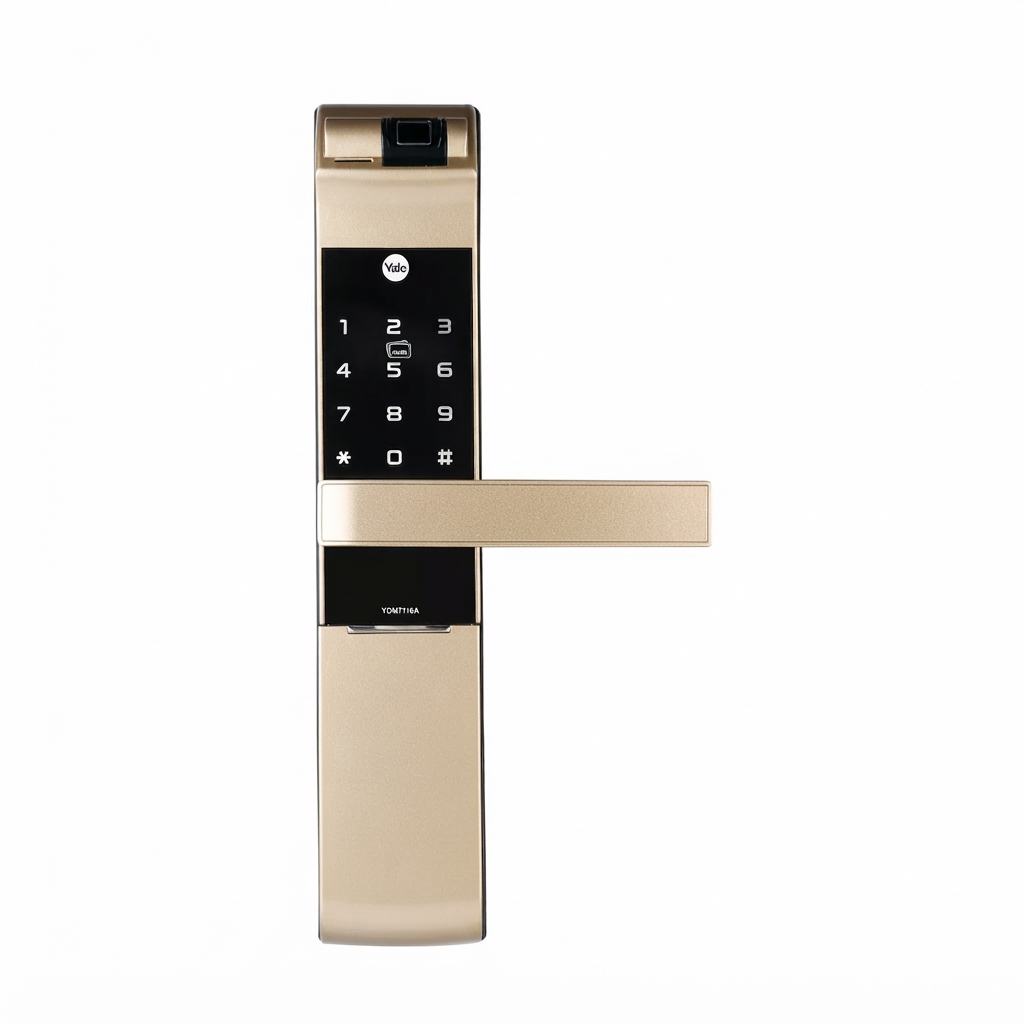
The Yale YDM7116A Smart Door Lock is a modern mortise-style digital lock designed for homeowners who want stronger security, flexible access options, and everyday convenience. It combines fingerprint entry, PIN code access, RFID card support, mechanical key override, and app-based connectivity in one premium-looking package. Available in finishes such as Matte Black, Red Bronze, and Champagne Gold, it suits both contemporary and classic entry doors while adding a polished, high-end feel.
One of the biggest advantages of the Yale YDM7116A Smart Door Lock is its multi-user capacity. It supports up to 100 fingerprints, 100 PIN codes, and 100 card entries, making it well suited for families, rental properties, serviced apartments, and small offices. The lock also includes tamper and break-in alarms, low-battery alerts, auto-lock functionality, and backup access through mechanical keys and emergency power options. These features make it a practical choice for users who want smart access without sacrificing reliability.
This model is ideal for anyone searching for a fingerprint door lock, smart mortise lock, or Yale home app compatible security solution. It is commonly used on timber residential doors with a door thickness range of 35-100 mm, depending on the market version. The estimated price range typically falls between mid-range and premium smart lock pricing, often around USD 180 to USD 350 depending on region, retailer, and bundled accessories. Availability is generally strong through Yale distributors, online marketplaces, and authorized smart home retailers.
Detailed Specifications for Yale YDM7116A Smart Door Lock
- Lock type: Mortise smart lock with motorized locking mechanism
- Access methods: Fingerprint, PIN code, RFID card, mechanical key, Bluetooth, Wi-Fi, and Yale Home app support
- Fingerprint capacity: Up to 100 users
- PIN code capacity: Up to 100 users
- Card capacity: Up to 100 registered cards
- Mechanical key override: 2 keys included
- Battery type: 4 x AA alkaline batteries
- Battery life: Around 12 months under normal use
- Door thickness compatibility: Typically 35-100 mm, depending on region and configuration
- Backset: 60 mm or 70 mm depending on market variant
- Operating temperature: -15°C to 55°C
- Front body dimensions: Approximately 68 W x 340 H x 40.18 D mm
- Back body dimensions: Approximately 72 W x 344 H x 36 D mm
- Finish options: Matte Black, Red Bronze, Champagne Gold
- Security features: Fake PIN protection, low-battery warning, tamper alarm, break-in alarm, auto-lock
Compared with many basic smart lock models, the Yale YDM7116A Smart Door Lock stands out for its broader access flexibility, stronger brand support, and mortise construction. It is a better fit than entry-level keypad-only locks for users who want biometric access and multiple unlock methods in one system.
Troubleshooting Common Issues with Yale YDM7116A Smart Door Lock
If the lock does not respond, first check battery health and replace the 4 AA batteries with fresh alkaline cells. Weak batteries are the most common cause of slow response, failed fingerprint reads, or incomplete locking cycles. If the fingerprint scanner is not recognizing users, clean the sensor, re-register the fingerprint, and make sure the finger is placed flat and centered on the reader.
For PIN code or card access problems, confirm that the user credential is registered and that the lock is not in privacy or restriction mode. If the lock emits a warning tone or shows a low-battery indicator, replace the batteries immediately and test the lock from both inside and outside. If the door does not latch properly, inspect the mortise alignment, strike plate position, and door thickness compatibility.
Common error-style symptoms usually relate to authentication failure, jammed latch movement, or connection issues with Bluetooth or the Yale Home app. Resetting the app connection, checking nearby interference, and re-pairing the lock can often solve wireless problems. Preventive maintenance includes keeping the lock clean, avoiding moisture exposure, and testing all access methods regularly.
Warranty coverage may vary by country, but Yale commonly offers multi-year support on connected smart locks. For service, users should contact an authorized Yale dealer, official Yale support center, or the retailer that supplied the unit. Keep the proof of purchase and installation details ready when requesting help.
Pros and Cons of Yale YDM7116A Smart Door Lock
Pros
- Multiple access methods provide excellent flexibility for families and shared properties.
- Fingerprint, PIN, and RFID support makes daily use fast and convenient.
- Mortise construction adds a more secure, premium feel than many surface-mounted smart locks.
- Auto-lock, tamper alarm, and break-in alarm improve security confidence.
- Fits modern smart home setups with Bluetooth, Wi-Fi, and app integration options.
- Good value for users who want a feature-rich smart lock instead of a basic keypad model.
Cons
- Installation may require professional fitting, especially on doors that need mortise adjustment.
- Battery dependence means regular maintenance is necessary.
- Some variants require separate purchase of Bluetooth or Wi-Fi components.
- May be more expensive than simpler smart deadbolts or keypad-only locks.
- Best performance depends on correct alignment and compatible door thickness.
For value for money, the Yale YDM7116A Smart Door Lock is strongest for buyers who want a durable, branded, multi-access solution rather than the cheapest option. Compared with lower-cost alternatives, it offers better build quality and more complete security features.
Customer Reviews and Real-World Feedback on Yale YDM7116A Smart Door Lock
Customer feedback for the Yale YDM7116A Smart Door Lock is generally positive, with many users giving it around 4 to 4.5 out of 5 stars. Buyers often praise the elegant finish, responsive fingerprint reader, and the convenience of unlocking without carrying keys. One common comment is that the lock feels solid and secure once installed correctly.
Frequently mentioned complaints include battery changes, occasional setup difficulty, and the need for proper installation to avoid alignment issues. Users also note that app connectivity can depend on the version purchased and local network setup. Despite these concerns, many reviewers recommend it for households, short-term rentals, and office doors because it balances security, convenience, and smart features well.
For shoppers comparing smart door lock options, this model is a strong recommendation for anyone who wants a premium biometric smart lock with multiple entry methods and dependable day-to-day performance.
Faqs
How do I set up the yale YDM7116A Smart Door Lock for the first time?
Why is my yale YDM7116A Smart Door Lock not responding after battery replacement?
What should I do if the yale YDM7116A Smart Door Lock keypad is not recognizing my PIN?
How can I improve fingerprint or card recognition on the yale YDM7116A Smart Door Lock?
Is the yale YDM7116A Smart Door Lock compatible with standard wooden or metal doors?
What are the most useful features of the yale YDM7116A Smart Door Lock for everyday use?
How often should I maintain the yale YDM7116A Smart Door Lock to keep it working smoothly?
What should I check if the yale YDM7116A Smart Door Lock feels stiff or does not latch properly?
Tags
More yale manuals
- Setup: Yale YDD724A Fingerprint Smart Door Lock User Manual
- Yale Smart Door Lock YDR4110 Plus User Guide | Settings
- Yale ByYou Mortise Series Pro Smart Lock User Manual
- Yale Digital Door Lock YDME-90 User Guide | Installation
- Yale Digital Door Lock YDD424+ User Guide | Installation
- How to Use & Set: Yale Card Key type YDR3110+ User Guide
Leave a Comment