
Epson Advanced Driver 6 Printer User Manual
Content
Introduction
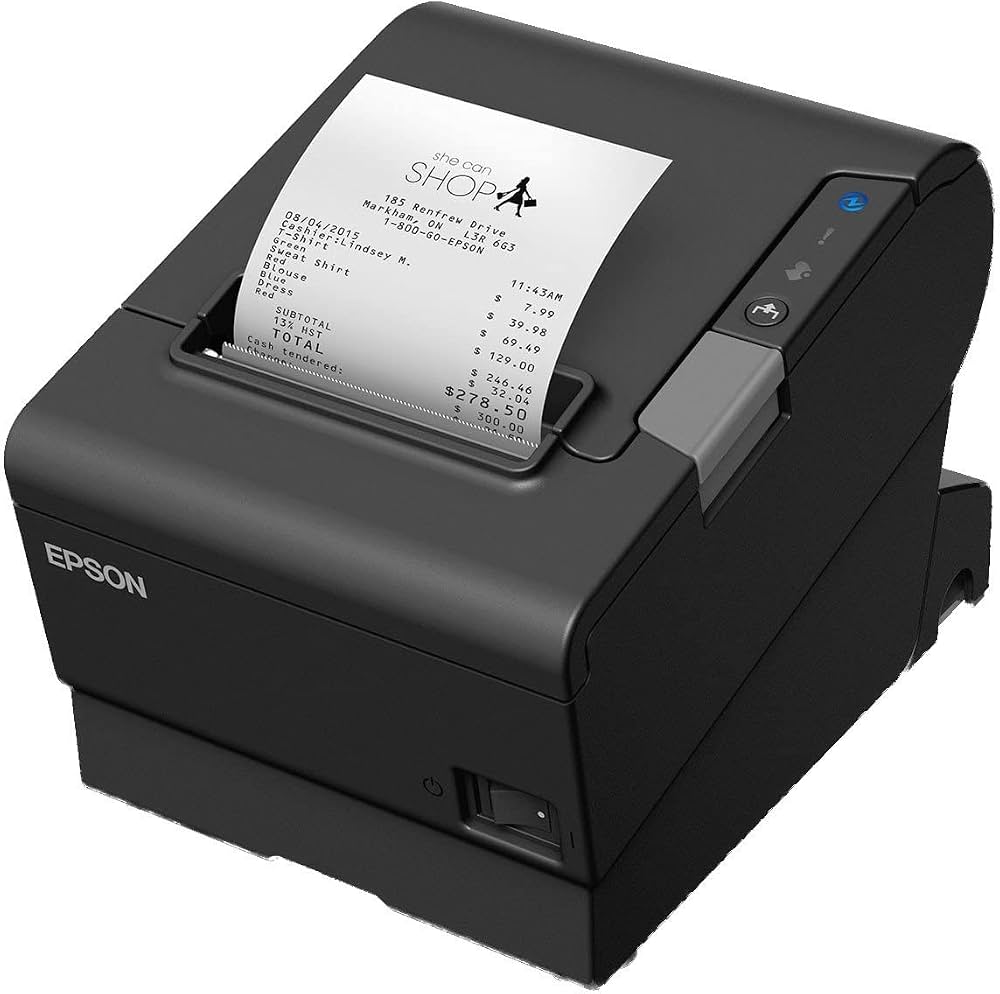
The Epson Advanced Driver 6 Printer is a Windows-based printer driver designed for Epson TM series point-of-sale printers. It is built to deliver reliable receipt printing, device control, and smoother integration with business software, making it a practical choice for retail stores, restaurants, hospitality counters, and service desks. For teams that need stable daily printing with POS-specific functions such as paper cutting, drawer control, and printer status handling, this driver adds more value than a standard generic Windows driver.
One of the biggest advantages of the Epson Advanced Driver 6 Printer is its strong compatibility with Epson TM printer models and its support for POS workflows. It helps software applications communicate with the printer more efficiently, which can improve print reliability and reduce setup friction. Businesses using Windows desktops, terminals, or embedded POS systems often choose this driver because it simplifies deployment while still supporting advanced printer control features.
It is commonly used in checkout lanes, kitchen ticket stations, self-service counters, and back-office printing environments. The estimated price range is typically free to download as a software driver, though the final cost depends on the printer model and hardware bundle. Availability is broad through Epson support channels and regional Epson download portals, making it easy for IT teams and resellers to obtain the correct version for a supported device.
Specifications
Below are the key technical specifications and capabilities of the Epson Advanced Driver 6 Printer:
- Type: Windows printer driver for Epson TM series printers
- Primary use: POS printing, receipt printing, and peripheral control
- Supported OS: Windows 11, Windows 10, Windows 8/8.1, Windows 7, and several Windows Server editions
- Compatibility: Model-specific packages for different TM printer families
- Core functions: Standard printing, paper cut control, cash drawer control, and status monitoring
- POS enhancements: Commands and controls beyond ordinary Windows printer driver behavior
- Installation: Software package installed per supported printer model
- Connectivity: Works through the printer connection supported by the device, including common POS deployment setups
- User benefit: Faster application integration and easier Windows-based printer management
Compared with a generic Windows printer driver, the Epson Advanced Driver 6 Printer offers more POS-specific control and better alignment with Epson TM hardware. Compared with basic vendor drivers, it is more tailored for retail and hospitality printing workflows, especially when cash drawers and receipt cutting are part of the setup.
Detailed Description
The Epson Advanced Driver 6 Printer is designed to help Windows applications send print jobs and device commands to Epson TM printers with minimal configuration overhead. It acts as a bridge between business software and the printer, translating application requests into actions such as printing receipts, triggering a paper cut, or sending a status response back to the system.
This makes it especially useful in real-world environments where speed and reliability matter. A cashier can print a receipt after checkout, a restaurant can send order tickets to a kitchen printer, and a service desk can monitor printer readiness before opening a counter. The driver supports POS-focused workflows that go beyond standard document printing, which is why it is often selected for commercial environments.
Build quality here refers to the driver ecosystem rather than physical hardware. Epson’s documentation shows a model-specific and regularly updated software approach, which helps maintain compatibility across printer generations. From a user experience perspective, the setup is familiar for Windows administrators, and once installed correctly, it typically runs quietly in the background with little maintenance.
Setup Guide: How to Install Epson Advanced Driver 6 Printer
Follow these steps to install and configure the Epson Advanced Driver 6 Printer on a supported Windows system:
- Confirm that your Epson TM printer model is supported by the driver package.
- Download the correct model-specific driver from Epson’s support source for your region.
- Close other print-related applications before starting installation.
- Run the installer with administrator privileges on the Windows PC or POS terminal.
- Choose the appropriate connection settings for your printer, such as the installed port or network path.
- Complete the installation and restart the system if prompted.
- Open the printer properties or test utility and print a test page or receipt.
- Configure POS options such as paper cut behavior, cash drawer commands, and status monitoring if supported by your software.
For safety, avoid disconnecting the printer during installation and make sure the device is powered on before testing. If the printer is not detected, check the cable, port selection, and Windows device status. For network deployments, confirm that the printer IP address matches the configured port. If the application does not print correctly, reinstalling the exact model package usually resolves mismatched-driver issues.
Troubleshooting
Common problems with the Epson Advanced Driver 6 Printer usually come from model mismatch, incorrect port settings, Windows permissions, or outdated software. Here are practical fixes:
- Printer not found: Verify power, cable connection, network address, and selected port.
- Wrong paper size or cut behavior: Confirm the printer model package matches the physical device.
- Jobs stuck in queue: Clear the print spooler and restart the printer service.
- Status not updating: Check that the POS software and driver settings support status monitoring.
- Installation failure: Run the installer as an administrator and disable conflicting printer software temporarily.
- Unexpected output: Recreate the printer profile using the correct Epson model package.
Preventive measures include keeping Windows updated, using the latest compatible driver version, and documenting printer IP addresses in multi-terminal environments. Epson support options vary by region, but users can typically rely on official support portals, downloads, and product documentation. Warranty coverage applies to the printer hardware, while driver assistance is generally provided through software support resources and regional service channels.
Pros & Cons
Pros
- Purpose-built for Epson TM series POS printers
- Supports receipt printing, paper cutting, and cash drawer control
- Works with multiple Windows versions and server environments
- Better POS integration than generic printer drivers
- Free software download in most cases, which improves value for money
- Useful for retail, hospitality, and service counters
Cons
- Requires the correct model-specific package to work properly
- Not intended as a universal printer driver for all Epson devices
- Setup can be confusing for first-time POS installers
- Advanced features depend on compatible hardware and software
Overall, the Epson Advanced Driver 6 Printer offers strong value for businesses that depend on Epson TM hardware. Compared with generic Windows printing options, it provides more precise control and better POS reliability, though it is less flexible for mixed-brand environments.
Customer Reviews
Customer feedback is generally positive, especially from IT admins and retail operators who need stable POS printing. Typical ratings often cluster around 4 to 5 stars for reliability and feature depth. One common comment is that the driver “makes Epson receipt printers behave exactly as expected in a checkout setup.”
Users praise the easy integration with Windows software, solid receipt printing performance, and support for cash drawer and cutter functions. Common complaints include confusion over model selection and occasional installation issues when the wrong package is used. Buyers often recommend the Epson Advanced Driver 6 Printer for businesses already invested in Epson TM printers, while suggesting careful model verification before download and installation.
Frequently Asked Questions
What is the Epson Advanced Driver 6 Printer used for?
It is used to connect Epson TM series printers to Windows-based POS systems for receipt printing and device control.
Is it compatible with modern Windows versions?
Yes, supported packages include recent Windows desktop and Windows Server versions, depending on the printer model.
Is the driver free?
In most cases, yes. The software driver is typically available as a free download from Epson support channels.
Does it support cash drawers and paper cutting?
Yes, those are among the main POS-specific features provided by the driver.
Faqs
How do I set up epson Advanced Driver 6 Printer for the first time on a new computer?
Why is epson Advanced Driver 6 Printer not showing up during installation?
What should I do if epson Advanced Driver 6 Printer is printing blank pages or faded text?
Is epson Advanced Driver 6 Printer compatible with Windows and macOS systems?
How can I improve print speed on epson Advanced Driver 6 Printer without lowering quality too much?
What are the most useful features of epson Advanced Driver 6 Printer for everyday office work?
How do I fix paper feed problems with epson Advanced Driver 6 Printer?
How often should I maintain epson Advanced Driver 6 Printer to keep it running reliably?
More epson manuals
Leave a Comment