
Epson L3110 EcoTank All-in-one Printer User Manual
Content
Epson L3110 EcoTank All-in-One Printer Manual
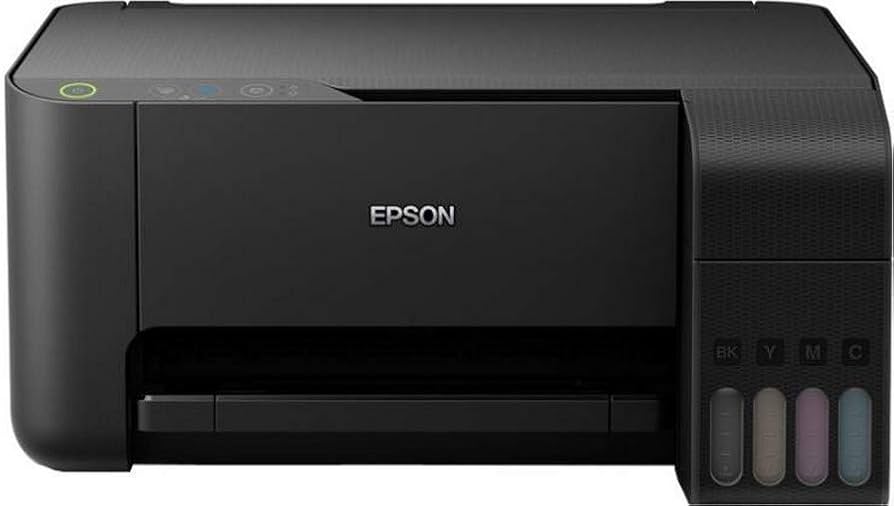
The epson L3110 EcoTank All-in-one Printer is a compact ink tank multifunction printer designed for users who want low-cost, high-volume printing without the hassle of frequent cartridge replacements. It combines print, scan, and copy functions in one affordable device, making it a practical choice for home users, students, small offices, and microbusinesses that need reliable everyday document output. With Epson’s EcoTank system, users can refill ink from bottles instead of buying cartridges, which helps reduce running costs and makes the printer especially attractive for frequent printing workloads.
This model is known for its high page yield, crisp 5760 x 1440 dpi print resolution, and respectable print speeds of up to 33 ppm for black-and-white documents and 15 ppm for color pages in draft mode. It supports USB connectivity and handles common paper sizes such as A4, Letter, envelopes, and photo paper, which makes it versatile for daily office tasks and school projects. Borderless photo printing is also supported, adding value for users who need occasional photo output.
In 2026, the estimated price range for the Epson L3110 EcoTank All-in-one Printer is typically around ₹11,000 to ₹12,500 in India, though pricing can vary by retailer, region, and stock availability. It remains widely available through major online marketplaces and electronics resellers, making it easy to buy replacement inks, accessories, and service support.
Troubleshooting Epson L3110 Printer Problems and Error Codes
Common problems with the epson L3110 EcoTank All-in-one Printer often involve paper handling, ink maintenance, and light/error alerts. If the paper light is on, the tray may be empty or multiple sheets may have fed at once. If the paper light is flashing, a paper jam is likely. When the power and paper lights flash alternately, the printer may be signaling that the ink pad is nearing the end of its service life. If all lights flash together, paper or protective material may be stuck inside the device. A power light that stays off can indicate a firmware update failure.
For fixes, turn the printer off, remove paper carefully, reload plain sheets, and restart the device. If print quality looks faded, run a nozzle check and head cleaning cycle from the driver or control software. For persistent ink-pad alerts or error codes such as 031006, service assistance may be required because the issue can involve the paper feed mechanism or internal alignment. Preventive care includes using genuine Epson ink, keeping the scanner lid closed when idle, loading paper correctly, and printing regularly to avoid dried nozzles.
Warranty and support options depend on the region and seller, but Epson service centers typically provide repair, parts replacement, and maintenance guidance. For help in India, contact Epson support at 1800 425 00 11, 1800 123 001 600, or 1860 3900 1600.
Pros and Cons of the Epson L3110 EcoTank All-in-One Printer
Pros
- Low running cost thanks to the refillable EcoTank system, which is ideal for heavy document printing.
- Good print quality for text, schoolwork, forms, and everyday color documents.
- Compact all-in-one design that saves desk space in small homes or offices.
- Strong value for money compared with many cartridge-based printers in the same segment.
- Useful for users who print frequently and want fewer interruptions for ink replacement.
Cons
- No built-in Wi-Fi, so wireless printing is not available on standard configurations.
- Automatic duplex printing is not included, so double-sided jobs must be done manually.
- Best suited for moderate home-office use rather than advanced business workloads.
- Photo output is decent, but dedicated photo printers deliver richer image quality.
- Compared with newer alternatives, the interface and connectivity options are more basic.
Overall, the Epson L3110 offers excellent value for budget-conscious buyers who want dependable ink tank printing, scanning, and copying in one machine. If wireless connectivity or duplex automation is a priority, newer EcoTank models may be a better fit.
Customer Reviews for Epson L3110 EcoTank All-in-One Printer
Customer feedback for the epson L3110 EcoTank All-in-one Printer is generally positive, with many users praising its low printing cost, simple refill system, and reliable daily performance. A typical rating pattern is around 4.3 out of 5 stars for value-oriented buyers who print documents often.
Common praise includes smooth text printing, easy ink refilling, and strong cost savings over time. One frequent testimonial style is: “Perfect for school and office work, and ink lasts much longer than my old cartridge printer.” Common complaints usually focus on the lack of Wi-Fi, slower color printing for larger jobs, and the need for periodic maintenance when the printer sits unused.
Buyers who need a budget-friendly all-in-one printer for home use, study, or small-office paperwork usually recommend it. Users seeking wireless printing, advanced photo output, or automatic double-sided printing may want to compare it with newer EcoTank alternatives before purchasing.
Faqs
How do I set up the epson L3110 EcoTank All-in-one Printer for the first time without missing any steps?
Why is my epson L3110 EcoTank All-in-one Printer not printing after setup, and how can I fix it?
What should I do when the epson L3110 EcoTank All-in-one Printer prints faded or streaky pages?
Is the epson L3110 EcoTank All-in-one Printer compatible with Windows, Mac, and mobile printing?
How can I improve print speed on the epson L3110 EcoTank All-in-one Printer without losing quality?
How do I clean and maintain the epson L3110 EcoTank All-in-one Printer to prevent clogs and ink problems?
What paper types work best with the epson L3110 EcoTank All-in-one Printer for everyday documents and photos?
How do I know if the ink tanks on the epson L3110 EcoTank All-in-one Printer are filled correctly and safely?
More epson manuals
Leave a Comment