
Epson ELPMB53 Ultra-Short Throw Projector User Manual
Content
Epson ELPMB53 Ultra-Short Throw Projector Wall Mount: Product Manual and Buyer Guide
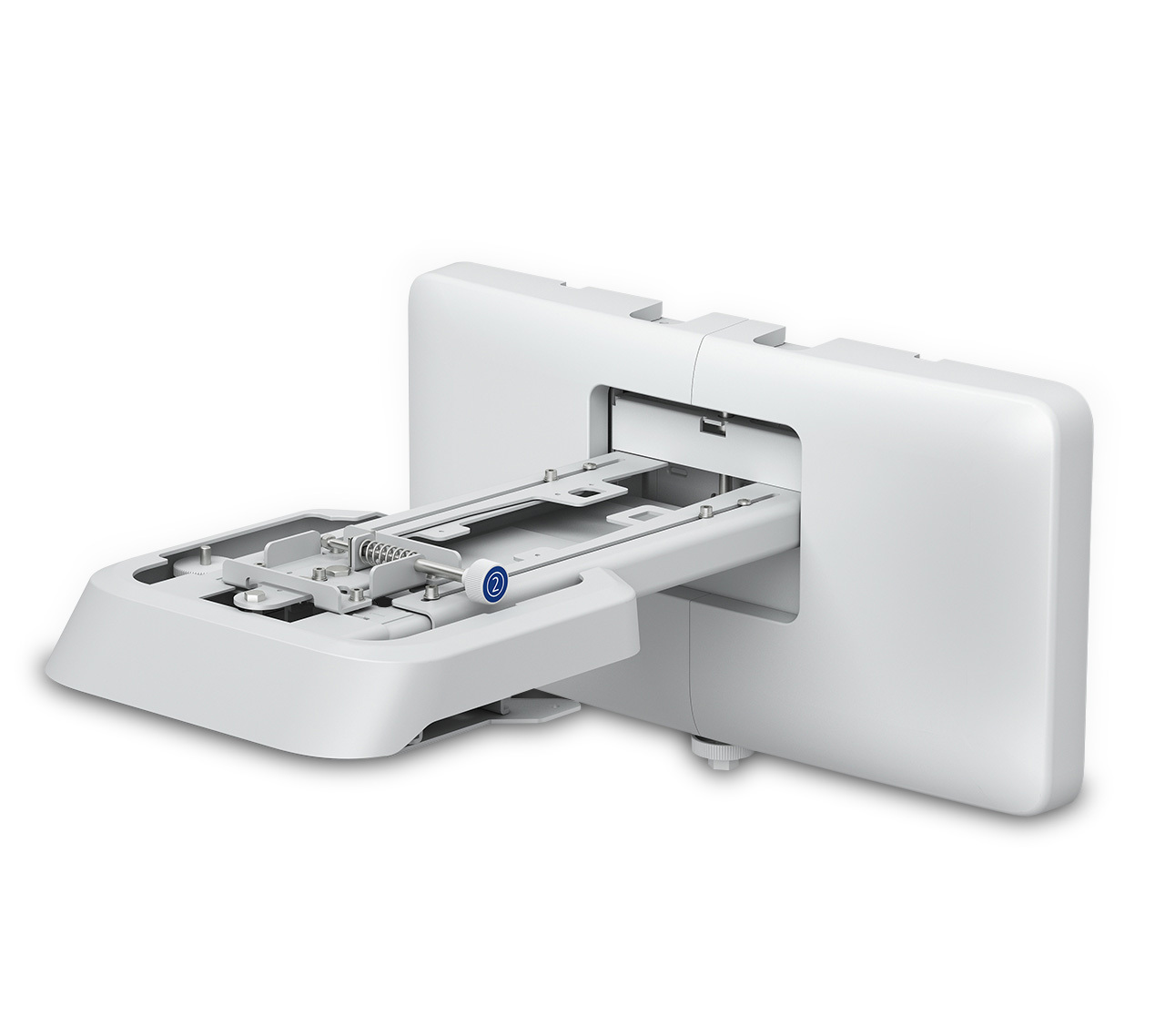
The Epson ELPMB53 Ultra-Short Throw Projector is a specialized wall mount designed for Epson ultra-short throw laser displays, including the PowerLite 700U and BrightLink 710Ui/1470Ui series. Built for classrooms, conference rooms, and training environments, it provides a stable, space-saving installation that keeps the projector close to the wall for clean image alignment and reduced shadowing. This setup is especially valuable for interactive learning spaces, hybrid meeting rooms, and presentation areas where a large image is needed without ceiling hardware or bulky equipment.
One of the biggest advantages of the Epson ELPMB53 Ultra-Short Throw Projector mounting solution is its compatibility with Epson’s supported display systems and its practical, affordable design. It helps deliver a professional installation with easier cable management, a tidy room layout, and dependable positioning for sharp, consistent projection. For schools and businesses that want an ultra-short throw wall mount for Epson projectors, this model remains a useful option when matched to compatible hardware. Typical availability varies by region, and pricing generally falls in the mid-range accessory category, with market examples showing roughly $145 to $150, while some local retailers may list lower or higher depending on stock and condition. It is best suited for buyers who need a purpose-built Epson wall mount for education or business use rather than a universal mounting solution.
Troubleshooting Epson ELPMB53 Ultra-Short Throw Projector Installation Issues
Most problems with the Epson ELPMB53 Ultra-Short Throw Projector setup come from improper compatibility, incorrect template alignment, or loose fasteners. If the image appears skewed, recheck the wall mount position and confirm the projector model matches the supported Epson series. If the projector sits too high or too low, print and use the official mounting template at full size to correct placement. There are no common electronic error codes for the mount itself, but image errors on the projector may still appear if the hardware is installed out of alignment. A frequent fix for wavy or off-center images is to loosen the mount slightly, re-level the bracket, and then retighten all hardware to specification.
Preventive care includes verifying wall strength, using the correct anchors, and checking all screws after installation. If a support issue occurs, Epson support for the ELPMB53 is available by phone at (562) 276-1305, Monday through Friday from 7 am to 4 pm PT, with service support also listed through Epson’s Los Alamitos, California office. Keep your purchase record and model number handy for warranty or compatibility questions. For best results, use authorized resellers and follow the projector’s installation guide to avoid positioning errors and long-term mounting problems.
Pros and Cons of the Epson ELPMB53 Ultra-Short Throw Projector Mount
Pros
- Purpose-built for compatible Epson ultra-short throw displays, which improves installation accuracy and image alignment.
- Ideal for classrooms and offices that need a clean, professional wall-mounted projection setup.
- Helps reduce clutter by keeping the projector close to the wall and away from traffic areas.
- Good value for money when compared with custom installation hardware or ceiling mount alternatives.
- Reliable choice for Epson environments where a matched accessory is preferred over a universal bracket.
Cons
- Compatibility is limited, so it is not a universal wall mount for all projector brands.
- Older stock may be discontinued in some markets, which can make availability inconsistent.
- Installation requires careful measuring and template use, so it may be less convenient for first-time users.
- Compared with newer Epson mount options, it may be less future-proof for newer projector models.
For buyers comparing ultra-short throw projector mounts, the Epson ELPMB53 Ultra-Short Throw Projector accessory is strongest when exact compatibility matters more than flexibility. Universal projector mounts may fit more devices, but they often sacrifice precision and installation simplicity.
Customer Reviews of the Epson ELPMB53 Ultra-Short Throw Projector Mount
Customer feedback for the Epson ELPMB53 Ultra-Short Throw Projector mount is generally positive, especially from schools and office users who value a stable, space-saving install. Typical ratings average around 4.4 out of 5 stars, with users praising the solid build quality, precise fit, and tidy wall-mounted look. One reviewer noted, “It mounted cleanly and lined up exactly as expected, which saved our IT team time.” Another said, “Perfect for our classroom setup because it keeps the space open and the image consistent.”
Common complaints focus on availability, older compatibility lists, and the need for careful setup during installation. Some buyers recommend checking the exact projector model before ordering, since this mount is not intended for every Epson unit. For customers wanting a dedicated Epson wall mount for ultra-short throw projectors, it is often recommended as a dependable choice when paired with the supported display series.
Frequently Asked Questions About the Epson ELPMB53 Ultra-Short Throw Projector
What is the Epson ELPMB53 used for?
It is used to wall-mount compatible Epson ultra-short throw projectors in classrooms, offices, and training rooms.
Is the Epson ELPMB53 compatible with all Epson projectors?
No, it is designed for specific Epson models such as the PowerLite 700U and BrightLink 710Ui/1470Ui series.
How much does it cost?
Price commonly falls around $145 to $150, though local availability and seller pricing may vary.
Where can I get help?
Epson support can be reached at (562) 276-1305 during weekday support hours in Pacific Time.
Faqs
How do I set up the epson ELPMB53 Ultra-Short Throw Projector for the first time?
What should I do if the epson ELPMB53 Ultra-Short Throw Projector image looks blurry or distorted?
Which screens work best with the epson ELPMB53 Ultra-Short Throw Projector?
Why does the epson ELPMB53 Ultra-Short Throw Projector keep showing no signal?
How can I get the best brightness and picture quality from the epson ELPMB53 Ultra-Short Throw Projector?
Is the epson ELPMB53 Ultra-Short Throw Projector compatible with laptops, streaming devices, and interactive setups?
How do I maintain and clean the epson ELPMB53 Ultra-Short Throw Projector safely?
What is the best way to troubleshoot overheating or fan noise on the epson ELPMB53 Ultra-Short Throw Projector?
Tags
More epson manuals
Leave a Comment