
Epson CO-W01 Projector User Manual
Content
epson CO-W01 Projector: Complete Product Manual and Buyer Guide
Introduction
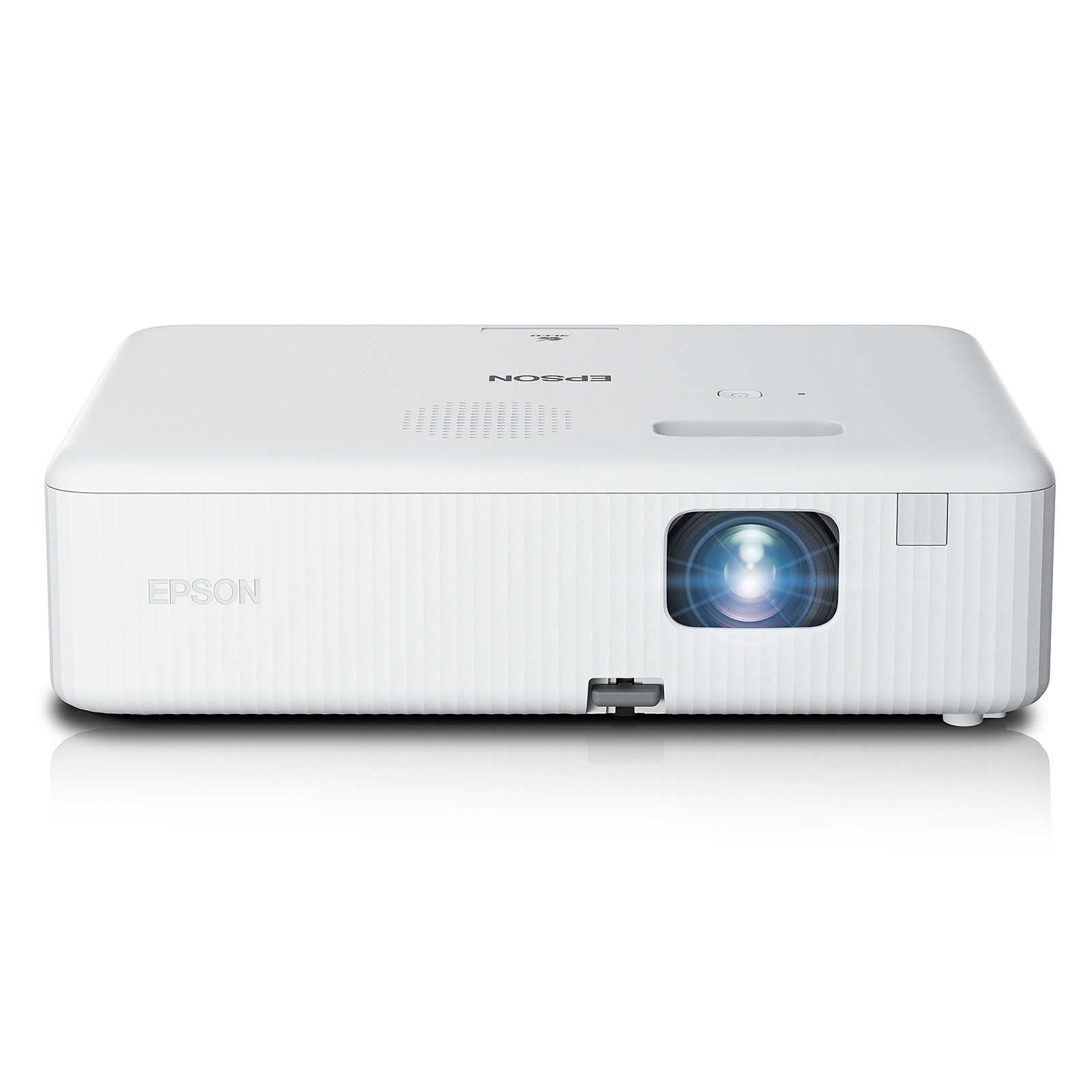
The epson CO-W01 Projector is a portable WXGA business and home entertainment model built around Epson’s 3LCD technology, delivering 3,000 lumens of color and white brightness for vivid images in classrooms, meeting rooms, and living spaces. With a native 16:10 aspect ratio, 1280 x 800 resolution, and lamp-based light source, it is designed for users who want a bright, easy-to-use projector for presentations, streaming, and everyday media viewing.
One of the biggest advantages of the epson CO-W01 Projector is its flexibility. It offers a compact design, manual focus, digital zoom, vertical and horizontal keystone correction, and a throw ratio that supports a wide range of room sizes. This makes it a practical choice for teachers, remote workers, small businesses, and families who need a reliable projector without a complicated setup. It also includes HDMI and USB connectivity, so it works well with laptops, streaming devices, and USB media playback.
In 2026, the typical price range is approximately $250 to $430, depending on whether you buy new, refurbished, or certified renewed. Availability is generally strong through Epson, major retailers, and online marketplaces. For buyers searching for a bright portable projector for work, learning, or casual home cinema use, this model remains a strong value-oriented option.
Troubleshooting Epson CO-W01 Projector Common Problems
If the projector will not power on, check the AC cable, outlet, and power button, then confirm the unit is not in standby mode. If the image is dim or blurry, clean the lens, adjust focus manually, and verify that the lamp is not nearing end of life. If the projector shows no signal, confirm the HDMI source is active and the input source is set correctly on the projector.
Common warning indicators usually relate to lamp or temperature issues rather than complex error codes. A lamp warning means the light source may need replacement soon, while an overheating or temperature indicator usually points to blocked vents, dust buildup, or poor airflow. Keep at least several inches of clearance around the vents and avoid using the projector in enclosed spaces.
Preventive care includes regular dust removal, safe shutdown after use, and avoiding frequent power interruptions. Epson typically provides a limited warranty and customer support through its official support channels, with phone, chat, and online documentation available for setup and repair help. For users in the U.S. and Canada, the Epson user guide lists support contacts at (562) 276-4394 and (905) 709-3839.
Pros and Cons of the epson CO-W01 Projector
Pros
- Bright 3,000-lumen output makes it usable in daytime rooms and office environments.
- 3LCD technology produces rich color and balanced brightness for presentations and video.
- Lightweight, portable design is easy to move between rooms or travel with.
- Manual keystone correction and digital zoom help with flexible installation.
- Good value for money for users who want a budget-friendly business projector.
Cons
- WXGA resolution is solid for slides and spreadsheets but not as sharp as Full HD alternatives.
- Contrast is modest, so dark-room movie viewing is less cinematic than higher-end models.
- No built-in wireless streaming, so external adapters or devices may be needed.
- Fan noise can be noticeable in quiet rooms, especially outside eco mode.
- It competes with higher-resolution portable projectors that offer better home theater performance.
Overall, the epson CO-W01 Projector offers strong brightness and practical features at a competitive price, but buyers focused on cinema-quality detail may prefer a native 1080p alternative.
Customer Reviews and User Feedback
Customer feedback for the epson CO-W01 Projector is generally positive, with many users praising its brightness, quick setup, and colorful image quality. A common rating pattern is around 4 out of 5 stars, especially among office and classroom buyers who value clear text and reliable performance.
Typical praise includes comments such as, “The picture is bright enough for my meeting room even with the lights on,” and “It was easy to connect my laptop and start presenting right away.” Common complaints usually mention limited contrast, built-in speaker power, and the need to control ambient light for the best image quality.
Most buyers recommend it for presentations, home learning, and casual streaming rather than high-end movie nights. Users who want a simple, bright, affordable projector with dependable everyday performance are usually satisfied, while those expecting premium home theater depth may want to compare it with higher-resolution alternatives.
Key Specifications at a Glance
- Projection system: 3LCD
- Native resolution: WXGA 1280 x 800
- Brightness: 3,000 lumens
- Aspect ratio: 16:10
- Lamp life: up to 6,000 hours, or up to 12,000 hours in eco mode
- Connectivity: HDMI, USB-A, USB-B service connection
- Weight: about 5.3 pounds
- Typical use: business, education, home entertainment, streaming-ready setups
Buying Advice
If you need a portable projector for presentations, teaching, or flexible multi-room use, the epson CO-W01 Projector is a smart purchase. It delivers strong brightness, easy setup, and reliable everyday performance at a price that makes it attractive for budget-conscious buyers. If your priority is sharper movie playback, consider a Full HD projector instead.
Faqs
How do I set up the epson CO-W01 Projector for the first time?
What devices are compatible with the epson CO-W01 Projector?
Why is the epson CO-W01 Projector image blurry or not filling the screen correctly?
How bright is the epson CO-W01 Projector in a room with lights on?
What should I do if the epson CO-W01 Projector shows no signal?
How long does the lamp last in the epson CO-W01 Projector?
Can I use the epson CO-W01 Projector for ceiling mounting or rear projection?
How do I maintain and clean the epson CO-W01 Projector safely?
More epson manuals
- Epson ELPMB64 Short-Throw Projector Wall Mount User Manual
- Epson EcoTank Printer L3210 User Manual
- Epson ELPMB53 Ultra-Short Throw Projector User Manual
- Setup: Epson Sure-Color Series Printer P900 User Manual
- Epson CO-FH02 Projector User Manual
- How to Use: Epson ELPMB75 Ultra-Short-Throw Projector Wall Mount System User Manual
Leave a Comment