
Garmin FORERUNNER 265 Series Watch User Manual
Content
Garmin Forerunner 265 Series Watch Overview
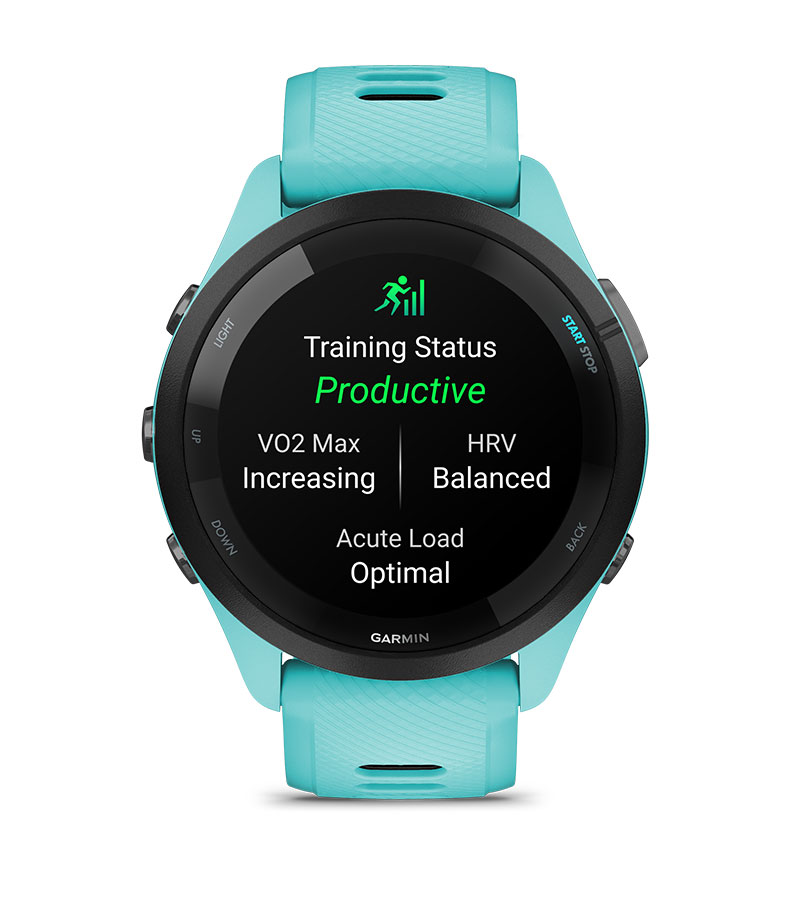
The Garmin Forerunner 265 series watch is a premium running smartwatch built for athletes who want advanced training tools, vivid display quality, and reliable everyday health tracking. It combines an AMOLED touchscreen, multiband GPS, and Garmin’s training features in a lightweight design that works well for runners, triathletes, fitness-focused users, and anyone who wants detailed performance data without moving to a bulkier outdoor watch. The Garmin Forerunner 265 series watch stands out for its bright screen, accurate location tracking, and strong balance between smartwatch convenience and sports functionality.
Available in multiple sizes and color options, the watch is commonly positioned in the mid-to-premium range, with typical pricing around the high-$300s to mid-$400s depending on model, retailer, and sales. It is widely available through Garmin and major electronics sellers. Users choose it for structured run training, race preparation, heart-rate monitoring, sleep tracking, music playback, and daily activity insights. Its target audience includes recreational runners, serious marathon trainees, and users who want better battery life and training analytics than standard smartwatches. If you want a running watch that feels modern on the wrist while still delivering serious sport metrics, the Garmin Forerunner 265 series watch is one of the most practical options in Garmin’s lineup.
Specifications for Garmin Forerunner 265 Series Watch
- Display: AMOLED color touchscreen with high-contrast visibility for indoor and outdoor use
- Controls: Touchscreen plus physical buttons for training and navigation reliability
- GPS: Multi-band satellite support for improved tracking accuracy in difficult environments
- Battery life: Up to 13 days in smartwatch mode, with reduced runtime during GPS and music use
- Water rating: 5 ATM water resistance for sweat, rain, shower use, and swimming
- Health tracking: Wrist-based heart rate, stress, respiration, sleep, and Pulse Ox support
- Sports features: Running dynamics, structured workouts, training readiness, race tools, and recovery insights
- Connectivity: Bluetooth, Wi-Fi, and smartphone pairing for notifications, syncing, and updates
- Music: On-device music storage and playback with compatible streaming service support
- Build: Lightweight fiber-reinforced polymer case with durable protective glass
- Comparison: More advanced and brighter than the Forerunner 255, but lighter and more running-focused than the Fenix series
In practical use, the Garmin Forerunner 265 series watch sits between entry-level runners’ watches and full outdoor multisport models. Compared with the Forerunner 255, it adds the AMOLED display and a more premium user experience. Compared with the Fenix line, it is slimmer, lighter, and more affordable, while still offering strong training metrics.
Detailed Product Description
The Garmin Forerunner 265 series watch is designed around performance data and usability. Its bright AMOLED screen makes pace, distance, heart rate, and workout prompts easy to read during fast runs or gym sessions. The touchscreen is useful for menus and daily navigation, while the physical buttons help when you are sweating, wearing gloves, or running in wet conditions. This hybrid control system gives the watch an advantage over touchscreen-only competitors.
In real-world use, the watch supports outdoor running, treadmill training, cycling, swimming, interval sessions, and recovery monitoring. It can track training readiness and help users decide when to push harder or rest. The build quality is solid, with a lightweight case and comfortable strap that make it suitable for all-day wear. The design feels sporty rather than luxury-focused, which matches its purpose as a training tool. For many users, the biggest appeal is how it blends advanced performance features with a comfortable, everyday wearable experience.
Setup Guide for Garmin Forerunner 265 Series Watch
- Charge the watch fully before first use to avoid setup interruptions.
- Press and hold the power/light button to turn it on.
- Follow the on-screen setup prompts to choose language, region, time format, and profile details.
- Install the Garmin Connect app on your smartphone and pair the watch through Bluetooth.
- Sign in or create a Garmin account to enable syncing, updates, and cloud-based activity storage.
- Configure activity profiles such as running, cycling, swimming, and strength training.
- Adjust notification settings, GPS preferences, heart-rate alerts, and music options.
- Test satellite lock outdoors before starting your first run for better accuracy.
For best results, keep the watch close to your phone during initial pairing and allow firmware updates to finish before using advanced features. If pairing fails, restart both devices, toggle Bluetooth off and on, and retry the setup. Avoid exposing the watch to high heat during charging and do not tighten the strap too aggressively, especially during sleep tracking or long workouts.
Troubleshooting Common Issues
- Problem: Watch will not turn on. Solution: Charge for at least 15 to 20 minutes and try a force restart.
- Problem: GPS takes too long to lock. Solution: Go outdoors with a clear sky view and wait before starting the activity.
- Problem: Heart rate seems inaccurate. Solution: Wear the watch snugly above the wrist bone and clean the sensor.
- Problem: Phone sync fails. Solution: Reopen Garmin Connect, check Bluetooth, and remove then re-pair the device if needed.
- Problem: Battery drains quickly. Solution: Reduce screen brightness, limit always-on display use, and review GPS or music settings.
- Problem: Touchscreen responds poorly. Solution: Use button controls during wet conditions or disable touch during activities.
Common error messages usually relate to pairing, charging, syncing, or GPS initialization rather than hardware failure. Preventive care includes regular software updates, cleaning the charging contacts, and avoiding repeated deep battery drain. Warranty coverage and official support are typically handled through Garmin customer support, the Garmin support website, and authorized retailers. For the fastest help, have the serial number, purchase date, and software version ready when contacting support.
Pros and Cons of the Garmin Forerunner 265 Series Watch
Pros
- Bright AMOLED display improves readability in all lighting conditions
- Accurate GPS performance is strong for city running and mixed terrain
- Lightweight design is comfortable for long runs and daily wear
- Excellent training tools for runners, including readiness and recovery metrics
- Button plus touchscreen control improves usability during workouts
- Good value for users who want advanced Garmin features without moving to a premium outdoor watch
Cons
- Battery life is shorter than some non-AMOLED rivals when using bright display settings
- More expensive than basic fitness watches
- Running-focused design may feel limited for users who want full adventure mapping
- Music and multiband GPS can reduce runtime noticeably during long sessions
Compared with alternatives, it offers a stronger running experience than many general-purpose smartwatches and a more approachable price than high-end multisport models. For runners, the value is strong because it combines premium display quality, training insights, and practical daily usability in one package.
Customer Reviews and User Feedback
Average user sentiment for the Garmin Forerunner 265 series watch is generally very positive, with many buyers rating it around 4.5 out of 5 stars. Users often praise the bright display, lightweight feel, accurate workout tracking, and helpful training insights. One common comment is that the watch feels noticeably more premium than older Forerunner models, especially during daily use.
Frequent complaints usually focus on price, battery life during heavy GPS and music use, and the fact that it is optimized more for running than for broad outdoor navigation. A typical testimonial might sound like: “The screen is fantastic, the GPS is reliable, and it makes training easier to follow.” Another might say: “Battery life is good for a running watch, but heavy users should manage brightness and music carefully.” Overall, the Garmin Forerunner 265 series watch is a strong purchase recommendation for runners who want a smart, polished training watch with modern visuals and dependable performance.
Faqs
How do I set up the garmin FORERUNNER 265 Series Watch for the first time?
Why is my garmin FORERUNNER 265 Series Watch not connecting to my phone?
What should I do if my garmin FORERUNNER 265 Series Watch will not turn on?
How accurate is the heart rate tracking on the garmin FORERUNNER 265 Series Watch?
Can the garmin FORERUNNER 265 Series Watch work with iPhone and Android phones?
How do I improve battery life on the garmin FORERUNNER 265 Series Watch?
What makes the garmin FORERUNNER 265 Series Watch different from a basic running watch?
How should I clean and maintain the garmin FORERUNNER 265 Series Watch?
More garmin manuals
Leave a Comment