
Setup: Honeywell Home X1N Non-Programmable Thermostat RTH11B/RTHC11B User Manual
Content
Honeywell Home X1N Non-Programmable Thermostat RTH11B/RTHC11B: Complete User Manual and Guide
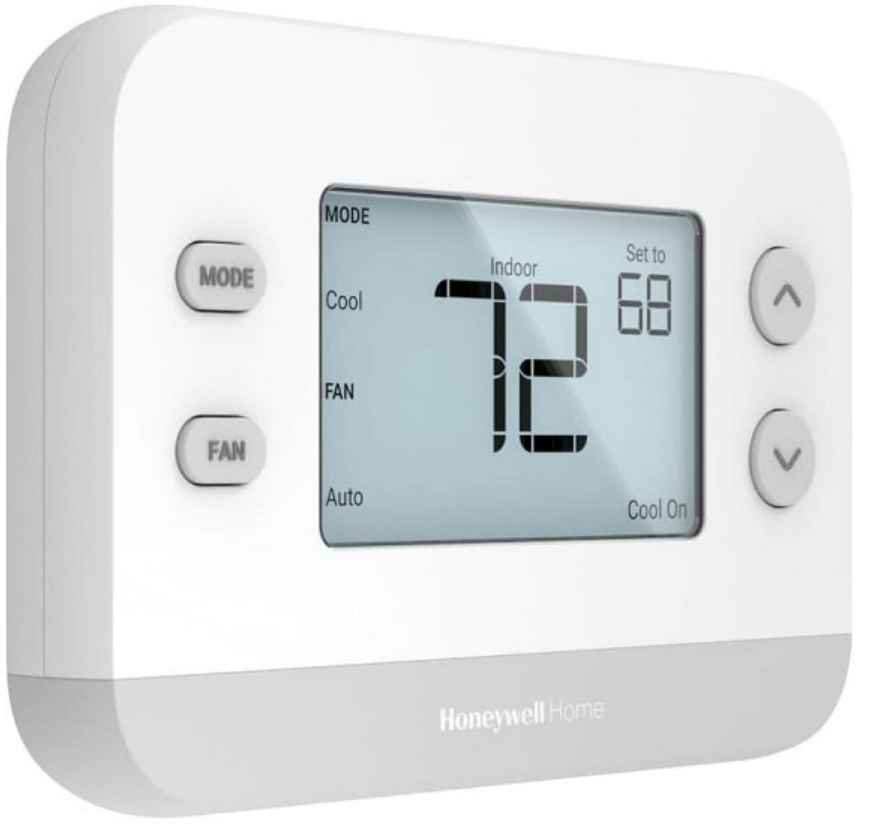
Introduction to Honeywell Home X1N Non-Programmable Thermostat RTH11B/RTHC11B
The Honeywell Home X1N Non-Programmable Thermostat RTH11B/RTHC11B delivers straightforward temperature control for modern homes, optimized for single-stage 1 heat/1 cool systems. Known as "Simply Better," this reliable thermostat simplifies daily comfort management with its large backlit display, clear fonts, and intuitive push-button interface. Ideal for homeowners, renters, and DIY enthusiasts seeking hassle-free HVAC operation, it supports forced air (gas, oil, electric), hot water heat, and 750 mV systems without complex programming.
Key benefits include customizable display settings, filter change reminders, and a 32°F low-heat setpoint for efficient winter performance. Battery-powered by 2 AA batteries (not included), it eliminates wiring needs, enabling quick DIY installation via the UWP wall plate for future upgrades. Perfect for basic heating and cooling needs in apartments, older homes, or seasonal cabins, the honeywell home X1N Non-Programmable Thermostat RTH11B/RTHC11B ensures precise control in Heat, Cool, Auto, or Off modes.
Target users appreciate its no-fuss design over smart models, avoiding apps or schedules. Priced affordably at around $15-$25, it's widely available at retailers like Home Depot, Lowe's, and Honeywell's site, backed by a 1-year warranty. Upgrade your home comfort with this dependable, non-programmable thermostat for reliable, everyday use.
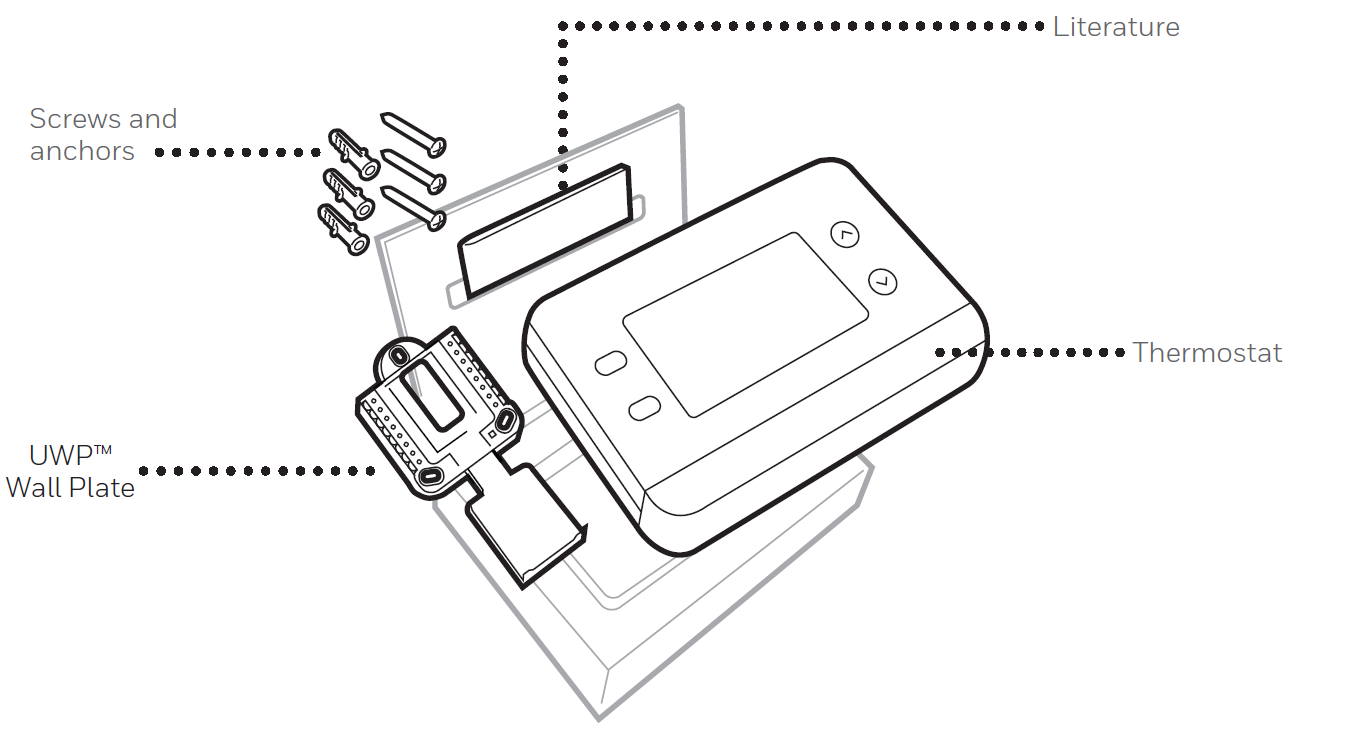
Package includes
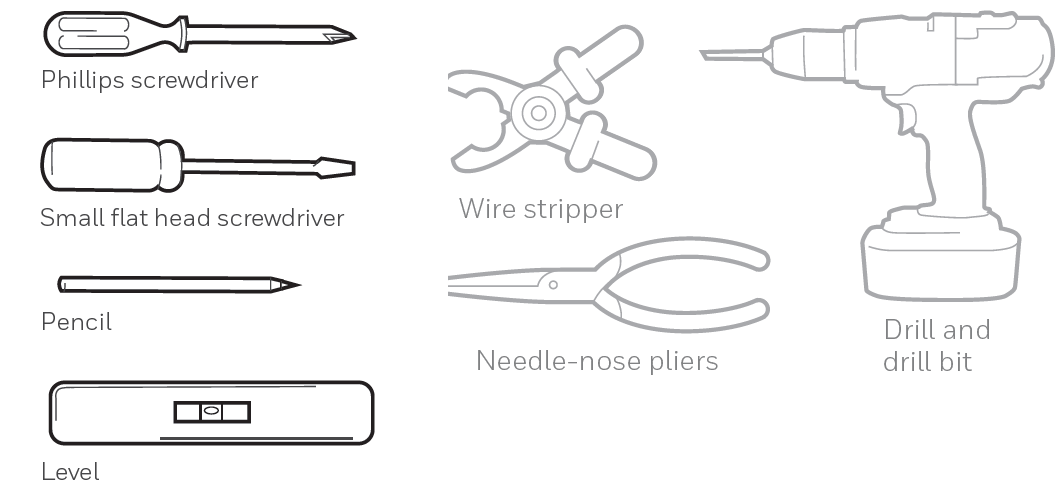
Tools you will need
Honeywell Home X1N Non-Programmable Thermostat RTH11B/RTHC11B Specifications and Features
Detailed specs make the Honeywell Home X1N Non-Programmable Thermostat RTH11B/RTHC11B a top choice for simple HVAC control. Here's a comprehensive breakdown:
- Compatibility: 1 Heat/1 Cool stages, 750 mV, hot water heat, forced air (gas, oil, electric); not compatible with electric baseboard heat (120-240V).
- Power: 2 AA batteries (not included), no C-wire required for easy install.
- Display: Large backlit screen (4.84 sq. in.), customizable idle settings, clear font for readability in any light.
- Operation Modes: Heat, Cool, Auto (auto-switches between heat/cool), Off; shows current/set temperature, mode, fan status.
- Dimensions: 5.13" W x 1.18" D x 3.44" H, white color for seamless decor.
- Features: Filter change reminders, 32°F low-heat setpoint, battery/sensor error alerts, UWP wall plate for simple setup.
- Warranty: 1-year limited.
Compared to programmable rivals, it lacks scheduling but excels in simplicity and battery operation, outperforming basic mechanical models with digital precision and backlighting.
Installation and Wiring
Removing the Old Thermostat
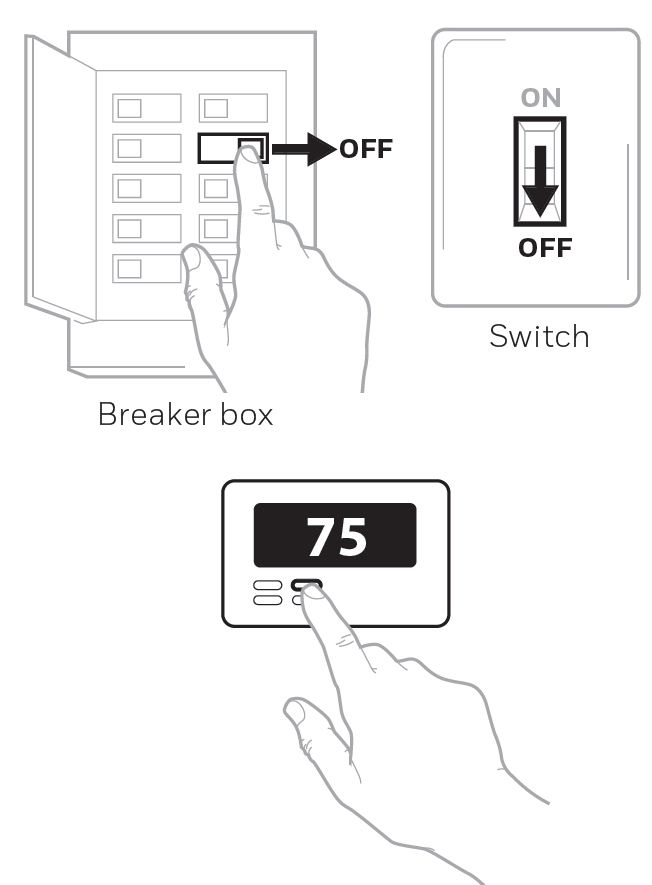
- Turn Power OFF: To protect yourself and your equipment, turn off the power at the breaker box or switch that controls your heating/cooling system. Note that some systems may have separate heating and cooling breakers.
- Check That Your System Is Off: Change the temperature on your old thermostat to above room temperature in heat mode or below it in cool mode. If you don't hear the system turn on within 5 minutes, the power is off.
- Remove the Old Thermostat's Faceplate: On most thermostats, you can remove the faceplate by grasping and gently pulling. Some thermostats may have screws, buttons, or clasps.
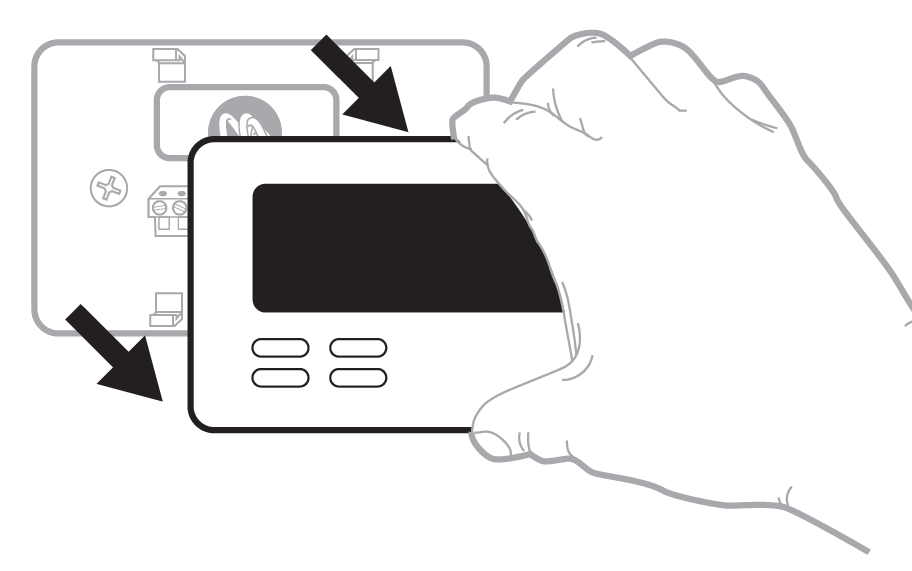
- Do not remove any wires from your thermostat at this time!
- Make Sure There Are No 120/240V Wires: Check the following:
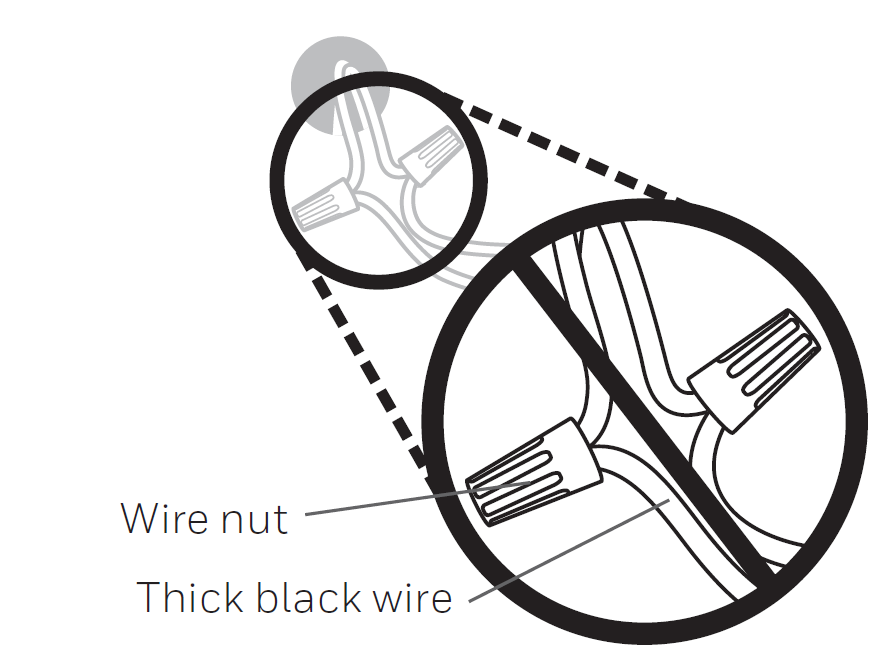
- Do you have thick black wires with wire nuts?
- Is your thermostat 120V or higher?
- If you answered yes to either question, you have a line-voltage system, and this thermostat will not work.
- Take a Picture of Your Existing Wiring: Be sure to include the letters next to the terminals where the wires are inserted. This will be a helpful reference when wiring your new thermostat.
- Make Note of Any Jumpers: A jumper connects one terminal to another terminal. It may look like a small staple or even a colored wire.
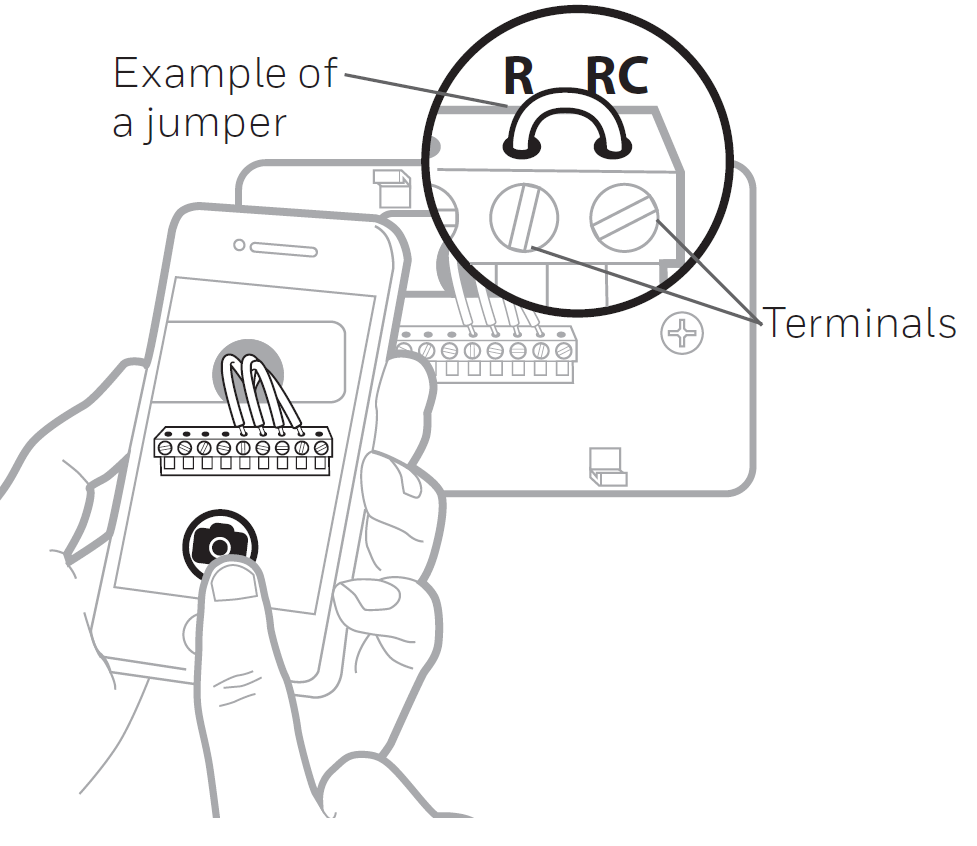
- Disconnect the Wires and Remove the Old Wall Plate: Use a screwdriver to release wires from terminals. Then, use a wire label to identify each wire as it is disconnected. The letter on the wire label should match the letter on the terminal.
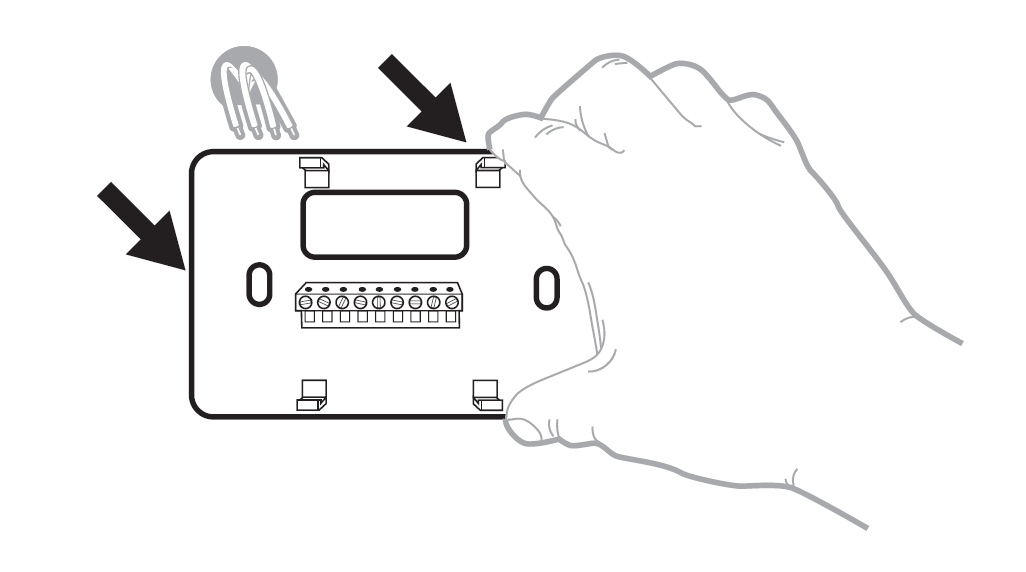
Installing Your X1N Thermostat
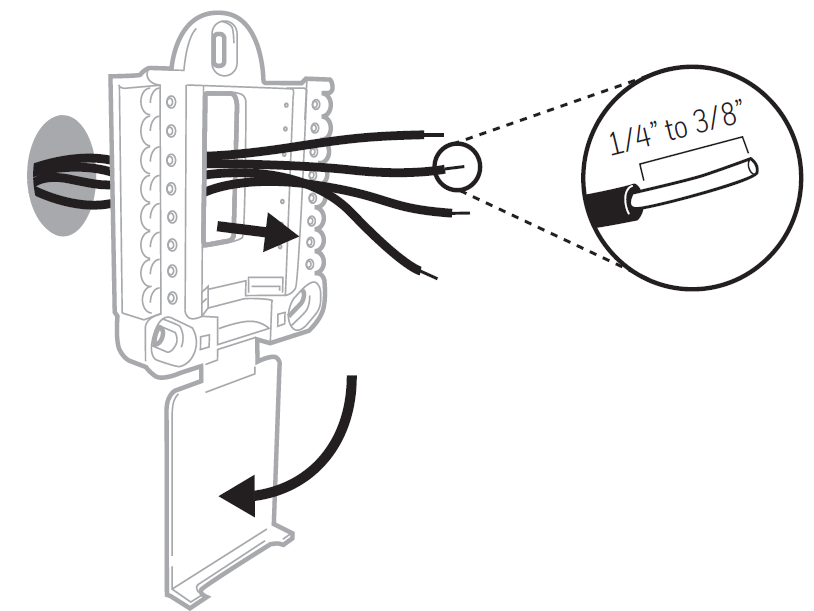
- Bundle and Insert Wires Through the UWP: Pull open the UWP and insert the bundle of wires through the back of the UWP. Make sure at least 1/4 inch of each wire is exposed for easy insertion into the wire terminals.
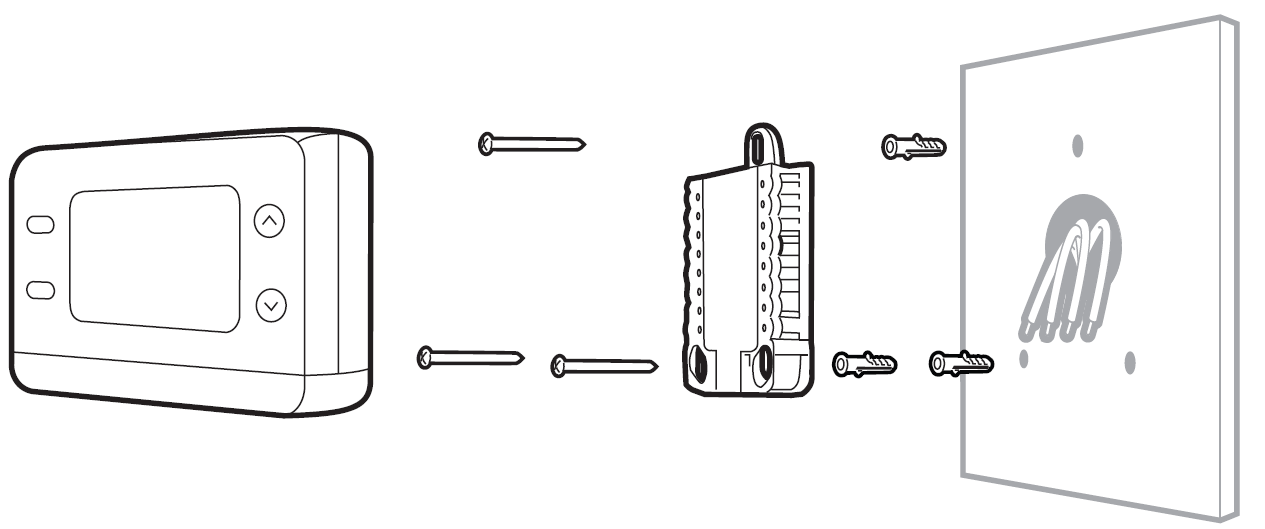
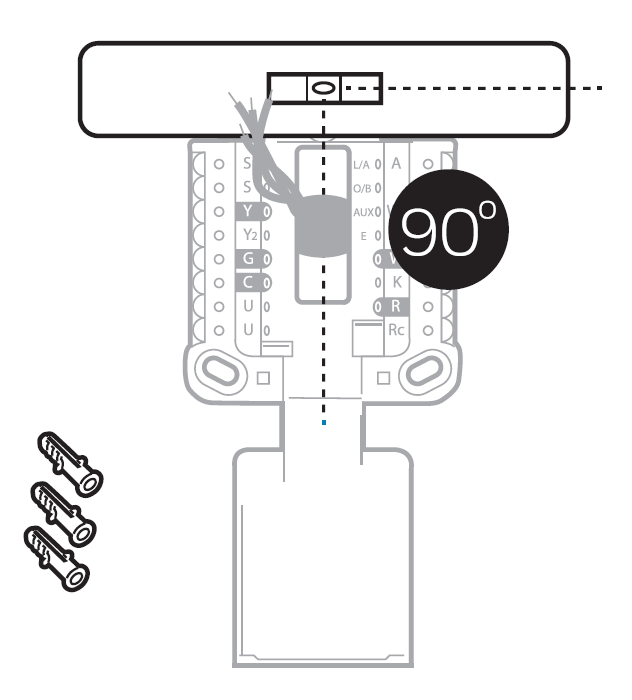
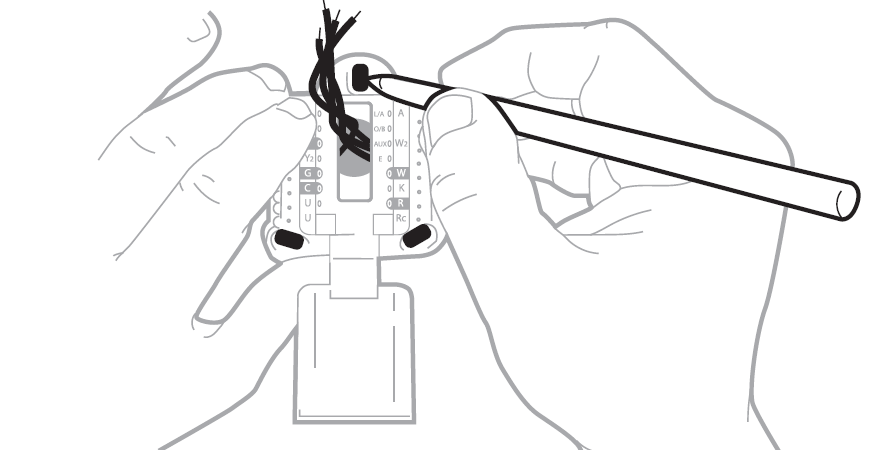
- Insert the Wall Anchors: It is recommended that you use the wall anchors included in the box to mount your thermostat. You can use the UWP to mark where you want to place the wall anchors.
- Level the wall plate.
- Mark the location of the wall anchors using a pencil.
- Using a 3/16-inch bit, drill the holes.
- Insert the wall anchors.
- Make sure the anchors are flush with the wall.
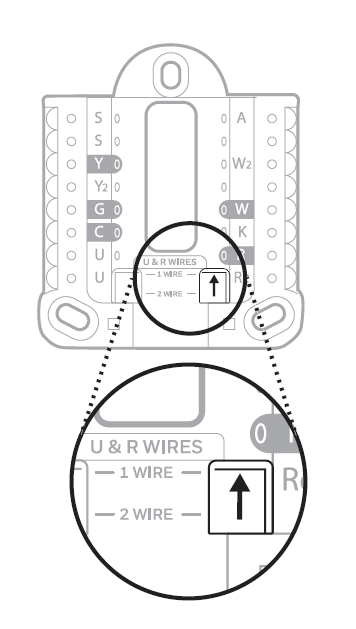
- Set R-Switch Position and Insert R-Wire or Wires: Set the R-switch up or down based on your wiring notes from Step 7 in "Removing the Old Thermostat."
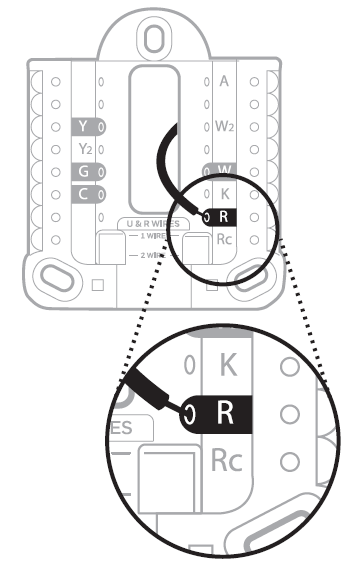
If You Have 1 R-Wire (R, Rh, or Rc):
- Set the R-switch to the up position.
- Insert your R-wire (R, Rh, or Rc) into the R-terminal.
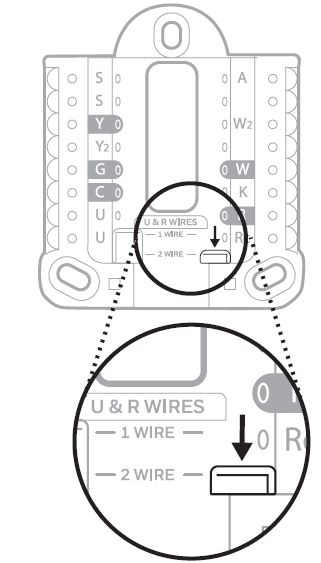
If You Have 2 R-Wires (R or Rh, and Rc):
- Set the R-switch to the down position.
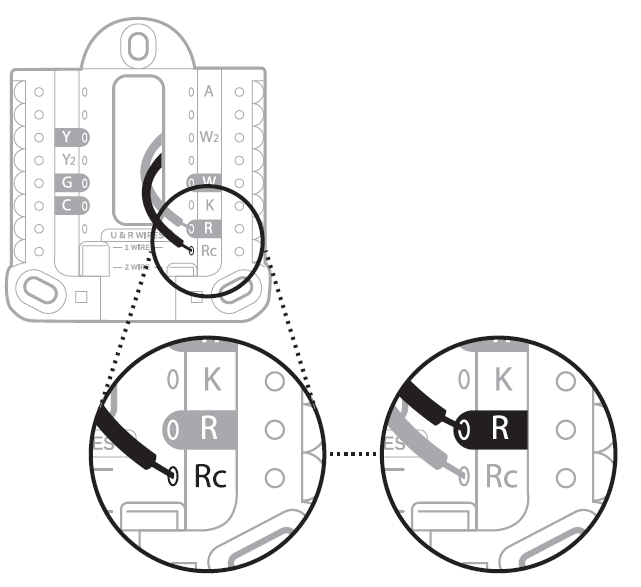
- Insert your Rc wire into the Rc-terminal.
- Insert your R or Rh wire into the R-terminal.
Wiring
If labels do not match terminals, connect wires as shown in the appropriate wiring diagram for your system.
Alternate Wiring (For Conventional Systems)
- If you must connect both R and Rc wires, set the R Slider Tab to the down position (2 wires).
- If your old thermostat had both R and RH wires, set the R Slider Tab to the down position (2 wires). Then connect the R wire to the Rc terminal and the RH wire to the R terminal.
- If your old thermostat had only 1 C or C1 wire, connect it to the C terminal. If your old thermostat had 2 C or C1 wires, wrap each separately with electrical tape and do not connect them.
- C does not power the thermostat display or operations; batteries are always required.
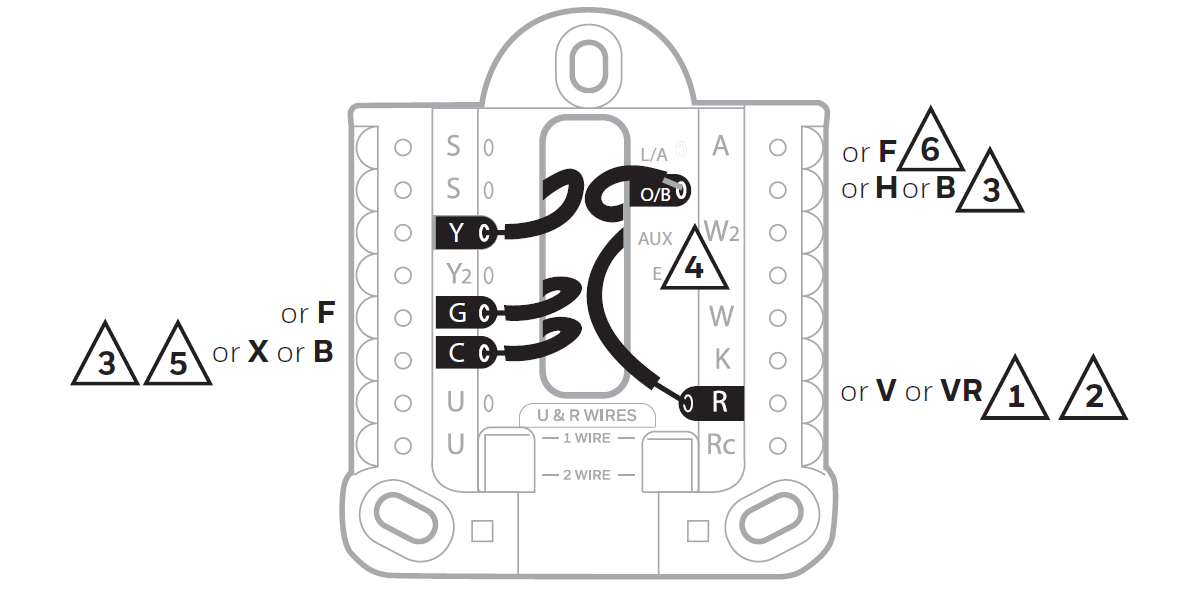
Alternate Wiring (For Heat Pump Systems Only)
- Keep the R Slider Tab in the up position (1 wire).
- If your old thermostat had both V and VR wires, stop now and contact a qualified contractor for help.
- If your old thermostat had separate O and B wires, attach the B wire to the C terminal. If another wire is attached to the C terminal, stop now and contact a qualified contractor for help.
- If the O/B connection is used, the thermostat will not support W, Aux/W2, or E wires.
- C does not power the thermostat display or operations; batteries are always required.
- This model does not support the heat pump fault alert (L/A terminal). If this feature is desired, contact a contractor for a replacement model.
Completing the Thermostat Installation
- Connect Wires to the UWP: Refer to the notes you recorded on the chart during removal. Depress the tabs to put the wires into the inner holes of their corresponding terminals on the UWP (one wire per terminal) until each wire is firmly in place.
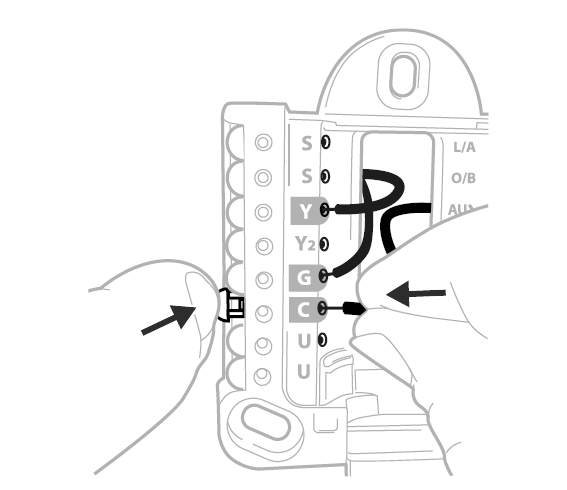
- Confirm Wiring Matches Snapshot: Confirm that the wiring matches the terminals shown in the photo you took during removal.
- Mount the UWP and Close the Door: Mount the UWP using the provided screws. Install all three screws for a secure fit on your wall. Close the door after you are finished.
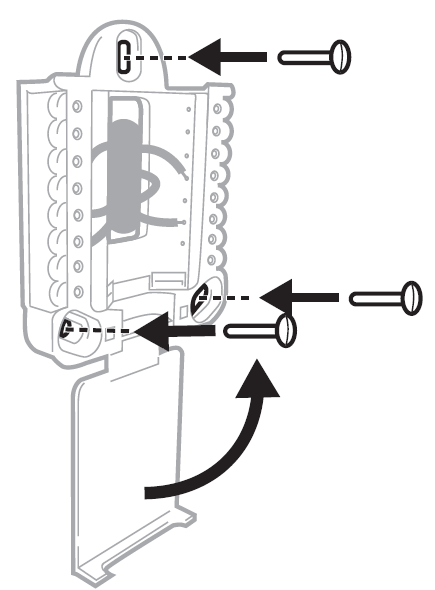
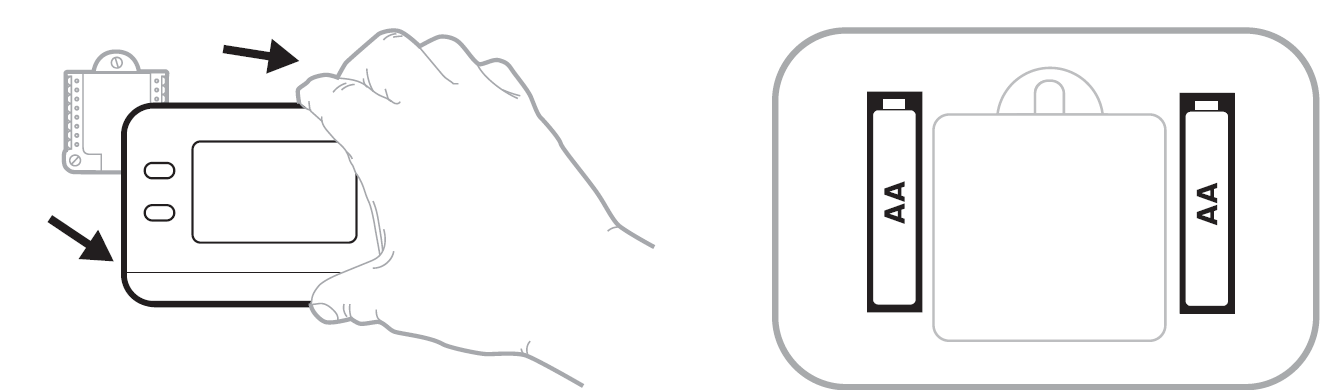
- Install Batteries: Insert two AA alkaline batteries in the back of the thermostat as shown.
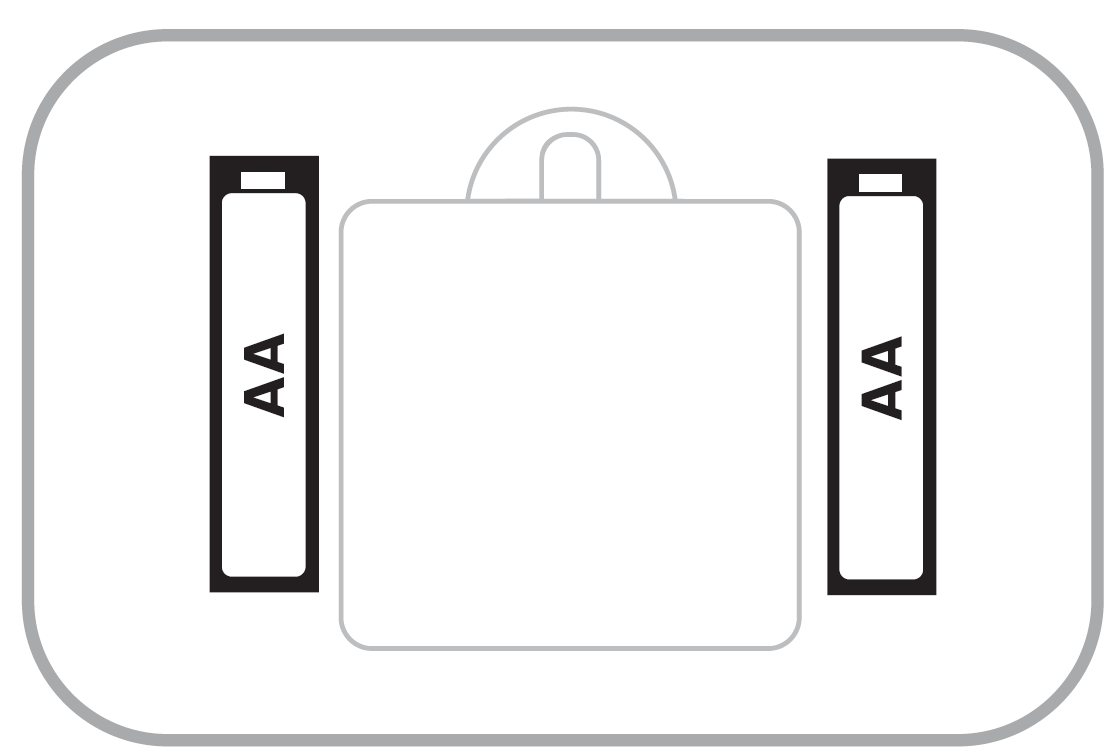
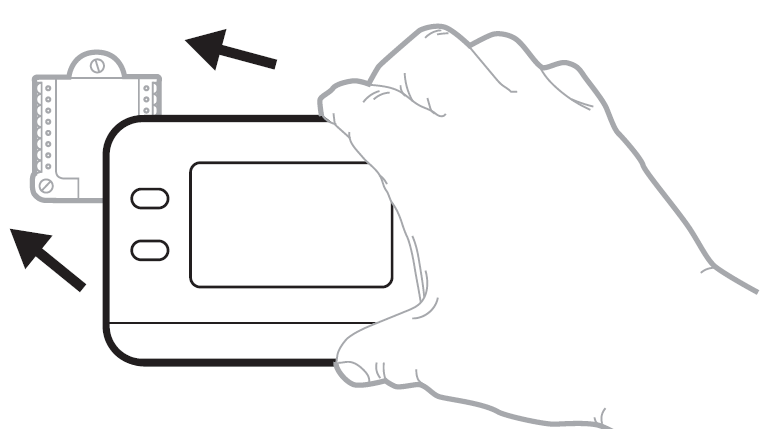
- Attach the Thermostat: Align the thermostat onto the UWP and firmly snap it into place.
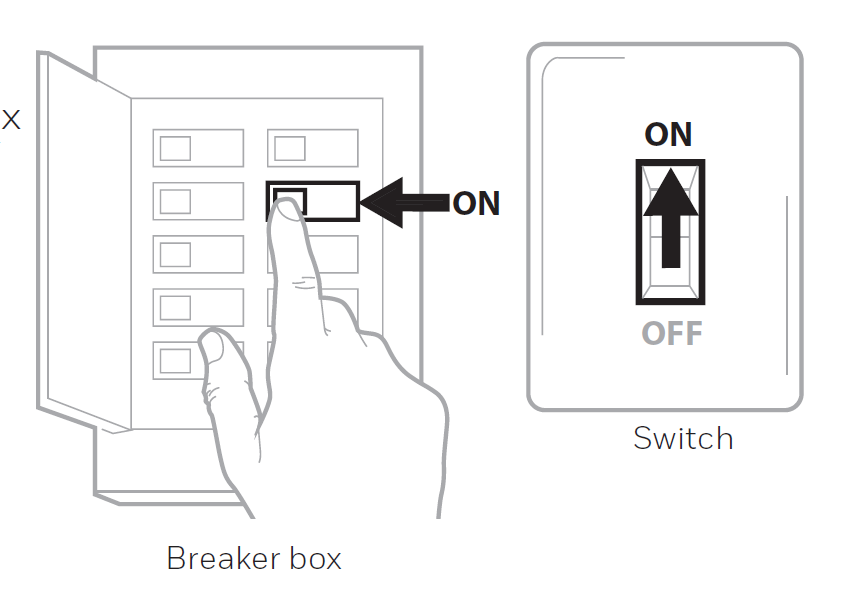
- Turn the Power ON: Turn on the power at the breaker box or switch that controls the heating/cooling system.
Battery Replacement
The thermostat's display will let you know when the batteries are low and must be replaced. Remove the thermostat by pulling it away from its mount as shown in the illustration. Replace the batteries with two new AA alkaline batteries, ensuring they are inserted with the correct polarity. Reattach the thermostat securely to its wall mount.
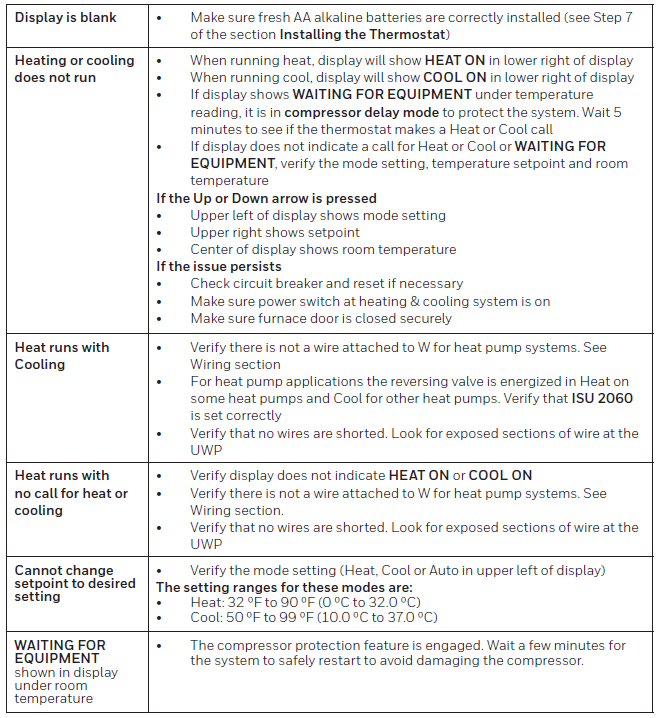
Troubleshooting
Pros and Cons of Honeywell Home X1N Non-Programmable Thermostat RTH11B/RTHC11B
Pros
- Effortless installation with UWP wall plate and battery power—DIY-friendly in under 30 minutes.
- Backlit, customizable display enhances visibility and personalization for all ages.
- Filter reminders and alerts maintain HVAC efficiency, improving air quality.
- Affordable at $15-$25, offering excellent value vs. smart thermostats twice the price.
- Reliable for single-stage systems with stable temperature control.
Cons
- Non-programmable—no auto-scheduling, requiring manual adjustments unlike Honeywell's T5 models.
- Incompatible with electric baseboard (120-240V) or multi-stage/heat pump systems.
- Batteries not included; needs replacement alerts monitored.
- Basic features may feel limited for tech-savvy users preferring Wi-Fi connectivity.
Overall, it provides strong value for budget-conscious users prioritizing simplicity over advanced automation.
Customer Reviews and Feedback on Honeywell Home X1N Non-Programmable Thermostat RTH11B/RTHC11B
Users rate the honeywell home X1N Non-Programmable Thermostat RTH11B/RTHC11B highly for reliability, averaging 4.5/5 stars across retailers. Praises highlight easy setup and clear display: "Installed in 20 minutes, love the backlight—perfect for my old furnace!" (Home Depot reviewer). Filter reminders earn kudos for maintenance ease.
Common complaints include no programming: "Great basic unit, but wish it had schedules" (Lowe's, 4 stars). Battery life and baseboard incompatibility noted occasionally. Most recommend for simple systems: "Best bang for buck at $20—keeps my home cozy reliably" (Honeywell Store). Address issues by confirming compatibility pre-purchase for optimal satisfaction.
More honeywell home manuals
- Setup: Honeywell Home RTH9580 Smart Colour Touchscreen Programmable Thermostat User Manual
- Setup: Honeywell Home RTH6500WF Smart Series Programmable Thermostat User Manual
- Setup: Honeywell Home Prestige® Touch Screen Thermostat User Manual
- Setup: Honeywell Home T10 Pro Smart Programmable Thermostat with RedLINK THX321WFS2001W User Manual
- Setup: Honeywell Home Smart Thermostat 9000 Color Touchscreen TH9320WF User Manual
- Setup: Honeywell Home Programmable Thermostat RTH2300/RTH221 Series User Manual
Leave a Comment