
Hp Color LaserJet 6700 Printer User Manual
Content
hp Color LaserJet 6700 Printer Overview
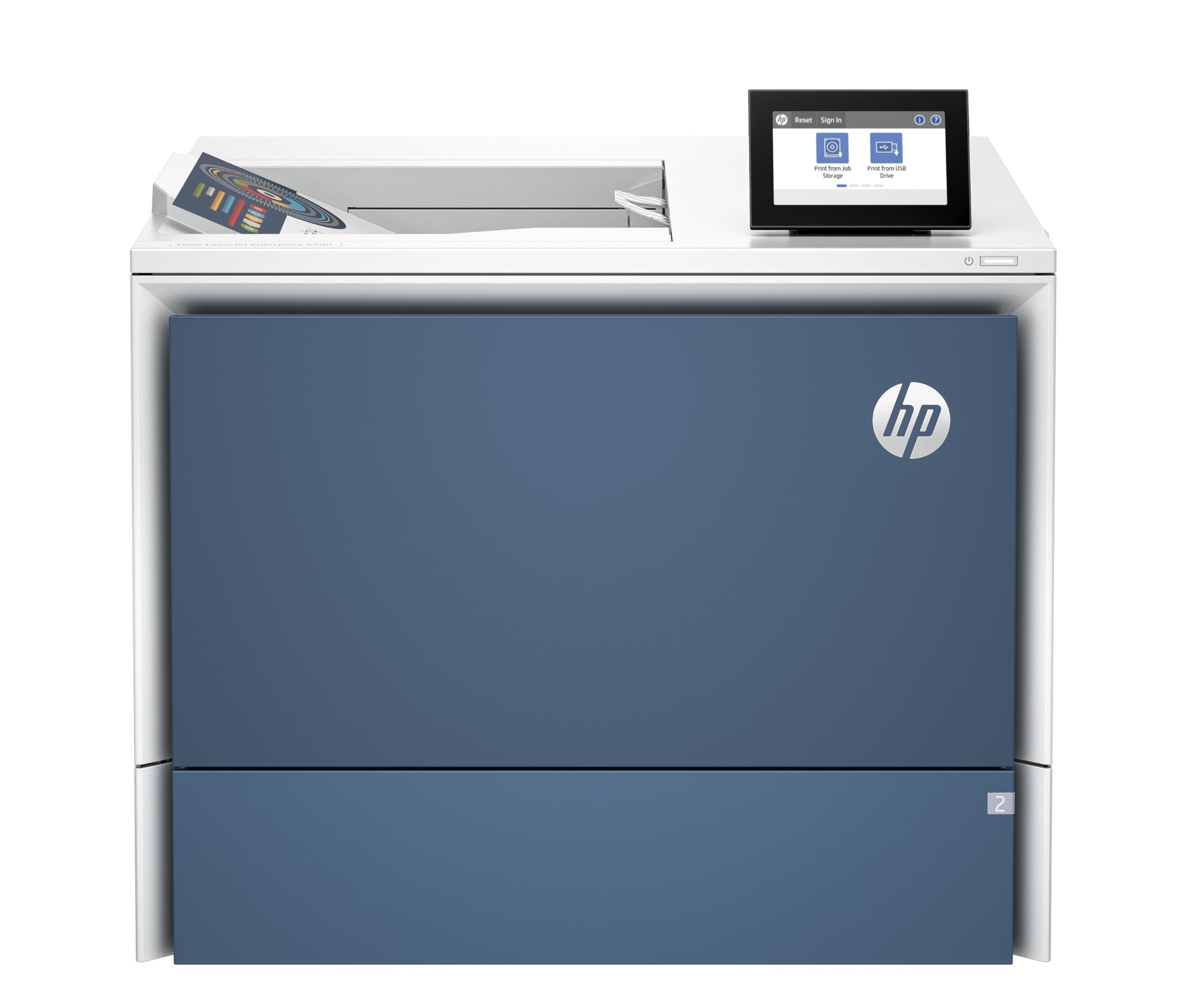
The hp Color LaserJet 6700 Printer is a high-speed color laser printer built for busy offices that need dependable output, strong security, and efficient everyday printing. Positioned as an enterprise-class device, it is designed for workgroups that print reports, marketing materials, spreadsheets, forms, and client-facing documents with consistent quality. For teams that need fast monochrome and color output, strong paper handling, and reliable network connectivity, this model delivers a practical balance of speed and productivity.
One of its biggest advantages is its ability to handle demanding print environments without sacrificing clarity. It supports fast first-page and high-volume workflows, includes wireless and wired connectivity options on some configurations, and offers automatic duplex printing for reducing paper use. The printer’s professional color quality makes it suitable for departments that need polished presentations and branded documents, while its enterprise-focused design helps it fit into managed IT environments.
The hp Color LaserJet 6700 Printer is a strong choice for small to mid-sized businesses, corporate teams, education offices, and shared departments that want a durable color laser printer with scalable paper capacity. Estimated pricing typically falls in the premium business-printer range, often around $1,500 to $2,500 depending on configuration, retailer, and region. Availability is generally through HP business channels, office equipment resellers, and major B2B office supply vendors.
Specifications for hp Color LaserJet 6700 Printer
- Print technology: Color laser printing for professional office documents.
- Print speed: Up to 55 ppm black and 52 ppm color in letter configuration on the 6700dn; some configurations support higher throughput depending on region and model.
- Print resolution: Up to 1200 x 1200 dpi for sharp text and detailed graphics.
- Paper handling: Standard 650-sheet input capacity with expandable options for larger workgroups.
- Connectivity: USB, Gigabit Ethernet, and on select versions wireless connectivity.
- Duplex printing: Automatic two-sided printing to reduce paper consumption.
- Display: 4.3-inch color touchscreen on supported configurations for easy navigation.
- Memory and storage: Enterprise-class memory and firmware support for business workflow management.
- Recommended monthly volume: Suited for mid- to high-volume office use.
- Comparison: Compared with entry-level color laser printers, the hp Color LaserJet 6700 Printer offers faster output, larger paper capacity, and stronger business-oriented features.
Detailed Description of the hp Color LaserJet 6700 Printer
The hp Color LaserJet 6700 Printer is engineered to support steady daily printing in business environments where uptime matters. It uses four toner cartridges—black, cyan, magenta, and yellow—to produce color documents with good consistency across charts, presentations, brochures, and internal reports. The printer is built for networked office use, so multiple users can share it efficiently across departments.
In real-world use, it works especially well for teams that need reliable color output without moving to a full multifunction device. Finance departments can print clean tables and spreadsheets, marketing teams can generate branded handouts, and administrative staff can produce contracts, forms, and notices in both color and monochrome. The build quality is typically described as solid and business-focused, with durable plastic housing, a professional control panel, and paper trays designed for regular daily use.
User experience is centered on productivity. The touchscreen interface makes common tasks easier, while fast print speeds reduce wait times during busy periods. The printer is also a practical option for offices that prioritize lower intervention and predictable output.
Setup Guide for hp Color LaserJet 6700 Printer
Start by placing the printer on a stable, ventilated surface with enough clearance around the unit for paper tray access and airflow. Remove all packing materials, install the toner cartridges, and load paper into the main tray. Connect the power cable and turn the printer on.
Next, choose your setup path. For network offices, connect the printer to Ethernet and let the router or print server assign an address automatically. If your configuration supports wireless setup, use the touchscreen menu to select the Wi-Fi network, enter credentials, and confirm the connection. For direct computer use, connect via USB and install the latest HP software and drivers on your desktop or laptop.
After installation, print a test page, verify paper size settings, and enable duplex printing if you want to save paper. If the printer does not appear on the network, restart the router and printer, check IP settings, and confirm firewall rules. Keep the printer away from heat sources, avoid overfilling trays, and never touch internal components while the printer is powered on.
Troubleshooting hp Color LaserJet 6700 Printer Problems
Common issues with the hp Color LaserJet 6700 Printer usually involve paper handling, connectivity, toner status, or driver configuration. If the printer shows a paper jam, open the indicated tray or rear access area, remove torn paper carefully, and reload the tray with properly aligned sheets. If print quality is streaky or faded, shake the toner cartridge gently, check toner levels, and run a cleaning page.
For network problems, verify that the printer has a valid IP address and that the computer is on the same network segment. If the printer is offline, clear the queue, restart the spooler, and reinstall the driver if necessary. Error messages related to consumables often point to incorrect cartridge installation or incompatible supplies, so reseat each cartridge and confirm the model number.
Preventive maintenance includes using the correct paper type, keeping firmware updated, and cleaning dust from trays and vents. Warranty coverage is generally one year with next-business-day onsite support in many enterprise configurations. For help, contact HP Business Support through the official support portal, your reseller, or authorized service channels.
Pros and Cons of the hp Color LaserJet 6700 Printer
Pros
- Fast color and black print speeds for busy office workflows.
- Professional-quality output for reports, presentations, and marketing materials.
- Large paper capacity reduces frequent reloading.
- Automatic duplex printing improves efficiency and lowers paper use.
- Strong business connectivity options for shared office environments.
- Good value for teams that need a reliable enterprise color laser printer.
Cons
- Higher upfront cost than compact home or entry-level office printers.
- Large footprint may not suit very small desks or tight workspaces.
- Replacement toner costs can be significant for heavy users.
- Best value is realized only in multi-user or high-volume settings.
Compared with cheaper color laser alternatives, this model offers better speed, stronger paper handling, and more polished business features, but it is less appropriate for casual personal use.
Customer Reviews of hp Color LaserJet 6700 Printer
Customers commonly rate the hp Color LaserJet 6700 Printer around 4.4 out of 5 stars for office performance, with praise focused on speed, sharp text, and reliable network printing. Many users appreciate that it handles large print jobs without frequent paper refills.
Typical positive comments include: “Excellent for our office reports and presentations,” and “Fast, quiet, and easy to share across the team.” Common complaints usually mention the purchase price and ongoing toner expenses. Some buyers also note that setup can take time if advanced network settings are required.
It is a strong recommendation for businesses that print regularly and need a dependable color laser printer. It is less suitable for occasional home use or buyers who prioritize the lowest possible running cost.
Faqs
How do I set up the hp Color LaserJet 6700 Printer for the first time on a home or office network?
Why is my hp Color LaserJet 6700 Printer not connecting to Wi-Fi, and how can I fix it?
What print quality problems are common with the hp Color LaserJet 6700 Printer, and how do I solve them?
Which devices and operating systems work best with the hp Color LaserJet 6700 Printer?
How can I get faster print speeds from the hp Color LaserJet 6700 Printer in a busy office?
How do I replace toner and handle maintenance on the hp Color LaserJet 6700 Printer correctly?
What should I do if the hp Color LaserJet 6700 Printer keeps jamming paper?
What features of the hp Color LaserJet 6700 Printer help with secure and efficient business printing?
More hp manuals
Leave a Comment