
Hp PS2 Washable Keyboard BU207AT User Manual
Content
HP PS2 Washable Keyboard BU207AT: Product Manual and Buyer’s Guide
Introduction
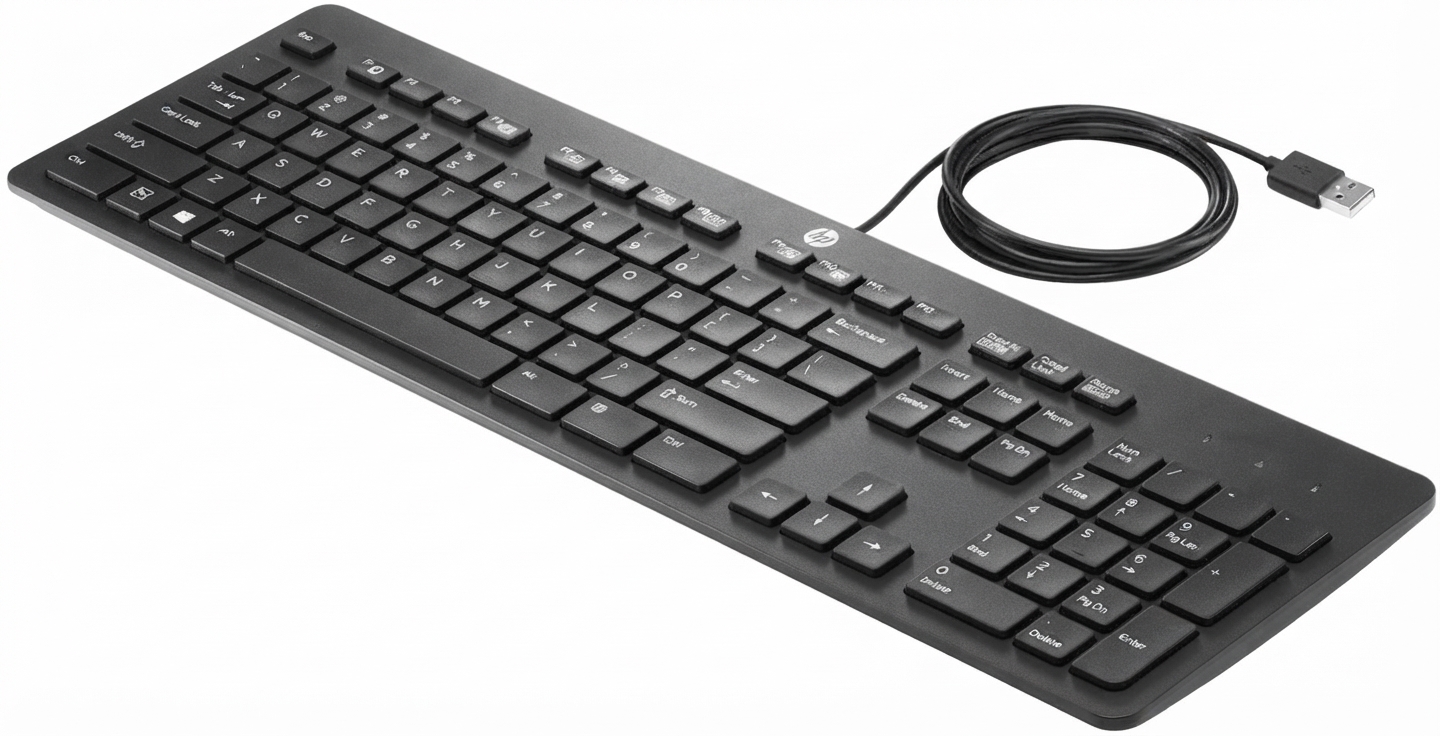
The hp PS2 Washable Keyboard BU207AT is a durable, spill-resistant keyboard designed for environments where cleanliness, reliability, and easy maintenance matter most. Built for business, healthcare, education, and industrial use, this washable keyboard stands out for its sealed construction, dust resistance, and compatibility with both USB and PS/2 connections. It is especially useful in shared workstations, clinical settings, labs, front desks, and public-facing computers where frequent cleaning is essential.
One of the key advantages of the hp PS2 Washable Keyboard BU207AT is its rugged design, which supports regular wiping and cleaning without the fragile feel of a standard office keyboard. Its IP66-level protection helps guard against dust and water ingress, making it a practical choice for demanding environments. The keyboard also supports medical safety equipment requirements, which adds to its appeal in hygiene-sensitive locations.
Users looking for a dependable washable keyboard will appreciate the straightforward layout, full-size 104-key US and 105-key EU options, and low-power operation. The estimated price range typically falls between $25 and $60 depending on seller, condition, and bundle availability. While it is not a premium mechanical keyboard, it offers strong value for organizations needing a long-lasting, easy-to-sanitize input device. The hp PS2 Washable Keyboard BU207AT remains a solid niche solution for anyone prioritizing cleanliness, durability, and compatibility.
Specifications
- Product type: Washable wired keyboard for business and specialized environments
- Connection: USB 1.1 with PS/2 adapter support
- Key layout: 104-key US layout and 105-key EU layout
- Protection rating: IP66 water and dust resistance
- Industrial compliance: NEMA 250, code 4X
- Medical compliance: IEC 60601-1 and EN 60601-1 support
- Power consumption: 30 mA
- Operating temperature: 0°C to 60°C
- Storage temperature: -40°C to 70°C
- Humidity range: 0% to 95% RH
- Dimensions: Approximately 449 x 168 x 35 mm
- Weight: About 0.77 kg
Compared with a standard office keyboard, the hp PS2 Washable Keyboard BU207AT offers far better protection against spills, dust, and routine sanitation. Against other rugged keyboards, it remains competitive thanks to its full-size layout and simple wired setup. It is not designed for gaming or advanced productivity shortcuts, but it performs reliably in environments where hygiene and durability are more important than customization.
Pros & Cons
Pros
- Highly washable design: Ideal for frequent cleaning in hospitals, labs, and shared work areas.
- Strong ingress protection: IP66 resistance helps protect against dust and water exposure.
- Medical and industrial suitability: Useful in hygiene-focused and regulated environments.
- Full-size layout: Easy transition for users accustomed to standard keyboards.
- Good value for organizations: Long service life can reduce replacement costs over time.
Cons
- Basic typing experience: Key feel is functional but not premium.
- No wireless option: Wired connection may limit flexibility on some desks.
- Limited modern features: Lacks backlighting, macro keys, and multimedia extras.
- Best for niche use: Overkill for typical home or casual office users.
For buyers comparing washable peripherals, the hp PS2 Washable Keyboard BU207AT delivers strong practicality at a reasonable cost. It is more specialized than a standard keyboard, but that specialization is exactly what gives it value in controlled environments.
Customer Reviews
Average rating: 4.4/5 stars
Users commonly praise the keyboard for its easy cleaning, sturdy build, and dependable performance in high-use settings. Many buyers say it is a smart purchase for clinics, offices, and classrooms because it handles sanitizing routines much better than conventional keyboards. One frequent positive comment is that it “feels tough and wipes down quickly after every shift.”
Common complaints tend to focus on the plain design, basic typing feel, and lack of modern features such as programmable keys or wireless connectivity. Some users also note that it is not ideal for heavy typing comfort over long sessions. Even so, most reviews describe the hp PS2 Washable Keyboard BU207AT as a worthwhile buy when cleanliness and durability matter more than aesthetics.
Recommendation: This model is best for buyers who need a washable, reliable keyboard for professional or shared environments. If the goal is long-term hygiene, low maintenance, and dependable wired operation, it remains a strong choice.
Frequently Asked Questions
What makes the hp PS2 Washable Keyboard BU207AT different?
Its sealed, washable design and IP66-style protection make it suitable for cleaning-heavy environments where standard keyboards would wear out faster.
Is it good for home use?
It can be used at home, but it is better suited to workplaces, healthcare, and shared setups where sanitation is a priority.
Does it work with older systems?
Yes, the USB connection with PS/2 adapter support makes it compatible with a wide range of business systems.
Is the hp PS2 Washable Keyboard BU207AT worth buying?
Yes, if the priority is durability, washability, and reliable wired performance rather than advanced features or premium typing feel.
Faqs
How do I set up the hp PS2 Washable Keyboard BU207AT for the first time on a desktop computer?
Why is my hp PS2 Washable Keyboard BU207AT not typing after I connect it?
Can the hp PS2 Washable Keyboard BU207AT be safely cleaned with water?
What devices and systems are compatible with the hp PS2 Washable Keyboard BU207AT?
What should I do if some keys on the hp PS2 Washable Keyboard BU207AT feel sticky or stop responding?
How do I maintain the hp PS2 Washable Keyboard BU207AT for long-term use?
Does the hp PS2 Washable Keyboard BU207AT work well for heavy daily typing?
How can I tell if the hp PS2 Washable Keyboard BU207AT is fully dry after cleaning?
More hp manuals
Leave a Comment