
Setup: Hp Designjet 510ps Printer User Manual
Content
HP Designjet 510ps Printer Overview
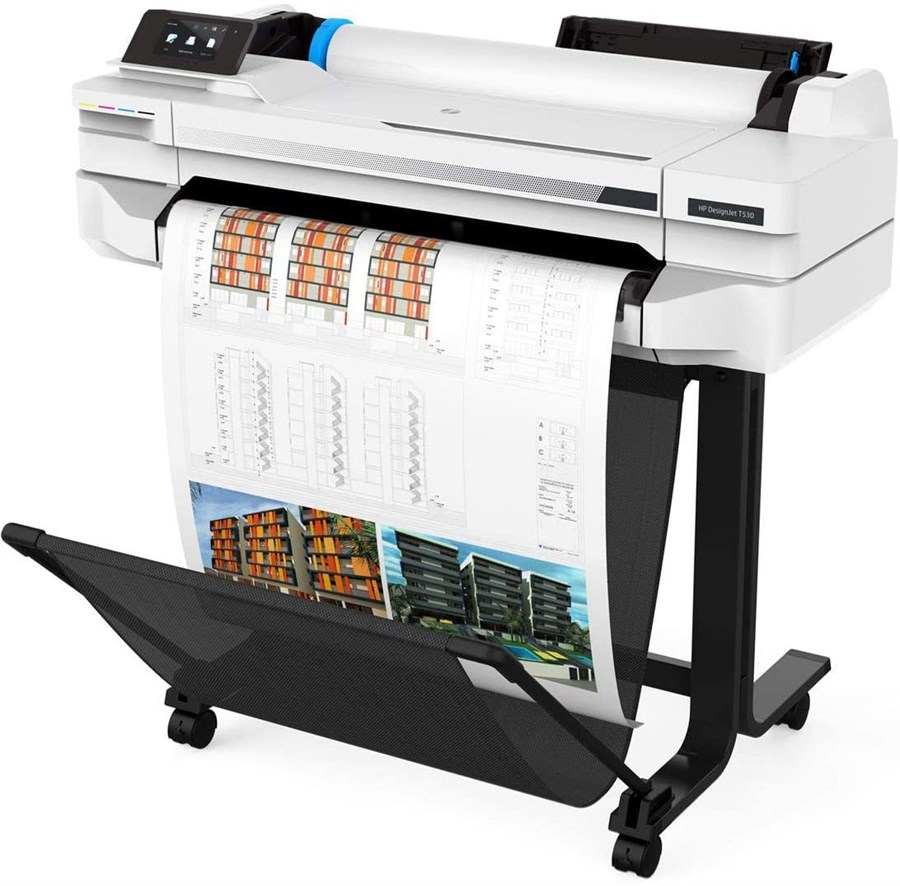
The hp Designjet 510ps Printer is a large-format color plotter built for technical drawings, CAD output, GIS maps, posters, and presentation graphics. Known for its PostScript support, it handles complex print files more reliably than basic graphics-only devices, making it a strong fit for architecture firms, engineering teams, reprographics shops, and in-house design departments. The hp Designjet 510ps Printer supports up to 2400 x 1200 optimized dpi, uses four inks with pigment black for sharper linework, and offers roll and sheet media handling for flexible production workflows. It also includes Adobe PostScript 3, HP-GL/2, HP-RTL, and HP PCL 3 GUI compatibility, which helps with both professional design applications and mixed-platform environments. The standard memory is 160 MB, expandable to 416 MB, which improves performance with larger files and more detailed plots. Commonly available in 24-inch and 42-inch configurations, the printer was originally positioned as a mid-range professional plotting solution. As of today, it is generally discontinued, so most units are found through refurbished sellers, surplus dealers, or secondary marketplaces rather than new retail channels. Estimated pricing for used or refurbished units typically varies widely by condition, accessories, and service history, often ranging from budget-friendly used listings to higher-priced fully serviced packages. For buyers who need reliable large-format output and PostScript compatibility without moving to a modern production plotter, the hp Designjet 510ps Printer remains a practical legacy option.
Troubleshooting hp Designjet 510ps Printer Problems
Common issues include paper jams, carriage stalls, missing colors, and communication errors. If the printer reports a media feed problem or stops during printing, check for curled paper, incorrect roll loading, or debris in the paper path. For print-quality defects such as streaks or banding, run a printhead check, clean the printheads, and confirm that the correct media type is selected. If the printer shows an error code related to carriage movement, power it off, remove obstructions near the carriage path, and reload the media. A persistent startup failure usually points to a power issue, an incomplete firmware state, or worn internal components. To reduce downtime, keep the printer in a dust-free environment, use compatible ink cartridges, and avoid leaving rolls exposed to humidity. Regularly clean the platen area and inspect the cutter for residue buildup. Because this is an older model, warranty coverage is often limited or expired, so support is usually available through HP documentation, authorized service providers, or third-party plotter repair specialists. For help, check the HP support portal, user manuals, and setup guides for the DesignJet 510 series, or contact HP support through the regional HP support website and the printer’s product support page.
Pros and Cons of the hp Designjet 510ps Printer
Pros
- Excellent for CAD, engineering, and architectural drawings thanks to PostScript 3 support and strong line accuracy.
- Up to 2400 x 1200 optimized dpi provides crisp text, detailed graphics, and clean technical output.
- Supports roll and sheet media, making it versatile for plots, banners, and presentation prints.
- Expandable memory improves handling of large files and complex layout jobs.
- Good value on the used market for teams needing a dependable legacy large-format printer.
Cons
- Discontinued product, so parts, service, and original supplies may be harder to source.
- Slower than newer wide-format inkjet printers in high-volume environments.
- Older connectivity and driver support may create compatibility issues on modern systems.
- Ink and maintenance costs can be less efficient than current entry-level alternatives.
- Not ideal for users who need wireless printing, cloud workflows, or modern security features.
For buyers comparing wide-format devices, the hp Designjet 510ps Printer is best viewed as a legacy professional tool rather than a current-generation office printer. It offers solid output quality and dependable plotting at a lower purchase price than newer models, but long-term ownership costs can be higher if service parts are needed.
Customer Reviews for the hp Designjet 510ps Printer
Typical user feedback is mixed but generally favorable for print quality and durability. Many owners rate it around 4 out of 5 stars for technical drawing performance, especially when it is maintained properly and used with compatible media. Users often praise the clean linework, strong PostScript handling, and reliable output for CAD files. One common comment is that “it still produces sharp architectural plans after years of service.” Another frequent compliment is that “the large-format roll feed saves time on batch plotting.”
Complaints usually focus on aging hardware, driver limitations, and parts availability. Some users report that “the printer is excellent, but finding service support took time.” Others mention occasional paper-feed issues and higher maintenance needs compared with newer plotters. For buyers, the hp Designjet 510ps Printer is a good choice if the goal is affordable large-format printing and the unit has been refurbished or professionally inspected. It is less suitable for users who want a modern, low-maintenance workflow with wireless connectivity and current software support.
Faqs
How do I set up hp Designjet 510ps Printer for the first time on a Windows workstation?
Why is my hp Designjet 510ps Printer not printing from Adobe PostScript files correctly?
What media types and roll sizes work best with hp Designjet 510ps Printer?
How can I fix paper jams and carriage movement problems on hp Designjet 510ps Printer?
Is hp Designjet 510ps Printer compatible with modern operating systems and network setups?
How do I improve print quality and color accuracy on hp Designjet 510ps Printer?
What routine maintenance does hp Designjet 510ps Printer need to stay reliable?
Why are my hp Designjet 510ps Printer jobs slow, and how can I speed them up?
More hp manuals
Leave a Comment