
Hp Pro 3400 Microtower Business PC User Manual
Content
HP Pro 3400 Microtower Business PC Review and Manual Guide
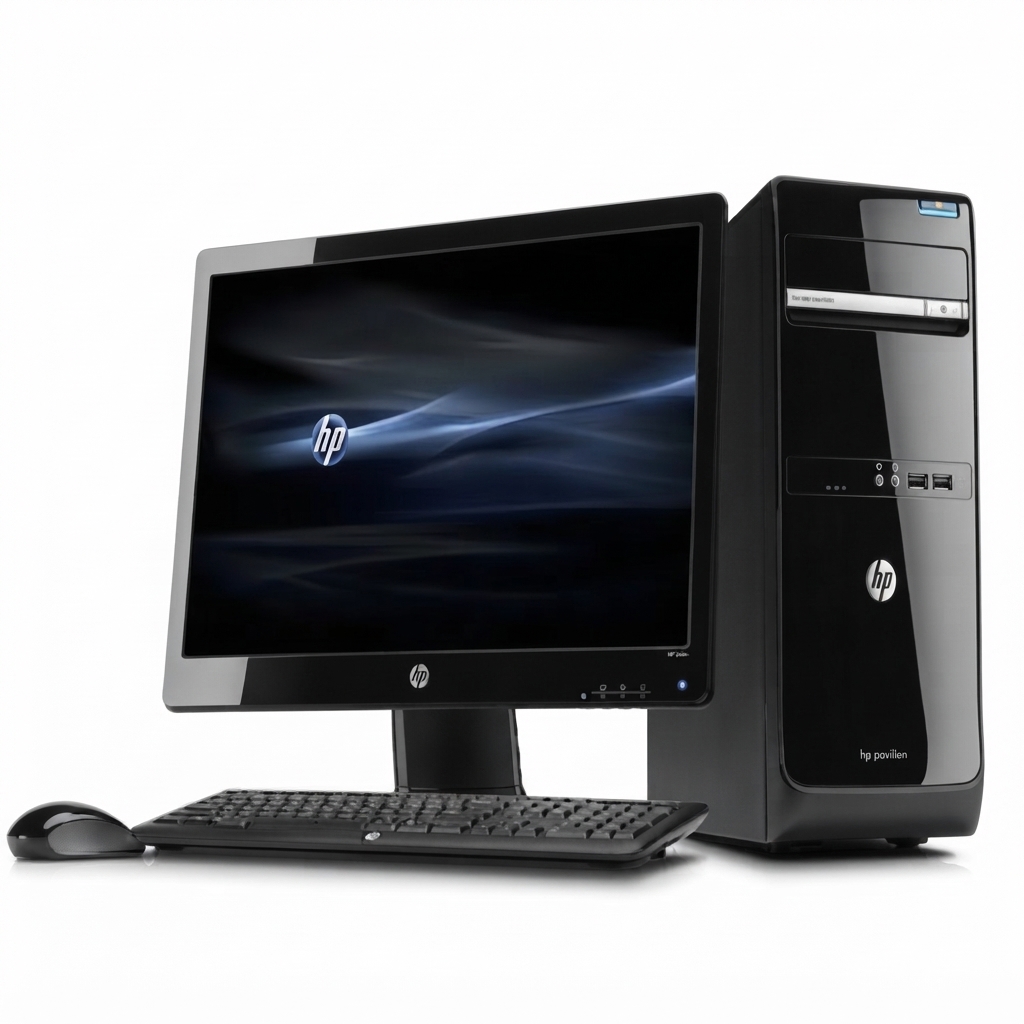
The HP Pro 3400 Microtower Business PC is a classic entry-level business desktop built for office productivity, administrative work, and everyday professional computing. Designed as a microtower form factor, it offers a practical balance of expandability, stable performance, and straightforward serviceability, making it a strong fit for small offices, front-desk stations, schools, and home users who need a reliable Windows-based desktop. The system is typically configured with Intel Core i3, Core i5, Pentium, or Celeron processors, DDR3 memory, and SATA storage, giving it enough power for document processing, web applications, email, and light multitasking.
One of the main advantages of the HP Pro 3400 Microtower Business PC is its business-oriented design. It includes multiple USB ports, VGA and DVI video outputs, Gigabit Ethernet, and expansion slots for future upgrades. This makes it useful for users who want a desktop that can be repaired, upgraded, or repurposed instead of replaced. The chassis also supports internal storage and optical drive options, which adds flexibility for archival, installation, and legacy business workflows.
In today’s market, the HP Pro 3400 Microtower Business PC is usually found as a refurbished or used system rather than a new retail product. Estimated pricing often ranges from about $80 to $250 depending on processor, RAM, storage, operating system, and condition. It remains available through refurbished computer sellers, secondary marketplaces, and business IT resellers, where it is often marketed as an affordable office PC for budget-conscious buyers.
HP Pro 3400 Microtower Business PC Specifications and Key Features
- Processor options: Intel Core i7, Core i5, Core i3, Pentium, or Celeron, depending on configuration.
- Memory: 2 DIMM slots with up to 8 GB DDR3 SDRAM on the 3400 series.
- Storage: 250 GB to 1 TB SATA hard drive options, typically 7200 rpm.
- Graphics: Integrated Intel HD graphics on Intel-based models, with expansion support for dedicated cards.
- Expansion: 1 PCIe x16 slot, 3 PCIe x1 slots, and a MiniPCI slot for add-on hardware.
- Connectivity: Front and rear USB 2.0 ports, RJ-45 Ethernet, audio in/out, VGA, and DVI-D video outputs.
- Optical and drive bays: 1 external 5.25-inch bay and 1 internal 3.5-inch bay.
- Networking: Integrated Ethernet for wired business networking.
- Operating system support: Commonly shipped with Windows 7 Professional, with upgrade use cases varying by hardware.
Performance is best described as solid for basic office tasks rather than demanding workloads. In real-world use, the HP Pro 3400 Microtower Business PC handles spreadsheets, invoicing, browser-based business apps, and video playback well, especially when upgraded with an SSD and 4 GB to 8 GB of RAM. Compared with similar early-generation business desktops, it stands out for its standard office connectivity and easy upgrade path, though it is less efficient and slower than newer Intel Core or Ryzen-based office PCs.
Pros and Cons of the HP Pro 3400 Microtower Business PC
Pros
- Affordable value: Excellent low-cost option for basic office computing, especially in refurbished form.
- Upgradeable design: Multiple PCIe slots, DIMM slots, and drive bays make it easy to customize.
- Business-ready ports: VGA, DVI-D, USB, and Ethernet support older office monitors and peripherals.
- Reliable for everyday tasks: Suitable for document editing, accounting, point-of-sale, and general administration.
- Easy maintenance: Microtower layout is practical for IT support and hardware replacement.
Cons
- Older platform: DDR3 memory and legacy components limit modern performance expectations.
- Not ideal for heavy workloads: Video editing, gaming, and large data processing can overwhelm it.
- Lower efficiency: Newer desktops deliver better power savings and stronger performance per watt.
- Refurbished condition varies: Buyer experience depends heavily on the seller and component quality.
For value for money, the HP Pro 3400 Microtower Business PC remains attractive if the goal is a dependable, low-budget desktop. Compared with newer small-form-factor business PCs, it offers more physical expansion but less performance and energy efficiency. For users who need a modern workstation, a newer business tower is the better choice; for simple office use, this model still offers practical value.
Customer Reviews and User Feedback on the HP Pro 3400 Microtower Business PC
Typical user feedback for the HP Pro 3400 Microtower Business PC is mixed but generally positive for its intended role. Many buyers praise it for being inexpensive, easy to upgrade, and dependable for routine office duties. A common positive rating would fall around 4 out of 5 stars for users who install an SSD and sufficient RAM. One frequent testimonial style comment is that it is “a great budget desktop for email, browsing, and documents.”
Common complaints usually focus on age-related limitations, including slower startup times on mechanical hard drives, limited graphics capability, and the fact that some units arrive with worn fans or batteries in refurbished bundles. Buyers also mention that performance is noticeably behind modern desktops. Users who need a purchase recommendation usually fall into two groups: budget shoppers and IT teams repurposing hardware for basic office stations. For those users, the HP Pro 3400 Microtower Business PC is often considered a smart buy, provided the seller has tested the machine and the storage has been refreshed.
Is the HP Pro 3400 Microtower Business PC Worth Buying?
The HP Pro 3400 Microtower Business PC is worth buying if the priority is low-cost business computing with upgrade flexibility. It is a practical choice for light productivity, legacy office environments, and refurbished PC buyers who want a desktop that can still handle day-to-day work reliably. If modern speed, quiet operation, and long-term future-proofing matter more, a newer business desktop will be the better investment.
Faqs
How do I set up the hp Pro 3400 Microtower Business PC for the first time?
What should I do if the hp Pro 3400 Microtower Business PC will not power on?
Which upgrades are most useful for improving hp Pro 3400 Microtower Business PC performance?
Is the hp Pro 3400 Microtower Business PC compatible with modern monitors, keyboards, and printers?
Why is my hp Pro 3400 Microtower Business PC running slowly and how can I fix it?
How can I keep the hp Pro 3400 Microtower Business PC from overheating?
What operating systems and business software work best on the hp Pro 3400 Microtower Business PC?
How often should I clean and maintain the hp Pro 3400 Microtower Business PC?
Tags
More hp manuals
Leave a Comment