
Hp M607 LaserJet Enterprise User Manual
Content
Introduction to the hp M607 LaserJet Enterprise
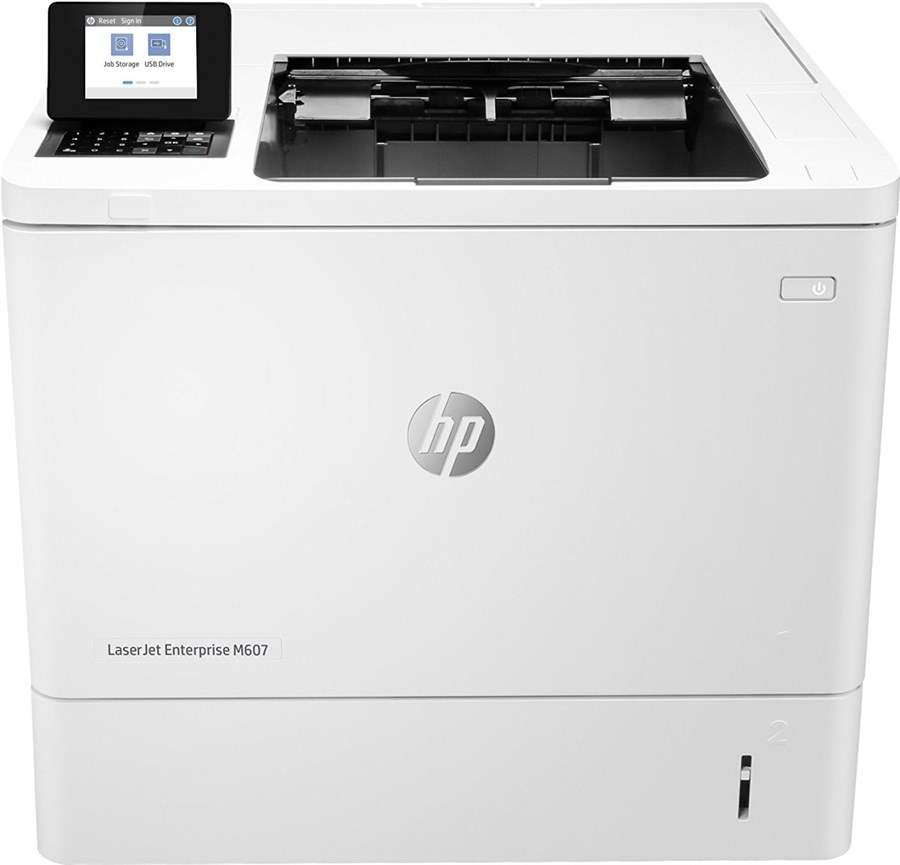
The hp M607 LaserJet Enterprise is a high-speed monochrome laser printer built for busy offices that need fast, reliable, and secure black-and-white printing. It is designed for workgroups, departments, and enterprise environments that handle large document volumes every day, making it a strong fit for finance teams, HR departments, legal offices, healthcare administration, and shared print rooms. The hp M607 LaserJet Enterprise is known for its strong first-page-out performance, enterprise-grade security features, and dependable paper handling, which help reduce downtime and improve workflow efficiency.
Key advantages include fast print speeds of up to 55 pages per minute, sharp output at up to 1200 x 1200 dpi, and a robust duty cycle that supports heavy monthly workloads. The printer also offers Gigabit Ethernet connectivity and a straightforward control panel for easy management in office networks. For businesses that need a durable laser printer with low cost per page and consistent performance, this model remains a practical choice.
The estimated price range for the hp M607 LaserJet Enterprise typically falls between $350 and $700 depending on the configuration, condition, and whether it is sold new, refurbished, or through a reseller. Availability may vary by region, but it is commonly found through office equipment dealers, online marketplaces, and business technology suppliers. If you need a dependable enterprise laser printer for high-volume document printing, the hp M607 LaserJet Enterprise is a proven option.
hp M607 LaserJet Enterprise Specifications and Features
The hp M607 LaserJet Enterprise is built around speed, durability, and network-ready operation. It compares well with other enterprise monochrome printers in its class by offering strong print performance and flexible connectivity.
- Print technology: monochrome laser
- Print speed: up to 55 ppm in letter size, up to 52 ppm in A4
- Print quality: up to 1200 x 1200 dpi
- First page out: about 5.3 seconds
- Processor speed: 1.2 GHz
- Memory: up to 1.5 GB with optional expansion
- Standard connectivity: USB 2.0 device, USB host ports, Gigabit Ethernet
- Optional connectivity: wireless and NFC accessories through Jetdirect options
- Monthly duty cycle: up to 250,000 pages
- Paper handling: standard 550-sheet input plus a 100-sheet multipurpose tray on many configurations
- Duplex printing: automatic on select models such as the M607dn
- Toner: HP 37A black cartridge with an approximate 11,000-page yield
Compared with similar enterprise printers, the hp M607 LaserJet Enterprise stands out for its balance of speed, security, and low running cost. It is a better fit than small-office printers when high-volume output and network reliability matter most.
Troubleshooting Common hp M607 LaserJet Enterprise Problems
Like most business printers, the hp M607 LaserJet Enterprise can occasionally show paper, toner, or network issues. Most problems are easy to resolve with basic checks.
- Paper jam: open the trays and rear access area, remove any jammed paper carefully, and confirm the paper path is clear.
- Poor print quality: check toner level, shake the cartridge gently if needed, and replace the cartridge if output is faded or streaked.
- Printer offline: verify Ethernet or USB connections, restart the printer, and confirm the IP address matches the network settings.
- Error code 13.xx: usually indicates a paper jam or paper feed problem; inspect all input and output paths.
- Error code 49: often points to a firmware or print job issue; power cycle the printer and update firmware if needed.
- Error code 79: may indicate a job-processing problem; clear the queue and reboot the printer.
Preventive care helps reduce failures. Use clean, dry paper, avoid overfilling trays, keep firmware current, and replace worn consumables before they reach end of life. Warranty coverage and support depend on seller and region, so check the service terms at purchase. For help, contact HP support, an authorized HP partner, or your local business printer service provider.
Pros and Cons of the hp M607 LaserJet Enterprise
The hp M607 LaserJet Enterprise offers a strong mix of speed, reliability, and enterprise features, but it is not ideal for every office.
Pros
- Very fast black-and-white printing, making it suitable for busy teams
- Excellent text sharpness for reports, invoices, and legal documents
- High monthly duty cycle supports demanding workloads
- Enterprise security and network management features improve business use
- Low running cost when used with high-yield toner
- Solid build quality that supports long-term office use
Cons
- Monochrome only, so it cannot print in color
- Large and heavy compared with compact office printers
- Some configurations require optional accessories for wireless printing
- Higher upfront cost than entry-level laser printers
- Best value appears in high-volume environments, not low-use home offices
For businesses comparing alternatives, the hp M607 LaserJet Enterprise delivers strong value for money when print volume is high and uptime matters. Offices needing color output or scanning should consider a multifunction color model instead.
Customer Reviews and User Feedback for hp M607 LaserJet Enterprise
User feedback for the hp M607 LaserJet Enterprise is generally positive, with most owners praising speed, print clarity, and reliability. Many office users rate it around 4.5 out of 5 stars for business performance and low maintenance.
Common praise includes quick warm-up times, crisp text output, and smooth operation on shared office networks. One typical customer comment is: “It prints fast, handles large jobs without slowing down, and has been dependable for our department for years.” Another frequent positive note is that toner yields are strong, which helps control long-term operating costs.
Common complaints usually involve size, weight, and the lack of built-in color or scanning features. Some users also mention that wireless printing requires optional hardware on certain models. Overall, the hp M607 LaserJet Enterprise is recommended for organizations that need a durable, high-speed monochrome printer and can work within its black-and-white focus.
Faqs
How do I set up hp M607 LaserJet Enterprise for the first time on a wired office network?
Why is my hp M607 LaserJet Enterprise not printing after installation, and what should I check first?
What paper sizes and media types work best with hp M607 LaserJet Enterprise for office printing?
How do I fix paper jams in hp M607 LaserJet Enterprise without damaging the printer?
How can I improve print speed and output quality on hp M607 LaserJet Enterprise?
Which devices and operating systems are compatible with hp M607 LaserJet Enterprise?
What maintenance tasks should I perform regularly on hp M607 LaserJet Enterprise?
Why does hp M607 LaserJet Enterprise produce faded, streaked, or uneven prints?
More hp manuals
Leave a Comment